




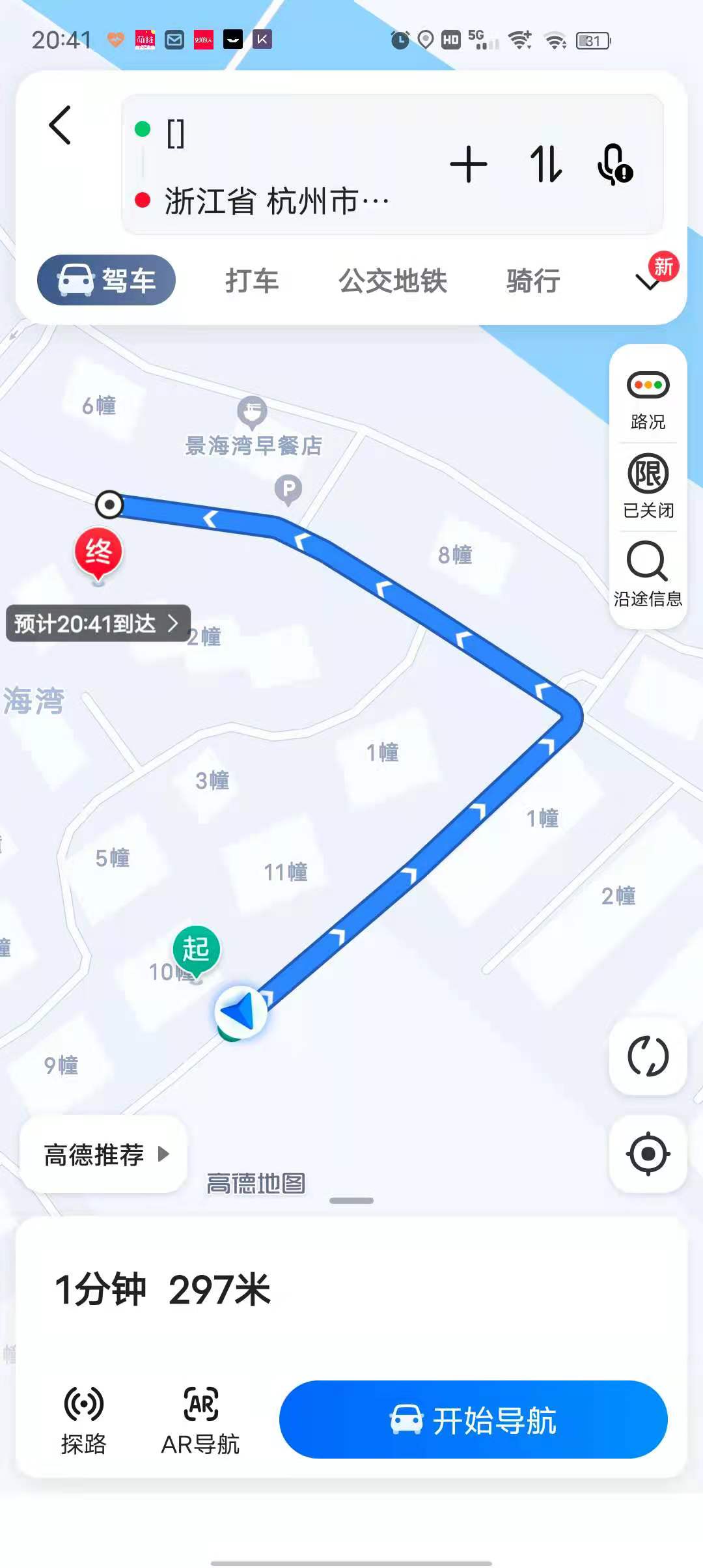
uni-app 支付宝小程序openLocation查看地图点击导航 起点地址显示"[]"
uni-app 支付宝小程序openLocation查看地图点击导航 起点地址显示"[]"
示例代码:
openLocation() {
    let bdDecrypt = util.location.bdDecrypt(this.detail.longitude, this.detail.latitude)
    uni.openLocation({
        latitude: Number(bdDecrypt.lat),
        longitude: Number(bdDecrypt.lng),
        name: this.detail.location_name,
        address: this.detail.location_address,
        success: function(e) {}
    });
}
操作步骤:
支付宝小程序openLocation查看地图点击导航,起点地址显示"[]"
预期结果:
支付宝小程序openLocation查看地图点击导航,起点地址显示"[]"
实际结果:
支付宝小程序openLocation查看地图点击导航,起点地址显示"[]"
bug描述:
在门店详情中进入高德地图导航,起点位置显示为“[]“
| 信息类别 | 信息内容 |
|---|---|
| 产品分类 | uniapp/小程序/阿里 |
| 开发环境 | Windows |
| 操作系统版本号 | win10 |
| HBuilderX类型 | 正式 |
| HBuilderX版本 | 3.1.22 |
| 第三方工具版本 | 1 |
| 基础库版本 | 1 |
| 项目创建方式 | HBuilderX |
更多关于uni-app 支付宝小程序openLocation查看地图点击导航 起点地址显示"[]"的实战教程也可以访问 https://www.itying.com/category-93-b0.html
2 回复

单独测试一下支付宝小程序(不使用 uni-app 时),是否存在此问题,如果仍然存在,反馈到支付宝小程序社区
更多关于uni-app 支付宝小程序openLocation查看地图点击导航 起点地址显示"[]"的实战教程也可以访问 https://www.itying.com/category-93-b0.html

这个问题是由于支付宝小程序平台对 uni.openLocation 接口的 address 参数解析异常导致的。当传入的地址字符串包含某些特殊字符或格式时,支付宝客户端可能无法正确解析,从而显示为“[]”。
解决方案:
-
检查并清理地址字符串
确保this.detail.location_address不包含可能引起解析问题的字符(如方括号、换行符等)。可以尝试在传入前进行简单处理:let address = (this.detail.location_address || '').replace(/[\[\]]/g, '').trim(); -
使用
name参数替代显示
如果地址字符串问题无法解决,可以将关键地址信息合并到name参数中,因为name的兼容性通常更好:uni.openLocation({ latitude: Number(bdDecrypt.lat), longitude: Number(bdDecrypt.lng), name: `${this.detail.location_name} - ${this.detail.location_address}`, address: '', // 留空或传入简化地址 success: function(e) {} }); -
降级处理
如果问题仅在支付宝小程序出现,可以针对该平台做条件编译处理:// #ifdef MP-ALIPAY let address = '简化后的地址'; // #endif
