




uni-app 安卓下运行报错 failed check appkey or appid
uni-app 安卓下运行报错 failed check appkey or appid
示例代码:
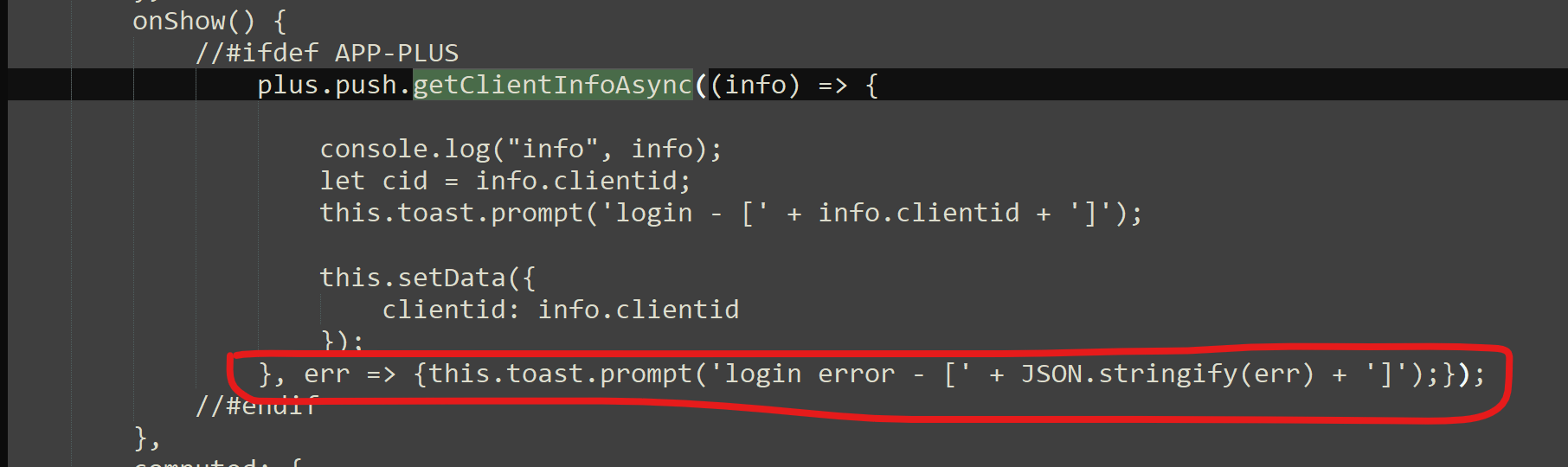
plus.push.getClientInfoAsync((info) => {
    console.log("info", info);
    let cid = info.clientid;
    this.setData({
        clientid: info.clientid
    });
}, err => {
    console.log("err",err);
});
操作步骤:
plus.push.getClientInfoAsync((info) => { console.log(“info”, info); let cid = info.clientid; this.setData({ clientid: info.clientid }); }, err => { console.log(“err”,err); });
每次更新完app后,第一次打开app,clientid获取不到
## 预期结果:


每次更新完app后,无论什么时候打开app,clientid可以正常获取到
实际结果:
每次更新完app后,第一次打开app,clientid获取不到
## bug描述:
### 问题:
更新完成app后,第一次打开app,clientid获取不到。
当第二次打开app时,就没问题了。
### 想解决方案:
每次打包更新后,clientid都能获取到。
### 代码:
uniPush 每次都有勾选
### 错误提示:
failed, check appkey or appid
### 不同设备:
关于授权通知
- huawei - 有无授权clientid为null
- vivo - 有授权可以登入,无授权clientid为null
- oppo - 有无授权都可登入
- mi - 有无授权都可以登入
[](https://www.itying.com/uniimg.php?url=https://img-cdn-tc.dcloud.net.cn/uploads/questions/20210909/7756fcd1e10a9aa8c7746479d6033699.png)
[1631148983238676.mp4_.zip](//ask.dcloud.net.cn/file/download/file_name-MTYzMTE0ODk4MzIzODY3Ni5tcDRfLnppcA==__url-Ly9pbWctY2RuLXRjLmRjbG91ZC5uZXQuY24vdXBsb2Fkcy9xdWVzdGlvbnMvMjAyMTA5MDkvYzQ0ZmNhZDlmZDY3OWQzODIyMDhiYmQ5NzczMGIxODk=)
更多关于uni-app 安卓下运行报错 failed check appkey or appid的实战教程也可以访问 https://www.itying.com/category-93-b0.html
1 回复

更多关于uni-app 安卓下运行报错 failed check appkey or appid的实战教程也可以访问 https://www.itying.com/category-93-b0.html
这个错误通常与uniPush配置和初始化时机有关。根据你描述的现象,更新后首次启动获取不到clientid,第二次正常,这很可能是uniPush初始化未完成导致的。
主要原因分析:
- 初始化时序问题:应用更新后首次启动,uniPush SDK可能尚未完成初始化,此时调用
getClientInfoAsync会返回错误 - 配置验证失败:更新后的应用可能需要重新验证appkey/appid,但验证过程异步进行
解决方案:
1. 延迟获取clientid(推荐)
setTimeout(() => {
    plus.push.getClientInfoAsync((info) => {
        console.log("info", info);
        if(info && info.clientid) {
            this.setData({
                clientid: info.clientid
            });
        }
    }, err => {
        console.log("err", err);
    });
}, 3000); // 延迟3秒确保初始化完成
2. 监听推送服务就绪事件
document.addEventListener('plusready', () => {
    // 等待推送服务初始化
    setTimeout(() => {
        plus.push.getClientInfoAsync((info) => {
            if(info && info.clientid) {
                this.setData({
                    clientid: info.clientid
                });
            }
        });
    }, 2000);
});
3. 添加重试机制
getClientIdWithRetry(retryCount = 3) {
    plus.push.getClientInfoAsync((info) => {
        if(info && info.clientid) {
            this.setData({ clientid: info.clientid });
        } else if(retryCount > 0) {
            setTimeout(() => {
                this.getClientIdWithRetry(retryCount - 1);
            }, 1000);
        }
    }, err => {
        if(retryCount > 0) {
            setTimeout(() => {
                this.getClientIdWithRetry(retryCount - 1);
            }, 1000);
        }
    });
}

// 调用
this.getClientIdWithRetry();
4. 检查manifest.json配置
确保uniPush配置正确:
{
    "distribute": {
        "android": {
            "permissions": [
                "<uses-permission android:name=\"android.permission.INTERNET\"/>"
            ]
        }
    },
    "push": {
        "unipush": {
            "appid": "你的appid",
            "appkey": "你的appkey"
        }
    }
}