




uni-app request entity too large 问题:uni.request发送post请求时 参数带上视频文件的base64
uni-app request entity too large 问题:uni.request发送post请求时 参数带上视频文件的base64
| 类别 | 信息 |
|---|---|
| 产品分类 | uniapp/App |
| PC开发环境操作系统 | Windows |
| PC开发环境操作系统版本号 | Windows10 |
| HBuilderX类型 | 正式 |
| HBuilderX版本号 | 3.1.12 |
| 手机系统 | iOS |
| 手机系统版本号 | IOS 14 |
| 手机厂商 | 苹果 |
| 手机机型 | iPhone11 |
| 页面类型 | vue |
| 打包方式 | 云端 |
| 项目创建方式 | HBuilderX |
操作步骤:
startVideoCapture 吊起视频录像功能
plus.io.resolveLocalFileSystemURL(
path,(entry) => {
entry.file((file)=>{
const reader = new plus.io.FileReader();
reader.onloadend = (e) => {
$this.io_video_base64 = e.target.result;
}
})
得到视频文件的Base64, 再使用Base64 发送给post请求
之后就抛出request entity too large
请求超时

### 预期结果:
将Base64 发送给post请求 之后继续执行之后的步骤
### 实际结果:
request entity too large
请求超时
### bug描述:
request entity too large
使用startVideoCapture吊起录像功能后返回得到视频文件的base64格式,将base64加入到post请求中 直接抛出request entity too large 错误 并且不再执行下面代码 之后再抛出请求超时提醒
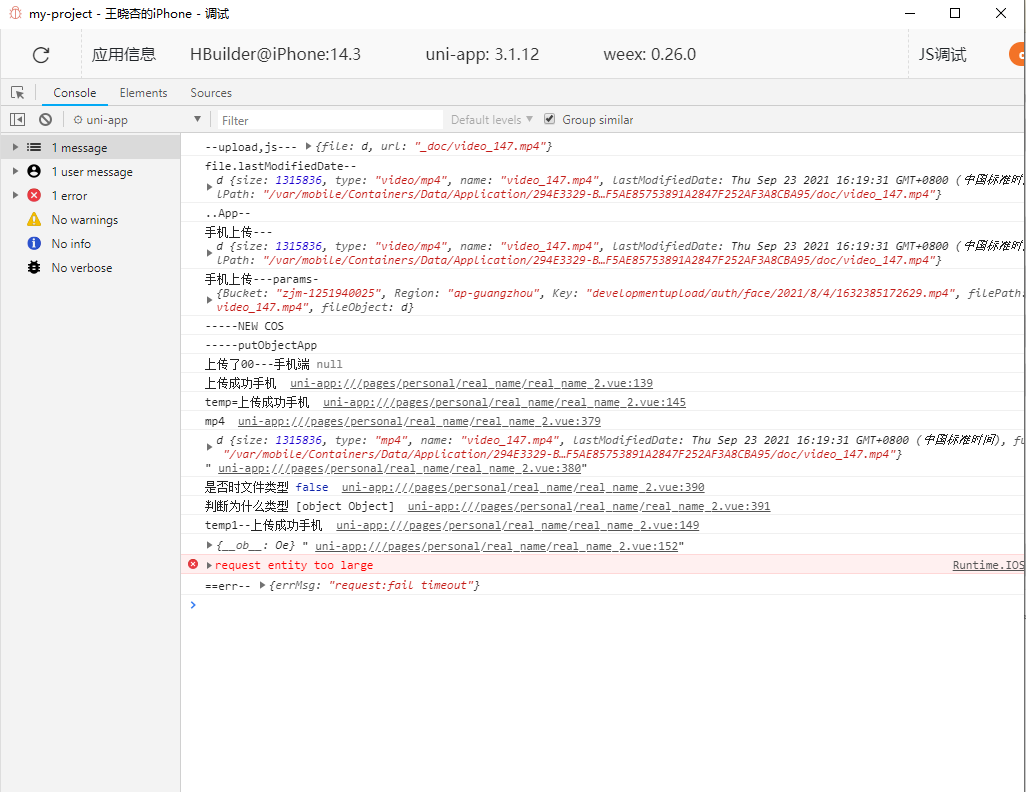
更多关于uni-app request entity too large 问题:uni.request发送post请求时 参数带上视频文件的base64的实战教程也可以访问 https://www.itying.com/category-93-b0.html
1 回复

更多关于uni-app request entity too large 问题:uni.request发送post请求时 参数带上视频文件的base64的实战教程也可以访问 https://www.itying.com/category-93-b0.html
问题出在将视频文件转为Base64后数据量过大,导致HTTP请求体超过服务器限制。
核心原因:
- Base64编码会使文件体积增加约33%
- 视频文件本身较大,编码后可能达到几十MB甚至上百MB
- 服务器通常有默认的请求体大小限制(如Nginx默认1MB)
解决方案:
方案一:分片上传(推荐)
// 使用uni.uploadFile分片上传
uni.uploadFile({
    url: 'your_api_url',
    filePath: videoPath, // 直接使用文件路径
    name: 'video',
    formData: {
        // 其他参数
    },
    success: (res) => {
        console.log('上传成功');
    }
});
方案二:使用文件路径而非Base64
// 获取文件路径后直接上传
plus.io.resolveLocalFileSystemURL(path, (entry) => {
    uni.uploadFile({
        url: 'your_api_url',
        filePath: entry.toLocalURL(),
        name: 'video',
        success: (res) => {
            console.log('上传成功');
        }
    });
});