HarmonyOS鸿蒙Next在ArkTS中实现网络请求封装与错误重试机制

HarmonyOS鸿蒙Next在ArkTS中实现网络请求封装与错误重试机制 如何在 ArkTS 中实现网络请求封装与错误重试机制的代码呢?

4 回复

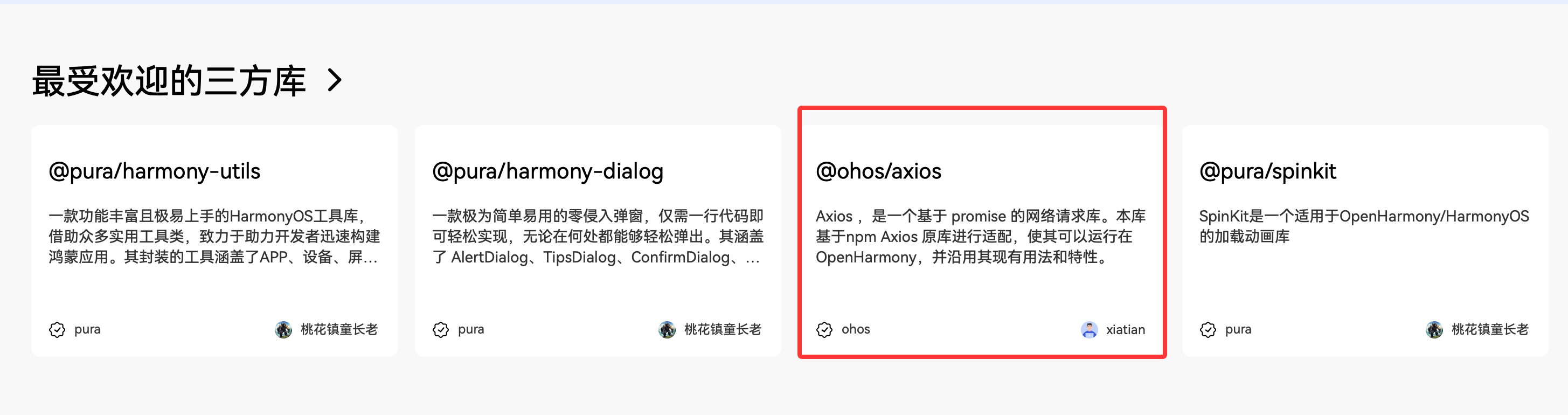
自己封装网络请求有点费劲哦! 不如直接用社区开源的实现方案:axios

https://ohpm.openharmony.cn/#/cn/home

cke_803.png

更多关于HarmonyOS鸿蒙Next在ArkTS中实现网络请求封装与错误重试机制的实战系列教程也可以访问 https://www.itying.com/category-93-b0.html


场景

我们现在虽然在请求时直接使用 @ohos.net.http 可行,但存在以下痛点:每次请求都要重复写 header 设置、超时配置、JSON 解析,网络不稳定时缺乏自动重试能力;无法统一处理 token 过期、401 未授权等通用错误;缺少请求/响应日志,调试困难等等问题存在,所以我们就需要封装一个可复用、健壮、易维护的 HTTP 客户端。

实现思路

核心点:基于 http.createHttp() 封装基础请求方法

一、支持 GET/POST,并自动解析 JSON 响应。

添加全局配置超时时间;

二、默认 header:Content-Type: application/json

三、实现拦截器机制

请求拦截器:自动注入 token、添加设备信息;

响应拦截器:统一处理业务错误码(如 code !== 200)、跳转登录页。

完整实现代码

import { http } from '@kit.NetworkKit'
import { promptAction, router } from '@kit.ArkUI'
//传输参数token
export const TOKEN_KEY: string = 'token'
//请求网络的基底址
export const BASE_URL: string = 'https://base_url/'
// 最外层数据封装类的
export class ResponsesData<T> {
  code: number = 0
  msg: string = ""
  data: T | null = null
}
interface EmptyInterface {}


// function requestHttp(url: url地址, method: 请求方法类型,默认为get, data?: 参数类型) : 返回类型是: Promise里面的T类型的数据
async function requestHttp<T>(url: string = '', method: http.RequestMethod = http.RequestMethod.GET, data?: object): Promise<T> {
  //创建一个网络请求
  const httpRequest = http.createHttp()
  //拼接地址
  let urlStr = BASE_URL + url
  //get方法需要自己拼接
  if (method = http.RequestMethod.GET) {
    //如果data里面有值并且里面有对象的时候
    if (data && Object.keys(data).length) {
      urlStr += "?" + Object.keys(data).map(key => {
        if (data[key]) {
          return `${key}=${data[key]}` // a=1 =>
        }
        return ""
      }).join('&') //['a=1','b=2','c=3']
    }
  }
  //设置请求对象
  let config: http.HttpRequestOptions = {
    //method同名方法赋值,参数名和属性名相同时只需要写一个method等价于method:method
    method,
    //超时时间
    readTimeout: 10000,
    //get的extraData参数在上面处理过了 在这儿不需要再传一遍
    extraData: method === http.RequestMethod.GET ? '' : data || {} as EmptyInterface,
    //响应参数的类型,指定为对象后有BUG,当结果有问题时,项目会直接瘫痪
    // expectDataType: http.HttpDataType.OBJECT,
    //请求头
    header: {
      'Content-Type': 'application/json',
      "Authorization": AppStorage.get(TOKEN_KEY) as string || ''
    }
  }
  //发请求
  try {

    const res = await httpRequest.request(urlStr, config)
    console.log('请求url地址', urlStr)
    //res.responseCode响应状态码,这里的401还会认为是请求成功
    if (res.responseCode === 401) {
      //401 token超时
      //删除持久化数据token
      AppStorage.set<string>(TOKEN_KEY, '')
      promptAction.showToast({ message: 'token超时!' })
      //回登录
      router.replaceUrl({
        url: 'pages/Login/LoginPage'
      })
      //返回错误 终止
      return Promise.reject(new Error('token超时!'))
    } else if (res.responseCode === 404) {
      promptAction.showToast({ message: '请求地址不正确!' })
      return Promise.reject(new Error('请求地址不正确!'))
    } else {
      //指定为字符串,然后再转成一个对象,类型是不明确的要使用泛型,返回第一层+泛型,泛型的定义是一个类和之前的有所差距
      const result = JSON.parse(res.result as string) as ResponsesData<T>
      //再判断返回的状态码进行处理,不是200都是失败
      if (result.code === 200) {
        return result.data as T
      } else {
        promptAction.showToast({ message: '服务器异常!' })
        return Promise.reject(new Error(result.msg))
      }
    }
  } catch (error) {
    promptAction.showToast({ message: error })
    return Promise.reject(error)
  }
  //执行最后销毁请求
  finally {
    //销毁请求请求结束
    httpRequest.destroy()
  }
}

//封装一个静态类的方法出来使用
export class Request {
  static get<T>(url: string, data?: object): Promise<T> {
    return requestHttp<T>(url, http.RequestMethod.GET, data)
  }

  static post<T>(url: string, data?: object): Promise<T> {
    return requestHttp<T>(url, http.RequestMethod.POST, data)
  }

  static put<T>(url: string, data?: object): Promise<T> {
    return requestHttp<T>(url, http.RequestMethod.PUT, data)
  }

  static delete<T>(url: string, data?: object): Promise<T> {
    return requestHttp<T>(url, http.RequestMethod.DELETE, data)
  }
}

在ArkTS中实现网络请求封装,可使用@ohos.net.http模块创建HttpClient实例。通过定义统一请求方法封装GET/POST请求,设置超时和重试机制。错误重试通常结合Promise与catch处理,在特定HTTP状态码或网络异常时进行有限次重试,避免无限循环。封装后可统一处理请求头、参数序列化和响应解析,提升代码复用性。

在ArkTS中实现网络请求封装与错误重试机制,可以基于@ohos.net.http模块进行设计。以下是一个简洁的实现方案:

1. 基础网络请求封装

import http from '@ohos.net.http';

class HttpRequest {
  private baseURL: string;

  constructor(baseURL: string) {
    this.baseURL = baseURL;
  }

  async request<T>(config: {
    url: string,
    method?: http.RequestMethod,
    data?: Object,
    headers?: Object
  }): Promise<T> {
    const httpRequest = http.createHttp();
    
    try {
      const response = await httpRequest.request(
        this.baseURL + config.url,
        {
          method: config.method || http.RequestMethod.GET,
          header: config.headers || {},
          extraData: config.data || {}
        }
      );

      if (response.responseCode === 200) {
        return JSON.parse(response.result as string) as T;
      } else {
        throw new Error(`HTTP ${response.responseCode}`);
      }
    } finally {
      httpRequest.destroy();
    }
  }
}

2. 错误重试机制实现

class RetryHttpRequest extends HttpRequest {
  private maxRetries: number;
  private retryDelay: number;

  constructor(baseURL: string, maxRetries: number = 3, retryDelay: number = 1000) {
    super(baseURL);
    this.maxRetries = maxRetries;
    this.retryDelay = retryDelay;
  }

  async requestWithRetry<T>(config: Parameters<typeof this.request>[0]): Promise<T> {
    let lastError: Error;
    
    for (let attempt = 0; attempt <= this.maxRetries; attempt++) {
      try {
        return await this.request<T>(config);
      } catch (error) {
        lastError = error;
        
        // 非最终尝试时等待重试
        if (attempt < this.maxRetries) {
          await this.delay(this.retryDelay * Math.pow(2, attempt)); // 指数退避
        }
      }
    }
    
    throw lastError;
  }

  private delay(ms: number): Promise<void> {
    return new Promise(resolve => setTimeout(resolve, ms));
  }
}

3. 使用示例

// 初始化
const api = new RetryHttpRequest('https://api.example.com', 3, 1000);

// 发起带重试的请求
try {
  const data = await api.requestWithRetry<{ result: string }>({
    url: '/endpoint',
    method: http.RequestMethod.POST,
    data: { key: 'value' }
  });
  console.log('Response:', data);
} catch (error) {
  console.error('Request failed after retries:', error);
}

关键特性说明:

  • 采用指数退避策略避免请求风暴
  • 支持自定义重试次数和延迟时间
  • 保持类型安全(TypeScript泛型)
  • 自动释放HTTP资源

此实现提供了可复用的网络请求基础,可根据实际需求扩展超时控制、拦截器、缓存等功能。

回到顶部