




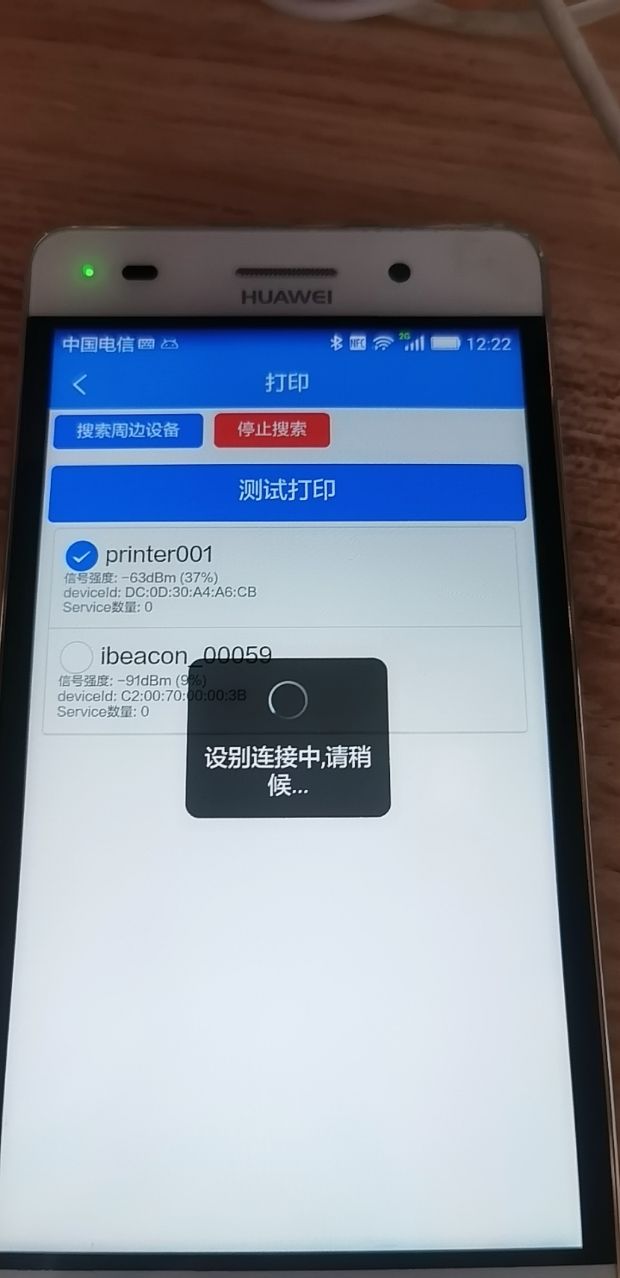
uni-app中uni.createBLEConnection的一直没有回调响应
uni-app中uni.createBLEConnection的一直没有回调响应
| 开发环境 | 版本号 | 项目创建方式 |
|---|---|---|
createBLEConnection() {
    //设备deviceId
    let deviceId = this.deviceId;
    let self = this;

    uni.showLoading({
        mask: true,
        title: '设别连接中,请稍候...'
    })
    console.log(this.deviceId);
    return new Promise((resolve, reject) => {
        uni.createBLEConnection({
            deviceId,

            success: (res) => {
                console.log("res:createBLEConnection " + JSON.stringify(res));
                uni.hideLoading();
                resolve(res)
            },
            fail: err => {
                uni.hideLoading();
                self.showToast(`停止搜索蓝牙设备失败` + JSON.stringify(err));
                reject(err);
            },
            complete: () => {
                console.log(11111)
                uni.onBLEConnectionStateChange(function (res) {
                  // 该方法回调中可以用于处理连接意外断开等异常情况
                  console.log(`device ${res.deviceId} state has changed, connected: ${res.connected}`)
                })

                uni.hideLoading();
            }

        })
    });
}
一直没有回调 也没报错
更多关于uni-app中uni.createBLEConnection的一直没有回调响应的实战教程也可以访问 https://www.itying.com/category-93-b0.html
4 回复

用示例代码hello uni-app能出现你的问题吗?
更多关于uni-app中uni.createBLEConnection的一直没有回调响应的实战教程也可以访问 https://www.itying.com/category-93-b0.html


uni.createBLEConnection 无回调响应的常见原因及排查步骤:
-
设备状态检查:
- 确认设备已通过
uni.openBluetoothAdapter初始化蓝牙模块 - 确保设备已通过
uni.startBluetoothDevicesDiscovery发现目标设备 - 验证
deviceId是否正确(建议打印确认)
- 确认设备已通过
-
代码逻辑问题:
complete回调中不应放置uni.onBLEConnectionStateChange监听,应移至外部- 建议将连接状态监听独立初始化:
uni.onBLEConnectionStateChange(res => {
  console.log(`连接状态变化: ${res.connected}`)
})
-
超时处理:
- 添加超时机制(建议8-10秒):
setTimeout(() => {
  reject(new Error('连接超时'))
  uni.hideLoading()
}, 10000)
- 添加超时机制(建议8-10秒):
-
系统权限/硬件检查:
- Android需定位权限(Android 6.0+)
- 确认手机蓝牙已开启且设备处于可连接状态
- iOS需在手机系统设置中授权应用使用蓝牙
-
简化调试代码:
uni.createBLEConnection({
  deviceId: '你的设备ID',
  success: (res) => console.log('连接成功', res),
  fail: (err) => console.log('连接失败', err)
})
