




uni-app 调用“openCustomerServiceChat”微信客服时不能选择应用分身 直接跳转默认的主微信
uni-app 调用“openCustomerServiceChat”微信客服时不能选择应用分身 直接跳转默认的主微信
| 信息类别 | 详细信息 |
|---|---|
| 产品分类 | uniapp/App |
| PC开发环境操作系统 | Windows |
| PC开发环境操作系统版本号 | Windows 10 21H1 |
| HBuilderX类型 | 正式 |
| HBuilderX版本号 | 3.2.9 |
| 手机系统 | Android |
| 手机系统版本号 | Android 10 |
| 手机厂商 | 华为 |
| 手机机型 | Meta40 |
| 页面类型 | vue |
| vue版本 | vue2 |
| 打包方式 | 云端 |
| 项目创建方式 | HBuilderX |
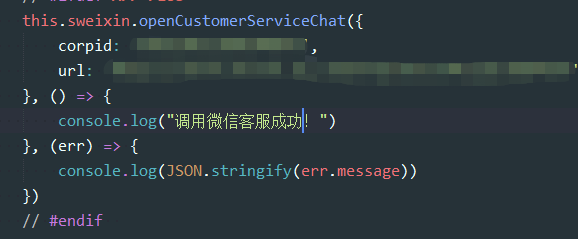
示例代码:
this.sweixin.openCustomerServiceChat({
    corpid: 'xxx',
    url: 'https://work.weixin.qq.com/'
}, () => {
    console.log("调用微信客服成功!")
}, (err) => {
    console.log(JSON.stringify(err.message))
})
操作步骤:
this.sweixin.openCustomerServiceChat({
    corpid: 'xxx',
    url: 'https://work.weixin.qq.com/'
}, () => {
    console.log("调用微信客服成功!")
}, (err) => {
    console.log(JSON.stringify(err.message))
})
预期结果:
this.sweixin.openCustomerServiceChat({
    corpid: 'xxx',
    url: 'https://work.weixin.qq.com/'
}, () => {
    console.log("调用微信客服成功!")
}, (err) => {
    console.log(JSON.stringify(err.message))
})
实际结果:
this.sweixin.openCustomerServiceChat({
    corpid: 'xxx',
    url: 'https://work.weixin.qq.com/'
}, () => {
    console.log("调用微信客服成功!")
}, (err) => {
    console.log(JSON.stringify(err.message))
})
更多关于uni-app 调用“openCustomerServiceChat”微信客服时不能选择应用分身 直接跳转默认的主微信的实战教程也可以访问 https://www.itying.com/category-93-b0.html
