




Golang赛博朋克地鼠游戏艺术
Golang赛博朋克地鼠游戏艺术 嗨,Gopher们!正在等待《赛博朋克2077》的发布吗?给你们带来了新的艺术作品) - >


karinkasweet/Cyberpunk-gophers
通过在GitHub上创建账户,为karinkasweet/Cyberpunk-gophers的开发做出贡献。
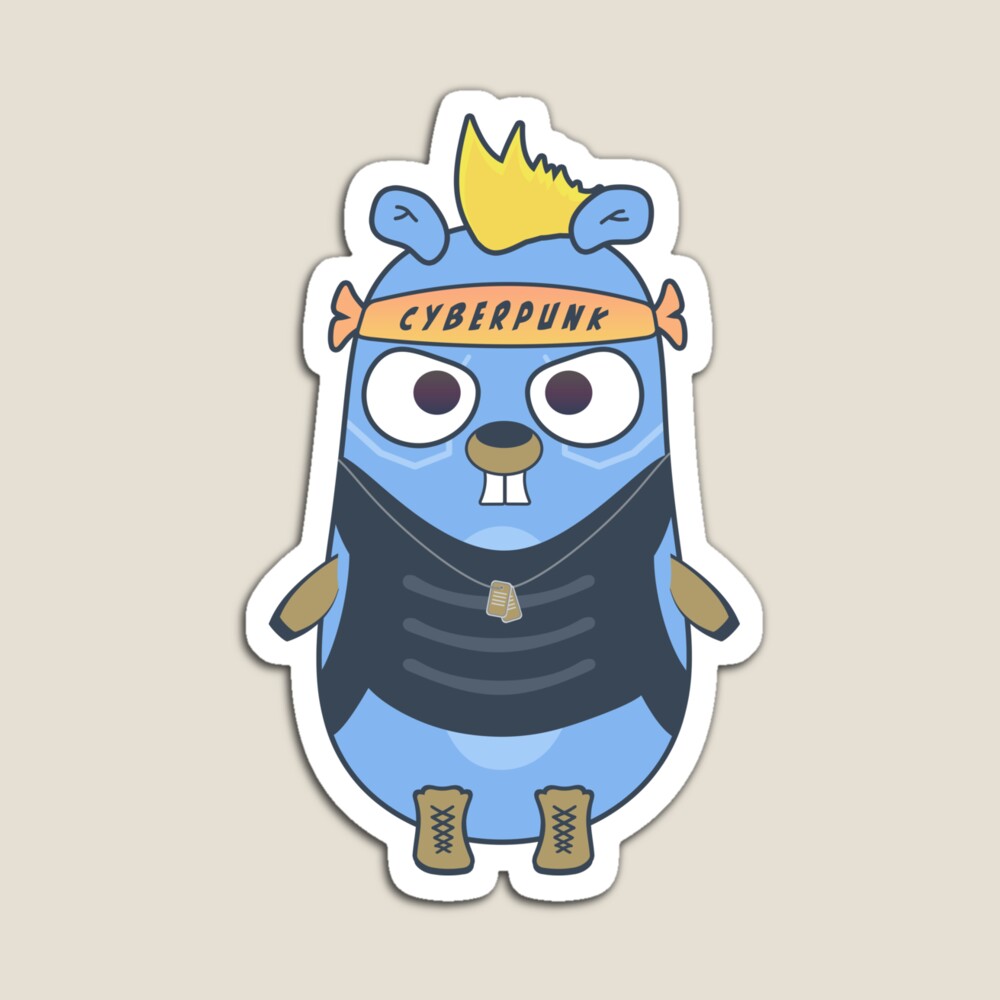
更多关于Golang赛博朋克地鼠游戏艺术的实战教程也可以访问 https://www.itying.com/category-94-b0.html
2 回复

同样在TeePublic上也有紫色头发的版本 - https://www.teepublic.com/t-shirt/16967376-golang-gopher-cyberpunk-style-punk?store_id=590472
更多关于Golang赛博朋克地鼠游戏艺术的实战系列教程也可以访问 https://www.itying.com/category-94-b0.html

这个赛博朋克风格的地鼠艺术项目确实很有创意!虽然它主要是图形设计作品,但我们可以用Go语言实现一个类似的赛博朋克风格控制台动画来致敬这个创意。
下面是一个简单的赛博朋克风格控制台动画示例,展示了一个闪烁的霓虹地鼠:
package main

import (
	"fmt"
	"time"
	"os"
	"os/exec"
)

func clearScreen() {
	cmd := exec.Command("clear")
	cmd.Stdout = os.Stdout
	cmd.Run()
}

func main() {
	cyberGophers := []string{
		`    ╔═══════════════════╗`,
		`    ║   CYBER-GOPHER    ║`,
		`    ║    ░░░░░░░░░░░    ║`,
		`    ║   ░░░░░░░░░░░░░   ║`,
		`    ║  ░░░░░░░░░░░░░░░  ║`,
		`    ║ ░░░░░░░░░░░░░░░░░ ║`,
		`    ║░░░░░░░░░░░░░░░░░░░║`,
		`    ║ ░░░░░░░░░░░░░░░░░ ║`,
		`    ║  ░░░░░░░░░░░░░░░  ║`,
		`    ║   ░░░░░░░░░░░░░   ║`,
		`    ║    ░░░░░░░░░░░    ║`,
		`    ║   ░░░░░░░░░░░░░   ║`,
		`    ║  ░░░░░░░░░░░░░░░  ║`,
		`    ╚═══════════════════╝`,
	}

	colors := []string{
		"\033[95m", // 洋红色
		"\033[96m", // 青色
		"\033[94m", // 蓝色
		"\033[92m", // 绿色
	}

	reset := "\033[0m"

	for i := 0; i < 20; i++ {
		clearScreen()

		color := colors[i%len(colors)]

		fmt.Println("\n\n")
		for _, line := range cyberGophers {
			fmt.Printf("%s%s%s\n", color, line, reset)
		}

		// 添加闪烁效果
		fmt.Printf("\n%s╔══════════════════════════════════════════════════════════╗%s\n", color, reset)
		fmt.Printf("%s║  SYSTEM STATUS: [■■■■■■■■■■] 100%%  CONNECTION: ACTIVE  ║%s\n", color, reset)
		fmt.Printf("%s╚══════════════════════════════════════════════════════════╝%s\n", color, reset)

		time.Sleep(200 * time.Millisecond)
	}
}
另一个更互动的版本,使用termbox-go库创建赛博朋克风格的游戏界面:
package main

import (
	"github.com/nsf/termbox-go"
	"time"
)

type CyberGopher struct {
	x, y int
	char rune
	color termbox.Attribute
}

func drawCyberBorder() {
	w, h := termbox.Size()

	// 绘制霓虹边框
	neonColor := termbox.ColorCyan | termbox.AttrBold

	for x := 0; x < w; x++ {
		termbox.SetCell(x, 0, '═', neonColor, termbox.ColorDefault)
		termbox.SetCell(x, h-1, '═', neonColor, termbox.ColorDefault)
	}

	for y := 0; y < h; y++ {
		termbox.SetCell(0, y, '║', neonColor, termbox.ColorDefault)
		termbox.SetCell(w-1, y, '║', neonColor, termbox.ColorDefault)
	}

	termbox.SetCell(0, 0, '╔', neonColor, termbox.ColorDefault)
	termbox.SetCell(w-1, 0, '╗', neonColor, termbox.ColorDefault)
	termbox.SetCell(0, h-1, '╚', neonColor, termbox.ColorDefault)
	termbox.SetCell(w-1, h-1, '╝', neonColor, termbox.ColorDefault)
}

func drawGopher(g CyberGopher) {
	// 绘制赛博地鼠
	gopherArt := []string{
		"   ▄▄▄▄▄   ",
		"  ███████  ",
		" ██▀▀▀▀▀██ ",
		"██▀    ▀██",
		"██      ██",
		" ██    ██ ",
		"  ██████  ",
	}

	for i, line := range gopherArt {
		for j, ch := range line {
			termbox.SetCell(g.x+j, g.y+i, ch, g.color, termbox.ColorDefault)
		}
	}
}

func main() {
	err := termbox.Init()
	if err != nil {
		panic(err)
	}
	defer termbox.Close()

	termbox.SetOutputMode(termbox.Output256)

	gopher := CyberGopher{
		x: 10,
		y: 5,
		char: 'G',
		color: termbox.ColorGreen | termbox.AttrBold,
	}

	eventQueue := make(chan termbox.Event)
	go func() {
		for {
			eventQueue <- termbox.PollEvent()
		}
	}()

	colors := []termbox.Attribute{
		termbox.ColorMagenta | termbox.AttrBold,
		termbox.ColorCyan | termbox.AttrBold,
		termbox.ColorBlue | termbox.AttrBold,
		termbox.ColorGreen | termbox.AttrBold,
	}

	colorIndex := 0

	for {
		select {
		case ev := <-eventQueue:
			if ev.Type == termbox.EventKey {
				switch ev.Key {
				case termbox.KeyArrowLeft:
					if gopher.x > 2 {
						gopher.x--
					}
				case termbox.KeyArrowRight:
					if gopher.x < 50 {
						gopher.x++
					}
				case termbox.KeyArrowUp:
					if gopher.y > 2 {
						gopher.y--
					}
				case termbox.KeyArrowDown:
					if gopher.y < 15 {
						gopher.y++
					}
				case termbox.KeyEsc:
					return
				}
			}
		default:
			termbox.Clear(termbox.ColorDefault, termbox.ColorDefault)

			// 绘制赛博朋克风格的UI元素
			drawCyberBorder()

			// 绘制闪烁的霓虹文本
			title := "CYBERPUNK GOPHER v1.0"
			for i, ch := range title {
				termbox.SetCell(20+i, 2, ch, colors[colorIndex], termbox.ColorDefault)
			}

			// 绘制地鼠
			gopher.color = colors[colorIndex]
			drawGopher(gopher)

			// 绘制状态栏
			status := "SYSTEM: ONLINE | POSITION: X:" + fmt.Sprintf("%d", gopher.x) + " Y:" + fmt.Sprintf("%d", gopher.y)
			for i, ch := range status {
				termbox.SetCell(5+i, 20, ch, termbox.ColorWhite, termbox.ColorDefault)
			}

			termbox.Flush()

			colorIndex = (colorIndex + 1) % len(colors)
			time.Sleep(300 * time.Millisecond)
		}
	}
}
要运行第二个示例,需要先安装termbox-go库:
go get github.com/nsf/termbox-go
这些代码展示了如何用Go创建赛博朋克风格的视觉效果,虽然不如原艺术作品的图形精美,但体现了Go语言在创建控制台艺术和交互应用方面的能力。
