




HarmonyOS鸿蒙Next中Repeat组件使用带@ReusableV2组件会导致内容混乱
HarmonyOS鸿蒙Next中Repeat组件使用带@ReusableV2组件会导致内容混乱 环境:
DevEco Studio 6.0.0 Release SDK: 5.1.0(18)
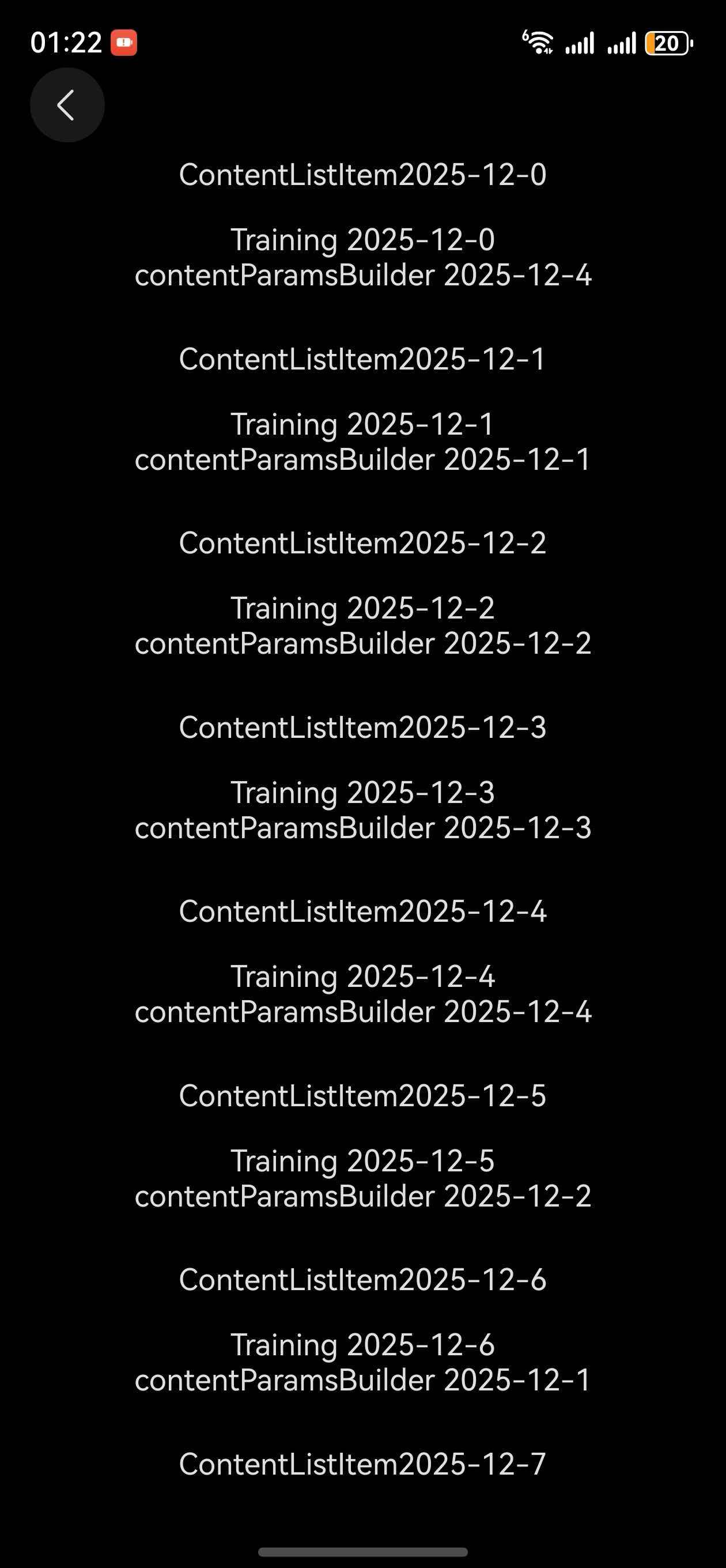
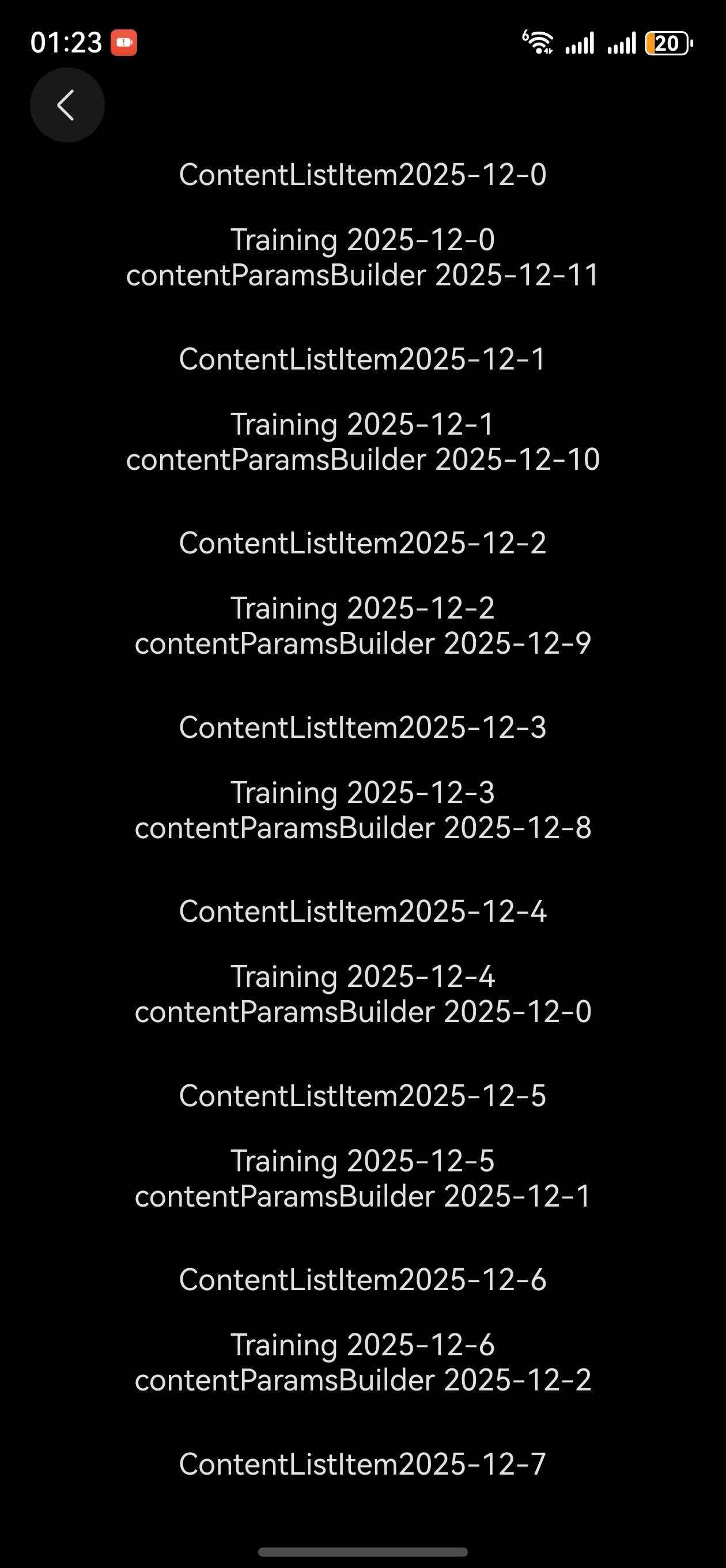
当我去除 @ReusableV2 时正常显示。首次加载时正常渲染,下拉刷新后渲染错乱。
demo地址: https://gitee.com/abc1612565136/harmony-repeat-demo
@ObservedV2
class ListClassViewModel {
  @Trace list: ESObject[] = Array(24).fill(1).map((item: number, index) => ({
    'createTime': '2025-12-' + index
  } as Record<string, string>))
  scroller = new ListScroller()
  @Trace isRefreshing = true

  constructor() {
  }

  async pullToRefresh(state: RefreshStatus) {
    switch (state) {
      case 3:
        this.isRefreshing = true
        this.reset()
        break;
    }
  }

  reset() {
    this.list = []

    setTimeout(() => {
      const data = Array(24).fill(1).map((item: number, index) => ({
        'createTime': '2025-12-' + index
      } as Record<string, string>))
      data.forEach(_ => {
        this.list.push(_)
      })
      this.isRefreshing = false
    }, 200)
  }
}

@ComponentV2
struct ListPullUpLoad {
  @Require @Param listClass: ListClassViewModel | null = null
  @BuilderParam childrenBuilderParam: <T>(item: T) => void = this.ChildrenBuilder
  @BuilderParam headerBuilderParam: <T>(item: T) => void = this.HeaderBuilder
  @BuilderParam prependBuilderParam: () => void = this.PrependBuilder

  @Builder
  PrependBuilder() {

  }

  @Builder
  footerBuilder(ri: RepeatItem<Record<string, string>>) {
  }

  @Builder
  HeaderBuilder() {

  }

  @Builder
  ChildrenBuilder() {

  }

  build() {
    Refresh({
      refreshing: this.listClass!.isRefreshing,
    }) {
      List({ space: 10, scroller: this.listClass!.scroller }) {
        this.prependBuilderParam()

        Repeat<Record<string, string>>(this.listClass!.list)
          .each((ri: RepeatItem<Record<string, string>>) => {
            ListItemGroup({
              space: 10,
              header: () => {
                this.headerBuilderParam(ri)
              },
              footer: () => {
                this.footerBuilder(ri)
              }
            }) {
              this.childrenBuilderParam(ri)
            }
          })
          .virtualScroll({ totalCount: this.listClass!.list.length, reusable: false })
      }
      .width('100%')
      .height('100%')
      .align(Alignment.TopStart)
      .scrollBar(BarState.Off)
      .cachedCount(4)
      .edgeEffect(EdgeEffect.Spring)
    }
    .onStateChange((state: RefreshStatus) => {
      this.listClass!.pullToRefresh(state)
    })
  }
}

[@ReusableV2](/user/ReusableV2)
@ComponentV2
struct Training {
  @Require @Param repeatItem: null | RepeatItem<Record<string, string>> = null
  @BuilderParam contentBuilderParam: () => void = this.contentBuilder

  @Builder
  contentBuilder() {

  }

  build() {
    Column() {
      Text('Training ' + this.repeatItem?.item.createTime)
      this.contentBuilderParam()
    }
    .width('100%')
    .borderRadius(20)
    .padding(16)
  }
}


@ComponentV2
export struct RepeatView {
  @Consumer('NavPathStack') pageInfo: NavPathStack | null = null
  listClass = new ListClassViewModel()

  @Builder
  contentParamsBuilder(ri: RepeatItem<Record<string, string>>) {
    Column({ space: 8 }) {
      Text('contentParamsBuilder ' + ri.item.createTime)
    }
  }

  @Builder
  contentListItem(ri: RepeatItem<Record<string, string>>) {
    ListItem() {
      Column() {
        Text('ContentListItem' + ri.item.createTime)
        Training({
          repeatItem: ri,
          contentBuilderParam: () => {
            this.contentParamsBuilder(ri)
          }
        })
      }
    }
  }

  build() {
    NavDestination() {
      ListPullUpLoad({
        listClass: this.listClass,
        childrenBuilderParam: ((ri: RepeatItem<Record<string, string>>) => {
          this.contentListItem(ri)
        }) as <ESObject>(ri: ESObject) => void
      })
        .width('100%')
        .padding({
        })
    }
    .padding({
      bottom: 48,
      top: 28
    })
  }
}
更多关于HarmonyOS鸿蒙Next中Repeat组件使用带@ReusableV2组件会导致内容混乱的实战教程也可以访问 https://www.itying.com/category-93-b0.html

你这代码跑不起来啊,可以给个最小复现的demo吗?
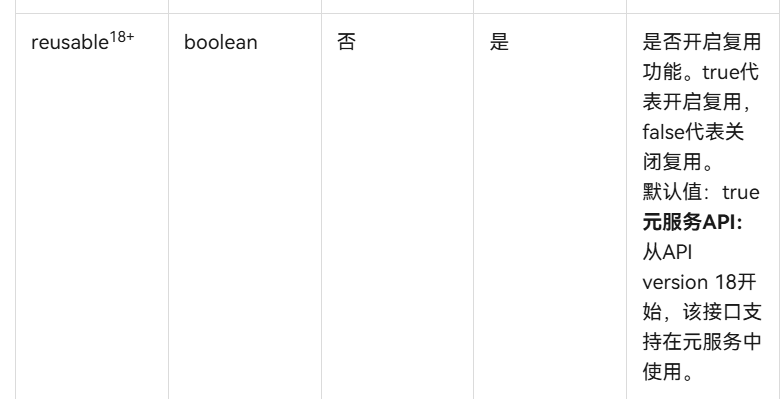
或者关掉Repeat的复用。
在这行代码的{}里加上reusable:false。
.virtualScroll({ totalCount: this.listClass!.list.length })
更多关于HarmonyOS鸿蒙Next中Repeat组件使用带@ReusableV2组件会导致内容混乱的实战系列教程也可以访问 https://www.itying.com/category-93-b0.html

感谢你的建议,reusable为false也无效,测试出只有去除@repeatv2才不会混乱。已修改示例代码,并且补充了demo仓库地址 https://gitee.com/abc1612565136/harmony-repeat-demo,
在HarmonyOS鸿蒙Next中,Repeat组件与@ReusableV2组件结合使用时,若复用逻辑不当,可能导致子组件状态未正确重置,引发内容错乱。这通常是由于@ReusableV2的复用机制与Repeat的动态数据更新不同步造成的。建议检查复用组件的状态管理,确保每次数据项更新时,组件内部状态能正确初始化。

在HarmonyOS Next中,@ReusableV2组件与Repeat结合使用时出现内容混乱,通常是由于组件复用机制与数据更新不同步导致的。从你的代码分析,问题出现在Training组件使用了@ReusableV2装饰器。
核心问题分析:
@ReusableV2的复用机制:可复用组件在Repeat的虚拟滚动中会被缓存和重用,但组件的状态(包括@Param参数)可能不会在每次复用时正确重置。- 数据绑定时机问题:当下拉刷新后,
list被清空并重新赋值,但复用的Training组件可能仍持有旧的repeatItem引用,导致显示错乱。
解决方案:
移除Training组件的@ReusableV2装饰器是最直接的解决方式。如果仍需复用,可尝试以下优化:
@ComponentV2
struct Training {
  @Require @Param repeatItem: null | RepeatItem<Record<string, string>> = null
  @BuilderParam contentBuilderParam: () => void = this.contentBuilder

  // 添加aboutToReuse生命周期管理
  aboutToReuse(params: Record<string, Object>): void {
    // 确保参数正确更新
    if (params['repeatItem']) {
      this.repeatItem = params['repeatItem'] as RepeatItem<Record<string, string>>
    }
  }

  @Builder
  contentBuilder() {}

  build() {
    Column() {
      Text('Training ' + this.repeatItem?.item.createTime)
      this.contentBuilderParam()
    }
    .width('100%')
    .borderRadius(20)
    .padding(16)
  }
}
关键点说明:
- 在
Repeat中使用@ReusableV2组件时,必须正确实现aboutToReuse生命周期函数来更新组件参数。 - 确保数据源更新时,
RepeatItem对象的引用或内容能正确传递给复用组件。 - 考虑在
Repeat的virtualScroll配置中明确设置reusable: false来禁用复用,但会影响性能。
你的案例中首次加载正常而下拉刷新后错乱,正是由于复用组件未能正确响应数据源重置导致的。建议先移除@ReusableV2确认问题解决,再根据性能需求考虑是否实现完整的复用逻辑。
