




HarmonyOS 鸿蒙Next中如何实现复杂动画(路径动画)?
HarmonyOS 鸿蒙Next中如何实现复杂动画(路径动画)? 需实现元素沿贝塞尔曲线运动的动画效果

传统曲线基于数学公式,创造形状符合开发者预期的动画曲线。以三阶贝塞尔曲线为代表,通过调整曲线控制点,可以改变曲线形状,从而带来缓入、缓出等动画效果。对于同一条传统曲线,由于不具备物理含义,其形状不会因为用户行为发生任何改变,缺少物理动画的自然感和生动感。建议优先采用物理曲线创建动画,将传统曲线作为辅助用于极少数必要场景中。
ArkUI提供了贝塞尔曲线、阶梯曲线等传统曲线接口,开发者可参照插值计算进行查阅。
class MyCurve {
  public title: string;
  public curve: Curve;
  public color: Color | string;
  constructor(title: string, curve: Curve, color: Color | string = '') {
    this.title = title;
    this.curve = curve;
    this.color = color;
  }
}
const myCurves: MyCurve[] = [
  new MyCurve(' Linear', Curve.Linear, '#317AF7'),
  new MyCurve(' Ease', Curve.Ease, '#D94838'),
  new MyCurve(' EaseIn', Curve.EaseIn, '#DB6B42'),
  new MyCurve(' EaseOut', Curve.EaseOut, '#5BA854'),
  new MyCurve(' EaseInOut', Curve.EaseInOut, '#317AF7'),
  new MyCurve(' FastOutSlowIn', Curve.FastOutSlowIn, '#D94838')
]
@Entry
@Component
struct CurveDemo {
  @State dRotate: number = 0; // 旋转角度
  build() {
    Column() {
      // 曲线图例
      Grid() {
        ForEach(myCurves, (item: MyCurve) => {
          GridItem() {
            Column() {
              Row()
                .width(30)
                .height(30)
                .borderRadius(15)
                .backgroundColor(item.color)
              Text(item.title)
                .fontSize(15)
                .fontColor(0x909399)
            }
            .width('100%')
          }
        })
      }
      .columnsTemplate('1fr 1fr 1fr')
      .rowsTemplate('1fr 1fr 1fr 1fr 1fr')
      .padding(10)
      .width('100%')
      .height(300)
      .margin({ top: 50 })
      Stack() {
        // 摆动管道
        Row()
          .width(290)
          .height(290)
          .border({
            width: 15,
            color: 0xE6E8EB,
            radius: 145
          })
        ForEach(myCurves, (item: MyCurve) => {
          // 小球
          Column() {
            Row()
              .width(30)
              .height(30)
              .borderRadius(15)
              .backgroundColor(item.color)
          }
          .width(20)
          .height(300)
          .rotate({ angle: this.dRotate })
          .animation({
            duration: 2000,
            iterations: -1,
            curve: item.curve,
            delay: 100
          })
        })
      }
      .width('100%')
      .height(200)
      .onClick(() => {
        this.dRotate ? null : this.dRotate = 360;
      })
    }
    .width('100%')
  }
}
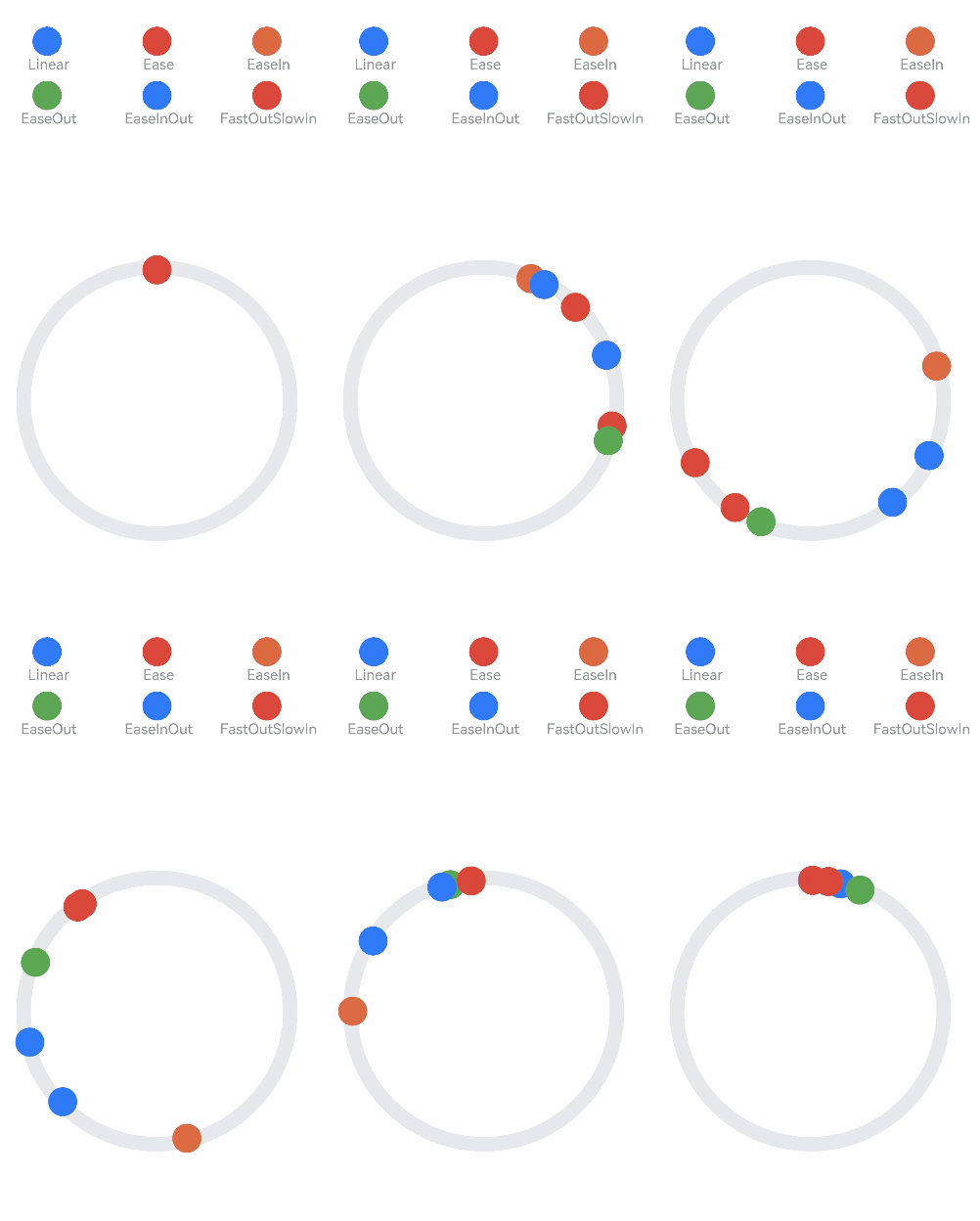
传统曲线的示例和效果如下:
更多关于HarmonyOS 鸿蒙Next中如何实现复杂动画(路径动画)?的实战系列教程也可以访问 https://www.itying.com/category-93-b0.html

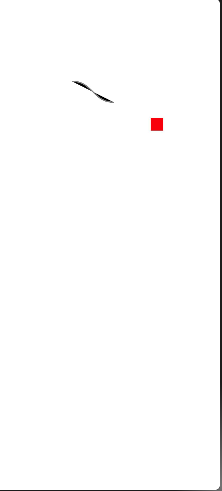
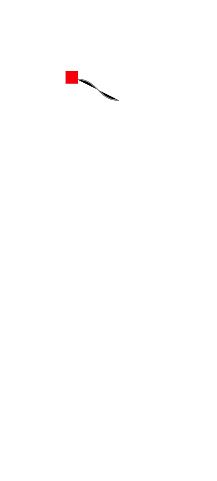
结合animateTo与path组件,通过transform实现位移。
示例代码:
/**
 * @author J.query
 * @date 2025/12/23 09:07
 * @email j-query@foxmail.com
 * Description:
 */

@Entry
@Component
struct PathAnimation {
  @State progress: number = 0;

  build() {
    Stack() {
      // 运动路径(贝塞尔曲线)
      Path()
        .commands('M 50 50 C 150 50, 150 150, 250 150')
        .stroke(Color.Gray)
        .strokeWidth(2)
      // 动画元素
      Rect()
        .width(20)
        .height(20)
        .fill(Color.Red)
        .position({ x: this.getPointX(), y: this.getPointY() })
        .onClick(() => {
          if (this.progress === 0) {
            this.progress = 1;
          } else {
            this.progress = 0;
          }
        })
        .animation({ duration: 2000, curve: Curve.Linear })
    }
    .width(300)
    .height(200)
  }

  // 根据进度计算路径上的点坐标
  getPointX(): number {
    // 简化计算:实际需根据贝塞尔曲线公式计算
    return 50 + this.progress * 200;
  }

  getPointY(): number {
    return 50 + this.progress * 100;
  }
}
扩展:可封装为通用路径动画组件,支持自定义路径与缓动函数。

在HarmonyOS Next中实现路径动画,需要使用ArkUI的动画能力。通过animateTo函数或属性动画,结合Path和PathMeasure计算路径点。关键步骤是定义Path路径,使用PathAnimation或自定义动画,通过插值计算对象在路径上的位置、旋转等属性,从而实现沿复杂路径运动的动画效果。

在HarmonyOS Next中实现元素沿贝塞尔曲线运动的路径动画,可以通过AnimatorPath和PathAnimator来实现。以下是核心步骤和代码示例:
1. 定义动画路径
使用AnimatorPath创建贝塞尔曲线路径,支持二次和三次贝塞尔曲线。
import { AnimatorPath, PathAnimator, Curve, PathDirection } from '@kit.ArkUI';

// 创建路径对象
let animatorPath = new AnimatorPath();
// 移动到起点
animatorPath.moveTo(10, 10);
// 添加二次贝塞尔曲线:控制点(100,200),终点(300,10)
animatorPath.quadraticCurveTo(100, 200, 300, 10);
// 或添加三次贝塞尔曲线:控制点1(50,100),控制点2(250,100),终点(300,300)
animatorPath.cubicCurveTo(50, 100, 250, 100, 300, 300);
2. 创建路径动画
使用PathAnimator将路径应用到组件的平移变换上。
// 创建路径动画器
let pathAnimator = new PathAnimator({
  path: animatorPath, // 绑定路径
  duration: 2000,     // 动画时长(毫秒)
  direction: PathDirection.Normal, // 动画方向
  curve: Curve.EaseInOut,          // 速度曲线
  iterations: 1,      // 重复次数(-1表示无限)
});

// 启动动画
pathAnimator.play();
3. 绑定到组件
在ArkUI组件中,通过animation属性绑定路径动画到平移变换。
// 示例:使一个正方形沿路径运动
@Entry
@Component
struct PathAnimationExample {
  private pathAnimator: PathAnimator = new PathAnimator({
    path: (() => {
      let path = new AnimatorPath();
      path.moveTo(0, 0);
      path.cubicCurveTo(100, 200, 300, 200, 400, 0);
      return path;
    })(),
    duration: 3000,
    iterations: -1,
  });

  build() {
    Column() {
      // 应用动画到平移属性
      Rectangle()
        .width(50)
        .height(50)
        .fill(Color.Blue)
        .animation(this.pathAnimator, {
          transform: {
            translate: { x: this.pathAnimator.currentX, y: this.pathAnimator.currentY }
          }
        })
    }
    .width('100%')
    .height('100%')
  }
}
关键点说明
- 路径定义:
AnimatorPath支持moveTo、lineTo、quadraticCurveTo、cubicCurveTo等方法构建复杂路径。 - 动画控制:
PathAnimator提供play()、pause()、stop()、finish()等控制方法。 - 属性绑定:通过
animation将pathAnimator.currentX/Y与组件的translate变换绑定。 - 性能优化:复杂路径建议预计算路径对象,避免在build中重复创建。
此方案直接利用HarmonyOS Next的动画框架,无需额外库即可实现平滑的贝塞尔曲线路径动画。
