uni-app 云打包后 百度地图 选择位置功能无法使用
uni-app 云打包后 百度地图 选择位置功能无法使用
产品分类:
uniapp/App
PC开发环境操作系统:
Windows
PC开发环境操作系统版本号:
win10
HBuilderX类型:
正式
HBuilderX版本号:
3.2.16
手机系统:
Android
手机系统版本号:
Android 10
手机厂商:
魅族
手机机型:
魅族16th
页面类型:
vue
vue版本:
vue2
打包方式:
云端
项目创建方式:
HBuilderX
示例代码:
// 获取位置坐标
getLocation() {
let that = this
uni.getLocation({
type: 'wgs84',
success: function (res) {
uni.chooseLocation({
latitude: res.latitude,
longitude: res.longitude,
success: function (r) {
that.formData.checkSite = r.name
that.formData.coordinateY = r.longitude
that.formData.coordinateX = r.latitude
}
})
}
})
},
操作步骤:
// 获取位置坐标
getLocation() {
let that = this
uni.getLocation({
type: 'wgs84',
success: function (res) {
uni.chooseLocation({
latitude: res.latitude,
longitude: res.longitude,
success: function (r) {
that.formData.checkSite = r.name
that.formData.coordinateY = r.longitude
that.formData.coordinateX = r.latitude
}
})
}
})
},
预期结果:
// 获取位置坐标
getLocation() {
let that = this
uni.getLocation({
type: 'wgs84',
success: function (res) {
uni.chooseLocation({
latitude: res.latitude,
longitude: res.longitude,
success: function (r) {
that.formData.checkSite = r.name
that.formData.coordinateY = r.longitude
that.formData.coordinateX = r.latitude
}
})
}
})
},
实际结果:
使用失败 出现白屏
bug描述:
配置了自己的证书 百度地图平台的密钥没问题 对应的权限也勾选了 然后打包之后 使用uni.chooseLocation() 之后出现白屏
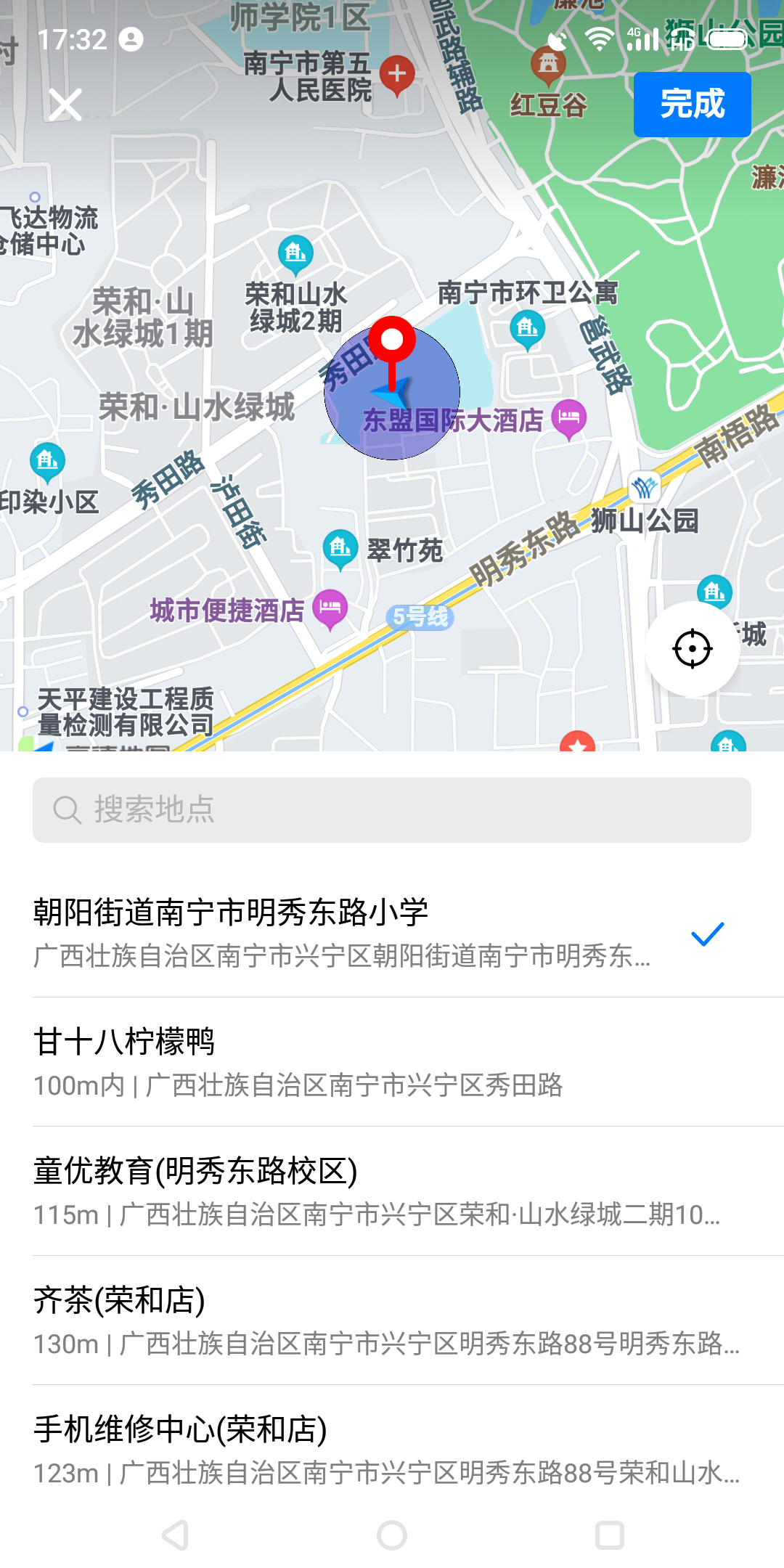
换成了高德地图的配置 可以使用

更多关于uni-app 云打包后 百度地图 选择位置功能无法使用的实战教程也可以访问 https://www.itying.com/category-93-b0.html
1 回复

更多关于uni-app 云打包后 百度地图 选择位置功能无法使用的实战教程也可以访问 https://www.itying.com/category-93-b0.html
这是换成高德地图的时候 使用正常