




Golang中Gorilla Web Sockets实时通信无法正常工作的问题
Golang中Gorilla Web Sockets实时通信无法正常工作的问题 我从这里复制粘贴了一份示例代码。这段代码在我的本地计算机上可以直接运行。

但是当迁移到使用 Nginx 代理的 VPS 上时,它就失效了。由于这涉及到从 https:// 到 wss:// 的“转换”,我不清楚我哪里做错了。这是在线地址:https://ws.go4webdev.org
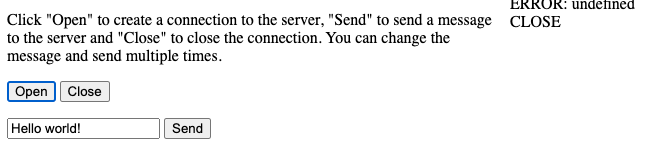
控制台给出了这个错误:
WebSocket 连接到 ‘wss://localhost:8080/echo’ 失败:
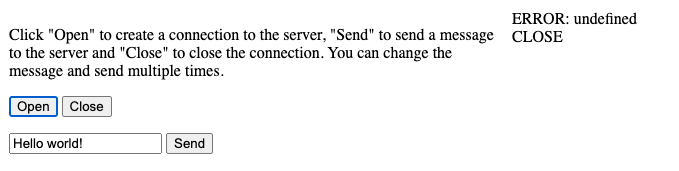
页面显示如下:
我怀疑是这一行出了问题,但我无法理解其语法。
//var addr = flag.String("addr", "127.0.0.1:8080", "http service address") <-- 在我的本地计算机上工作

var addr = flag.String("addr", "https://ws.go4webdev.org", "http service address") <-- 在 VPS 上失败
我的直觉告诉我这接近一个 CORS 错误,但我无法确认。
有什么线索能让我解决这个问题吗?
更多关于Golang中Gorilla Web Sockets实时通信无法正常工作的问题的实战教程也可以访问 https://www.itying.com/category-94-b0.html

mje:
也许你需要 wss
是的,我需要 wss。
更多关于Golang中Gorilla Web Sockets实时通信无法正常工作的问题的实战系列教程也可以访问 https://www.itying.com/category-94-b0.html

我在想,既然这些按钮在表单内部,当你按下它们时,它们是否试图提交表单。尝试将这些按钮改为 button type="button",这样它们就不会提交表单并导致页面重新加载。

答案就在你的模板中:
homeTemplate.Execute(w, "ws://"+r.Host+"/echo")
你是否在反向代理或类似的东西后面运行这个程序?一个简单的解决办法是去掉模板的那部分,而将逻辑推送到浏览器端。像这样:
ws = new WebSocket("ws://" + document.location.host + "/echo");

尝试将这些按钮改为
button type="button",这样它们就不会提交表单并导致重新加载。
谢谢!我这样做了,并且又前进了一步 🙂
现在至少控制台显示了一个错误:
ws.js:21 WebSocket 连接到 ‘wss://ws.go4webdev.org/echo’ 失败:WebSocket 握手期间出错:意外的响应代码:400
有什么线索可以让我追踪这个问题吗?

我认为我找到了一个解决方案。WebSocket似乎是一个仅受HTTP 1.1支持的旧协议(这一点我无法确认)。但是,当在Nginx的sites-available配置中添加以下内容后,它似乎可以正常工作。
    location / {
        proxy_pass http://localhost:8080;
        proxy_http_version 1.1;
        proxy_set_header Upgrade $http_upgrade;
        proxy_set_header Connection "upgrade";
        proxy_set_header Host $host;
    }
如果有人能确认这一点,我将不胜感激。
也许你需要使用 wss。我曾经有一个 WebSocket 项目,当部署在反向代理(nginx)后面时,需要通过 wss 访问。以下是几个代码片段:
// The websocket URL scheme.
var wsScheme="{{.WSScheme}}";
...
  wsConn =  new WebSocket(wsScheme+"//" + wsUrl +"/socket");
	w.Header().Set("Content-Type", "text/html")

	t,err := template.ParseFiles("test.html")
	if err != nil {
		http.Error(w, fmt.Sprintf("parse file error: %s", err), http.StatusInternalServerError)
		return
	}

	var scheme struct {
		WSScheme string
	}
	if (!s.RunningLocal) {
		scheme.WSScheme="wss:"
	} else {
		scheme.WSScheme="ws:"
	}

	err = t.Execute(w, scheme)
	if err != nil {
		http.Error(w, fmt.Sprintf("template error: %s", err), http.StatusInternalServerError)
		return
	}

Dean_Davidson:
ws = new WebSocket("ws://" + document.location.host + "/echo");
谢谢,但是当把这个移到JavaScript中时,ws没有被赋值。我已经更新了JavaScript并添加了一些警告,这里是实时页面(仍然无法工作)。
在我看来,页面似乎被加载了两次,并且可能清除了ws的值?
window.addEventListener("load", function(evt) {
  alert("value of ws at load " + ws)
  var output = document.getElementById("output");
  var input = document.getElementById("input");
  var ws;
  var print = function(message) {
    var d = document.createElement("div");
    d.textContent = message;
    output.appendChild(d);
    output.scroll(0, output.scrollHeight);
  };

  document.getElementById("open").onclick = function(evt) {
    alert("value at ws at open: " + ws)

    if (typeof ws !== 'undefined' && ws !== null) {
      return
    }

    alert("assign value to ws")
    ws = new WebSocket("ws://" + document.location.host + "/echo");
    alert("ws://" + document.location.host + "/echo") // 由于某些原因,这行没有执行...
    alert(ws);

    ws.onopen = function(evt) {
      print("OPEN");
    }
    ws.onclose = function(evt) {
      print("CLOSE");
      ws = null;
    }
    ws.onmessage = function(evt) {
      print("RESPONSE: " + evt.data);
    }
    ws.onerror = function(evt) {
      print("ERROR: " + evt.data);
    }
    return false;
  };
  document.getElementById("send").onclick = function(evt) {
    if (!ws) {
      return false;
    }
    print("SEND: " + input.value);
    ws.send(input.value);
    return false;
  };
  document.getElementById("close").onclick = function(evt) {
    if (!ws) {
      return false;
    }
    ws.close();
    return false;
  };
});
