




Golang RESTAPI连接MongoDB在VSCODE中失败问题
Golang RESTAPI连接MongoDB在VSCODE中失败问题 我正在尝试通过Go语言REST API连接到MongoDB,并尝试插入一部电影。但是,到MongoDB的连接失败了。Golang REST API提示要写127.0.0.1,我尝试了写localhost和127.0.0.1,但仍然失败。我的意思是,在VSCODE中,如何将运行在Windows上的MongoDB连接到运行在VSCODE中的Golang程序?我已经在VSCODE中安装了所有MongoDB扩展。
我在VSCODE中遇到的错误:
PS D:\goprojects\GO_RESTAPI_MONGDB> go mod init mgo.v2
go: creating new go.mod: module mgo.v2
go: to add module requirements and sums:
        go mod tidy
PS D:\goprojects\GO_RESTAPI_MONGDB> go mod tidy
go: finding module for package gopkg.in/mgo.v2/bson
go: finding module for package gopkg.in/mgo.v2
go: found gopkg.in/mgo.v2 in gopkg.in/mgo.v2 v2.0.0-20190816093944-a6b53ec6cb22
go: found gopkg.in/mgo.v2/bson in gopkg.in/mgo.v2 v2.0.0-20190816093944-a6b53ec6cb22
go: finding module for package gopkg.in/yaml.v2
go: finding module for package gopkg.in/check.v1
go: downloading gopkg.in/yaml.v2 v2.4.0
go: downloading gopkg.in/check.v1 v1.0.0-20201130134442-10cb98267c6c
go: found gopkg.in/check.v1 in gopkg.in/check.v1 v1.0.0-20201130134442-10cb98267c6c
go: found gopkg.in/yaml.v2 in gopkg.in/yaml.v2 v2.4.0
go: downloading github.com/kr/pretty v0.2.1
go: downloading github.com/kr/text v0.1.0
PS D:\goprojects\GO_RESTAPI_MONGDB>
PS D:\goprojects\GO_RESTAPI_MONGDB> ^C
PS D:\goprojects\GO_RESTAPI_MONGDB>
PS D:\goprojects\GO_RESTAPI_MONGDB>
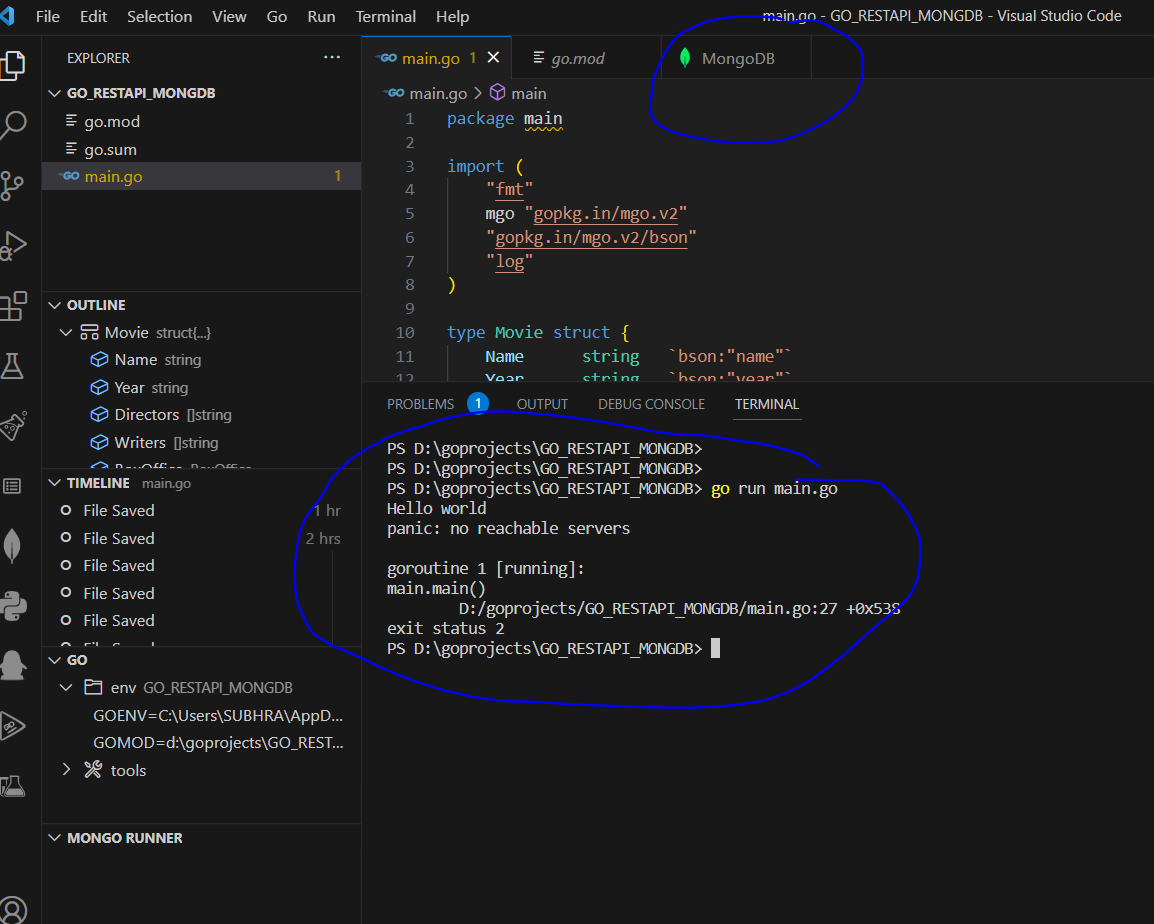
PS D:\goprojects\GO_RESTAPI_MONGDB> go run main.go
Hello world
panic: no reachable servers

goroutine 1 [running]:
main.main()
        D:/goprojects/GO_RESTAPI_MONGDB/main.go:27 +0x538
exit status 2
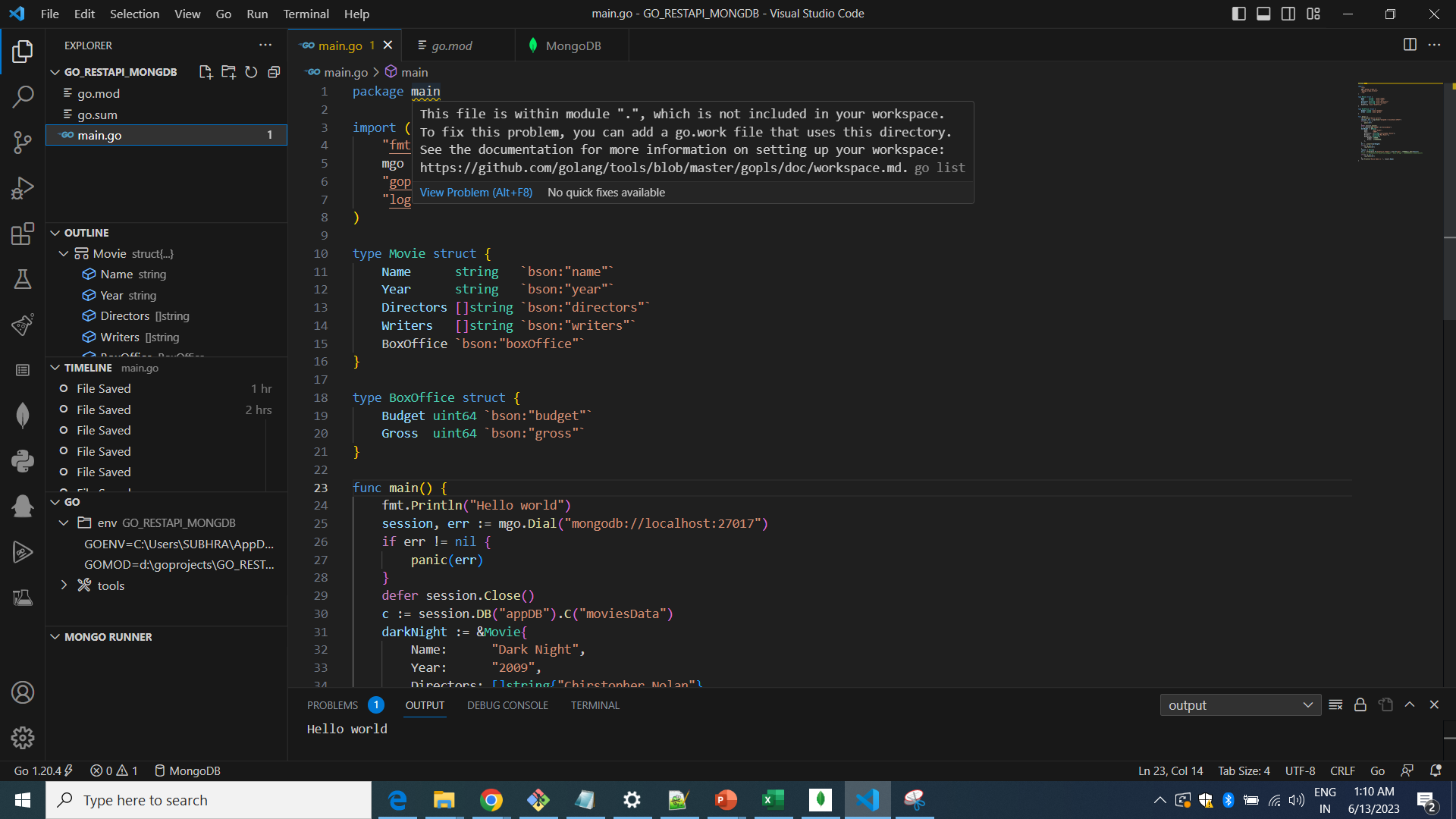
package main

import (
    "fmt"
    mgo "gopkg.in/mgo.v2"
    "gopkg.in/mgo.v2/bson"
    "log"
)

type Movie struct {
    Name      string   `bson:"name"`
    Year      string   `bson:"year"`
    Directors []string `bson:"directors"`
    Writers   []string `bson:"writers"`
    BoxOffice `bson:"boxOffice"`
}

type BoxOffice struct {
    Budget uint64 `bson:"budget"`
    Gross  uint64 `bson:"gross"`
}

func main() {
    fmt.Println("Hello world")
    session, err := mgo.Dial("localhost")
    if err != nil {
        panic(err)
    }
    defer session.Close()
    c := session.DB("appDB").C("movidesData")
    darkNight := &Movie{
        Name:      "Dark Night",
        Year:      "2009",
        Directors: []string{"Chirstopher Nolan"},
        Writers:   []string{"Max Muler"},
        BoxOffice: BoxOffice{
            Budget: 150000,
            Gross:  1750000000,
        },
    }
    err = c.Insert(darkNight)
    if err != nil {
        log.Fatal(err)
    }
    result := Movie{}
    err = c.Find(bson.M{"boxOffice.budget": bson.M{"$gt": 750000}}).One(&result)
    //err = c.Find(bson.M{"boxOffice.budget": bson.M{"$gt": 150000000}}).One(&result)
    if err != nil {
        log.Fatal(err)
    }
    fmt.Println("Movie Name is :", result.Name)
}
更多关于Golang RESTAPI连接MongoDB在VSCODE中失败问题的实战教程也可以访问 https://www.itying.com/category-94-b0.html

@Metalymph 你能帮忙看看这个程序吗?我在VSCODE上运行了它。
更多关于Golang RESTAPI连接MongoDB在VSCODE中失败问题的实战系列教程也可以访问 https://www.itying.com/category-94-b0.html



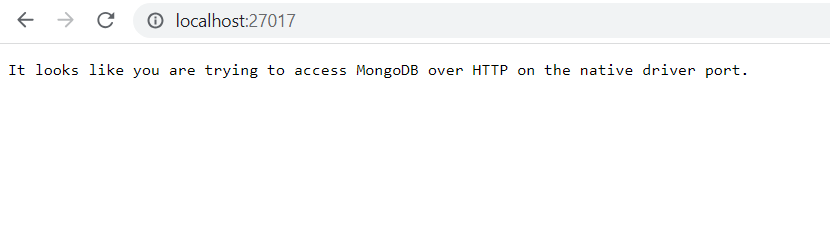


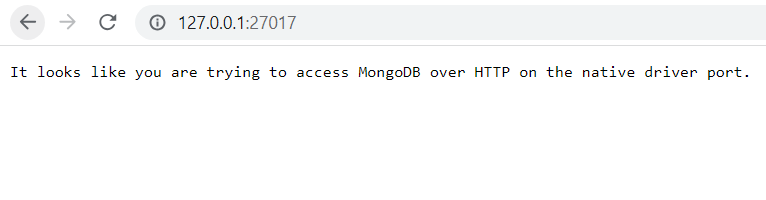
检查MongoDB是否正在运行(并将其从可能的问题列表中排除)的一个简单方法是在浏览器中打开http://127.0.0.1:27017 - 您应该会看到:
It looks like you are trying to access MongoDB over HTTP on the native driver port.

我看不出 Dial 调用有什么明显的问题。
在这种情况下,我会这样做:尝试使用官方的 MongoDB 驱动程序(文档在此)。
如果官方驱动程序能成功连接,我就会切换过去。
如果官方驱动程序返回相同的错误,那么问题就出在代码之外。也许是某些奇怪的本地防火墙设置?

没问题——只是想确认一下“油箱不是空的”。
我发现使用 127.0.0.1 比 localhost 更安全,因为:
- localhost 包含一个查找步骤,在 127.0.0.1 能正常工作时它可能会失败。
- localhost 可以在 hosts 文件中被重定向到不同的 IP 地址。

尝试使用 127.0.0.1 而不是 localhost。我最近看到这解决了 node 访问 mongodb 的问题。
祝好 - Andy
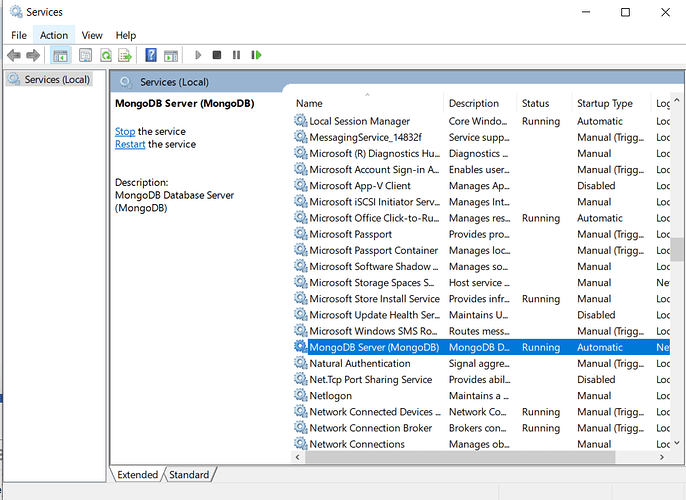
附言:我假设你已经使用 mongosh 检查过 mongodb 是否正在运行。我在 Windows 中将 mongodb 安装为服务,这似乎很简单。
如果你以前没有使用过 mongosh,那么只需启动它(从命令行),如果 mongodb 正在运行,它就会失败。尝试 show dbs 会显示数据存储,通常应该显示 3 个。
@christophberger 请问学习在 Go 中连接 MongoDB REST API 的正确网址是什么?有没有特别更新过的网址?
我对 go init module 命令和 go.mod 文件的使用,以及何时运行 go tidy 等感到相当困惑。
我正在参考下面这本书,第 131 页,主题:介绍 mgo,一个用于 Go 的 MongoDB 驱动程序。

我建议接下来尝试这些方法(您可能已经尝试过其中一些了):
- 尝试一个已知可用的示例代码——例如 MongoDB 库自带的示例。如果这失败了,很可能是一个安装错误——我会卸载所有东西(Go、MongoDB 等),重新安装,然后再试一次。
- 如果已知的代码可以工作——那么您需要逐步向您的问题靠拢——也就是说,逐步将您解决方案中的部分代码添加进去,直到它失败为止。
- 您也可以尝试在不同的机器/操作系统上运行,以防您的操作系统不受支持(例如 32 位 Windows)。
- 再提一点——您访问 MongoDB 的用户名和密码正确吗?
祝好!
嗨 @shubhra,
我对MongoDB几乎一无所知,但也许以下想法会有所帮助。
-
Mongo驱动程序
gopkg.in/mgo.v2已经无人维护 6年了。即使你解决了连接问题,也可能会遇到更多问题。 -
你的本地MongoDB监听的是哪个端口?如果不是27017(这似乎是MongoDB安装的默认端口),你需要在URL中添加端口号,例如:
mgo.Dial("localhost:27018")

不知何故,在系统变量中添加了PATH变量后,MongoDB可以在VS Code中独立运行了。
但是,我在package main处遇到了错误,基本上就是如何构建一个go mod文件?构建go mod文件的步骤是什么?当我尝试使用像gorilla mux这样的REST API时,这是一个问题。
我已经停止使用MongoDB驱动 gopkg.in/mgo.v2。并尝试使用官方文档中的MongoDB驱动,但仍然无法通过Golang中的REST API向MongoDB插入数据。你可以在下面的链接中看到代码和截图。
你介意参加一个大约5分钟的会议吗?我可以分享我的屏幕,向你展示发生了什么。我的邮箱是:2019hc04737@wilp.bits-pilani.ac.in,如果你同意,我可以发送会议邀请。
为什么在 package main 处出现错误?
嗨,团队, 在Go中创建mod文件的步骤是什么? 为什么我在
package main处遇到错误。package main import ( "context" "encoding/json" "fmt" "github.com/gorilla/mux" "go.mongodb.org/mongo-driver/bson" "go.mongodb.org/mongo-driver/bson/primitive" "go.mongodb.org/mongo-driver/mongo" "go.mongodb.org/mongo-driver/mongo/options" //"log" "net/http" "time" ) var client *mongo.Client type Person struct { ID primitive.ObjectID `json:"_id,omitempty" bson:"_id,omitempt…
你的代码使用了已弃用的 mgo 包,建议改用官方 MongoDB Go 驱动。以下是使用官方驱动的修正版本:
package main

import (
    "context"
    "fmt"
    "log"
    "time"

    "go.mongodb.org/mongo-driver/bson"
    "go.mongodb.org/mongo-driver/mongo"
    "go.mongodb.org/mongo-driver/mongo/options"
)

type Movie struct {
    Name      string   `bson:"name"`
    Year      string   `bson:"year"`
    Directors []string `bson:"directors"`
    Writers   []string `bson:"writers"`
    BoxOffice `bson:"boxOffice"`
}

type BoxOffice struct {
    Budget uint64 `bson:"budget"`
    Gross  uint64 `bson:"gross"`
}

func main() {
    fmt.Println("Starting MongoDB connection...")

    // 设置连接超时
    ctx, cancel := context.WithTimeout(context.Background(), 10*time.Second)
    defer cancel()

    // 连接 MongoDB - 使用 127.0.0.1:27017
    client, err := mongo.Connect(ctx, options.Client().ApplyURI("mongodb://127.0.0.1:27017"))
    if err != nil {
        log.Fatal("Failed to create client:", err)
    }

    // 测试连接
    err = client.Ping(ctx, nil)
    if err != nil {
        log.Fatal("Failed to ping MongoDB:", err)
    }
    fmt.Println("Successfully connected to MongoDB!")

    defer func() {
        if err = client.Disconnect(ctx); err != nil {
            log.Fatal("Failed to disconnect:", err)
        }
    }()

    // 获取集合
    collection := client.Database("appDB").Collection("moviesData")

    // 插入文档
    darkNight := Movie{
        Name:      "Dark Knight",
        Year:      "2008",
        Directors: []string{"Christopher Nolan"},
        Writers:   []string{"Jonathan Nolan", "Christopher Nolan"},
        BoxOffice: BoxOffice{
            Budget: 185000000,
            Gross:  1004558444,
        },
    }

    insertResult, err := collection.InsertOne(ctx, darkNight)
    if err != nil {
        log.Fatal("Failed to insert document:", err)
    }
    fmt.Printf("Inserted document with ID: %v\n", insertResult.InsertedID)

    // 查询文档
    var result Movie
    filter := bson.M{"boxOffice.budget": bson.M{"$gt": 750000}}
    err = collection.FindOne(ctx, filter).Decode(&result)
    if err != nil {
        if err == mongo.ErrNoDocuments {
            fmt.Println("No documents found matching the filter")
            return
        }
        log.Fatal("Failed to find document:", err)
    }

    fmt.Printf("Movie Name: %s\n", result.Name)
    fmt.Printf("Year: %s\n", result.Year)
}
需要更新 go.mod 文件:
module your-module-name

go 1.16

require go.mongodb.org/mongo-driver v1.7.0
运行以下命令安装依赖:
go mod init your-module-name
go mod tidy
确保 MongoDB 服务正在运行:
# Windows 检查 MongoDB 服务
net start MongoDB

# 或者手动启动
mongod --dbpath "C:\data\db"
如果仍然连接失败,检查防火墙设置:
// 尝试不同的连接方式
mongodb://localhost:27017
mongodb://127.0.0.1:27017/?connect=direct
检查 MongoDB 配置:
// 添加连接选项
clientOptions := options.Client().
    ApplyURI("mongodb://127.0.0.1:27017").
    SetConnectTimeout(10 * time.Second).
    SetServerSelectionTimeout(10 * time.Second)

client, err := mongo.Connect(ctx, clientOptions)
如果使用 MongoDB Atlas,连接字符串格式:
mongodb+srv://username:password@cluster.mongodb.net/appDB
