




HarmonyOS鸿蒙Next中如何实现不同节奏的震动反馈?
HarmonyOS鸿蒙Next中如何实现不同节奏的震动反馈? 问题描述**:**普通 vibrate() 只有单一震动,如何模拟“滴滴”声?
3 回复

详细回答:使用 vibrator自定义 定义震动序列。自定义一个VibratorUtil
✅ 正确做法
import { vibrator } from '@kit.SensorServiceKit';
import { BusinessError } from '@kit.BasicServicesKit';

/**
 * @author J.query
 * @date 2025/12/24 11:31
 * @email j-query@foxmail.com
 * Description:
 */

export default class VibratorUtil {


  /**
   * 触发自定义振动模式
   * @param pattern 振动模式数组,[振动时长, 暂停时长, 振动时长, 暂停时长...]
   */
  static vibrateCustom(pattern: number[], repeat: number = 0): void {
    if (!pattern || pattern.length === 0) {
      return;
    }

    // 循环执行vibrateSimple方法,根据pattern数组交替执行振动和暂停
    let repeatCount = 0;

    const executePattern = () => {
      let index = 0;

      const executeStep = () => {
        if (index >= pattern.length) {
          // 模式执行完毕,检查是否需要重复
          repeatCount++;
          if (repeat === -1 || repeatCount < repeat) { // -1表示无限重复
            setTimeout(() => {
              executePattern();
            }, 100); // 重复前短暂间隔
          }
          return;
        }

        const duration = pattern[index];
        if (index % 2 === 0) { // 偶数索引执行振动
          vibrator.startVibration(
            { type: 'time', duration },
            { usage: 'unknown' },
            (error) => {
              if (error) {
                VibratorUtil.handleError(error as BusinessError);
              }
              // 振动完成后延迟执行下一项
              setTimeout(() => {
                index++;
                executeStep();
              }, duration);
            }
          );
        } else { // 奇数索引为暂停时间
          // 暂停指定时间后执行下一项
          setTimeout(() => {
            index++;
            executeStep();
          }, duration);
        }
      };

      executeStep();
    };

    executePattern();
  }


  /**
   * 触发简单振动
   * @param duration 振动时长(ms)
   */
  static vibrateSimple(duration: number): void {
    vibrator.startVibration(
      { type: 'time', duration },
      { usage: 'unknown' },
      (error) => {
        if (error) {
          VibratorUtil.handleError(error as BusinessError);
        }
      }
    );
  }

  /**
   * 触发预设效果振动
   * @param effectId 预设效果ID
   * @param count 振动次数
   * @param intensity 振动强度(0-100)
   */
  static vibratePreset(
    effectId: string = 'haptic.effect.soft',
    count: number = 1,
    intensity: number = 100
  ): void {
    vibrator.startVibration(
      { type: 'preset', effectId, count, intensity },
      { usage: 'unknown' },
      (error) => {
        if (error) {
          VibratorUtil.handleError(error as BusinessError);
        }
      }
    );
  }

  /** 停止所有振动 */
  static stopVibration(): void {
    vibrator.stopVibration((error) => {
      if (error) {
        VibratorUtil.handleError(error as BusinessError);
      }
    });
  }

  /** 错误处理 */
  static   handleError(error: BusinessError): void {
    switch (error.code) {
      case 201: console.error("权限校验失败"); break;
      case 401: console.error("参数错误"); break;
      case 801: console.error("设备不支持"); break;
      default: console.error(`错误码 ${error.code}: ${error.message}`);
    }
  }
}
使用示例代码:
/**
 * @author J.query
 * @date 2025/12/24 13:35
 * @email j-query@foxmail.com
 * Description:
 */
import VibrationUtil from '../utils/VibrationUtil';


@Entry
@Component
struct VibratorPage {

  build() {
    Column() {
      Button('触发500ms基础振动')
        .onClick(() => {

          // 触发500ms基础振动
          VibrationUtil.vibrateSimple(500);

        })

      Button('触发预设效果(默认soft效果)')
        .onClick(() => {


          // 触发预设效果(默认soft效果)
          VibrationUtil.vibratePreset('soft');
        })

      Button('触发自定义震动模式')
        .onClick(() => {

          // 触发自定义震动模式
          VibrationUtil.vibrateCustom([100, 50, 100, 50, 100], -1);
        })

      Button('停止振动')
        .onClick(() => {

          // 停止振动
          VibrationUtil.stopVibration();

        })
    }
    .width('100%')
    .height('100%')
    .justifyContent(FlexAlign.Center)
  }
}
⚠️ 避坑指南
📱 必须申请 ohos.permission.VIBRATE。
⏱️ pattern数组长度必须为奇数(震动-停止交替)。
🎯 效果
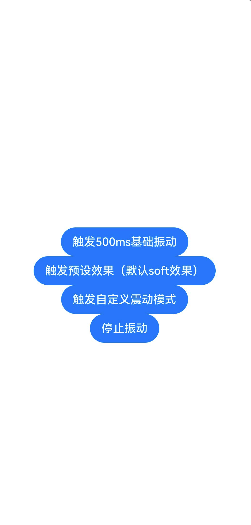
不同操作对应不同震动节奏,提升交互反馈的细腻度。
更多关于HarmonyOS鸿蒙Next中如何实现不同节奏的震动反馈?的实战系列教程也可以访问 https://www.itying.com/category-93-b0.html

在HarmonyOS Next中,可通过vibrator模块的vibrate方法实现不同节奏震动。使用VibrateEffect定义震动模式,支持VibratorEffectId预设效果或自定义effectArray。例如,设置effectArray为[100, 200, 400]表示震动100ms、暂停200ms、再震动400ms。调用vibrate(effect, vibrator.VibratorAttribute)执行。

在HarmonyOS Next中,可以通过vibrator模块的vibrate方法,传入一个预定义的模式数组来实现不同节奏的震动反馈,模拟类似“滴滴”声的短促震动效果。
具体实现步骤如下:
-
导入模块:
import vibrator from '[@ohos](/user/ohos).vibrator'; -
定义震动模式:
- 模式数组由“震动时长-静默时长”交替组成,单位毫秒。
- 例如短震两次模拟“滴滴”:
[100, 200, 100, 0]表示震动100ms,暂停200ms,再震动100ms。
-
调用震动方法:
vibrator.vibrate([100, 200, 100, 0], {
  usage: 'alarm' // 根据场景选择用途,如'alarm'、'notification'等
});
参数说明:
- 数组需以震动时长开始,且长度为偶数。
usage参数指定震动用途,帮助系统优化电源管理。
停止震动:
vibrator.stopVibration();
此方法可灵活组合时长,实现各类节奏的触觉反馈。
