Golang文件格式转换与压缩技术探讨
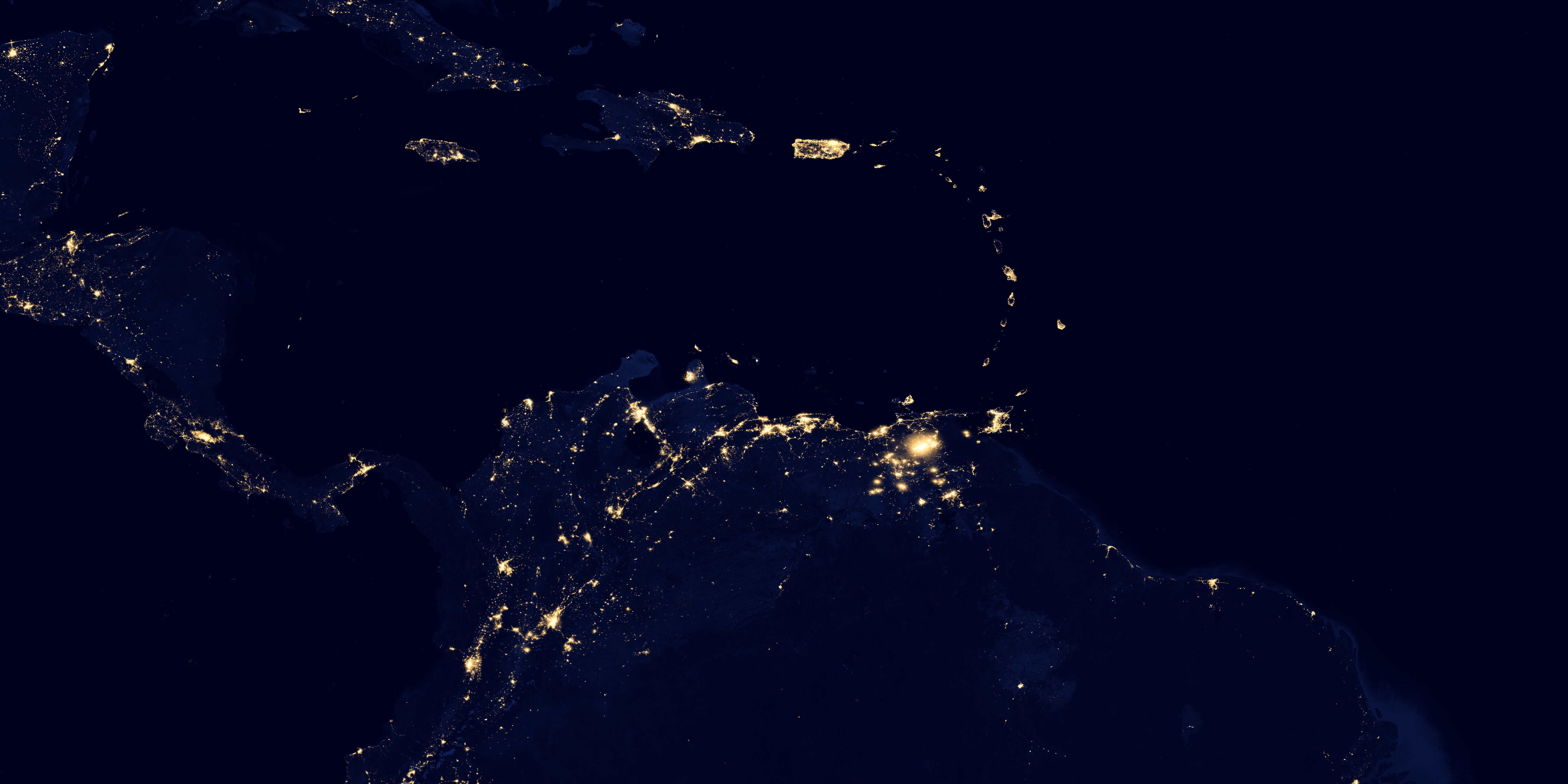
Golang文件格式转换与压缩技术探讨 将图像从一种格式转换为另一种格式是基础操作。不同的格式在质量、压缩和透明度方面各有优势。我有一张大小为8MB的tif文件图像,这张图片来自卫星拍摄,我希望将其保存为更小的尺寸,并想在我的项目中使用它。为此,我需要压缩并转换文件格式。对于压缩,我正在使用像https://jpegcompressor.com/这样的应用程序,它在图像压缩方面表现不错。同时,我正在寻找一个能快速转换文件、节省时间的文件转换器应用程序。如果您有任何建议或推荐,我将不胜感激。
提前感谢您的帮助。
更多关于Golang文件格式转换与压缩技术探讨的实战教程也可以访问 https://www.itying.com/category-94-b0.html
4 回复


对于Golang中的图像格式转换与压缩,可以使用标准库image和第三方库如github.com/nfnt/resize进行高效处理。以下是一个完整的示例代码,演示如何将TIFF图像转换为JPEG格式并进行压缩:
package main

import (
    "fmt"
    "image"
    "image/jpeg"
    "image/tiff"
    "net/http"
    "os"
    "github.com/nfnt/resize"
)

func main() {
    // 从URL下载图像
    imgURL := "https://svs.gsfc.nasa.gov/vis/a030000/a030000/a030028/frames/6750x3375_2x1_30p/split-750m/dnb_land_ocean_ice.2012.13500x13500.B1-0006.png"
    resp, err := http.Get(imgURL)
    if err != nil {
        panic(err)
    }
    defer resp.Body.Close()

    // 解码TIFF图像
    img, format, err := image.Decode(resp.Body)
    if err != nil {
        panic(err)
    }
    fmt.Printf("原始格式: %s\n", format)

    // 调整图像尺寸(缩小为原图的50%)
    newWidth := uint(img.Bounds().Dx() / 2)
    newHeight := uint(img.Bounds().Dy() / 2)
    resizedImg := resize.Resize(newWidth, newHeight, img, resize.Lanczos3)

    // 创建输出文件
    outputFile, err := os.Create("output.jpg")
    if err != nil {
        panic(err)
    }
    defer outputFile.Close()

    // 设置JPEG压缩质量(1-100,值越小压缩率越高)
    jpegOptions := &jpeg.Options{Quality: 75}

    // 编码为JPEG格式并保存
    err = jpeg.Encode(outputFile, resizedImg, jpegOptions)
    if err != nil {
        panic(err)
    }

    fmt.Println("图像转换和压缩完成")
}
如果需要处理PNG格式(提问中的链接实际是PNG格式),可以使用以下修改版本:
package main

import (
    "fmt"
    "image"
    "image/jpeg"
    "image/png"
    "net/http"
    "os"
    "github.com/nfnt/resize"
)

func main() {
    imgURL := "https://svs.gsfc.nasa.gov/vis/a030000/a030000/a030028/frames/6750x3375_2x1_30p/split-750m/dnb_land_ocean_ice.2012.13500x13500.B1-0006.png"
    resp, err := http.Get(imgURL)
    if err != nil {
        panic(err)
    }
    defer resp.Body.Close()

    // 解码PNG图像
    img, err := png.Decode(resp.Body)
    if err != nil {
        panic(err)
    }

    // 调整尺寸并压缩
    resizedImg := resize.Resize(1024, 0, img, resize.Lanczos3)

    outputFile, _ := os.Create("compressed.jpg")
    defer outputFile.Close()

    jpeg.Encode(outputFile, resizedImg, &jpeg.Options{Quality: 60})

    fmt.Println("PNG转JPEG压缩完成")
}
对于批量处理,可以使用以下并发版本:
package main

import (
    "image"
    "image/jpeg"
    "image/png"
    "os"
    "path/filepath"
    "sync"
    "github.com/nfnt/resize"
)

func convertAndCompress(inputPath, outputPath string, wg *sync.WaitGroup) {
    defer wg.Done()

    file, _ := os.Open(inputPath)
    defer file.Close()

    var img image.Image
    ext := filepath.Ext(inputPath)

    switch ext {
    case ".png":
        img, _ = png.Decode(file)
    case ".tiff", ".tif":
        img, _ = tiff.Decode(file)
    default:
        return
    }

    // 压缩到最大宽度1024像素
    resizedImg := resize.Resize(1024, 0, img, resize.Lanczos3)

    output, _ := os.Create(outputPath)
    defer output.Close()

    jpeg.Encode(output, resizedImg, &jpeg.Options{Quality: 70})
}

func main() {
    files, _ := filepath.Glob("*.png")
    var wg sync.WaitGroup

    for _, file := range files {
        wg.Add(1)
        outputName := filepath.Base(file[:len(file)-4]) + ".jpg"
        go convertAndCompress(file, outputName, &wg)
    }

    wg.Wait()
}
安装所需依赖:
go get github.com/nfnt/resize
这些代码示例提供了从下载、格式转换到压缩的完整解决方案,可以直接集成到项目中处理图像文件。