




HarmonyOS鸿蒙Next中Notification Kit(用户通知服务)设置消息通知的自定义铃声在模拟器中没有效果
HarmonyOS鸿蒙Next中Notification Kit(用户通知服务)设置消息通知的自定义铃声在模拟器中没有效果 【问题描述】:Notification Kit(用户通知服务)设置消息通知的自定义铃声在模拟器中没有效果,自定义后还是默认的铃声,真机是有效果的,希望能让模拟器也支持;如果模拟器实在不支持的话,在文档上面标注出来也是可以的。
【版本信息】:
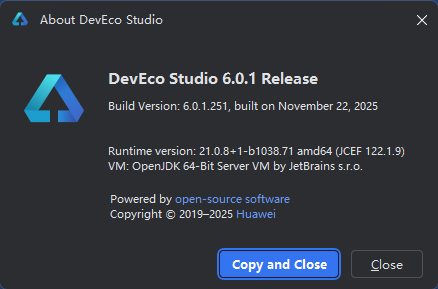
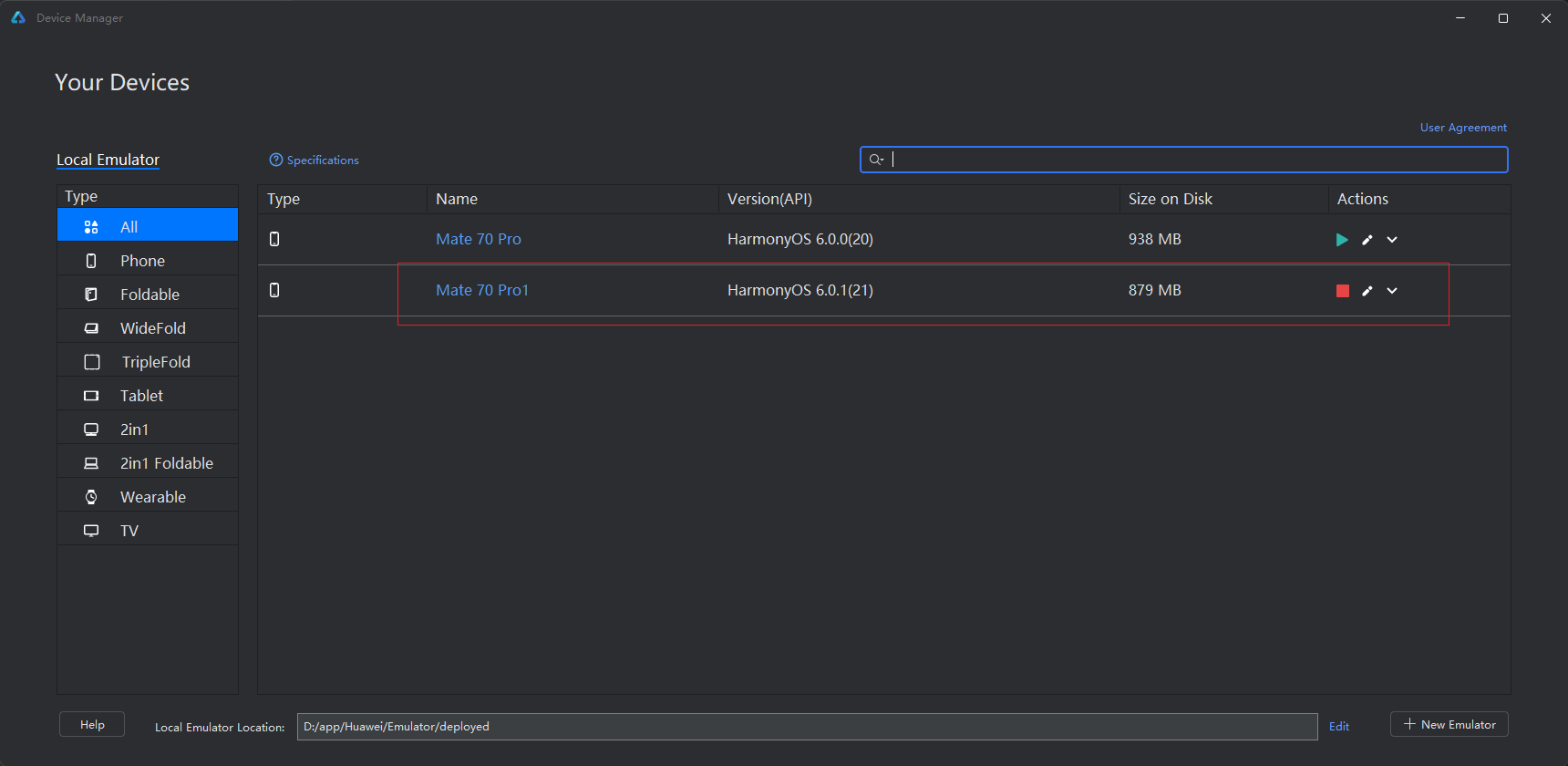
【复现代码】:
import { notificationManager } from '@kit.NotificationKit';
import { BusinessError } from '@kit.BasicServicesKit';
import { common } from '@kit.AbilityKit';
import { PromptAction } from '@kit.ArkUI';

const TAG: string = '[PublishOperation]';
const DOMAIN_NUMBER: number = 0xFF00;

@Entry
@Component
struct NotificationPage {
  uiContext: UIContext = this.getUIContext();
  promptAction: PromptAction = this.uiContext.getPromptAction();

  // 获取用户授权
  requestForNotification() {
    let context = this.getUIContext().getHostContext() as common.UIAbilityContext;
    notificationManager.isNotificationEnabled().then((data: boolean) => {
      console.info(`${DOMAIN_NUMBER}, ${TAG}, isNotificationEnabled success, data: ${data}`);
      if (!data) {
        notificationManager.requestEnableNotification(context).then(() => {
          this.promptAction.openToast({
            message: '请求通知授权成功',
            duration: 2000,
          });
          console.info(`${DOMAIN_NUMBER}, ${TAG}, [ANS] requestEnableNotification success`);
        }).catch((err: BusinessError) => {
          if (1600004 == err.code) {
            this.promptAction.openToast({
              message: '请求通知授权失败',
              duration: 2000,
            });
            console.error(`${DOMAIN_NUMBER}, ${TAG},
              [ANS] requestEnableNotification refused, code is ${err.code}, message is ${err.message}`);
          } else {
            console.error(`${DOMAIN_NUMBER}, ${TAG},
              [ANS] requestEnableNotification failed, code is ${err.code}, message is ${err.message}`);
          }
        });
      }
    }).catch((err: BusinessError) => {
      console.error(`${DOMAIN_NUMBER}, ${TAG}, isNotificationEnabled fail, code is ${err.code}, message is ${err.message}`);
    });
  }

  // 构造NotificationRequest对象,发布通知
  notification(title: string, message: string) {
    let notificationRequest: notificationManager.NotificationRequest = {
      id: 1,
      content: {
        notificationContentType: notificationManager.ContentType.NOTIFICATION_CONTENT_BASIC_TEXT,
        normal: {
          title: "test_title",
          text: "test_text",
          additionalText: "test_additionalText"
        }
      },
      notificationSlotType: notificationManager.SlotType.SOCIAL_COMMUNICATION,
      sound: 'sound.mp3'
    };
    notificationManager.publish(notificationRequest, (err: BusinessError) => {
      if (err) {
        console.error(`${DOMAIN_NUMBER}, ${TAG}, Failed to publish notification. Code is ${err.code}, message is ${err.message}`);
        this.promptAction.openToast({
          message: '请求通知授权成功',
          duration: 2000,
        });
        return;
      } else {
        console.info(`${DOMAIN_NUMBER}, ${TAG}, Succeeded in publishing notification.`);
        this.promptAction.openToast({
          message: '发布通知成功',
          duration: 2000,
        });
      }
    });
  }

  // 获取二次授权
  openNotification(){
    let context = this.getUIContext().getHostContext() as common.UIAbilityContext;
    notificationManager.isNotificationEnabled().then((data: boolean) => {
      console.info(`${DOMAIN_NUMBER}, ${TAG}, "isNotificationEnabled success, data:${data} `);
      if(!data){
        notificationManager.openNotificationSettings(context).then(() => {
          console.info(`${DOMAIN_NUMBER}, ${TAG}, [ANS] openNotificationSettings success`);
        }).catch((err: BusinessError) => {
          console.error(`${DOMAIN_NUMBER}, ${TAG}, [ANS] openNotificationSettings failed, code is ${err.code}, message is ${err.message}`);
        });
      }
    }).catch((err: BusinessError) => {
      console.error(`${DOMAIN_NUMBER}, ${TAG}, isNotificationEnabled fail, code is ${err.code}, message is ${err.message}`);
    });
  }

  aboutToAppear(): void {
    this.requestForNotification();
    this.openNotification();
  }

  build() {
    Column() {
      Button('发布通知').onClick(() => {
        let title = '这是一个标题';
        let message = '这是一条通知';
        this.notification(title, message);
      });
    }
    .width('100%')
    .height('100%')
    .justifyContent(FlexAlign.Center);
  }
}
更多关于HarmonyOS鸿蒙Next中Notification Kit(用户通知服务)设置消息通知的自定义铃声在模拟器中没有效果的实战教程也可以访问 https://www.itying.com/category-93-b0.html

鸿蒙Next中Notification Kit设置自定义铃声在模拟器无效,通常是因为模拟器环境不支持本地音频文件访问。请检查音频文件是否已正确放置在项目的resources/rawfile目录下,并使用RawFileDescriptor方式加载。模拟器可能无法直接访问设备存储路径中的文件。
更多关于HarmonyOS鸿蒙Next中Notification Kit(用户通知服务)设置消息通知的自定义铃声在模拟器中没有效果的实战系列教程也可以访问 https://www.itying.com/category-93-b0.html

根据你提供的代码和描述,这是一个已知的模拟器限制。在HarmonyOS Next的模拟器环境中,Notification Kit的自定义铃声(sound字段)设置目前不会生效,通知会播放系统默认的铃声。
核心原因:模拟器的音频系统和媒体文件访问路径与真机存在差异。你代码中指定的sound: 'sound.mp3',模拟器可能无法正确加载该音频文件。
当前解决方案:
- 真机调试:对于需要验证自定义铃声功能的场景,请直接使用真机进行测试。你的代码在真机上是正确的。
- 代码健壮性处理:虽然模拟器不支持,但保持代码中的
sound属性设置,这不会导致错误,只是在该环境下不生效。这确保了真机功能的完整性。
关于文档标注的建议:你提出的在文档中明确标注此模拟器限制的建议非常合理。目前,开发者文档可能未特别强调此差异。你可以通过官方渠道(如开发者社区的问题反馈)提交该建议,以帮助完善文档。
你的代码分析:代码本身是正确的。通过notificationRequest的sound属性设置自定义铃声路径,是标准的使用方法。问题仅在于执行环境(模拟器)的支持度上。
总结:请使用真机测试自定义铃声功能。模拟器在此场景下主要用于验证通知的弹出、点击等基础交互,音频相关特性需在真机验证。
