




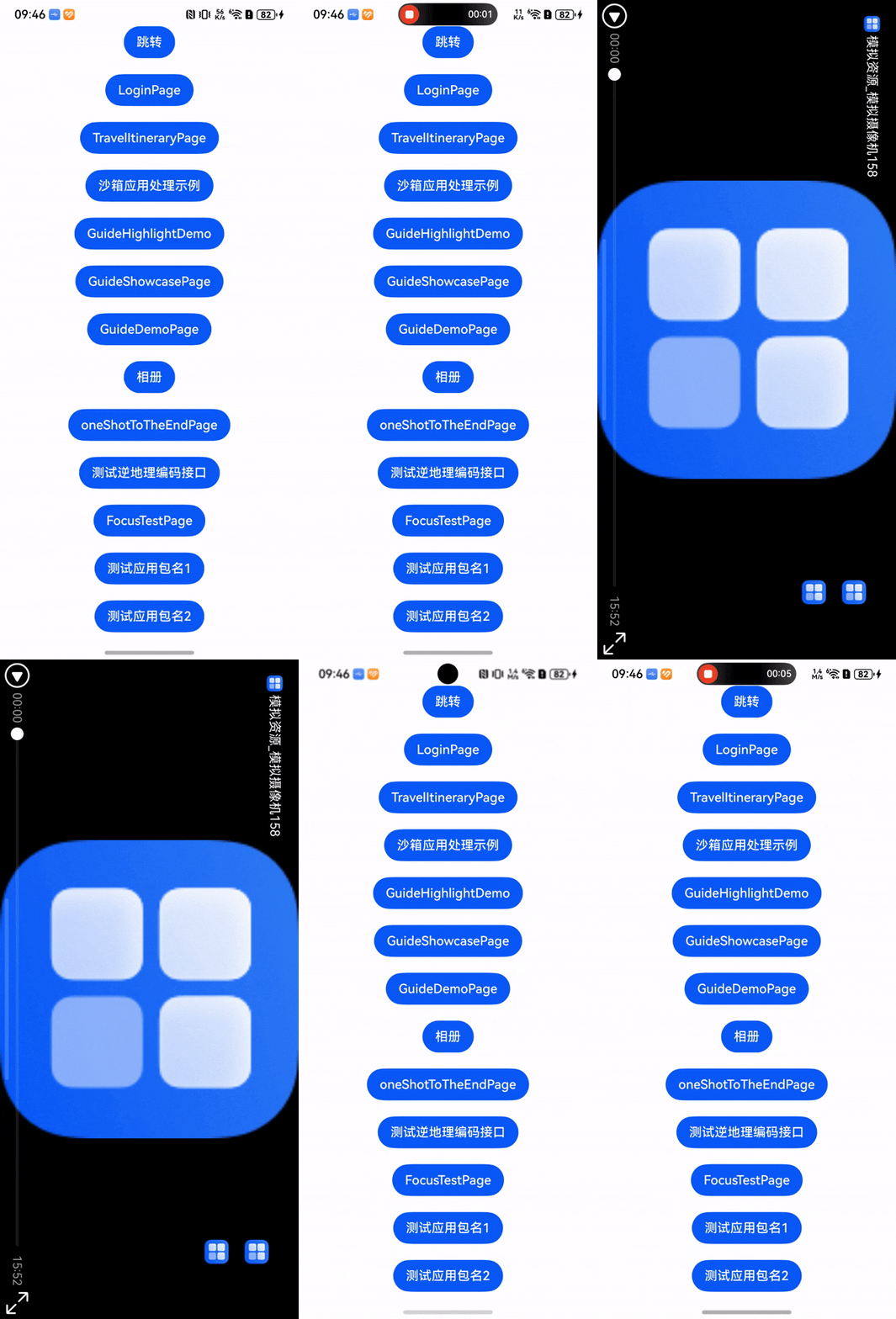
HarmonyOS鸿蒙Next中如何实现路由跳转之后直接横屏而非有一个横屏转竖屏的过程
HarmonyOS鸿蒙Next中如何实现路由跳转之后直接横屏而非有一个横屏转竖屏的过程
import window from '@ohos.window';

@Entry
@ComponentV2
struct SurveillanceVideoPage {
  @Local orientation: window.Orientation = window.Orientation.LANDSCAPE;
  swiperController: SwiperController = new SwiperController();
  scroller: Scroller = new Scroller();
  @Local data: string[] = ['1', '2', '3', '4', '5', '6', '7', '8', '9', '10', '11', '12', '13', '14', '15', '16', '17', '18', '19', '20', '21', '22', '23', '24', '25', '26', '27', '28', '29', '30', '31', '32', '33', '34', '35', '36', '37', '38', '39', '40', '41', '42', '43', '44', '45', '46', '47', '48', '49', '50'];
  @Local saveconten:boolean = false
  @Local openOrClose:boolean = false
  @Local current:number = 0
  controller: VideoController = new VideoController()
  @Local isMuted: boolean = true
  @Local previewUri: ResourceStr = $r('app.media.test1');
  @Local videoUri: ResourceStr = 'https://vd3.bdstatic.com/mda-pmj5ajqd7p4b6pgb/576p/h264/1703044058699262355/mda-pmj5ajqd7p4b6pgb.mp4?auth_key=1703138418-0-0-618ea72b33be241c96c6cff86c06e080&bcevod_channel=searchbox_feed&cr=1&cd=0&pd=1&pt=4&logid=0018430194&vid=9762003448174112444&abtest=all';
  @Local isOrientationSet: boolean = false; // 标记方向是否已设置
  aboutToAppear(): void {
    this.getxiaoguo()
  }

  getxiaoguo() {
    const context = getContext(this);
    if (context) {
     try {
       window.getLastWindow(context).then((win) => {
         win.setPreferredOrientation(this.orientation);
         this.controller.start();
       })
     } finally {
       this.isOrientationSet = true;
     }
      // landscape:强制横屏
      // portrait:强制竖屏
      // unspecified:跟随设备方向
    }
  }

  build() {
    Column() {
      if (this.isOrientationSet){
        Stack({ alignContent: Alignment.TopStart }){
          Swiper(this.swiperController) {
            ForEach(this.data, (item: string) => {
              Stack({ alignContent: Alignment.Top }) {
                Image($r('app.media.background')).width('100%').aspectRatio(1)
                Video({
                  previewUri: this.previewUri,
                  src: this.videoUri,
                  controller: this.controller
                })
                  .muted(this.isMuted)
                  .controls(false)
                  .width('100%')
                  .layoutWeight(1)
                  .aspectRatio(1.4)
                  .controls(true)
                  .objectFit(ImageFit.Cover)
                Text() {
                  ImageSpan($r('app.media.icon_back')).width(20).aspectRatio(1)
                  Span('模拟资源_模拟摄像机158').fontColor('#FFFFFF')
                }.width('100%').textAlign(TextAlign.Start).translate({x: 20, y: 20})

                Column() {
                  if (this.saveconten) {
                    Image($r('app.media.icon_discover_saveconten_select')).width(20).aspectRatio(1).margin({bottom: 20})
                      .onClick(() => {
                        this.saveconten = false
                      })
                  }
                  else {
                    Image($r('app.media.icon_discover_saveconten')).width(20).aspectRatio(1).margin({bottom: 20})
                      .onClick(() => {
                        this.saveconten = true
                      })
                  }
                  if (this.openOrClose) {
                    Image($r('app.media.icon_open')).width(20).aspectRatio(1)
                      .onClick(() => {
                        this.openOrClose = false
                      })
                  }
                  else {
                    Image($r('app.media.icon_close')).width(20).aspectRatio(1)
                      .onClick(() => {
                        this.openOrClose = true
                      })
                  }

                }.translate({x: 380, y: 40})
              }.backgroundColor('#333333').width('100%').height('100%')
            }, (item: string) => item)
          }
          .itemSpace(0)
          .indicator(false)
          .loop(false)
          .duration(300)
          if (this.openOrClose){
            Scroll(this.scroller){
              Column() {
                ForEach(this.data, (item: string, index: number) => {
                  Row(){
                    Row().visibility(this.current==index?Visibility.Visible:Visibility.Hidden).width(10).aspectRatio(1).borderRadius(10).backgroundColor('#356FFF').margin({left:5, top:5, right:5, bottom:5})
                    Text(item+'模拟资源_模拟摄像机').fontColor('#FFFFFF').fontSize(20)
                  }

                }, (item: string) => item)
              }.translate({x: 20})
            }.scrollBar(BarState.Off)
          }

        }
      }
    }
  }
},,文件中大部分页面都是竖屏但是跳转视频时有一个横屏转竖屏的过程是不正确的应该是直接横屏,如果在
"abilities": [
  {
    "name": "EntryAbility",
    "srcEntry": "./ets/entryability/EntryAbility.ets",
    "description": "$string:EntryAbility_desc",
    "icon": "$media:layered_image",
    "label": "$string:EntryAbility_label",
    "startWindowIcon": "$media:startIcon",
    "startWindowBackground": "$color:start_window_background",
    "exported": true,
    "orientation": "unspecified",
    "skills": [
      {
        "entities": [
          "entity.system.home"
        ],
        "actions": [
          "ohos.want.action.home"
        ]
      }
    ]
  }
],设置横竖屏则整个文件都是横屏或者是竖屏是更不正确
更多关于HarmonyOS鸿蒙Next中如何实现路由跳转之后直接横屏而非有一个横屏转竖屏的过程的实战教程也可以访问 https://www.itying.com/category-93-b0.html

代码优化了一下:增加的转场动画pageTransition,对页面的横竖屏也都优化了一下,楼主参考一下
import window from '@ohos.window';
import { common } from '@kit.AbilityKit';
import { router } from '@kit.ArkUI';

@Entry
@ComponentV2
struct SurveillanceVideoPage {
  @Local orientation: window.Orientation = window.Orientation.LANDSCAPE;
  swiperController: SwiperController = new SwiperController();
  scroller: Scroller = new Scroller();
  // 模拟数据
  @Local data: string[] = ['11111', '222222']
  @Local saveconten: boolean = false;
  @Local openOrClose: boolean = false;
  @Local current: number = 0;
  controller: VideoController = new VideoController();
  @Local isMuted: boolean = true;
  @Local previewUri: ResourceStr = $r('app.media.startIcon');
  @Local videoUri: ResourceStr =
    'https://vd3.bdstatic.com/mda-pmj5ajqd7p4b6pgb/576p/h264/1703044058699262355/mda-pmj5ajqd7p4b6pgb.mp4?auth_key=1703138418-0-0-618ea72b33be241c96c6cff86c06e080&bcevod_channel=searchbox_feed&cr=1&cd=0&pd=1&pt=4&logid=0018430194&vid=9762003448174112444&abtest=all';
  @Local isOrientationSet: boolean = false; // 标记方向是否已设置
  @Local scale1: number = 1;
  @Local opacity1: number = 1;
  // 获取上下文
  private context = getContext(this) as common.UIAbilityContext;

  aboutToAppear(): void {
    this.setWindowOrientation(window.Orientation.LANDSCAPE);
  }

  // 离开页面时(如点击返回按钮),恢复竖屏
  aboutToDisappear(): void {
    this.setWindowOrientation(window.Orientation.PORTRAIT);
  }

  // 监听物理返回键
  onBackPress(): boolean | void {
    this.setWindowOrientation(window.Orientation.PORTRAIT);
    // 返回 false 让系统处理路由返回,或者手动 router.back()
    return false;
  }

  /**
   * 统一设置屏幕方向的方法
   */
  setWindowOrientation(orientation: window.Orientation) {
    window.getLastWindow(this.context).then((win) => {
      // 1. 设置方向
      win.setPreferredOrientation(orientation).then(() => {
        // 方向设置成功后再启动视频或标记状态
        if (orientation === window.Orientation.LANDSCAPE) {
          this.isOrientationSet = true;
          this.controller.start();
          // 横屏时通常全屏,隐藏状态栏
          win.setWindowLayoutFullScreen(true);
          win.setWindowSystemBarEnable([]);
        } else {
          // 竖屏时恢复状态栏
          win.setWindowLayoutFullScreen(false);
          win.setWindowSystemBarEnable(['status', 'navigation']);
        }
      });
    }).catch((err: Error) => {
      console.error('Failed to set window orientation. Cause: ' + JSON.stringify(err));
    });
  }

  pageTransition() {
    // 进场动画:时长1000ms(可按需调整为 600ms),线性曲线
    PageTransitionEnter({ duration: 1000, curve: Curve.Linear })
      .slide(undefined) // 禁用默认的左右/上下位移
      .opacity(0) // 效果:透明度从 0 渐变到 1

    // 退场动画:时长1000ms,缓动曲线
    PageTransitionExit({ duration: 1000, curve: Curve.Ease })
      .slide(undefined) // 禁用默认的左右/上下位移
      .opacity(0) // 效果:透明度从 1 渐变到 0
  }

  build() {
    Column() {
      // 只有当方向设置逻辑开始执行后才渲染内容,避免布局错乱
      // 注意:这里仍然无法完全消除系统旋转动画,除非使用独立的 Ability
      if (this.isOrientationSet) {
        Stack({ alignContent: Alignment.TopStart }) {
          Swiper(this.swiperController) {
            ForEach(this.data, (item: string) => {
              Stack({ alignContent: Alignment.Top }) {
                // 背景图
                Image($r('app.media.background'))
                  .width('100%')
                  .height('100%') // 确保背景铺满
                  .objectFit(ImageFit.Cover)

                // 视频组件
                Video({
                  previewUri: this.previewUri,
                  src: this.videoUri,
                  controller: this.controller
                })
                  .muted(this.isMuted)
                  .controls(true) // 这里的 controls 开启可能会和自定义 UI 冲突,建议 false 使用自定义
                  .width('100%')
                  .height('100%') // 视频全屏铺满
                  .objectFit(ImageFit.Contain) // 保持视频比例

                // 顶部返回栏
                Row() {
                  Image($r('app.media.startIcon'))
                    .width(20)
                    .aspectRatio(1)
                    .onClick(() => {
                      // 手动处理返回,触发生命周期恢复竖屏
                      router.back();
                    })
                  Text(' 模拟资源_模拟摄像机158')
                    .fontColor('#FFFFFF')
                    .fontSize(16)
                }
                .width('100%')
                .padding({ left: 20, top: 20 })
                .alignItems(VerticalAlign.Center)

                // 右侧操作栏
                Column({ space: 20 }) {
                  Image(this.saveconten ? $r('app.media.startIcon') : $r('app.media.startIcon'))
                    .width(30)
                    .aspectRatio(1)
                    .onClick(() => {
                      this.saveconten = !this.saveconten;
                    })

                  Image(this.openOrClose ? $r('app.media.startIcon') : $r('app.media.startIcon'))
                    .width(30)
                    .aspectRatio(1)
                    .onClick(() => {
                      this.openOrClose = !this.openOrClose;
                    })
                }
                .position({ x: '88%', y: '10%' }) // 使用百分比定位以适应不同分辨率
                .zIndex(2)

              }
              .backgroundColor('#333333')
              .width('100%')
              .height('100%')
            }, (item: string) => item)
          }
          .itemSpace(0)
          .indicator(false)
          .loop(false)
          .duration(300)
          .cachedCount(1) // 缓存前后页面

          // 侧边播放列表
          if (this.openOrClose) {
            Column() {
              Scroll(this.scroller) {
                Column() {
                  ForEach(this.data, (item: string, index: number) => {
                    Row() {
                      Row()
                        .visibility(this.current == index ? Visibility.Visible : Visibility.Hidden)
                        .width(10)
                        .aspectRatio(1)
                        .borderRadius(10)
                        .backgroundColor('#356FFF')
                        .margin({ right: 10 })

                      Text(item + ' 模拟资源')
                        .fontColor('#FFFFFF')
                        .fontSize(16)
                        .maxLines(1)
                        .textOverflow({ overflow: TextOverflow.Ellipsis })
                    }
                    .width('100%')
                    .padding({ top: 10, bottom: 10 })
                  }, (item: string) => item)
                }
                .width(200) // 列表宽度
                .backgroundColor('rgba(0,0,0,0.6)')
                .padding(10)
              }
              .height('100%')
              .scrollBar(BarState.Off)
            }
            .height('100%')
            .position({ x: 0, y: 0 })
            .transition(TransitionEffect.move(TransitionEdge.START).animation({ duration: 300 }))
          }
        }
        .width('100%')
        .height('100%')
      } else {
        // 加载状态,避免旋转时的黑屏或布局错乱
        Stack() {
          LoadingProgress().color(Color.White).width(50)
        }
        .width('100%')
        .height('100%')
        .backgroundColor(Color.Black)
      }
    }
    .width('100%')
    .height('100%')
    .backgroundColor('#000000')
  }
}
更多关于HarmonyOS鸿蒙Next中如何实现路由跳转之后直接横屏而非有一个横屏转竖屏的过程的实战系列教程也可以访问 https://www.itying.com/category-93-b0.html

楼主这种不想横屏但是又想横屏显示有两个建议:
1.直接将新页面的布局写为横屏的(我觉得维护很麻烦 后期很难受)
2.知道下一个页面是要横屏显示的先横屏后立即跳转(跳转动画处理为透明过度,降低页面跳转的体验)


import requests
from bs4 import BeautifulSoup

# 发送HTTP请求获取网页内容
url = 'https://example.com'
response = requests.get(url)
html_content = response.text

# 使用BeautifulSoup解析HTML
soup = BeautifulSoup(html_content, 'html.parser')

# 提取所需数据
title = soup.title.string
paragraphs = soup.find_all('p')

# 打印结果
print(f"网页标题: {title}")
for p in paragraphs:
    print(p.get_text())

在HarmonyOS Next中,通过Window的setPreferredOrientation方法设置目标页面的屏幕方向。在路由跳转前,调用windowClass.setPreferredOrientation(Orientation.HORIZONTAL),将目标窗口方向预设为横屏。使用router.pushUrl跳转时,页面会直接以横屏模式显示,避免方向切换动画。需在目标页面的aboutToAppear或onPageShow生命周期中确认方向设置。

在HarmonyOS Next中,要实现路由跳转后直接横屏显示,避免出现竖屏到横屏的过渡动画,关键在于在目标页面的生命周期早期设置窗口方向。你的代码在aboutToAppear中调用getxiaoguo来设置方向,这仍然可能导致一个短暂的竖屏状态。
更可靠的方法是在页面的onPageShow生命周期中设置窗口方向。onPageShow在页面显示时触发,此时设置方向可以更早生效。同时,确保在路由跳转前,源页面是竖屏状态,以避免冲突。
以下是修改后的核心部分:
import window from '@ohos.window';
import router from '@ohos.router';

@Entry
@ComponentV2
struct SurveillanceVideoPage {
  // ... 其他成员变量保持不变 ...

  onPageShow(): void {
    // 在页面显示时立即设置横屏
    this.setLandscapeOrientation();
  }

  setLandscapeOrientation(): void {
    const context = getContext(this);
    if (context) {
      window.getLastWindow(context).then((win) => {
        // 设置为横屏
        win.setPreferredOrientation(window.Orientation.LANDSCAPE);
      }).catch((err) => {
        console.error('Failed to set orientation: ' + JSON.stringify(err));
      });
    }
  }

  // 可选:在页面离开时恢复竖屏,如果其他页面需要竖屏的话
  onPageHide(): void {
    const context = getContext(this);
    if (context) {
      window.getLastWindow(context).then((win) => {
        win.setPreferredOrientation(window.Orientation.PORTRAIT);
      });
    }
  }

  // ... build方法和其他代码保持不变 ...
}
关键点:
- 使用
onPageShow生命周期:代替aboutToAppear,onPageShow在页面真正显示时被调用,此时设置窗口方向可以确保页面一出现就是横屏。 - 避免在
module.json中全局设置orientation:正如你所说,在abilities的"orientation"中设置会导致整个Ability的所有页面都被固定为横屏或竖屏,这不符合你的需求。保持其为"unspecified"。 - 路由跳转:从源页面跳转到
SurveillanceVideoPage时,使用标准的router.pushUrl方法即可,无需额外设置。
这种页面级的方向控制方式,允许你在同一个应用内,不同的页面拥有不同的屏幕方向,且切换时更加直接,减少了不必要的旋转动画。
