





Golang实现随机艺术生成算法探讨
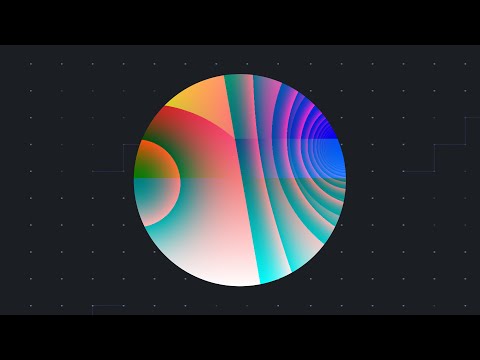
Golang实现随机艺术生成算法探讨 用 Go 实现随机艺术算法。
1 回复

更多关于Golang实现随机艺术生成算法探讨的实战系列教程也可以访问 https://www.itying.com/category-94-b0.html
以下是使用Go语言实现随机艺术生成算法的示例代码。该算法通过递归组合基本数学函数来生成随机图像。
package main

import (
    "image"
    "image/color"
    "image/png"
    "math"
    "math/rand"
    "os"
    "time"
)

// 定义函数类型
type Func func(float64, float64) float64

// 基本函数集合
var (
    sin = func(x, y float64) float64 { return math.Sin(x) }
    cos = func(x, y float64) float64 { return math.Cos(y) }
    avg = func(x, y float64) float64 { return (x + y) / 2 }
    mul = func(x, y float64) float64 { return x * y }
)

// 随机选择函数
func randomFunc() Func {
    funcs := []Func{sin, cos, avg, mul}
    return funcs[rand.Intn(len(funcs))]
}

// 递归构建表达式树
func buildExpr(depth int) Func {
    if depth == 0 {
        return func(x, y float64) float64 {
            return rand.Float64()*2 - 1 // 返回-1到1之间的随机数
        }
    }

    left := buildExpr(depth - 1)
    right := buildExpr(depth - 1)
    op := randomFunc()

    return func(x, y float64) float64 {
        return op(left(x, y), right(x, y))
    }
}

// 生成图像
func generateArt(width, height int, expr Func) *image.RGBA {
    img := image.NewRGBA(image.Rect(0, 0, width, height))

    for py := 0; py < height; py++ {
        y := float64(py)/float64(height)*4 - 2 // 归一化到[-2, 2]
        for px := 0; px < width; px++ {
            x := float64(px)/float64(width)*4 - 2 // 归一化到[-2, 2]

            // 计算函数值
            val := expr(x, y)

            // 将值映射到颜色
            r := uint8((math.Sin(val*math.Pi)+1)*127)
            g := uint8((math.Cos(val*math.Pi)+1)*127)
            b := uint8((val+1)*127)

            img.Set(px, py, color.RGBA{r, g, b, 255})
        }
    }

    return img
}

func main() {
    rand.Seed(time.Now().UnixNano())

    // 构建随机表达式
    expr := buildExpr(4)

    // 生成图像
    img := generateArt(800, 600, expr)

    // 保存为PNG文件
    file, err := os.Create("random_art.png")
    if err != nil {
        panic(err)
    }
    defer file.Close()

    png.Encode(file, img)
}
这个实现包含以下关键部分:
- 函数类型定义:使用
Func类型表示接受两个浮点数参数并返回浮点数的函数 - 基本函数集合:包含正弦、余弦、平均值和乘法等基本运算
- 递归表达式构建:
buildExpr函数递归地组合基本函数创建复杂表达式 - 图像生成:
generateArt函数将数学表达式映射到像素颜色 - 颜色映射:使用三角函数将函数值转换为RGB颜色值
运行此程序将生成800×600像素的PNG图像文件,每次运行都会产生不同的随机艺术图案。可以通过调整buildExpr的深度参数来控制表达式的复杂度,从而生成不同复杂度的图案。
