




HarmonyOS鸿蒙Next中在ArkTS中使用@Watch装饰器监听嵌套对象属性变化时,为何有时不触发更新?
HarmonyOS鸿蒙Next中在ArkTS中使用@Watch装饰器监听嵌套对象属性变化时,为何有时不触发更新?
定义了一个响应式状态对象 userProfile = { name: 'Tom', settings: { theme: 'dark' } },并用 [@Watch](/user/Watch)('onThemeChange') 监听 settings.theme 的变化。当直接修改 this.userProfile.settings.theme = 'light' 时,UI 和监听函数均未响应。

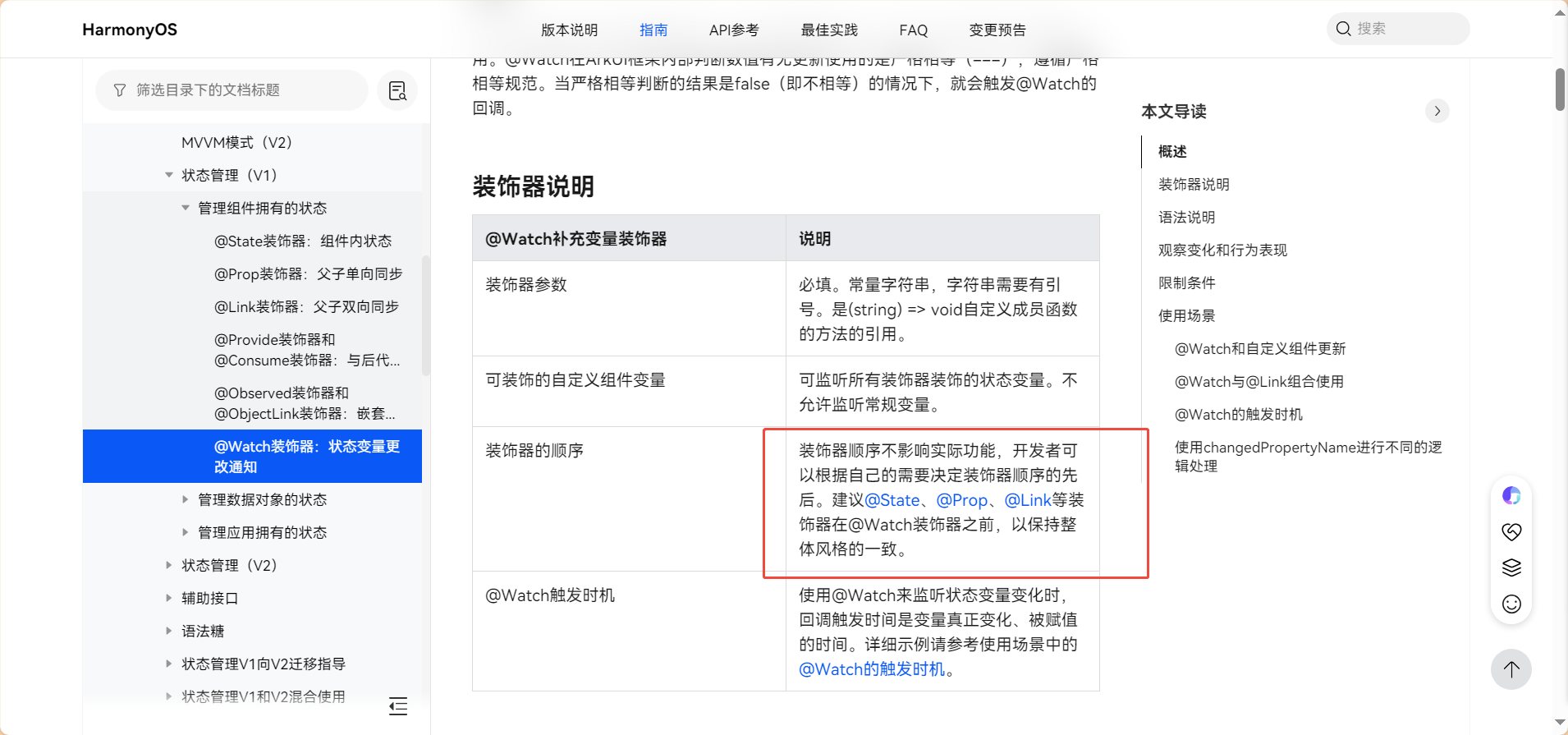
从文档里面看:@Watch要搭配这些装饰器用,还要在这些装饰器的后面,就说明只要这些装饰器能监听到字段变化,那@Watch就能有监听返回的。
题主的对象没监听到,那就说明题主用的前置装饰器也没监听到对象的变化。
解决方式:建议用能监听对象变化的装饰器。比如@Observed装饰器和@ObjectLink装饰器。
更多关于HarmonyOS鸿蒙Next中在ArkTS中使用@Watch装饰器监听嵌套对象属性变化时,为何有时不触发更新?的实战系列教程也可以访问 https://www.itying.com/category-93-b0.html

原因就是ArkTS只能监听到对象的 第一层 属性的变化,不能监听到 深层嵌套 对象中属性值的变化。用你代码举例:
@State @Watch('onThemeChange') userProfile: UserProfile = {
  name: 'Tom',
  settings: { theme: 'dark' }
}

// 1. 可以监听到
this.userProfile.name = 'Jack'
// 2. 可以监听到:给settings属性重新赋值为一个新对象,相当于使用新的内存地址给settings属性进行赋值
this.userProfile.settings = { theme: 'light' }

// 3. 不可以监听到:只修改了settings中的属性,修改前后settings对应的内存地址都是没有发生变化的
this.userProfile.settings.theme = 'light'
如果仅需要监听到变化,不需要在UI中展示当前 theme 的字符串值,可以忽略后面代码,直接使用第2种方式。
如果需要在UI中某个组件内展示当前的 theme 值,可以使用@Observed/@ObjectLink装饰器:
定义类:
// 把 userProfile 的结构改为 class
class UserProfile {
  name: string
  settings: UserSettings

  constructor(name: string, settings: UserSettings) {
    this.name = name
    this.settings = settings
  }

  // 省略 Getter.../Setter...
}

// 使用 `@Observed` 修饰子类
@Observed
Class UserSettings {
  theme: string

  constructor(theme: string) {
    this.theme = theme
  }

  // 省略 Getter.../Setter...
}
UI:
// 子组件:单独创建一个组件用来展示嵌套对象中属性
@Component
struct ViewSettings {
  // 与父组件双向同步,并且不可被整体赋值。需要单向同步改为@Prop,同时可以被整体赋值。
  @ObjectLink settings: Settings;

  build() {
    Column() {
      Text(`theme: ${this.settings.getTheme()}`)
      Button('Change themt')
        .onClick(() => {
          this.settings.setTheme('新值');
        })
    }
  }
}

// Index(父页面)
@Entry
@Component
struct Index {
  @State @Watch('onThemeChange') userProfile: UserProfile = new UserProfile('Tom', new Settings('dark'));

  build() {
    Column() {
      // 不使用这种形式
      // Text(`theme: ${this.userProfile.settings.theme}`)

      // 使用这种形式
      ViewSettings({ settings: this.userProfile.settings })
    }
  }
}
(手撸的代码,没用IDE,可能拼写有错误。)
@Watch用于监听状态变量的变化,当状态变量变化时,@Watch的回调方法将被调用。@Watch在ArkUI框架内部判断数值有无更新使用的是严格相等(===),遵循严格相等规范。当严格相等判断的结果是false(即不相等)的情况下,就会触发@Watch的回调。
那么在监听userProfile状态变量时,如果需要触发@Watch,就得使前后的userProfile不相等。( new_userProfile !== old_userProfile)
改变userProfile的属性的值,实际上userProfile本身并没有变化,所以不会触发@Watch。
需要改变userProfile对象本身,可以完全拷贝userProfile对象或新建对象再赋值给它。
this.userProfile = { name: 'Tom', settings: { theme: 'light' } }

在EntryAbility中获取并维护当前深浅色状态,在onCreate时将当前colorMode放在AppStorage中,并在配置变化的onConfigurationUpdate()回调中动态更新深浅色状态。
export default class EntryAbility extends UIAbility {
  onCreate(want: Want, launchParam: AbilityConstant.LaunchParam): void {
    AppStorage.setOrCreate<ConfigurationConstant.ColorMode>('currentColorMode', this.context.config.colorMode);
    hilog.info(0x0000, 'testTag', '%{public}s', 'Ability onCreate');
  }
  // ...
  onConfigurationUpdate(newConfig: Configuration): void {
    const currentColorMode: ConfigurationConstant.ColorMode | undefined = AppStorage.get('currentColorMode');
    if (currentColorMode !== newConfig.colorMode) {
      AppStorage.setOrCreate<ConfigurationConstant.ColorMode>('currentColorMode', newConfig.colorMode);
    }
  }
}
在页面内监听深浅色模式状态变量的变化,并根据变化后的深浅色模式来动态设置状态栏文本颜色。
@Entry
@Component
struct Index {
  // ...
  @StorageProp('currentColorMode') @Watch('onCurrentColorModeChange') currentColorMode: ConfigurationConstant.ColorMode =
    ConfigurationConstant.ColorMode.COLOR_MODE_NOT_SET;
  private windowObj: window.Window | null = null;
  aboutToAppear(): void {
    window.getLastWindow(this.getUIContext().getHostContext(), (err: BusinessError, data) => {
      this.windowObj = data;
    })
  }
  onCurrentColorModeChange(): void {
    if (!this.windowObj) {
      return;
    }
    if (this.currentColorMode === ConfigurationConstant.ColorMode.COLOR_MODE_LIGHT) {
      this.windowObj?.setWindowSystemBarProperties({
        statusBarContentColor: '#000000'
      })
    } else if (this.currentColorMode === ConfigurationConstant.ColorMode.COLOR_MODE_DARK) {
      this.windowObj?.setWindowSystemBarProperties({
        statusBarContentColor: '#FFFFFF'
      })
    }
  }
  // ...
  build() {
    // ...
  }
}
@Watch 装饰器对对象类型的监听,需要创建新引用而不是通过修改属性。
改为:
tempProfile=this.userProfile
this.tempProfile.settings.theme = ‘light’
this.userProfile=tempProfile


在HarmonyOS Next的ArkUI中,@Watch装饰器通过响应式系统的代理机制来监听状态变化。对于嵌套对象,直接修改其深层属性(如this.userProfile.settings.theme = 'light')通常不会触发@Watch回调,这是因为响应式代理可能无法捕获到这种直接的属性赋值。
核心原因:
@Watch依赖于ArkTS响应式系统对对象引用变化的追踪。当你直接修改嵌套对象内部的属性时,userProfile.settings这个对象的引用本身并未改变,因此系统不会判定userProfile.settings(或userProfile)发生了变化,导致监听器不触发。
解决方案:
要确保@Watch能正确响应嵌套对象属性的变化,你需要创建一个新的对象引用,触发响应式系统的更新检测。以下是两种推荐做法:
-
整体替换嵌套对象: 修改
settings对象时,使用展开运算符(...)或Object.assign创建新对象,确保引用变更:this.userProfile.settings = { ...this.userProfile.settings, theme: 'light' }; -
使用
[@Observed](/user/Observed)和@ObjectLink装饰器: 对于复杂的嵌套对象结构,建议将嵌套类用[@Observed](/user/Observed)装饰,并在父组件中使用@ObjectLink引用。这样能实现对深层属性的精细监听:[@Observed](/user/Observed) class Settings { theme: string = 'dark'; } [@Component](/user/Component) struct ProfileComponent { @ObjectLink settings: Settings; // 监听逻辑 }
补充说明:
如果userProfile本身是用@State装饰的,直接修改userProfile.settings.theme虽然可能更新UI(因为@State会触发组件重建),但@Watch仍可能不触发,因为其监听机制依赖于代理的引用变化。因此,遵循上述方法能同时保证UI和@Watch回调的一致性。
总之,确保嵌套对象的修改以新引用替换旧引用的方式执行,即可可靠触发@Watch监听函数。
