





Python中如何使用YOLO2实现实时目标检测?附视频教程、Android Demo及开源项目
实时目标检测和分类
GIF 图:
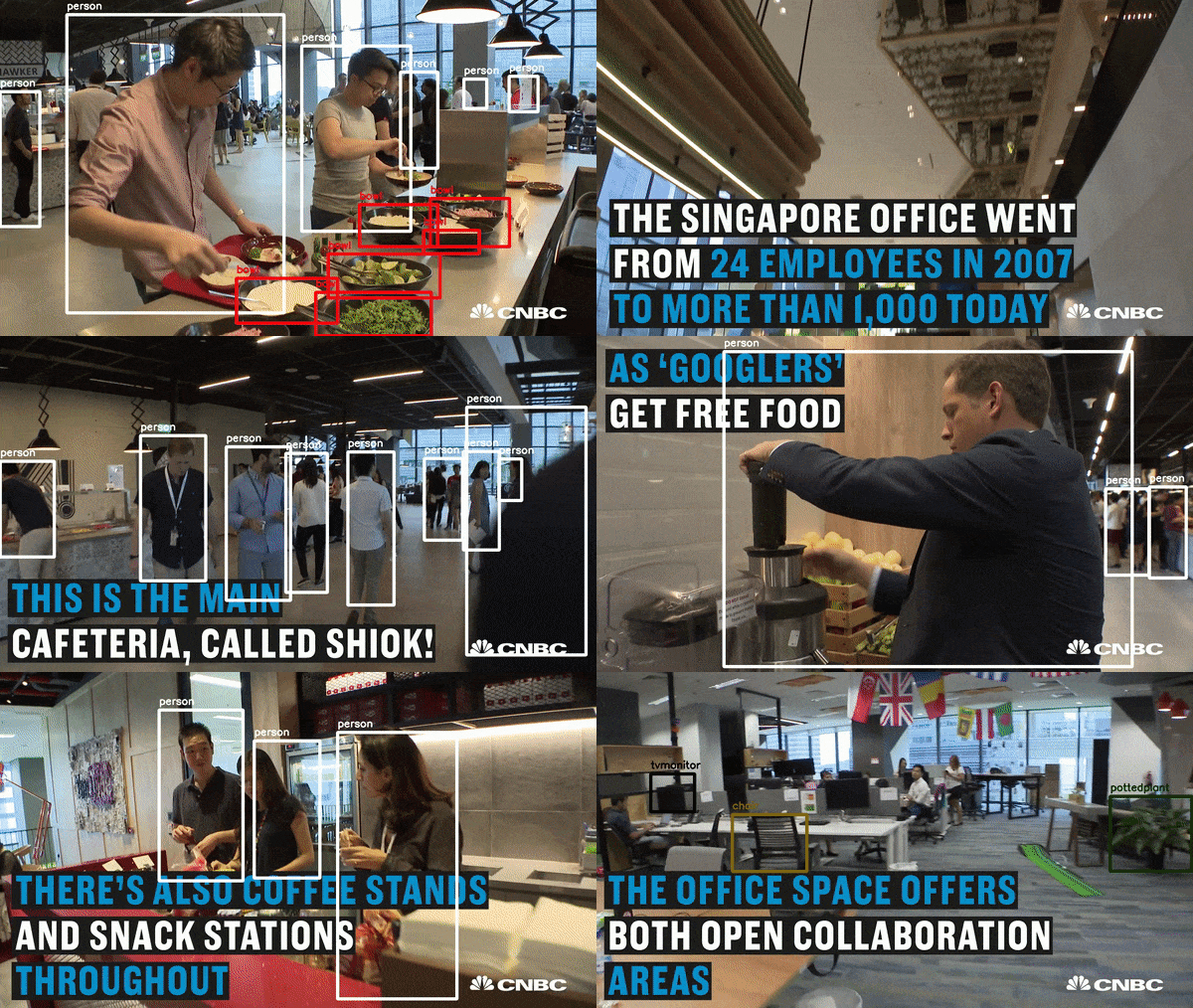
视频截图:
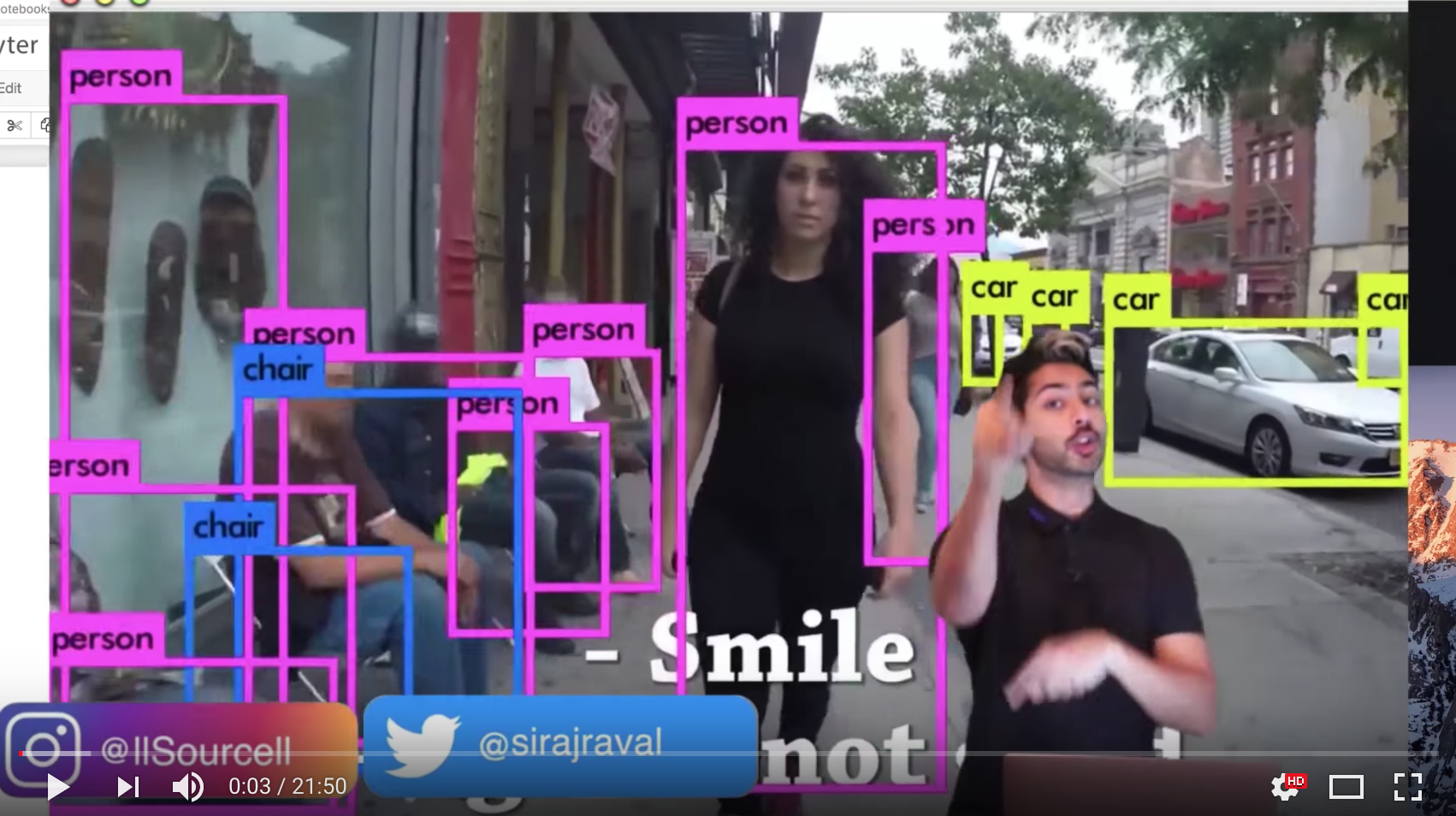
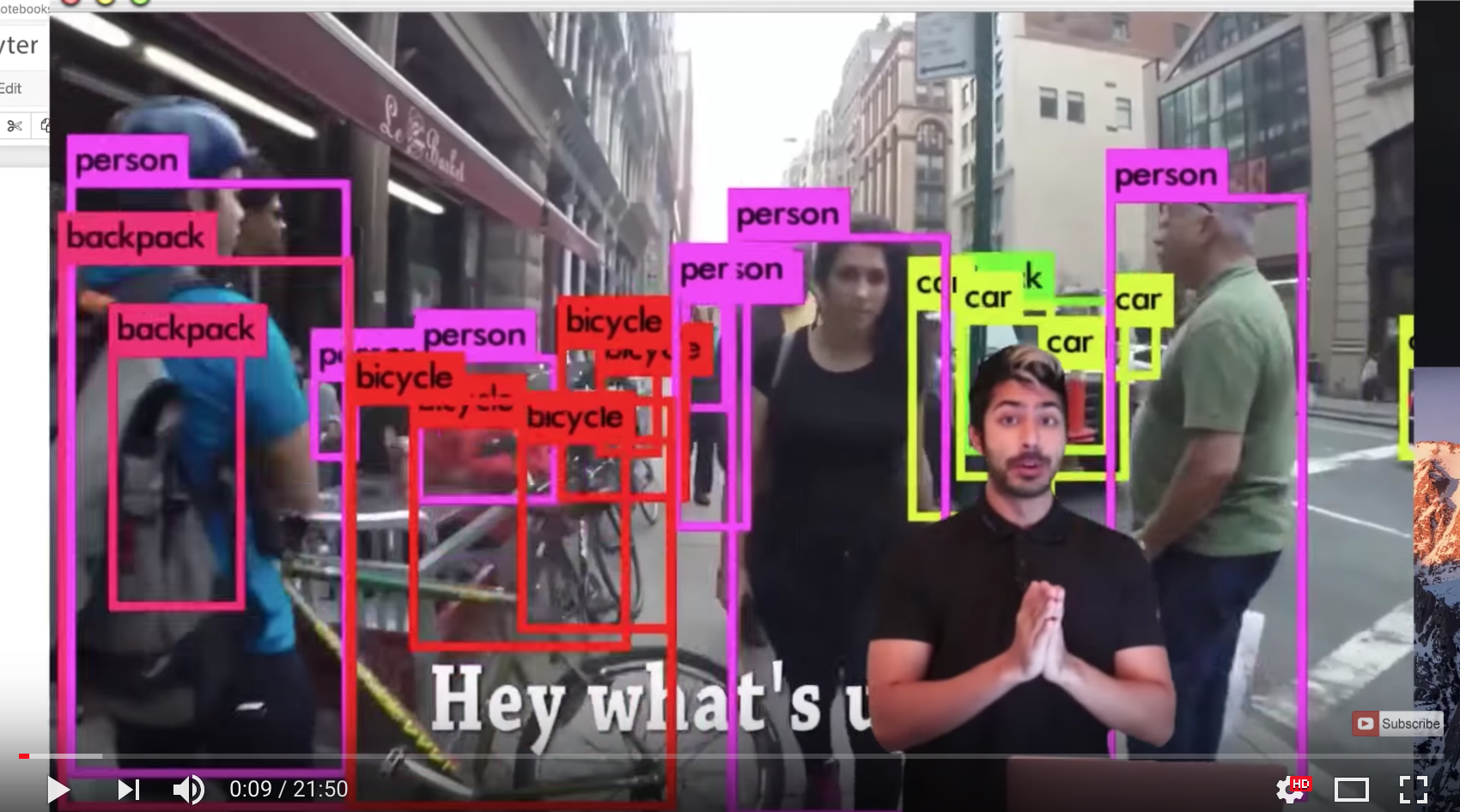
论文: https://arxiv.org/pdf/1506.02640.pdf https://arxiv.org/pdf/1612.08242.pdf
了解更多 YOLO,并且下载权重文件:
https://pjreddie.com/darknet/yolo/
视频教程(视频分享到群文件了): https://www.youtube.com/watch?v=4eIBisqx9_g&feature=youtu.be
TensorFlow 更多资源: http://www.tensorflownews.com/
QQ 群(视频分享到群文件了):522785813
Python中如何使用YOLO2实现实时目标检测?附视频教程、Android Demo及开源项目
1 回复

要搞YOLOv2实时检测,得先装好环境。核心是Darknet框架,用C写的但Python能调。我习惯用OpenCV的DNN模块来跑,这样部署起来方便。
先装依赖:
pip install opencv-python numpy
下载YOLOv2的配置和权重:
- 配置文件:
yolov2.cfg - 权重文件:
yolov2.weights - 类别文件:
coco.names
然后上代码:
import cv2
import numpy as np

# 加载模型
net = cv2.dnn.readNet("yolov2.weights", "yolov2.cfg")
with open("coco.names", "r") as f:
    classes = [line.strip() for line in f.readlines()]

# 获取输出层
layer_names = net.getLayerNames()
output_layers = [layer_names[i[0] - 1] for i in net.getUnconnectedOutLayers()]

# 实时检测
cap = cv2.VideoCapture(0)  # 用摄像头
while True:
    ret, frame = cap.read()
    if not ret:
        break

    height, width = frame.shape[:2]

    # 预处理
    blob = cv2.dnn.blobFromImage(frame, 0.00392, (416, 416), (0, 0, 0), True, crop=False)
    net.setInput(blob)
    outs = net.forward(output_layers)

    # 解析结果
    class_ids = []
    confidences = []
    boxes = []

    for out in outs:
        for detection in out:
            scores = detection[5:]
            class_id = np.argmax(scores)
            confidence = scores[class_id]

            if confidence > 0.5:  # 置信度阈值
                center_x = int(detection[0] * width)
                center_y = int(detection[1] * height)
                w = int(detection[2] * width)
                h = int(detection[3] * height)

                x = int(center_x - w / 2)
                y = int(center_y - h / 2)

                boxes.append([x, y, w, h])
                confidences.append(float(confidence))
                class_ids.append(class_id)

    # NMS去重
    indexes = cv2.dnn.NMSBoxes(boxes, confidences, 0.5, 0.4)

    # 画框
    for i in range(len(boxes)):
        if i in indexes:
            x, y, w, h = boxes[i]
            label = f"{classes[class_ids[i]]}: {confidences[i]:.2f}"
            cv2.rectangle(frame, (x, y), (x + w, y + h), (0, 255, 0), 2)
            cv2.putText(frame, label, (x, y - 10), cv2.FONT_HERSHEY_SIMPLEX, 0.5, (0, 255, 0), 2)

    cv2.imshow("YOLOv2 Detection", frame)
    if cv2.waitKey(1) == 27:  # 按ESC退出
        break

cap.release()
cv2.destroyAllWindows()
视频教程推荐Joseph Redmon的原版讲解,Android Demo可以看Darknet的官方移植,开源项目首推AlexeyAB的Darknet改进版。
总结:用OpenCV的DNN模块调用YOLOv2最快。
