




HarmonyOS鸿蒙Next中使用Navigation跳转,设置转场动画,会同时出现两种动画效果,如何解决?
HarmonyOS鸿蒙Next中使用Navigation跳转,设置转场动画,会同时出现两种动画效果,如何解决? 【问题描述】:使用Navigation跳转,设置转场动画,会同时出现两种动画效果,如何解决?会同时出现从左往右和从上往下的动画效果
【问题现象】:
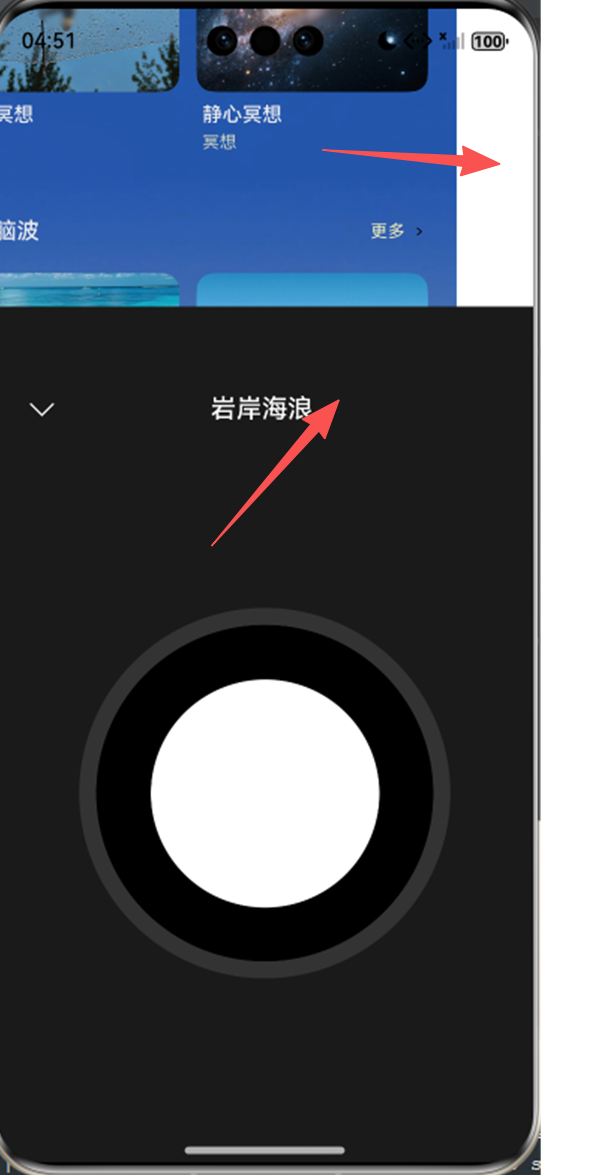
【版本信息】:不涉及
【复现代码】:
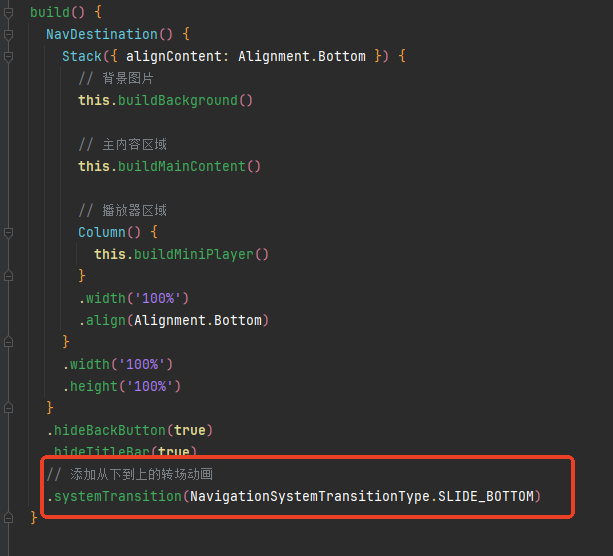
【尝试解决方案】:无
更多关于HarmonyOS鸿蒙Next中使用Navigation跳转,设置转场动画,会同时出现两种动画效果,如何解决?的实战教程也可以访问 https://www.itying.com/category-93-b0.html

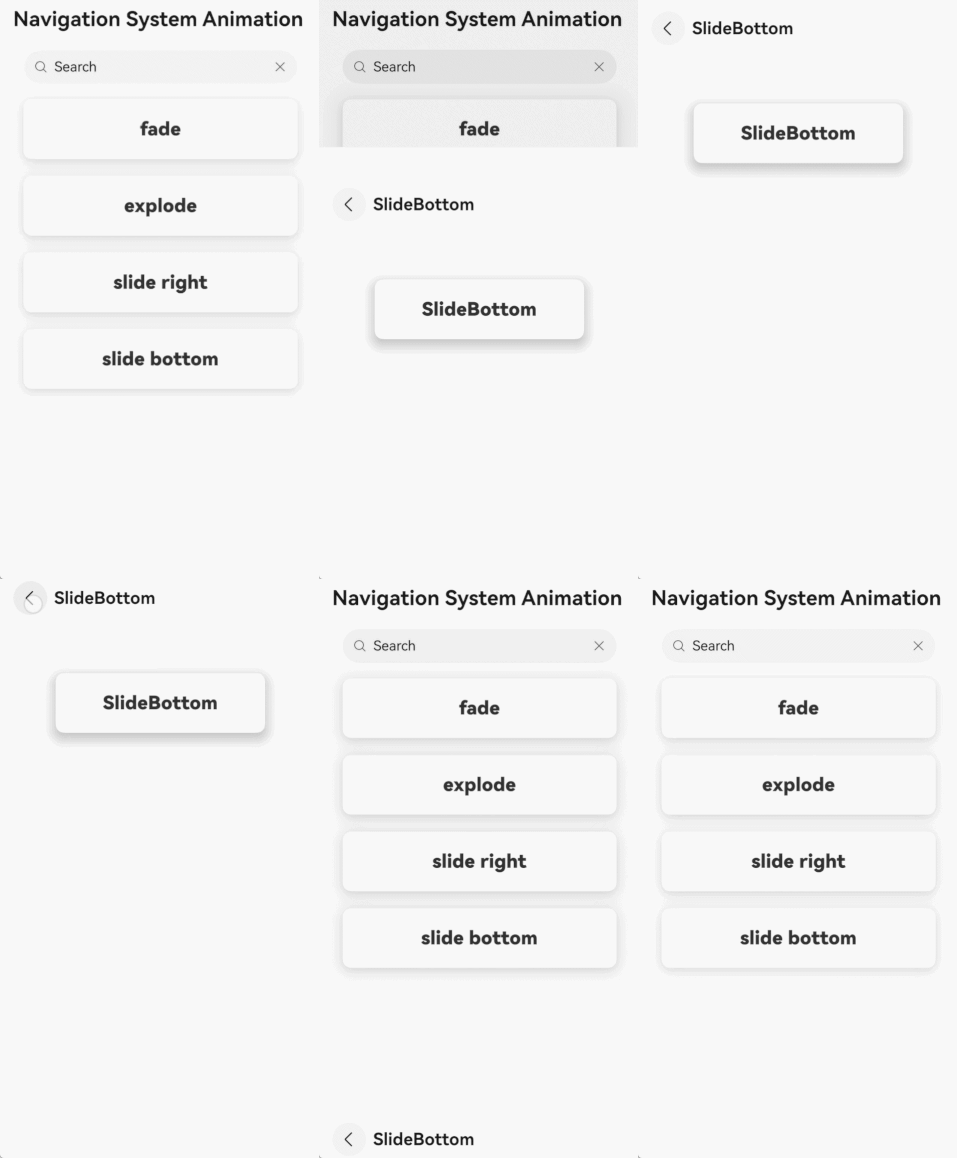
我这有个Demo:没有你说的问题哦!
@Entry
@Component
struct NavDestinationSystemTransition {
  @Provide stack: NavPathStack = new NavPathStack()
  @Provide homePageTransitionType: NavigationSystemTransitionType = NavigationSystemTransitionType.DEFAULT;
  @Builder
  pageMap(name: string) {
    if (name === 'Fade') {
      Fade();
    } else if (name === 'Explode') {
      Explode();
    } else if (name === 'SlideRight') {
      SlideRight();
    } else if (name === 'SlideBottom') {
      SlideBottom();
    } else {
      Dest();
    }
  }
  aboutToAppear(): void {
    this.stack.pushPath({name: 'Dest'});
  }
  build() {
    Navigation(this.stack) {
      // empty
    }
    .navDestination(this.pageMap)
    .hideNavBar(true)
  }
}
@Component
struct Dest {
  @Consume stack: NavPathStack;
  @Consume homePageTransitionType: NavigationSystemTransitionType;
  @State name: string = 'NA';
  build() {
    NavDestination() {
      HomeBody();
    }
    .title('Navigation System Animation')
    .onReady((context) => {
      this.name = context.pathInfo.name;
    })
    .systemTransition(this.homePageTransitionType)
  }
}
@Component
struct Fade {
  @Consume stack: NavPathStack;
  @State name: string = 'NA';
  build() {
    NavDestination() {
      DestBody({
        name: this.name
      })
    }
    .title(this.name)
    .onReady((context) => {
      this.name = context.pathInfo.name;
    })
    .systemTransition(NavigationSystemTransitionType.FADE)
  }
}
@Component
struct Explode {
  @Consume stack: NavPathStack;
  @State name: string = 'NA';
  build() {
    NavDestination() {
      DestBody({
        name: this.name
      })
    }
    .title(this.name)
    .onReady((context) => {
      this.name = context.pathInfo.name;
    })
    .systemTransition(NavigationSystemTransitionType.EXPLODE)
  }
}
@Component
struct SlideRight {
  @Consume stack: NavPathStack;
  @State name: string = 'NA';
  build() {
    NavDestination() {
      DestBody({
        name: this.name
      })
    }
    .title(this.name)
    .onReady((context) => {
      this.name = context.pathInfo.name;
    })
    .systemTransition(NavigationSystemTransitionType.SLIDE_RIGHT)
  }
}
@Component
struct SlideBottom {
  @Consume stack: NavPathStack;
  @State name: string = 'NA';
  build() {
    NavDestination() {
      DestBody({
        name: this.name
      })
    }
    .title(this.name)
    .onReady((context) => {
      this.name = context.pathInfo.name;
    })
    .systemTransition(NavigationSystemTransitionType.SLIDE_BOTTOM)
  }
}
@Component
struct DestBody {
  name: string = 'NA';
  columnTextSize: number = 22;
  columnTextFontWeight: FontWeight = FontWeight.Bolder;
  columnWidth: string = '65%';
  columnPadding: number = 22;
  columnMargin: number = 10;
  columnBorderRadius: number = 10;
  build() {
    Column() {
      Column()
        .width('85')
        .height(50)
        .backgroundColor(Color.White)
      Column() {
        Text(this.name)
          .fontSize(this.columnTextSize)
          .fontWeight(this.columnTextFontWeight)
      }
      .width(this.columnWidth)
      .padding(this.columnPadding)
      .margin(this.columnMargin)
      .borderRadius(this.columnBorderRadius)
      .shadow(ShadowStyle.OUTER_DEFAULT_LG)
    }
  }
}
@Component
struct HomeBody {
  @Consume stack: NavPathStack;
  @Consume homePageTransitionType: NavigationSystemTransitionType;
  columnTextSize: number = 22;
  columnTextFontWeight: FontWeight = FontWeight.Bolder;
  columnWidth: string = '85%';
  columnPadding: number = 22;
  columnMargin: number = 10;
  columnBorderRadius: number = 10;
  columnShadow: ShadowStyle = ShadowStyle.OUTER_DEFAULT_MD;
  build() {
    Column() {
      Search({ value: 'Search' })
        .width(this.columnWidth)
      Column() {
        Text('fade')
          .fontSize(this.columnTextSize)
          .fontWeight(this.columnTextFontWeight)
      }
      .width(this.columnWidth)
      .padding(this.columnPadding)
      .margin(this.columnMargin)
      .borderRadius(this.columnBorderRadius)
      .shadow(this.columnShadow)
      .onClick(() => {
        this.homePageTransitionType = NavigationSystemTransitionType.FADE;
        this.stack.pushPath({name: 'Fade'});
      })
      Column() {
        Text('explode')
          .fontSize(this.columnTextSize)
          .fontWeight(this.columnTextFontWeight)
      }
      .width(this.columnWidth)
      .padding(this.columnPadding)
      .margin(this.columnMargin)
      .borderRadius(this.columnBorderRadius)
      .shadow(this.columnShadow)
      .onClick(() => {
        this.homePageTransitionType = NavigationSystemTransitionType.EXPLODE;
        this.stack.pushPath({name: 'Explode'});
      })
      Column() {
        Text('slide right')
          .fontSize(this.columnTextSize)
          .fontWeight(this.columnTextFontWeight)
      }
      .width(this.columnWidth)
      .padding(this.columnPadding)
      .margin(this.columnMargin)
      .borderRadius(this.columnBorderRadius)
      .shadow(this.columnShadow)
      .onClick(() => {
        this.homePageTransitionType = NavigationSystemTransitionType.SLIDE_RIGHT;
        this.stack.pushPath({name: 'SlideRight'});
      })
      Column() {
        Text('slide bottom')
          .fontSize(this.columnTextSize)
          .fontWeight(this.columnTextFontWeight)
      }
      .width(this.columnWidth)
      .padding(this.columnPadding)
      .margin(this.columnMargin)
      .borderRadius(this.columnBorderRadius)
      .shadow(this.columnShadow)
      .onClick(() => {
        this.homePageTransitionType = NavigationSystemTransitionType.SLIDE_BOTTOM;
        this.stack.pushPath({name: 'SlideBottom'});
      })
    }
  }
}
更多关于HarmonyOS鸿蒙Next中使用Navigation跳转,设置转场动画,会同时出现两种动画效果,如何解决?的实战系列教程也可以访问 https://www.itying.com/category-93-b0.html

在Navigation组件中设置转场动画时,若出现两种动画叠加,需检查是否在多个层级重复设置了动画。请确保仅在Navigation组件或目标页面中单一设置转场动画,避免同时使用全局导航动画与页面单独动画。检查代码中是否存在类似pageTransition与Navigation动画属性冲突的情况,统一动画配置位置即可解决。

根据你提供的代码截图,问题在于同时设置了两种动画效果,导致了冲突。
在你的代码中,Navigation 的 transition 属性同时设置了 slide 和 push 动画。这两个动画会同时执行,因此出现了从左往右和从上往下两种效果。
解决方案:
只保留一种动画效果即可。根据你的需求,选择其中一种:
-
如果希望水平滑动效果: 将
transition修改为只使用slide。.transition(TransitionEffect.SLIDE) -
如果希望垂直推入效果: 将
transition修改为只使用push。.transition(TransitionEffect.PUSH)
修改后的正确代码示例:
Navigation(this.pageStackForComponent) {
  // ... 你的页面内容
}
.transition(TransitionEffect.SLIDE) // 或 TransitionEffect.PUSH
.title('My Navigation')
原因分析:
TransitionEffect 的 slide 和 push 是两种独立的动画模式,不能同时生效。系统会尝试同时执行两者,导致视觉上的冲突和异常行为。只需根据界面设计需求选择其一。
