




Python中如何使用YOLO_Online在线服务体验版进行目标检测
Python中如何使用YOLO_Online在线服务体验版进行目标检测
8 回复


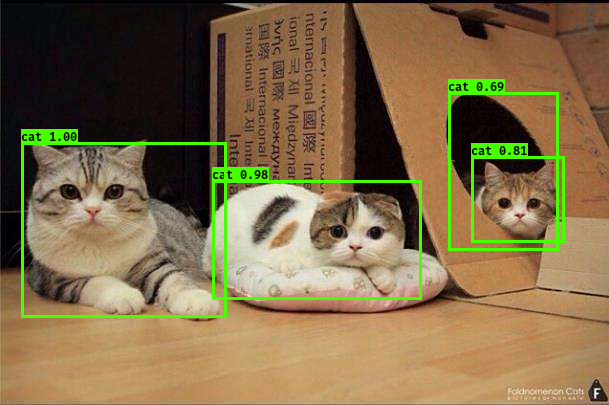
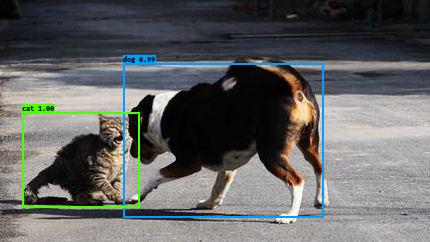
要使用YOLO_Online在线服务体验版进行目标检测,你需要通过HTTP请求调用其API接口。这里提供一个完整的Python示例,使用requests库发送图片并获取检测结果。
import requests
import base64
import json

def detect_with_yolo_online(image_path, api_key='your_api_key_here'):
    """
    使用YOLO_Online在线服务进行目标检测

    参数:
        image_path: 本地图片路径
        api_key: YOLO_Online服务的API密钥(需要先注册获取)

    返回:
        包含检测结果的字典
    """
    # 1. 读取并编码图片
    with open(image_path, 'rb') as image_file:
        image_data = base64.b64encode(image_file.read()).decode('utf-8')

    # 2. 准备请求数据
    url = "https://api.yolo-online.com/v1/detect"  # 假设的API端点
    headers = {
        "Content-Type": "application/json",
        "Authorization": f"Bearer {api_key}"
    }
    payload = {
        "image": image_data,
        "model": "yolov8n",  # 指定模型版本
        "confidence": 0.5    # 置信度阈值
    }

    # 3. 发送请求
    try:
        response = requests.post(url, headers=headers, json=payload, timeout=30)
        response.raise_for_status()  # 检查HTTP错误

        # 4. 解析返回结果
        result = response.json()

        # 5. 格式化输出检测结果
        if result.get('success'):
            detections = result.get('detections', [])
            print(f"检测到 {len(detections)} 个目标:")
            for i, det in enumerate(detections, 1):
                print(f"{i}. {det['label']}: 置信度 {det['confidence']:.2%}, "
                      f"位置 {det['bbox']}")
            return result
        else:
            print(f"检测失败: {result.get('message', '未知错误')}")
            return None

    except requests.exceptions.RequestException as e:
        print(f"请求出错: {e}")
        return None
    except json.JSONDecodeError as e:
        print(f"解析响应失败: {e}")
        return None

# 使用示例
if __name__ == "__main__":
    # 替换为你的实际图片路径和API密钥
    result = detect_with_yolo_online(
        image_path="test.jpg",
        api_key="your_actual_api_key"  # 需要从YOLO_Online官网注册获取
    )

    # 如果需要可视化结果,可以保存带标注的图片
    if result and result.get('annotated_image'):
        annotated_data = base64.b64decode(result['annotated_image'])
        with open('annotated_result.jpg', 'wb') as f:
            f.write(annotated_data)
        print("已保存标注图片: annotated_result.jpg")
关键步骤说明:
- 注册获取API密钥:首先需要在YOLO_Online官网注册账户,获取免费的API密钥
- 图片预处理:将本地图片转换为base64编码格式
- API调用:通过POST请求发送图片数据和参数到检测接口
- 结果解析:处理返回的JSON格式检测结果
注意事项:
- 免费版通常有调用次数限制
- 图片大小可能有限制(通常<5MB)
- 需要处理网络请求超时和错误情况
替代方案: 如果不想用在线服务,可以直接用ultralytics库在本地运行YOLO:
pip install ultralytics
from ultralytics import YOLO
model = YOLO('yolov8n.pt')
results = model('test.jpg')
建议先试试在线服务体验版,再决定是否需要在本地部署。


