




HarmonyOS鸿蒙Next中TextInput怎么重写清除按钮cancelButton的事件
HarmonyOS鸿蒙Next中TextInput怎么重写清除按钮cancelButton的事件 如题,TextInput怎么重写清除按钮cancelButton的事件,通过点击清除按钮调用自定义的事件。

更多关于HarmonyOS鸿蒙Next中TextInput怎么重写清除按钮cancelButton的事件的实战教程也可以访问 https://www.itying.com/category-93-b0.html

开发者您好,请问使用Stack在搜索框上堆叠一个图标,自行对这个图标增加业务逻辑是否符合您的需求?
如不满足,麻烦提供一下以下信息:
请问您是在什么样的业务场景中使用该能力,交互流程是怎样的,在哪一个环节遇到了问题?另外请您说明能力不满足可能带来的影响:什么时间用到?是否高频?有无三方库可以做到?若提供该能力,是否会造成大工作量返工?请您注意提供的内容不要包含您或第三方的非公开信息,如给您带来不便,敬请谅解。
更多关于HarmonyOS鸿蒙Next中TextInput怎么重写清除按钮cancelButton的事件的实战系列教程也可以访问 https://www.itying.com/category-93-b0.html

比如输入身份证号码,我设想是在TextInput中使用cancelButton配置扫描图标,通过点击扫描图标扫描身份证自动填充数据,或者通过点击该图标打开选择文件弹窗,选择相应的身份图片通过自动识别填充数据。这样的功能需要重写cancelButton的默认处理事件。

推荐使用隐藏系统按钮,然后自定义清除按钮。
- 隐藏 TextInput 的系统清除按钮(不设置
cancelButton,或设置为InputCancelButton.NONE); - 利用
Stack布局,将 TextInput 和自定义清除按钮(Button/Image)组合,实现视觉上的 “输入框右侧清除按钮”; - 给自定义清除按钮绑定
onClick回调,直接执行自定义事件,完全可控(支持自定义样式、动画、逻辑)。
import promptAction from '@ohos.promptAction';

@Entry
@Component
struct Index {
  // 输入框绑定值(显式string类型)
  @State inputContent: string = '';

  build() {
    Column({ space: 30 }) {
      Text("TextInput 清除按钮自定义事件(进阶方案)")
        .fontSize(20)
        .fontWeight(FontWeight.Bold)
        .textAlign(TextAlign.Center)

      // 核心:Stack布局组合 TextInput + 自定义清除按钮
      Stack({ alignContent: Alignment.End }) {
        // 1. TextInput:隐藏系统清除按钮
        TextInput({
          text: this.inputContent,
          placeholder: "输入内容后可点击右侧自定义清除按钮"
        })
          .width('85%')
          .height(50)
          .padding({ left: 15, right: 40 }) // 右侧预留自定义按钮空间
          .border({ width: 1, color: '#E5E5E5', radius: 8 })
          .fontSize(16)
          // 隐藏系统清除按钮(默认不设置cancelButton)
          // 正常监听输入变化(仅更新文本,无额外判断)
          .onChange((newValue: string) => {
            this.inputContent = newValue;
          })

        // 2. 自定义清除按钮(仅当输入框有文本时显示,更友好)
        if (this.inputContent.length > 0) {
          Button({
            type: ButtonType.Circle,
            stateEffect: true
          }) {
            Text("×")
              .fontSize(18)
              .fontColor(Color.Gray)
          }
          .width(30)
          .height(30)
          .backgroundColor(Color.Gray)
          .margin({ right: 10 }) // 与输入框右侧保持间距
          .onClick(() => {
            console.log("点击自定义清除按钮");
            // 步骤1:清空输入框文本(模拟系统清除按钮功能)
            this.inputContent = '';
            // 步骤2:执行自定义事件(核心需求,完全可控)
            this.customCancelEvent();
          })
        }
      }

      Text(`当前输入内容:${this.inputContent || '暂无输入'}`)
        .fontSize(16)
        .fontColor(Color.Gray)
        .textAlign(TextAlign.Center)
    }
    .width('100%')
    .height('100%')
    .justifyContent(FlexAlign.Center)
  }

  /**
   * 自定义清除事件(完全可控,支持复杂业务逻辑)
   */
  private customCancelEvent(): void {
    console.log("执行自定义清除事件(进阶方案)");
    // 示例业务逻辑:可添加接口请求、状态重置、动画效果等
    promptAction.showToast({
      message: "自定义清除按钮点击成功,逻辑执行中...",
      duration: 2000
    });

    // 复杂业务示例:重置页面其他状态
    // this.resetFilterCondition();
    // this.clearSearchHistory();
  }
}
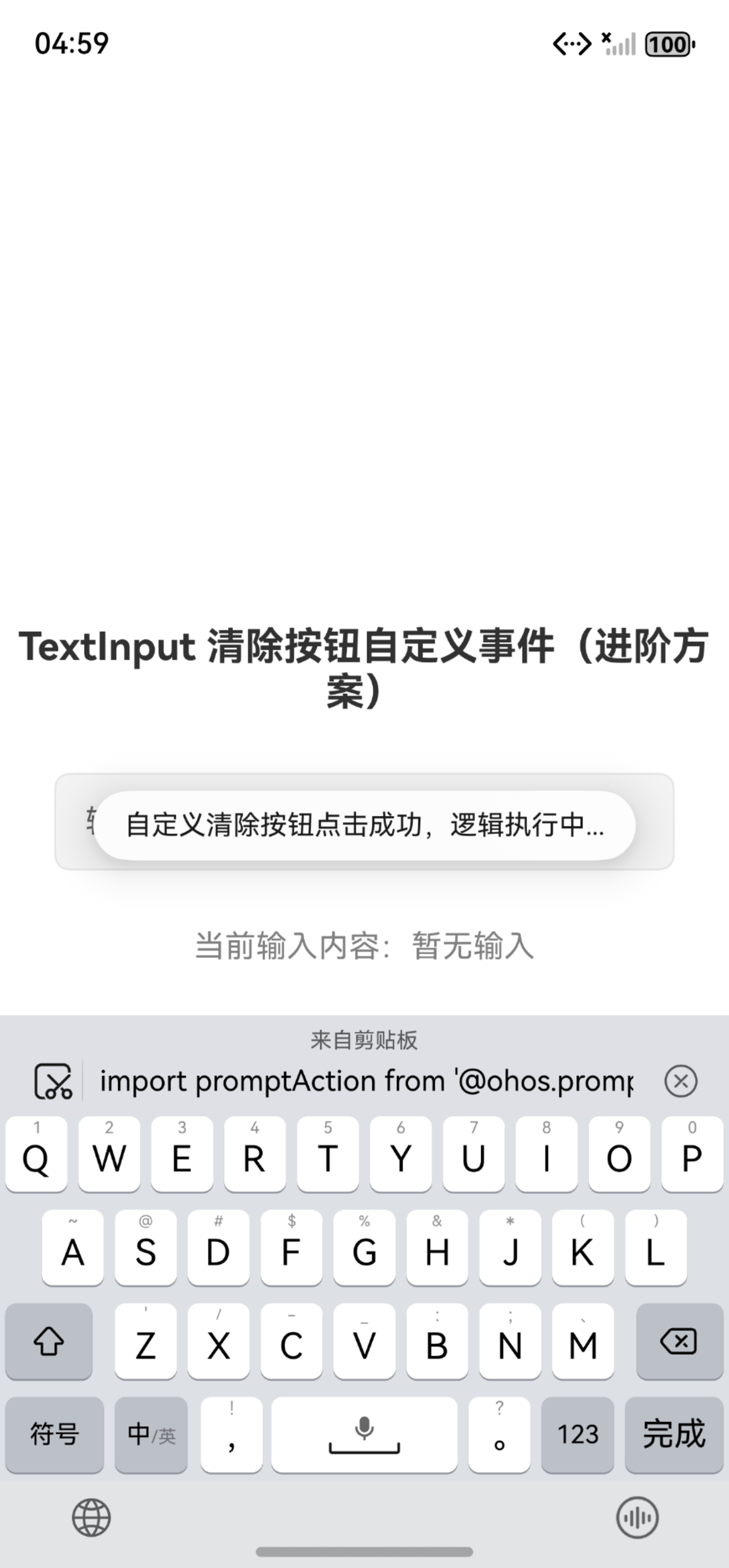


在HarmonyOS Next中,TextInput的清除按钮事件可通过onChange回调处理。当输入内容变化时,检查输入值,若为空或特定条件,可触发自定义清除逻辑。示例代码如下:
@Entry
@Component
struct Index {
  @State inputValue: string = ''

  build() {
    Column() {
      TextInput({ placeholder: '请输入' })
        .onChange((value: string) => {
          this.inputValue = value
          // 自定义清除逻辑
          if (value === '') {
            // 执行清除操作
          }
        })
    }
  }
}
清除按钮是TextInput内置组件,点击时自动清空输入框内容,onChange会监听到内容变化。
在HarmonyOS Next中,可以通过TextInput的onChange事件监听输入变化,并结合自定义状态和按钮来实现清除功能的重写。核心思路是监听输入值,当有内容时显示自定义清除按钮,并绑定其点击事件。
以下是关键代码示例:
// 使用@State装饰器管理输入框文本和清除按钮可见性
@State textValue: string = '';
@State showClearButton: boolean = false;

build() {
  Column() {
    // 使用Stack布局将输入框和清除按钮叠加
    Stack({ alignContent: Alignment.End }) {
      TextInput({ placeholder: '请输入' })
        .width('100%')
        .onChange((value: string) => {
          this.textValue = value;
          // 根据输入内容决定是否显示清除按钮
          this.showClearButton = value.length > 0;
        })

      // 自定义清除按钮,条件渲染
      if (this.showClearButton) {
        Image($r('app.media.ic_clear')) // 清除图标资源
          .width(20)
          .height(20)
          .margin({ right: 10 })
          .onClick(() => {
            // 自定义清除逻辑
            this.textValue = '';
            this.showClearButton = false;
            // 这里可以添加其他自定义处理
            this.handleCustomClearAction();
          })
      }
    }
    .width('100%')
  }
}

// 自定义清除事件处理函数
private handleCustomClearAction() {
  // 实现你的自定义逻辑
  console.log('执行了自定义清除操作');
}
实现要点:
- 状态管理:使用
@State装饰器管理输入框文本和清除按钮的显示状态。 - 布局方式:通过
Stack布局将TextInput和清除按钮Image重叠,并使用Alignment.End将按钮对齐到右侧。 - 事件监听:在
TextInput的onChange事件中更新状态,控制清除按钮的显示/隐藏。 - 自定义事件:在清除按钮的
onClick事件中,除了清空文本外,可以调用任意自定义函数。
这种方法绕过了原生cancelButton的限制,实现了完全可控的自定义清除逻辑。
