




uni-app uni.chooseImage返回路径问题
uni-app uni.chooseImage返回路径问题
bug描述:
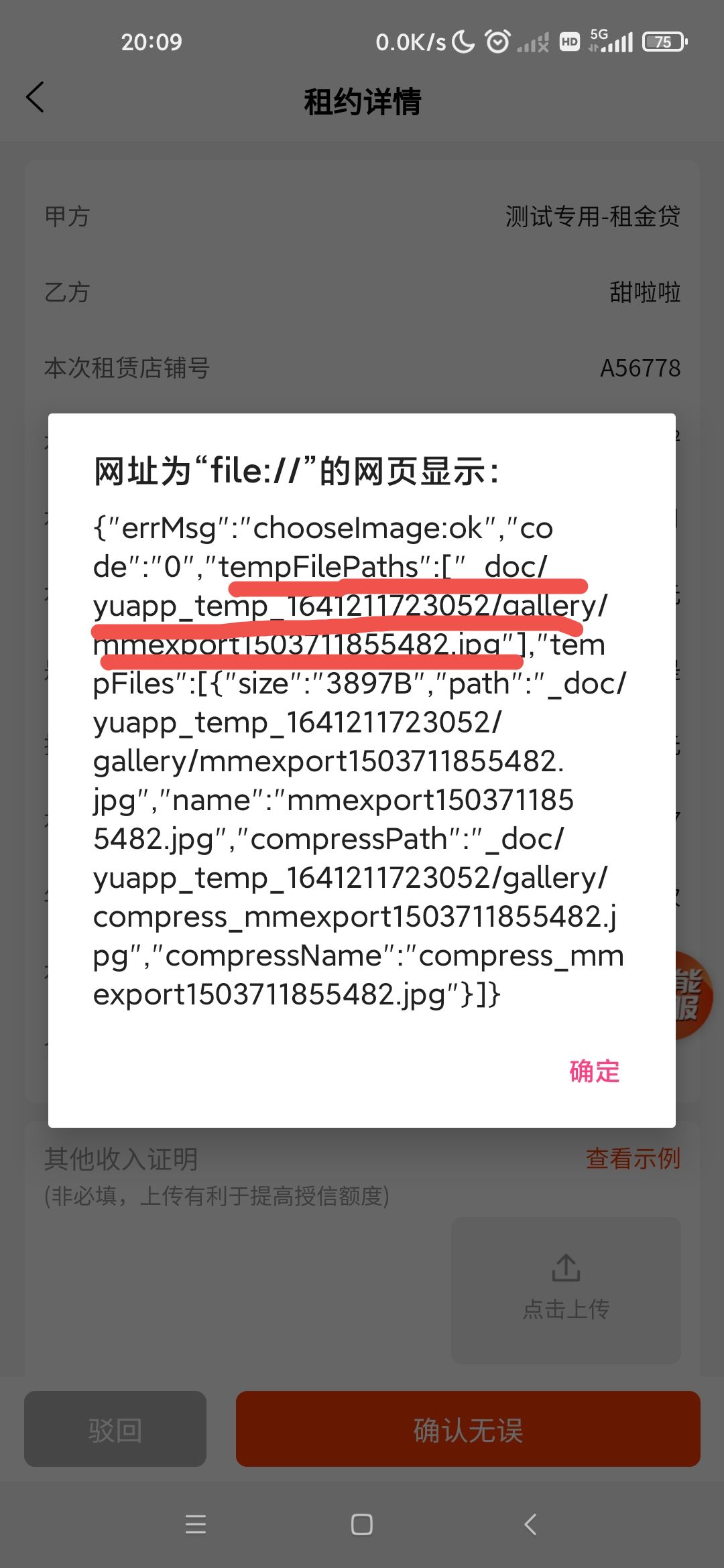
path 地址返回路径有问题,造app上无法显示图片,PC端可以正常显示
| 信息类别 | 详细信息 |
|---|---|
| 产品分类 | uniapp/App |
| PC开发环境操作系统 | Windows |
| PC开发环境操作系统版本号 | win10 |
| HBuilderX类型 | 正式 |
| HBuilderX版本号 | 3.3.6 |
| 手机系统 | Android |
| 手机系统版本号 | Android 11 |
| 手机厂商 | 华为 |
| 手机机型 | 小米10 |
| 页面类型 | vue |
| vue版本 | vue2 |
| 打包方式 | 云端 |
| 项目创建方式 | HBuilderX |
更多关于uni-app uni.chooseImage返回路径问题的实战教程也可以访问 https://www.itying.com/category-93-b0.html
3 回复

能否正常上传,或者上传之后,云端有没有显示上传之后的图片
更多关于uni-app uni.chooseImage返回路径问题的实战教程也可以访问 https://www.itying.com/category-93-b0.html

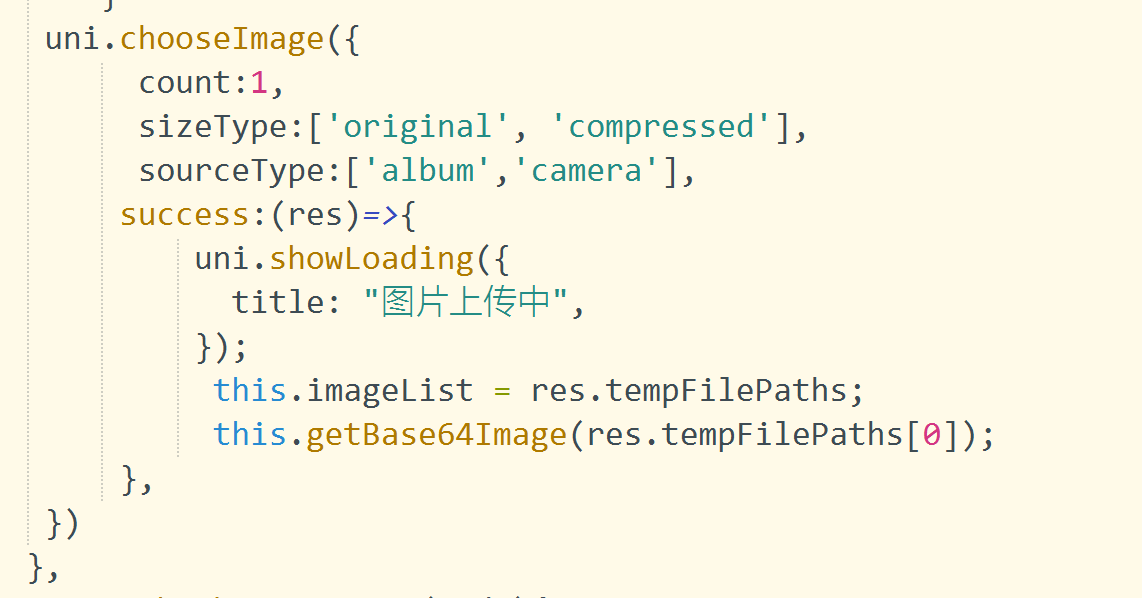
看截图是临时目录 具体得你转base64Image接收图片的路径要求。如果只支持绝对路径可以通过plus.io.convertLocalFileSystemURL转换一下

这是一个典型的App平台路径处理问题。在uni-app中,uni.chooseImage返回的临时路径在不同平台上有差异:
- App平台:返回的是本地文件路径(如
file://开头),这种路径不能直接用于<image>标签显示 - H5/小程序平台:返回的是可直接使用的临时路径
解决方案:
// 选择图片后处理路径
uni.chooseImage({
  success: (res) => {
    // App平台需要转换为可访问的路径
    #ifdef APP-PLATFORM
    const tempFilePath = plus.io.convertLocalFileSystemURL(res.tempFilePaths[0])
    // 或者使用更兼容的方式
    // const tempFilePath = res.tempFilePaths[0].replace('file://', '')
    #else
    const tempFilePath = res.tempFilePaths[0]
    #endif

    this.imagePath = tempFilePath
  }
})
或者使用更简洁的条件编译:
uni.chooseImage({
  success: (res) => {
    let path = res.tempFilePaths[0]
    // 处理App平台的路径
    #ifdef APP-PLATFORM
    if(path.startsWith('file://')) {
      path = path.replace('file://', '')
    }
    #endif
    this.imagePath = path
  }
})