




HarmonyOS鸿蒙Next中在module.json5文件中展示这个提示要怎么调整?求解!!!
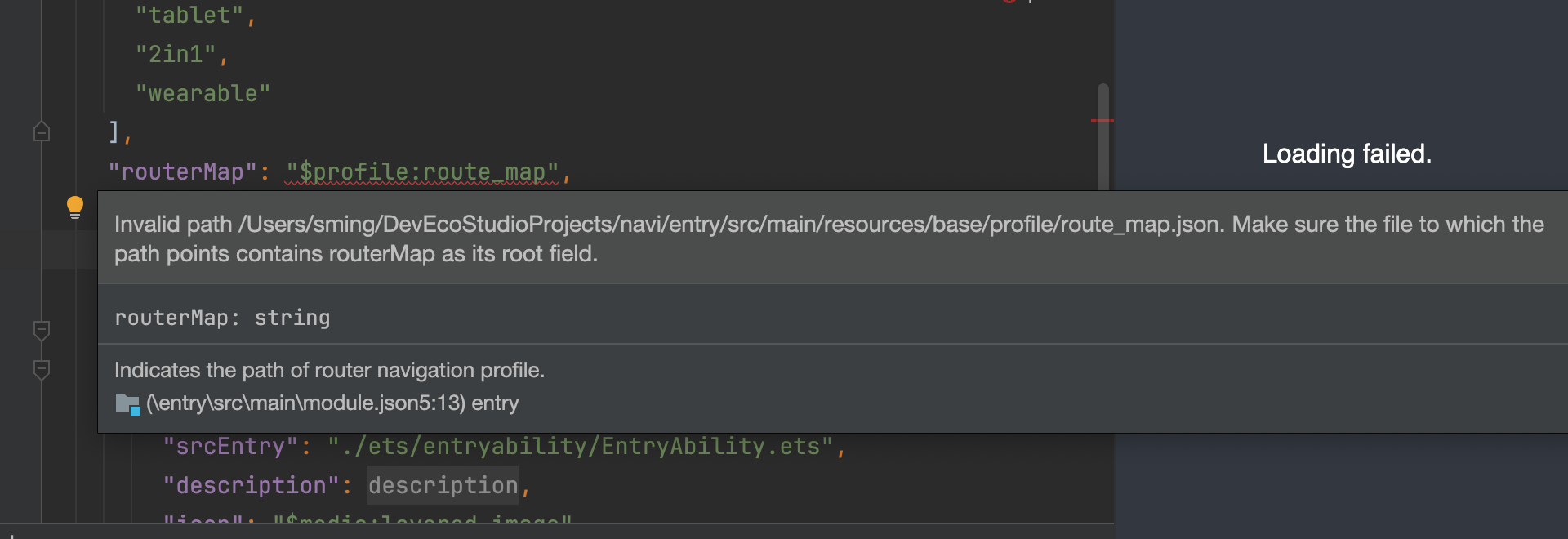
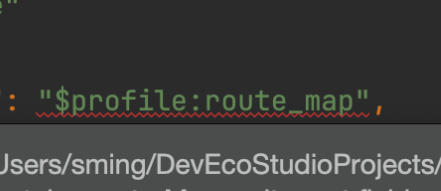
HarmonyOS鸿蒙Next中在module.json5文件中展示这个提示要怎么调整?求解!!! 我在配置路由表后,在module json5里在进行配置的时候,就是一直报错,要怎么改?》 求大神指导!!
更多关于HarmonyOS鸿蒙Next中在module.json5文件中展示这个提示要怎么调整?求解!!!的实战教程也可以访问 https://www.itying.com/category-93-b0.html

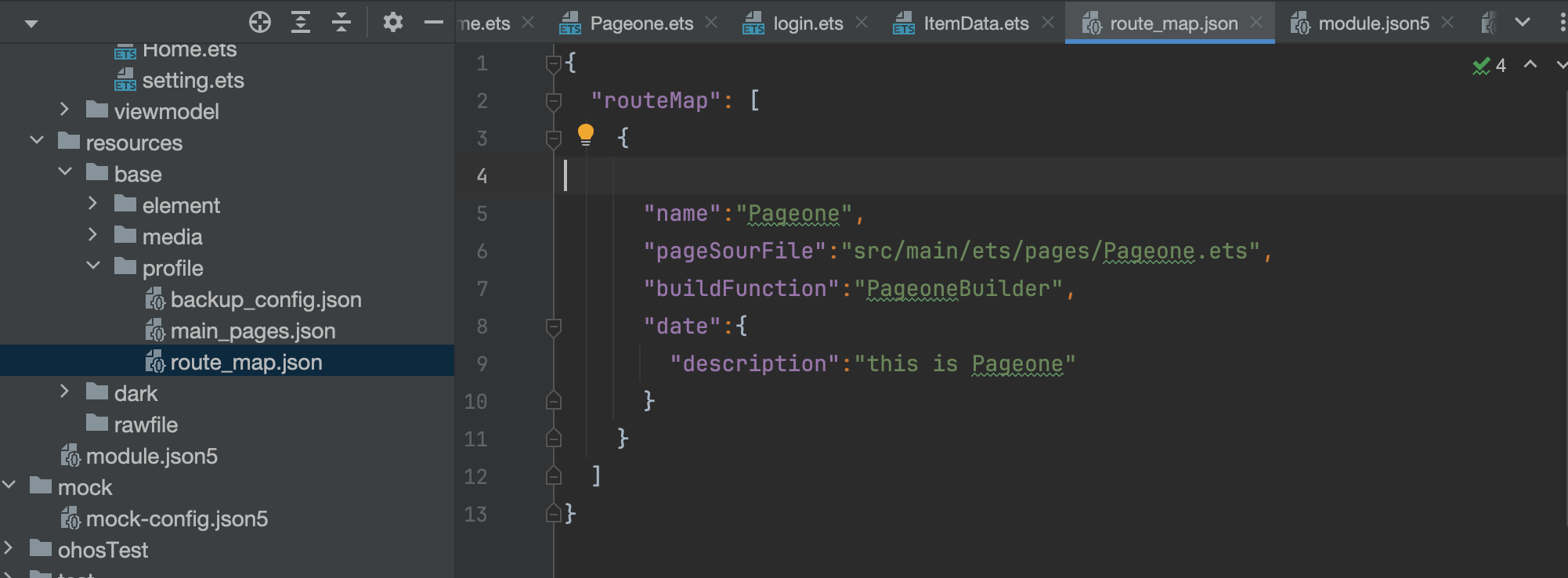
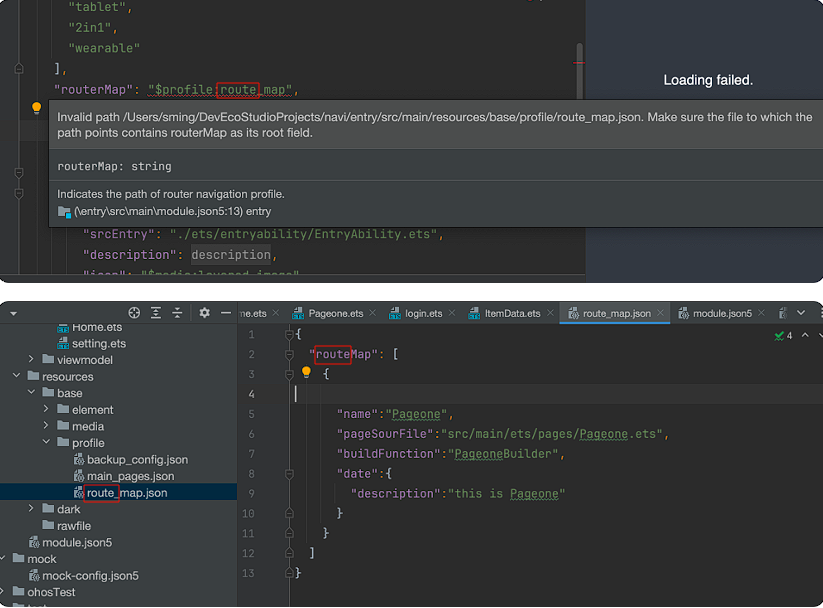
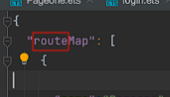
你这里名字错了,router,不是route
更多关于HarmonyOS鸿蒙Next中在module.json5文件中展示这个提示要怎么调整?求解!!!的实战系列教程也可以访问 https://www.itying.com/category-93-b0.html


背景知识:
楼主可以先看 Router切换Navigation 的文档
问题解决:
需要配置以下地方,第一在文件中写入 routerMap 配置生成router_map.json文件, 第二需要再 module.json5 配置 routerMap 参数,将文件配置进去router_map.json文件,切记文件名称要一样。
router_map.json文件内容:
{
  "routerMap" : [
    {
      "name" : "SecondPage",
      "pageSourceFile"  : "src/main/ets/pages/SecondPage.ets",
      "buildFunction" : "SecondPageBuilder"
    }
  ]
}
module.json5 配置内容:
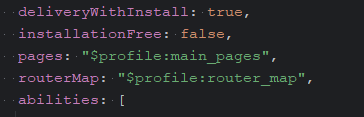

这行表示要去 entry/src/main/resources/base/profile/route_map.json 读取路由配置。但要求:文件路径要真实存在且文件的 根节点必须是 routerMap 字段。
{
  "routerMap": {
    "pages": [
      {
        "name": "MainPage",
        "path": "pages/MainPage"
      },
      {
        "name": "DetailPage",
        "path": "pages/DetailPage"
      }
    ]
  }
}
楼主JSON里面的根节点的名字替换为:routerMap

从提示信息标明路由表路径或结构不正确
确保 route_map.json 位于工程目录的 entry/src/main/resources/base/profile/ 路径下
确认文件名与 module.json5 中配置的名称一致(默认应为 route_map.json)

在module.json5中,该提示通常表示文件存在语法或格式错误。请检查JSON结构是否正确闭合,属性名是否使用双引号,以及是否存在多余逗号。确保文件符合HarmonyOS应用包结构要求。

根据您提供的截图,问题出在 module.json5 文件中 abilities 的配置上。错误提示明确指出 "abilities" 字段的值必须是数组类型。
解决方案如下:
您需要将 abilities 字段的值用中括号 [] 包裹起来,使其成为一个数组。即使您当前只配置一个 Ability,也必须遵循此格式。
修改前(错误示例):
"abilities": {
  "name": ".EntryAbility",
  "srcEntry": "./ets/entryability/EntryAbility.ets",
  "description": "$string:EntryAbility_desc",
  "icon": "$media:icon",
  "label": "$string:EntryAbility_label",
  "startWindowIcon": "$media:startIcon",
  "startWindowBackground": "$color:start_window_background",
  "exported": true,
  "skills": [
    {
      "entities": ["entity.system.home"],
      "actions": ["action.system.home"]
    }
  ]
}
修改后(正确示例):
"abilities": [
  {
    "name": ".EntryAbility",
    "srcEntry": "./ets/entryability/EntryAbility.ets",
    "description": "$string:EntryAbility_desc",
    "icon": "$media:icon",
    "label": "$string:EntryAbility_label",
    "startWindowIcon": "$media:startIcon",
    "startWindowBackground": "$color:start_window_background",
    "exported": true,
    "skills": [
      {
        "entities": ["entity.system.home"],
        "actions": ["action.system.home"]
      }
    ]
  }
]
关键修改点:
- 将
"abilities": { ... }改为"abilities": [ ... ]。 - 将原来花括号
{}内的单个 Ability 配置对象,放入这个数组的中括号[]内。
完成此修改后,JSON 结构符合规范,该编译错误即可解决。请检查文件中其他类似字段(如 extensionAbilities)是否也存在同样问题。
