




HarmonyOS鸿蒙Next中react-native-modal的Modal在0.77.22的RNOH中无法使用
HarmonyOS鸿蒙Next中react-native-modal的Modal在0.77.22的RNOH中无法使用 react-native-modal的 Modal 在0.77.22的鸿蒙化RNOH中无法使用
"@react-native-oh/react-native-harmony": "^0.77.22",
"@react-native-oh/react-native-harmony-cli": "^0.77.22",
"@react-native-ohos/react-native-modal": "^14.0.1-rc.1",
import React, { useState } from 'react';
import { View, Text, StyleSheet } from 'react-native';
import Modal from 'react-native-modal';

const DebugSettingsScreen: React.FC = () => {

  const [modalVisible, setModalVisible] = useState(false);

  return (
    <View style={styles.container}>
      <Text style={styles.title} onPress={()=>{
        setModalVisible(true);
        console.log('调试选项已打开');
        console.warn('调试选项已打开');
        console.error('调试选项已打开');
        // alert('调试选项已打开');
      }}>调试设置</Text>
      <Text style={styles.item}>这里可以放置日志级别、网络诊断、缓存清理等调试选项。</Text>
      <Modal
        visible={modalVisible}
        transparent={true}
        animationType="slide"
        onRequestClose={() => setModalVisible(false)}
         >
        <View style={{width: '100%', height: '50%', backgroundColor: '#d3a6a6', marginTop: 'auto', padding: 16}}>
          <Text style={styles.title}>调试选项</Text>


        </View>


      </Modal>
    </View>
  );
};

const styles = StyleSheet.create({
  container: { flex: 1, backgroundColor: '#fff', padding: 16 },
  title: { fontSize: 20, fontWeight: 'bold', marginBottom: 12 },
  item: { fontSize: 16, color: '#666' },
});

export default DebugSettingsScreen;
更多关于HarmonyOS鸿蒙Next中react-native-modal的Modal在0.77.22的RNOH中无法使用的实战教程也可以访问 https://www.itying.com/category-93-b0.html

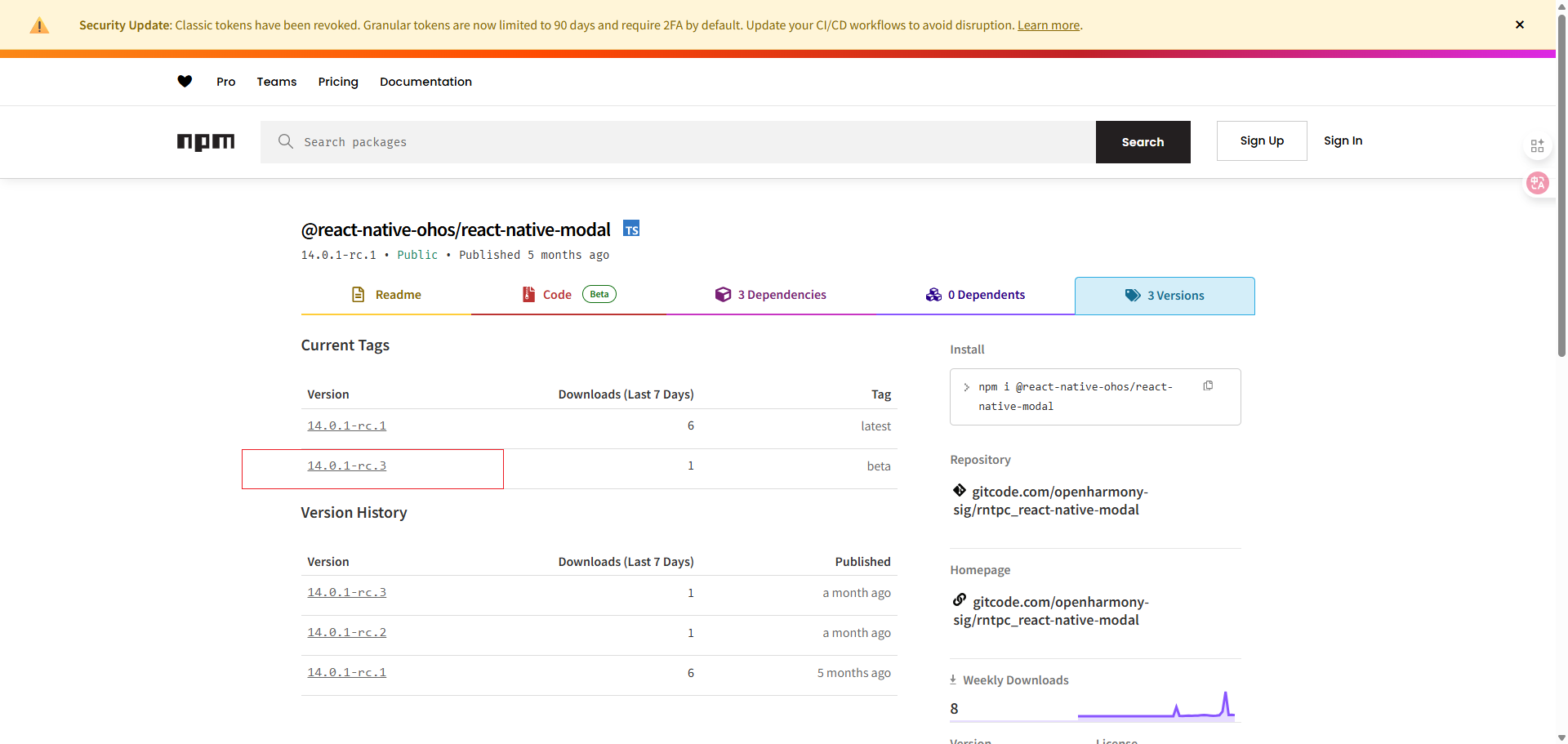
开发者你好,下载这个版本的即可
更多关于HarmonyOS鸿蒙Next中react-native-modal的Modal在0.77.22的RNOH中无法使用的实战系列教程也可以访问 https://www.itying.com/category-93-b0.html

在HarmonyOS鸿蒙Next中,react-native-modal的Modal组件无法在RNOH 0.77.22版本上运行。这是由于RNOH框架在该版本中对模态组件的底层实现或接口支持存在不兼容问题。具体表现为模态窗口无法正常显示或响应。此问题属于框架层面的适配缺陷,需要等待RNOH后续版本更新修复。
这个问题是由于 react-native-modal 在 HarmonyOS Next 的 RNOH 0.77.22 版本中存在兼容性问题。该库依赖的底层 React Native Modal 组件在鸿蒙化适配中可能尚未完全实现或存在差异。
目前,在 HarmonyOS Next 上使用模态框,建议采用以下替代方案:
- 使用 HarmonyOS 原生模态组件:通过
@react-native-oh/react-native-harmony提供的鸿蒙原生组件接口封装。 - 使用社区适配的模态库:寻找专为 HarmonyOS Next 适配的模态组件库。
- 自定义实现:基于
View和动画组件自行实现模态框效果。
由于 react-native-modal 是社区维护的第三方库,其鸿蒙化适配进度可能滞后于官方 RNOH 版本。建议关注官方文档和社区更新,以获取该库的兼容性进展。
