




HarmonyOS鸿蒙Next中HdsNavigation中titleBar滚动模糊效果丢失
HarmonyOS鸿蒙Next中HdsNavigation中titleBar滚动模糊效果丢失 当切换其他tabcontent后再返回主页,HdsNavigation中titleBar的滚动模糊就会丢失且无法恢复,应该如何解决
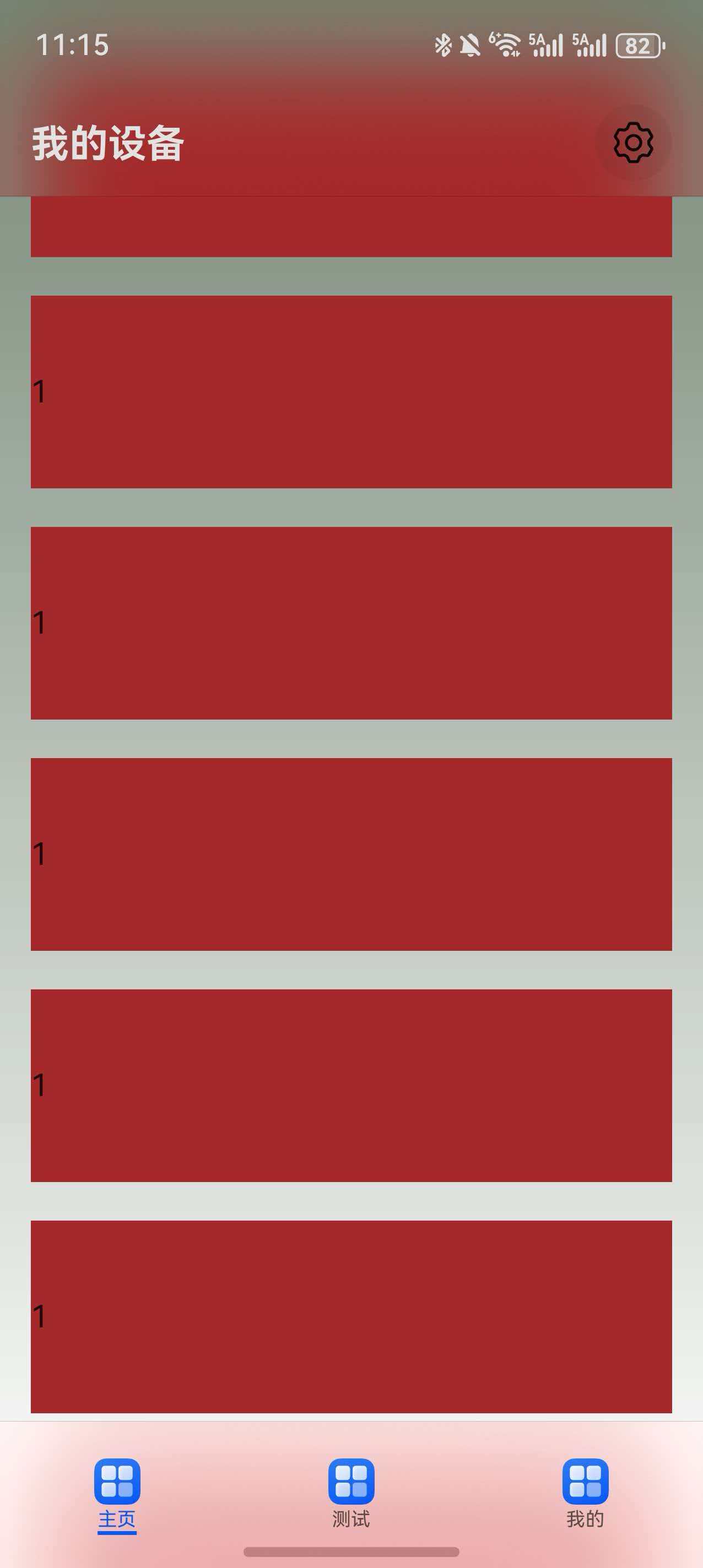
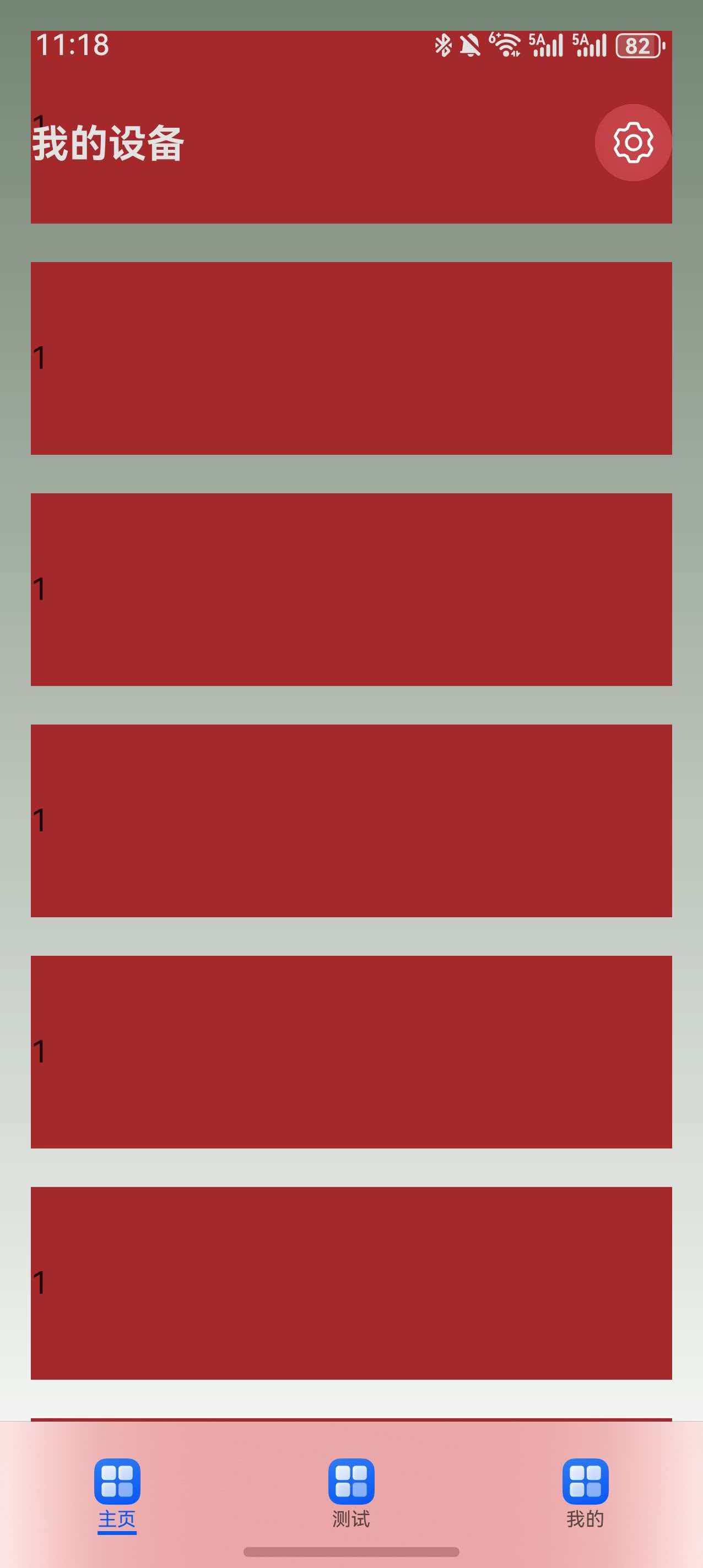
更多关于HarmonyOS鸿蒙Next中HdsNavigation中titleBar滚动模糊效果丢失的实战教程也可以访问 https://www.itying.com/category-93-b0.html

开发者你好,
本地使用DevEco Studio 6.0.2 Beta1和API 20版本的设备未复现您的问题,Tabs首页中嵌入HdsNavigation,在触发滚动模糊后切换到其他TabContent后再切换回HdsNavigation中,滚动模糊效果未失效,方便的话可以提供您这边的DevEco Studio版本、设备版本信息和您这边的demo吗?
本地Demo如下:
import { HdsNavigation, HdsNavigationAttribute, HdsNavigationTitleMode, ScrollEffectType } from '@kit.UIDesignKit';

@Entry
@Component
struct Index {
  mainPageState: boolean | undefined
  @State fontColor: string = '#182431'
  @State selectedFontColor: string = '#007DFF'
  @State currentIndex: number = 0
  private controller: TabsController = new TabsController()
  @State list: number[] = []

  aboutToAppear(): void {
    for (let index = 0; index < 20; index++) {
      let element = index;
      this.list.push(element)
    }
  }

  @Builder
  tabBuilder(index: number, name: string) {
    Column() {
      Image($r('app.media.startIcon'))
        .width(20)
        .height(20)
        .margin({
          top: 17,
        })
      Text(name)
        .fontColor(this.currentIndex === index ? this.selectedFontColor : this.fontColor)
        .fontSize(16)
        .fontWeight(this.currentIndex === index ? 500 : 400)
        .lineHeight(22)
        .margin({ bottom: 7 })
      Divider()
        .strokeWidth(2)
        .color('#007DFF')
        .opacity(this.currentIndex === index ? 1 : 0)
    }.width('100%')
  }

  build() {
    Column() {
      Tabs({ barPosition: BarPosition.End, index: this.currentIndex, controller: this.controller }) {
        TabContent() {
          HdsNavigation() {
            List() {
              ForEach(this.list, (item: number, index: number) => {
                ListItem() {
                  Column() {
                    Text(item + '')
                      .fontSize('15fp')
                      .fontColor(Color.Blue)
                  }
                  .alignItems(HorizontalAlign.Start)
                  // .borderWidth(2)
                  .width('80%')
                  .height(100)
                  .margin({
                    top: 30
                  })
                  .backgroundColor(Color.Red)
                }
                .width('100%')
              })
            }
          }
          .height('100%')
          .width('100%')
          .hideBackButton(true)
          .ignoreLayoutSafeArea()
          .titleBar({
            style: {
              scrollEffectOpts: {
                enableScrollEffect: true,
                scrollEffectType: ScrollEffectType.COMMON_BLUR
              }
            },
            content: {
              title: {
                mainTitle: '测试标题'
              },
              menu: {
                value: [
                  {
                    content: {
                      action: () => {
                      }
                    }
                  }
                ]
              }
            },
            enableComponentSafeArea: false
          })
          .titleMode(HdsNavigationTitleMode.MINI)
        }.tabBar(this.tabBuilder(0, '首页'))

        TabContent() {
          Column().width('100%').height('100%').backgroundColor('#007DFF')
        }.tabBar(this.tabBuilder(1, '测试'))

        TabContent() {
          Column().width('100%').height('100%').backgroundColor('#00CB87')
        }.tabBar(this.tabBuilder(2, '我的'))
      }
      .vertical(false)
      .barMode(BarMode.Fixed)
      .barWidth('100%')
      .barHeight(56)
      .animationDuration(400)
      .onChange((index: number) => {
        this.currentIndex = index
      })
      .width('100%')
      .height('100%')
      .backgroundColor('#F1F3F5')
    }.width('100%')
  }
}
更多关于HarmonyOS鸿蒙Next中HdsNavigation中titleBar滚动模糊效果丢失的实战系列教程也可以访问 https://www.itying.com/category-93-b0.html


import { HdsNavigation, HdsNavigationTitleMode, HdsTabs,
  ScrollEffectType } from '@hms.hds.hdsBaseComponent';
import { HomeView } from '../views/HomeView';
import { TestView } from '../views/TestView';
import { MineView } from '../views/MineView';
import { LengthMetrics } from '@kit.ArkUI';

@Entry
@ComponentV2
struct Index {
  @Local stack: NavPathStack = new NavPathStack();

  @Local mainTitle: string = "我的设备";

  @Local currentIndex:number=0

  scroller: Scroller = new Scroller();

  build() {
    HdsNavigation(this.stack){
      HdsTabs({barPosition:BarPosition.End}){
        TabContent() {
          Scroll(this.scroller){
            HomeView()
          }.scrollBar(BarState.Off).height('100%')
        }
        .tabBar({icon:$r('app.media.startIcon'),text:'主页'})

        TabContent() {
          Scroll(this.scroller){
            TestView()
          }.scrollBar(BarState.Off)
        }
        .tabBar({icon:$r('app.media.startIcon'),text:'测试'})
        TabContent() {
          MineView()
        }
        .tabBar({icon:$r('app.media.startIcon'),text:'我的'})
      }
      .onChange((index: number) => {
        this.currentIndex = index;
        this.mainTitle=index===0?'我的设备':index===1?"测试":"我的"
      })
    }
    .titleBar({
      style: {
        scrollEffectOpts: {
          enableScrollEffect: true,
          scrollEffectType: ScrollEffectType.GRADUAL_BLUR,
          blurEffectiveStartOffset: LengthMetrics.vp(0),
          blurEffectiveEndOffset: LengthMetrics.vp(20)
        },
        originalStyle: {
          backgroundStyle: {
            backgroundColor: Color.Transparent
          },
          contentStyle: {
            titleStyle: { mainTitleColor: '#ffe2e2e2' }
          }
        },
        scrollEffectStyle: {
          backgroundStyle: {
            backgroundColor: Color.Transparent
          },
          contentStyle: {
            titleStyle: { mainTitleColor: '#ffe2e2e2' }
          }
        },
      },
      content: {
        title: {
          mainTitle: this.mainTitle
        },
        menu:{
          value:[{
            content:{
              label:'设置',
              icon:$r('sys.symbol.gearshape'),
              isEnabled:true,
              action:()=>{
                this.stack.pushPathByName('SettingView',null,true)
              }
            }
          }]
        }
      },
    })
    .systemBarStyle({ statusBarContentColor: '#ffe2e2e2' }, { statusBarContentColor: '#ffe2e2e2' })
    .bindToScrollable([this.scroller])
    .ignoreLayoutSafeArea()
    .hideToolBar(true)
    .titleMode(HdsNavigationTitleMode.MODAL)
    .linearGradient({
      direction: GradientDirection.Bottom,
      colors: [['#ff748573', 0.0], [Color.White, 1]]
    })
  }
}

这是一个已知的HdsNavigation组件在特定场景下的渲染问题。当页面通过Tab切换被移出视图栈并重新返回时,titleBar的模糊效果(通常由backgroundEffect: BlurEffect.Normal等属性控制)可能因组件状态或图层合成未正确恢复而丢失。
核心原因:组件的模糊效果依赖于系统层的实时渲染计算。在页面切换时,如果相关的图形状态或回调没有被正确触发/重置,该效果会失效。
直接解决方案:
-
强制刷新Navigation状态:在页面的
aboutToAppear()生命周期函数中,显式地重新设置Navigation的titleBar样式。这可以触发系统重新应用模糊效果。aboutToAppear(): void { // 重新设置titleBar参数,强制应用样式 this.navBarConfig.titleBar = { ...this.navBarConfig.titleBar }; // 或者更明确地重新配置 // this.navBarConfig.titleBar.backgroundEffect = BlurEffect.Normal; } -
使用状态变量控制:将titleBar的配置(特别是
backgroundEffect)绑定到一个@State装饰的变量。在aboutToAppear()中修改该状态变量,驱动UI更新。@State navBarConfig: NavigationConfig = { titleBar: { backgroundEffect: BlurEffect.Normal, // ... 其他配置 } }; aboutToAppear(): void { // 通过状态变更驱动UI刷新 this.navBarConfig.titleBar.backgroundEffect = BlurEffect.Normal; } -
检查页面结构:确保TabContent切换时,主页的Navigation容器没有被意外重建或脱离原有的渲染上下文。模糊效果依赖于正确的图层层级。
临时规避方案:如果上述方法不生效,可以考虑在页面显示时,通过一个极短的延时(例如使用setTimeout)异步重新设置样式,这有时能绕过系统渲染时序问题。
该问题通常通过主动重置Navigation的样式配置即可解决,本质是通知系统重新执行模糊效果的渲染管线。
