




HarmonyOS鸿蒙Next中想做一个玻璃一样的按钮,应该怎么做?
HarmonyOS鸿蒙Next中想做一个玻璃一样的按钮,应该怎么做?
7 回复

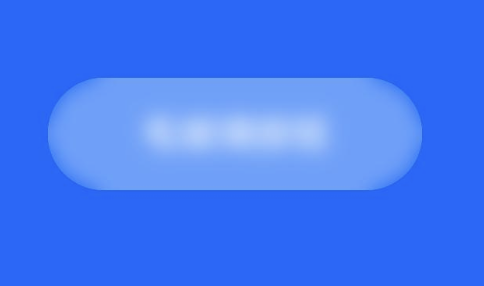
还有一种方案:
Button('毛玻璃按钮', { type: ButtonType.ROUNDED_RECTANGLE })
  .width(160)
  .height(48)
  .borderRadius(24)
  .backgroundColor(0x60FFFFFF)  // 半透明白色背景
  .blur(20)                     // 模糊强度(0-100)
  .fontColor(Color.White)
  .onClick(() => {})
更多关于HarmonyOS鸿蒙Next中想做一个玻璃一样的按钮,应该怎么做?的实战系列教程也可以访问 https://www.itying.com/category-93-b0.html


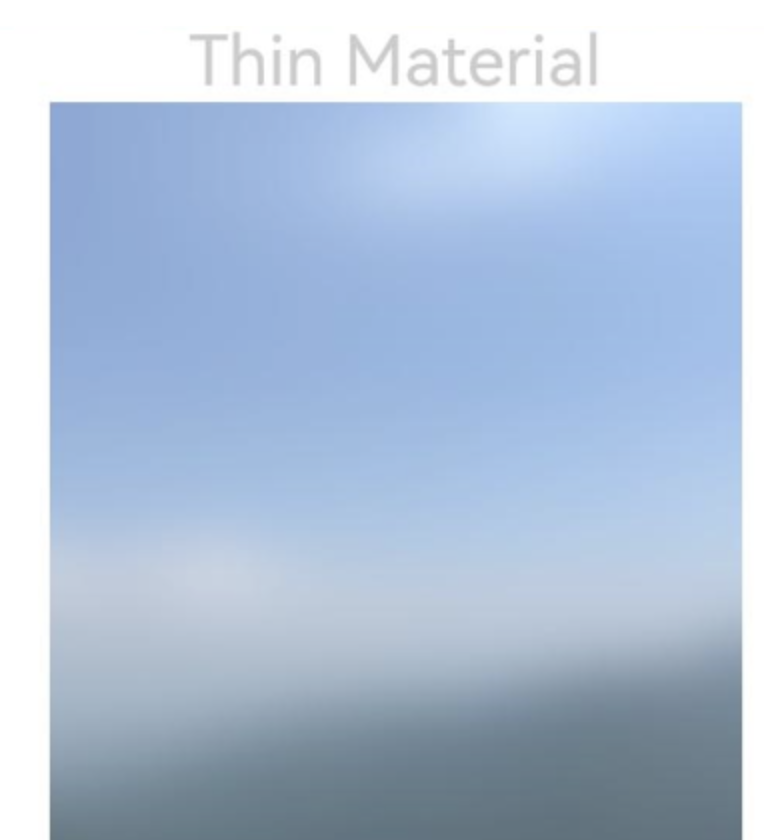
可以通过foregroundBlurStyle为图片设置内容模糊效果:
// xxx.ets
@Entry
@Component
struct ForegroundBlurStyleDemo {
  build() {
    Column() {
      Text('Thin Material').fontSize(30).fontColor(0xCCCCCC)
      Image($r('app.media.bg'))
        .width(300)
        .height(350)
        .foregroundBlurStyle(BlurStyle.Thin,
          { colorMode: ThemeColorMode.LIGHT, adaptiveColor: AdaptiveColor.DEFAULT, scale: 1.0 })
    }
    .height('100%')
    .width('100%')
  }
}
效果:


在HarmonyOS Next中,要实现玻璃态(毛玻璃)按钮效果,主要使用BlurStyle和Component的模糊背景属性。
- 在
build函数中创建Button组件。 - 通过
.background()方法设置背景,使用BlurStyle中的Thin、Regular或Thick等模糊样式。 - 可配合
BackgroundBlurStyle与半透明颜色叠加调整效果。
示例代码片段:
Button('玻璃按钮')
  .background(BlurStyle.Thin)
  .backgroundColor(Color.White.copy({ alpha: 0.2 }))
在HarmonyOS Next中实现玻璃态(毛玻璃)按钮,可以通过Component的background属性结合BlurStyle和GraphicsBlur来实现。以下是核心代码示例:
import { BlurStyle, GraphicsBlur } from '@kit.ArkGraphics2D';

@Entry
@Component
struct GlassButton {
  build() {
    Button('Glass Button')
      .width(200)
      .height(60)
      .fontSize(18)
      .fontColor(Color.White)
      .backgroundColor(Color.Transparent) // 背景透明
      .background(
        // 关键:使用GraphicsBlur创建毛玻璃背景
        GraphicsBlur.createBlurStyle(
          BlurStyle.THIN, // 模糊样式,可选THIN、REGULAR、THICK等
          10 // 模糊半径,数值越大越模糊
        )
      )
      .borderRadius(20) // 圆角
      .border({
        width: 1,
        color: Color.White,
        style: BorderStyle.Solid
      })
      .shadow({
        radius: 10,
        color: Color.Gray,
        offsetX: 0,
        offsetY: 4
      })
  }
}
关键点说明:
- 模糊背景:使用
GraphicsBlur.createBlurStyle(BlurStyle, radius)创建毛玻璃效果,需设置backgroundColor为透明。 - 视觉增强:通过
border添加细边框、shadow添加投影,可提升玻璃质感。 - 交互反馈:可添加
.stateEffect(true)启用按压态效果,或通过onTouch事件动态调整透明度/模糊度。
若需要更复杂的动态效果(如背景透出内容),可将按钮置于Stack容器中,下层放置动态背景,按钮背景使用更高模糊度实现透出效果。
