




HarmonyOS 鸿蒙Next 5 使用forench 展示动态 tab 本地页面的web组件的问题
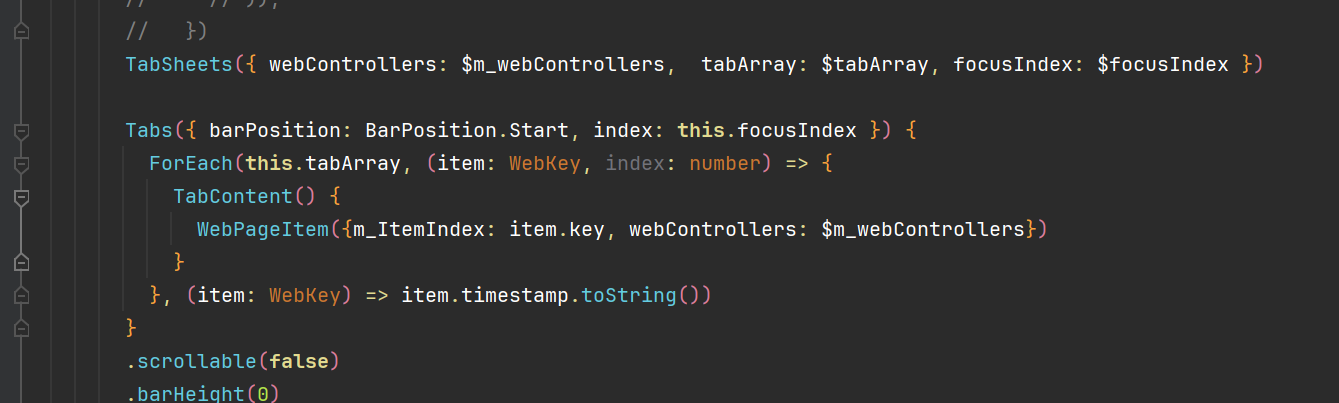
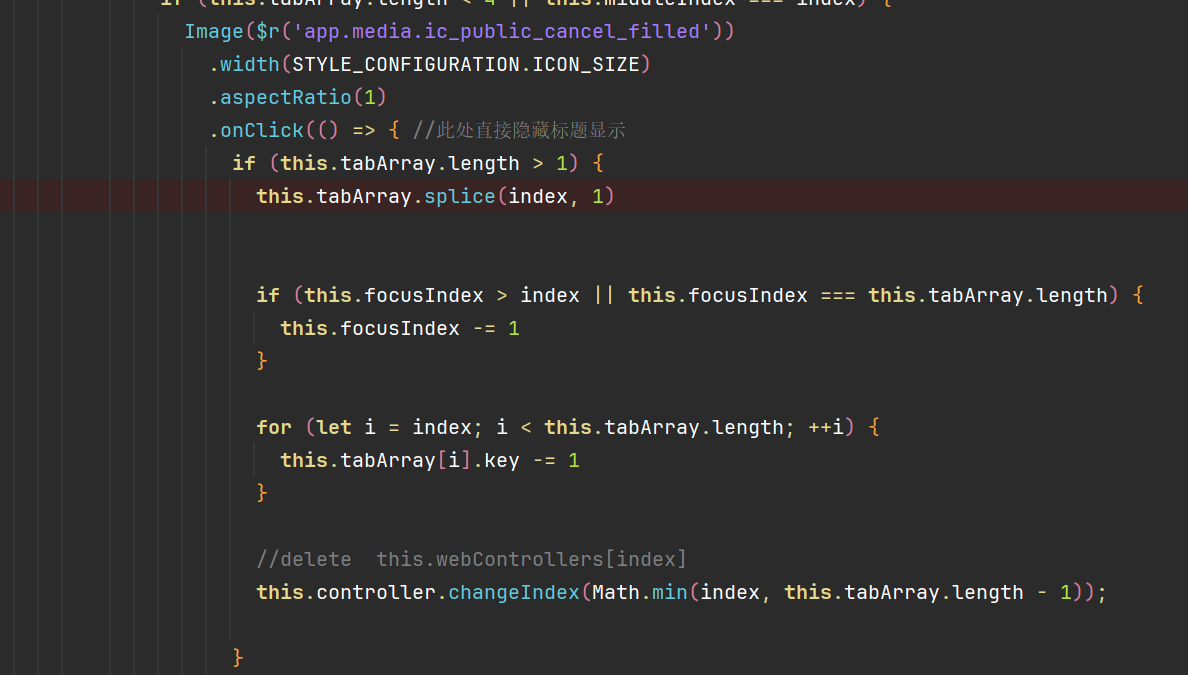
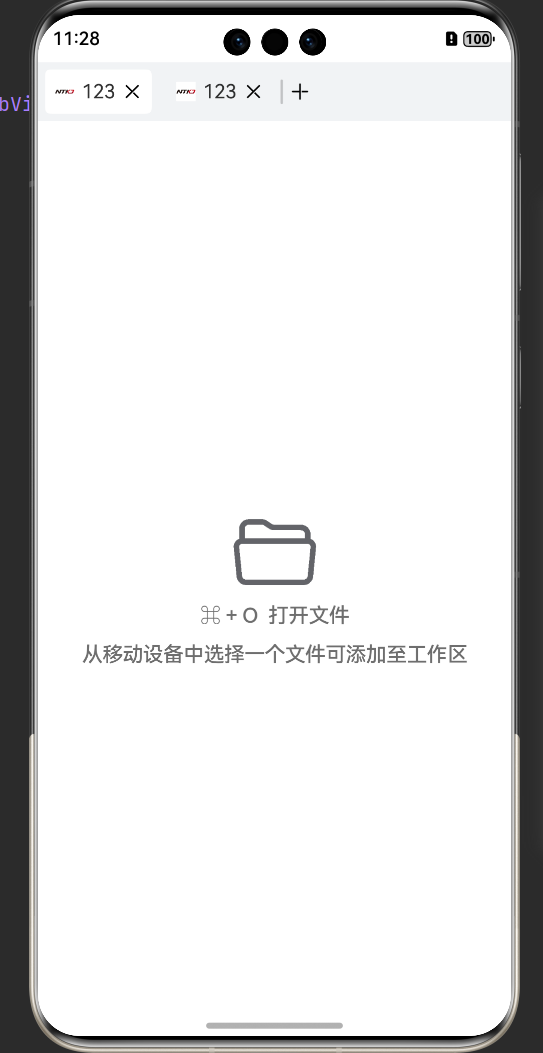
HarmonyOS 鸿蒙Next 5 使用forench 展示动态 tab 本地页面的web组件的问题 鸿蒙5 使用forench 展示动态 tab 本地页面的web组件。多个tab页 删除第一个或中间的页面 ,会重绘后面的所有页面。 key值时产生的唯一的时间戳字符串。
更多关于HarmonyOS 鸿蒙Next 5 使用forench 展示动态 tab 本地页面的web组件的问题的实战教程也可以访问 https://www.itying.com/category-93-b0.html

尊敬的开发者,您好!时间戳的获取方式和结果是否对应list的序号,能否提供完整复现复现的代码。以下是复现代码,并没发现所述问题:
import { webview } from "@kit.ArkWeb";

class WebKey{
  id:number=0;
  uri:string='';
  img:Resource=$r('app.media.foreground')
  constructor(id:number,uri:string,img:Resource) {
    this.id=id;
    this.uri=uri;
    this.img=img;
  }
}

@Entry
@Component
export struct TabForeachWeb {
  @State tabindex: number = 0;
  tabsController: TabsController = new TabsController();
  controller: webview.WebviewController = new webview.WebviewController();
  @State WebKeys:WebKey[]=[new WebKey(0,'www.huawei.com',$r('app.media.background'))
  ,new WebKey(1,'www.baidu.com',$r('app.media.foreground'))
  ,new WebKey(2,'https://developer.huawei.com',$r('app.media.startIcon'))]
  build() {
    Tabs({ barPosition: BarPosition.End, index: $$this.tabindex, controller: this.tabsController }) {
      ForEach(this.WebKeys,(webkey:WebKey,index:number)=>{
        TabContent() {
          Column(){
            Text(webkey.id+webkey.uri).width('50%')
            Image(webkey.img).width('50%')
            Web({ src: webkey.uri, controller: this.controller }).width('50%')
          }.height('10%').width('50%').alignItems(HorizontalAlign.Center).justifyContent(FlexAlign.Center)
          .onClick(()=>{
            let webkeys:WebKey[]=[]
            this.WebKeys.forEach((webkey2:WebKey)=>{
              if(webkey2.id!==webkey.id){
                webkeys.push(webkey2)
              }
            })
            this.WebKeys = webkeys;
            this.getUIContext().getPromptAction().showToast({message:this.WebKeys.toString()})
          })
        }
      },(webkey:WebKey,index:number)=>JSON.stringify(webkey.id+'/'+index))
    }
  }
}
更多关于HarmonyOS 鸿蒙Next 5 使用forench 展示动态 tab 本地页面的web组件的问题的实战系列教程也可以访问 https://www.itying.com/category-93-b0.html


【问题现象】 在使用Tabs组件提供的页签进行内容视图切换时,需要使用增加或删除页签的能力,Tabs组件本身并没有提供相关能力,应该如何实现?
【背景知识】
- Tabs是通过页签进行内容视图切换的容器组件,每个页签对应一个内容视图。TabContent仅在Tabs中使用,对应一个切换页签的内容视图。
- Tab页签切换后会触发onChange事件,changeIndex可控制Tabs切换到指定页签。
【解决方案】
- 整体布局分为两部分:页签部分和页面视图部分,页签部分通过@Builder自定义封装一个组件,页面视图则用Tabs自定义组件:
页签部分:
Row({ space: 7 }) {
  Scroll() {
    Row() {
      ForEach(this.tabArray, (item: number, index: number) => {
        this.Tab(`页签 ${item}`, item, index);
      })
    }
    .justifyContent(FlexAlign.Start)
  }
  .align(Alignment.Start)
  .scrollable(ScrollDirection.Horizontal)
  .scrollBar(BarState.Off)
  .width('90%')
  .backgroundColor('#ffb7b7b7')

  Image($r('app.media.startIcon')).onClick(() => {
    if (this.tabArray.length === 0) {
      this.tabArray = [0];
      this.focusIndex = 0;
    } else {
      this.tabArray.push(this.tabArray[this.tabArray.length - 1] + 1);
      this.focusIndex = this.tabArray.length - 1;
      let add = this.focusIndex;
      if (add == 1) {
        this.test = true;
      }
      setTimeout(() => {
        this.controller.changeIndex(add);
      }, 100);
    }
  }).width(20).height(20)
}
.width('100%')
.backgroundColor('#ffb7b7b7')
页面视图:
Tabs({ barPosition: BarPosition.Start, controller: this.controller }) {
  ForEach(this.tabArray, (item: number, index: number) => {
    TabContent() {
      Text(`我是页面 ${item}${index} 的内容`)
        .height(300)
        .width('100%')
        .fontSize(30)
    }
  })
}
- 实现页签和页面视图的联动。主要是通过TabsController的changeIndex来实现对应的视图跳转,但需注意由于之后会有增删数组元素的操作,所以此处传入的index值是数组元素的索引值:
this.controller.changeIndex(pre - 1);
- 被选中页签背景颜色变化。当用户点击页签时,给变量focusIndex赋值,在背景色属性里与当前数组元素进行比较,同时也需要在Tabs的onChange方法里进行控制:
.backgroundColor(tabIndex === this.focusIndex ? '#ffffffff' : '#ffb7b7b7')
.onClick(() => {
  this.test = true;
  this.focusIndex = tabIndex;
  this.controller.changeIndex(tabIndex);
  console.info(`foo ${tabItem}`);
})
- 增添数组元素实现增加页签的效果。增添数组元素使用push方法,但由于此demo原始定义的数组是连续的自然数,后续增删数组会打乱原有顺序,所以此处处理为先判断最后一个元素的值再加1,当把所有数组元素删除时,需要再次添加数组元素,同时也需要控制选中样式,所以此基础上加一个判断,让重新生成的页签选中样式在第一个元素上:
if (this.tabArray.length === 0) {
  this.tabArray = [0];
  this.focusIndex = 0;
} else {
  this.tabArray.push(this.tabArray[this.tabArray.length - 1] + 1);
  this.focusIndex = this.tabArray.length - 1;
  let add = this.focusIndex;
  if (add == 1) {
    this.test = true;
  }
  setTimeout(() => {
    this.controller.changeIndex(add);
  }, 100);
}
- 删除数组元素实现删减页签的效果:
let pre = tabIndex;
if (this.focusIndex === pre && pre === this.tabArray.length - 1) {
  this.tabArray.splice(tabIndex, 1);
  this.focusIndex = pre - 1;
  this.controller.changeIndex(pre - 1);
  this.test = true;
  setTimeout(() => {
    this.test = false;
  }, 400);
} // 最后一个元素并且当前选中情况
else if (this.focusIndex === pre) {
  this.tabArray.splice(pre, 1);
} // 非最后一个元素且当前选中情况
else if (this.focusIndex > pre) {
  this.focusIndex = this.focusIndex - 1;
  this.tabArray.splice(pre, 1);
  this.controller.changeIndex(this.focusIndex);
} // 非当前选中且比选中的小
else {
  this.tabArray.splice(pre, 1);
}
- 完整代码如下:
@Entry
@Component
struct Drag {
  @State tabArray: Array<number> = [0, 1];
  @State focusIndex: number = 0;
  private controller: TabsController = new TabsController();
  @State test: boolean = false;

  // 单独的页签
  [@Builder](/user/Builder)
  Tab(tabName: string, tabItem: number, tabIndex: number) {
    Row({ space: 20 }) {
      Text(tabName).fontSize(18)
      Image($r('app.media.startIcon')).width(20).height(20) // 替换自己icon
        .onClick(() => {
          let pre = tabIndex;
          if (this.focusIndex === pre && pre === this.tabArray.length - 1) {
            this.tabArray.splice(tabIndex, 1);
            this.focusIndex = pre - 1;
            this.controller.changeIndex(pre - 1);
            this.test = true;
            setTimeout(() => {
              this.test = false;
            }, 400);
          } // 最后一个元素并且当前选中情况
          else if (this.focusIndex === pre) {
            this.tabArray.splice(pre, 1);
          } // 非最后一个元素且当前选中情况
          else if (this.focusIndex > pre) {
            this.focusIndex = this.focusIndex - 1;
            this.tabArray.splice(pre, 1);
            this.controller.changeIndex(this.focusIndex);
          } // 非当前选中且比选中的小
          else {
            this.tabArray.splice(pre, 1);
          }
        })
    }
    .justifyContent(FlexAlign.Center)
    .constraintSize({ minWidth: 35 })
    .width(120)
    .height(30)
    .borderRadius({ topLeft: 10, topRight: 10 })
    .backgroundColor(tabIndex === this.focusIndex ? '#ffffffff' : '#ffb7b7b7')
    .onClick(() => {
      this.test = true;
      this.focusIndex = tabIndex;
      this.controller.changeIndex(tabIndex);
      console.info(`foo ${tabItem}`);
    })

  }

  build() {
    Column() {
      Column() {
        Row({ space: 7 }) {
          Scroll() {
            Row() {
              ForEach(this.tabArray, (item: number, index: number) => {
                this.Tab(`页签 ${item}`, item, index);
              })
            }
            .justifyContent(FlexAlign.Start)
          }
          .align(Alignment.Start)
          .scrollable(ScrollDirection.Horizontal)
          .scrollBar(BarState.Off)
          .width('90%')
          .backgroundColor('#ffb7b7b7')

          Image($r('app.media.startIcon')).onClick(() => {
            if (this.tabArray.length === 0) {
              this.tabArray = [0];
              this.focusIndex = 0;
            } else {
              this.tabArray.push(this.tabArray[this.tabArray.length - 1] + 1);
              this.focusIndex = this.tabArray.length - 1;
              let add = this.focusIndex;
              if (add == 1) {
                this.test = true;
              }
              setTimeout(() => {
                this.controller.changeIndex(add);
              }, 100);
            }
          }).width(20).height(20)
        }
        .width('100%')
        .backgroundColor('#ffb7b7b7')

        Tabs({ barPosition: BarPosition.Start, controller: this.controller }) {
          ForEach(this.tabArray, (item: number, index: number) => {
            TabContent() {
              Text(`我是页面 ${item}${index} 的内容`)
                .height(300)
                .width('100%')
                .fontSize(30)
            }
          })
        }
        .onChange((index: number) => {
          if (index !== 0 && this.tabArray.length > 2) {
            this.focusIndex = index;
            console.info(`change focusIndex ${this.focusIndex}`);
          } else if (this.tabArray.length == 1) {
            this.focusIndex = index;
          } else if (this.tabArray.length == 2 && this.focusIndex == 1) {
            if (this.test) {
              this.focusIndex = 1;
            } else {
              this.focusIndex = 0;
            }
          } else if (!this.test) {
            console.info(`foo ${index}`);
            this.focusIndex = index;
          }
        })
      }
      .alignItems(HorizontalAlign.Start)
      .width('100%')
    }
    .height('100%')
  }
}

在鸿蒙Next 5中,使用ForEach展示动态Tab时,每个Tab页可内嵌Web组件。需在WebController中管理页面加载,并通过@State或@Link装饰器绑定Tab数据源,确保Web视图与Tab状态同步。注意在aboutToAppear生命周期中初始化Web组件配置,并利用onPageEnd事件处理页面加载完成后的逻辑。

你遇到的问题是在使用 ForEach 渲染动态 Tab 页中的 Web 组件时,删除非末尾的 Tab 会导致后续所有 Web 组件被重建(重绘)。这是因为你使用了时间戳作为 key,导致框架无法正确识别和复用组件。
问题核心:key 值的不稳定性
你为每个 Tab 项生成的 key 是“唯一的时间戳字符串”。这意味着每次渲染(包括因数组变化而触发的渲染)时,每个项的 key 都是全新的、与上一次渲染无关的值。
当删除数组中间的一个元素时,ForEach 会进行差异比较(Diffing)。理想情况下,它应该识别出:“key 为 B 的项被删除了,key 为 C 和 D 的项应该保留并向前移动”。但由于你每次都为所有项生成全新的 key(例如从时间戳 t1, t2, t3, t4 变成了全新的 t5, t6, t7),框架的比较结果会变成:“key 为 t1 的项不见了,出现了三个全新的项 t5, t6, t7”。因此,框架会认为所有项都是新的,从而销毁旧的 Web 组件实例并创建新的,这就是你看到的“重绘后面所有页面”。
解决方案:使用稳定且唯一的 key
key 的作用是帮助 ArkUI 框架识别数组项的“身份”,在数组变化时高效地更新、移动或删除对应的组件,而不是销毁和重建。对于 Web 组件这类重资源组件,重建成本很高。
你需要为每个 Tab 页数据赋予一个稳定不变的唯一标识作为 key。这个标识应该在 Tab 页的整个生命周期内保持不变。
修改建议:
假设你的 Tab 页数据是一个对象数组 tabList,每个对象代表一个 Tab。
-
为数据模型添加唯一标识字段:在创建 Tab 页数据时,为其分配一个固定的
id(例如使用UUID或递增的数字,只要确保唯一且稳定即可)。// 示例:每个 Tab 项的数据结构 class TabItem { id: string; // 稳定唯一的标识,在Tab创建时生成,之后不再改变 title: string; url: string; // 或本地页面路径 // ... 其他属性 } -
在
ForEach中使用这个稳定的id作为key:ForEach(this.tabList, (item: TabItem) => { TabContent() { // 你的Web组件或其他内容 Web({ src: item.url, /* ... */ }) } }, (item: TabItem) => item.id) // 关键:使用稳定的 id 作为 key
修改后的行为:
当你删除中间一个 Tab(假设 id 为 B)时,ForEach 的比较过程变为:
- 旧数组
key序列:[A, B, C, D] - 新数组
key序列:[A, C, D] - 框架能准确识别出:
B被移除,C和D被向前移动。 - 因此,只会销毁
id为B的 Tab 对应的 Web 组件,而id为C和D的 Web 组件会被保留并移动到新的位置,不会触发重建。
总结:
请立即将 key 的生成策略从“每次渲染都变的时间戳”改为“每个数据项固有且稳定的唯一标识符”。这是解决动态列表项(尤其是包含复杂组件如 WebView)非必要重建的标准做法。
