




HarmonyOS鸿蒙Next中TextInput组件的onPaste问题
HarmonyOS鸿蒙Next中TextInput组件的onPaste问题 需求是:
如果当前文本存在小数点,再次粘贴内容,如果当前文本存在小数点,就去掉即将粘贴内容中的小数点,然后再粘贴到输入框中
代码如下:
@Entry
@Component
struct Index {
  controller: TextInputController = new TextInputController()
  @State inputValue: string = "" // 输入框的内容
  @State epEnd: number = 0; // 光标结束位置
  @State epStr: number = 0; // 光标起始位置

  build() {
    Column() {
      TextInput({ controller: this.controller, text: $$this.inputValue })
        .customKeyboard(undefined)
        .onChange((value: string) => {
          this.inputValue = value
          console.debug('ztq', `onChange ${this.inputValue}`)
        })
        .onTextSelectionChange((selectionStart: number, selectionEnd: number) => {
          this.epStr = selectionStart
          this.epEnd = selectionEnd
        })
        .onPaste((value: string) => {
          // 粘贴
          let insertText = value ?? ''
          if (this.inputValue.includes('.')) {
            insertText = insertText.replace(/\./g, '')
          }
          this.inputValue = this.inputValue.substring(0, this.epStr) + insertText + this.inputValue.substring(this.epEnd)
          this.epEnd = this.epStr + insertText.length
          console.debug('ztq', `onPaste ${this.inputValue}`)
        })
    }.width('100%').height('100%').justifyContent(FlexAlign.Center)
  }
}
假设我现在剪切板的文本是 1.1
第一次粘贴文本为1.1,日志如下
  ztq onPaste  1.1
  ztq onChange 1.1
第二次粘贴文本为1.11.1,日志如下
  ztq onPaste  1.111
  ztq onChange 1.11.1
更多关于HarmonyOS鸿蒙Next中TextInput组件的onPaste问题的实战教程也可以访问 https://www.itying.com/category-93-b0.html

开发者您好,
可以在onchange中判断标记值来动态赋值光标位置。
@Entry
@Component
struct Index {
  controller: TextInputController = new TextInputController()
  @State inputValue: string = ""
  @State epEnd: number = 0
  @State epStr: number = 0
  // 核心:粘贴锁定标记,记录目标光标位置
  private targetCaretPos: number = -1

  build() {
    Column() {
      TextInput({ controller: this.controller, text: this.inputValue })
        .customKeyboard(undefined)
        .onChange((value: string) => {
          this.inputValue = value

          // 如果标记位有效,说明这次 onChange 是由粘贴触发的
          if (this.targetCaretPos !== -1) {
            this.controller.caretPosition(this.targetCaretPos)
            // 执行完立即重置标记,不影响后续正常打字
            this.targetCaretPos = -1
          }
        })
        .onTextSelectionChange((selectionStart: number, selectionEnd: number) => {
          this.epStr = selectionStart
          this.epEnd = selectionEnd
        })
        .onPaste((content: string, event: PasteEvent) => {
          if (event !== undefined && event.preventDefault) {
            event.preventDefault();
            let insertText = content ?? ''
            if (this.inputValue.includes('.')) {
              insertText = insertText.replaceAll(/\./g, '')
            }

            // 计算位置
            const nextCaretPos = this.epStr + insertText.length

            // 先设置标记位,再修改状态变量
            this.targetCaretPos = nextCaretPos

            // 修改状态触发 onChange
            this.inputValue = this.inputValue.substring(0, this.epStr) + insertText + this.inputValue.substring(this.epEnd)

            // 更新内部记录
            this.epEnd = nextCaretPos
          }
        })
    }.width('100%').height('100%').justifyContent(FlexAlign.Center)
  }
}
更多关于HarmonyOS鸿蒙Next中TextInput组件的onPaste问题的实战系列教程也可以访问 https://www.itying.com/category-93-b0.html

开发者您好,
【解决方案】
使用PasteEvent中的preventDefault来阻止系统的默认行为,参考代码如下:
@Entry
@Component
struct Index {
  controller: TextInputController = new TextInputController()
  @State inputValue: string = "" // 输入框的内容
  @State epEnd: number = 0; // 光标结束位置
  @State epStr: number = 0; // 光标起始位置

  build() {
    Column() {
      TextInput({ controller: this.controller, text: this.inputValue })
        .customKeyboard(undefined)
        .onChange((value: string) => {
          this.inputValue = value
          console.debug('xxx', `onChange ${this.inputValue}`)
        })
        .onTextSelectionChange((selectionStart: number, selectionEnd: number) => {
          this.epStr = selectionStart
          this.epEnd = selectionEnd
        })
        .onPaste((content: string,event:PasteEvent) => {
          if (event !== undefined && event.preventDefault) {
            // 阻止默认粘贴行为
            event.preventDefault();
            // 粘贴
            let insertText = content ?? ''
            if (this.inputValue.includes('.')) {
              insertText = insertText.replaceAll(/\./g, '')
            }
            this.inputValue = this.inputValue.substring(0, this.epStr) + insertText + this.inputValue.substring(this.epEnd)
            this.epEnd = this.epStr + insertText.length
            console.debug('xxx', `onPaste ${this.inputValue}`)
          }
        })
    }.width('100%').height('100%').justifyContent(FlexAlign.Center)
  }
}
日志:
D     xxx onPaste 1.1
D     xxx onChange 1.1
D     xxx onPaste 1.111
D     xxx onChange 1.111
【背景知识】
onPaste方法在完成粘贴前,触发回调。开发者可以通过该方法,覆盖系统默认行为。preventDefault用于阻止系统默认粘贴事件。


试下这个

@Entry
@Component
struct Index22 {
  controller: TextInputController = new TextInputController()
  @State inputValue: string = "" // 输入框的内容
  @State epEnd: number = 0; // 光标结束位置
  @State epStr: number = 0; // 光标起始位置

  build() {
    Column() {
      TextInput({ controller: this.controller, text: $$this.inputValue })
        .customKeyboard(undefined)
        .onChange((value: string) => {
          this.inputValue = value
          console.debug('ztq', `onChange ${this.inputValue}`)
        })
        .onTextSelectionChange((selectionStart: number, selectionEnd: number) => {
          this.epStr = selectionStart
          this.epEnd = selectionEnd
        })
        .onPaste((value: string,e:PasteEvent) => {
          // 粘贴
          let insertText = value ?? ''
          if (this.inputValue.includes('.')) {
            insertText = insertText.replace(/\./g, '')
          }
          this.inputValue = this.inputValue.substring(0, this.epStr) + insertText + this.inputValue.substring(this.epEnd)
          this.epEnd = this.epStr + insertText.length
          console.debug('ztq', `onPaste ${this.inputValue}`)
          if (e.preventDefault) {
            //阻止系统自己的逻辑
            e.preventDefault();
          }
        })
    }.width('100%').height('100%').justifyContent(FlexAlign.Center)
  }
}
还可以自己做一个输入法,或者自定义弹出菜单。想便捷复用系统能力,有时候确实会有限制。

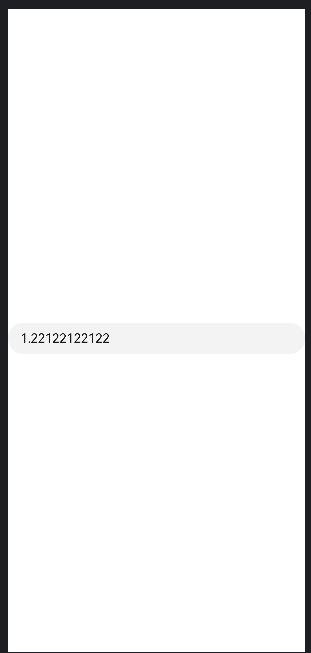
这种办法,粘贴是对的,比如先在输入框输入2.22,在小数点后面粘贴1.1,可以正确展示2.1122,但是光标会跑到最后面,正常光标应该是在第四位的,也就是光标应该在粘贴内容的后面


试过下面这种办法,也不行啊,日志在最下面:
@Entry
@Component
struct Index {
  controller: TextInputController = new TextInputController()
  @State inputValue: string = "" // 输入框的内容
  @State epEnd: number = 0; // 光标结束位置
  @State epStr: number = 0; // 光标起始位置
  @State pasteTextLen: number = 0;
  @State isPaste: boolean = false; // 光标起始位置

  build() {
    Column() {
      TextInput({ controller: this.controller, text: $$this.inputValue })
        .customKeyboard(undefined)


        .onChange((value: string) => {
          let newValue = value ?? ''
          let cursor = this.epEnd

          const oldDotIndex = this.inputValue.indexOf('.')

          if (this.isPaste) {

            if (oldDotIndex !== -1) {
              // 原文本已有小数点 删除所有新的小数点
              newValue = newValue.replace(/\./g, '')
              // 再把原来的小数点插回去
              newValue = newValue.substring(0, oldDotIndex) + '.' + newValue.substring(oldDotIndex)
            } else {
              // 原来没有 只保留第一个
              const firstDot = newValue.indexOf('.')
              if (firstDot !== -1) {
                const after = newValue.substring(firstDot + 1)
                newValue = newValue.substring(0, firstDot + 1) + after.replace(/\./g, '')
              }
            }

            this.inputValue = newValue
            cursor = cursor + this.pasteTextLen
            this.controller.caretPosition(cursor)
            console.debug('ztq', `${this.controller.getCaretOffset().index}`)
            this.isPaste = false
            return
          }
          console.debug('ztq', `外${this.controller.getCaretOffset().index}`)
          this.inputValue = newValue
        })
        .onTextSelectionChange((selectionStart: number, selectionEnd: number) => {
          this.epStr = selectionStart
          this.epEnd = selectionEnd
        })
        .onPaste((value: string) => {
          this.pasteTextLen = value.replace(/\./g, '').length
          this.isPaste = true
          // 粘贴
          // let insertText = value ?? ''
          // if (this.inputValue.includes('.')) {
          //   insertText = insertText.replace(/\./g, '')
          // }
          // this.inputValue = this.inputValue.substring(0, this.epStr) + insertText + this.inputValue.substring(this.epEnd)
          // this.epEnd = this.epStr + insertText.length
          // console.debug('ztq', `onPaste ${this.inputValue}`)
        })
    }.width('100%').height('100%').justifyContent(FlexAlign.Center)
  }
}
日志如下:
也就是说,其实光标计算对了,只不过又触发了一次onChange导致光标跑到最后了,这种情况怎么办呢?
ztq 5
ztq 外8

TextInput组件的onPaste事件
鸿蒙Next中TextInput组件的onPaste事件用于监听用户粘贴操作。当用户在输入框内粘贴文本时,会触发此回调。开发者可在回调函数中获取粘贴板内容并进行自定义处理,例如内容过滤或格式转换。该事件属于ArkTS API,遵循鸿蒙应用开发规范。
你的问题在于 onPaste 和 onChange 事件的执行顺序及状态更新时机。在 HarmonyOS Next 中,onPaste 回调执行后,系统默认的粘贴行为仍会触发 onChange,导致最终文本被覆盖。
原因分析:
- 首次粘贴时,
inputValue为空,onPaste中this.inputValue.includes('.')为false,因此未移除小数点,粘贴后文本为"1.1"。随后onChange被触发,但值相同,无异常。 - 第二次粘贴时,
inputValue已为"1.1",onPaste中移除了待粘贴文本"1.1"中的小数点,得到"11",拼接后this.inputValue变为"1.111"(假设光标在末尾)。但随后onChange被系统默认粘贴行为触发,传入的value是原始剪贴板内容"1.1",并直接赋值给this.inputValue,导致最终结果变为"1.11.1"(实际是"1.1" + "1.1")。
解决方案:
在 onPaste 中阻止默认粘贴行为,完全由自定义逻辑控制文本插入。修改 onPaste 回调如下:
.onPaste((value: string) => {
  // 阻止系统默认粘贴行为
  // 自定义处理逻辑
  let insertText = value ?? '';
  if (this.inputValue.includes('.')) {
    insertText = insertText.replace(/\./g, '');
  }
  this.inputValue = this.inputValue.substring(0, this.epStr) + insertText + this.inputValue.substring(this.epEnd);
  this.epEnd = this.epStr + insertText.length;
  // 手动设置光标位置
  this.controller.caretPosition(this.epEnd);
  // 返回true表示已处理粘贴,阻止后续默认行为
  return true;
})
关键点:
onPaste回调返回true可阻止系统默认粘贴行为,避免onChange覆盖结果。- 使用
this.controller.caretPosition()确保光标位置正确更新。 - 此方法能确保粘贴内容经处理后直接生效,
onChange仍会触发但值已正确。
这样修改后,第二次粘贴日志将显示 onPaste 和 onChange 均为 "1.111",符合预期。
