




HarmonyOS鸿蒙Next中列表状态没更新
HarmonyOS鸿蒙Next中列表状态没更新
我做了一个商品勾选列表,每个商品是一个对象,点击列表项修改isSelected属性,数据里已经变 true 了,但列表的勾选框就是不显示选中状态,UI 完全没反应,这是我的代码,哪里出问题了?
class Product {
  id: string
  name: string
  isSelected: boolean
  constructor(id: string, name: string, isSelected: boolean) {
    this.id = id
    this.name = name
    this.isSelected = isSelected
  }
}

@Entry
@Component
struct ProductListPage {
  @State productList: Product[] = [
    new Product('1', 'iPhone 15', false),
    new Product('2', 'MacBook Pro', false)
  ]

  build() {
    Column({ space: 15 }) {
      ForEach(this.productList, (product: Product) => {
        Row({ space: 10 }) {
          Text(product.isSelected ? '✓' : '○').fontSize(20)
          Text(product.name).fontSize(18)
        }
        .width('100%')
        .onClick(() => {
          product.isSelected = !product.isSelected
          console.log('选中状态:', product.isSelected)
        })
      }, (product: Product) => product.id)
    }
    .padding(20)
  }
}
更多关于HarmonyOS鸿蒙Next中列表状态没更新的实战教程也可以访问 https://www.itying.com/category-93-b0.html

开发者您好,@State仅能观察到第一层的变化,而isSelected属于对象数组中的对象的字段,为观测的第三层,属于嵌套场景。可以使用@Observed/@ObjectLink,其适用于观察嵌套对象(对象的属性是对象)属性的变化,修改后的代码如下:
// ProductListPage.ets
@Observed
  // 添加@Observed
class Product {
  id: string;
  name: string;
  isSelected: boolean;

  constructor(id: string, name: string, isSelected: boolean) {
    this.id = id;
    this.name = name;
    this.isSelected = isSelected;
  }
}

@Entry
@Component
struct ProductListPage {
  @State productList: Product[] = [
    new Product('1', 'iPhone 15', false),
    new Product('2', 'MacBook Pro', false)
  ];

  build() {
    Column({ space: 15 }) {
      ForEach(this.productList, (item: Product, index: number) => {
        // 创建的组件
        isSelectedCom({ product: item });
      }, (item: Product) => item.id);

    }
    .padding(20);
  }
}

// 创建组件
@Component
struct isSelectedCom {
  //  添加@ObjectLink
  @ObjectLink product: Product;

  build() {
    Row({ space: 10 }) {
      Text(this.product.isSelected ? '✓' : '○').fontSize(20);
      Text(this.product.name).fontSize(18);
    }
    .onClick(() => {
      this.product.isSelected = !this.product.isSelected;
      console.log('MyTag 选中状态:', this.product.isSelected);
    });
  }
}
由于@Observed/@ObjectLink只能观测到第二层,只能通过新建组件的方式实现刷新,如果想直接观测第三层,可以使用@ObservedV2和@Trace进行多层观测,代码如下:
// ProductListPage.ets
@ObservedV2 // 添加@ObservedV2
class Product {
  id: string
  name: string
  @Trace isSelected: boolean  // 添加@Trace
  constructor(id: string, name: string, isSelected: boolean) {
    this.id = id
    this.name = name
    this.isSelected = isSelected
  }
}

@Entry
@ComponentV2 // @Component更改为@ComponentV2
struct ProductListPage {
  // 取消@State
  productList: Product[] = [
    new Product('1', 'iPhone 15', false),
    new Product('2', 'MacBook Pro', false)
  ]

  build() {
    Column({ space: 15 }) {
      ForEach(this.productList, (product: Product) => {
        Row({ space: 10 }) {
          Text(product.isSelected ? '✓' : '○').fontSize(20)
          Text(product.name).fontSize(18)
        }
        .width('100%')
        .onClick(() => {
          product.isSelected = !product.isSelected
          console.log('选中状态:', product.isSelected)
        })
      }, (product: Product) => product.id)
    }
    .padding(20)
  }
}
更多关于HarmonyOS鸿蒙Next中列表状态没更新的实战系列教程也可以访问 https://www.itying.com/category-93-b0.html

[@State装饰器:组件内状态-管理组件拥有的状态-状态管理(V1)-学习UI范式状态管理-UI开发 (ArkTS声明式开发范式)-ArkUI(方舟UI框架)-应用框架 - 华为HarmonyOS开发者](https://developer.huawei.com/consumer/cn/doc/harmonyos-guides/arkts-state#观察变化)
.onClick(() => {
          product.isSelected = !product.isSelected
          console.log('选中状态:', product.isSelected)
        })
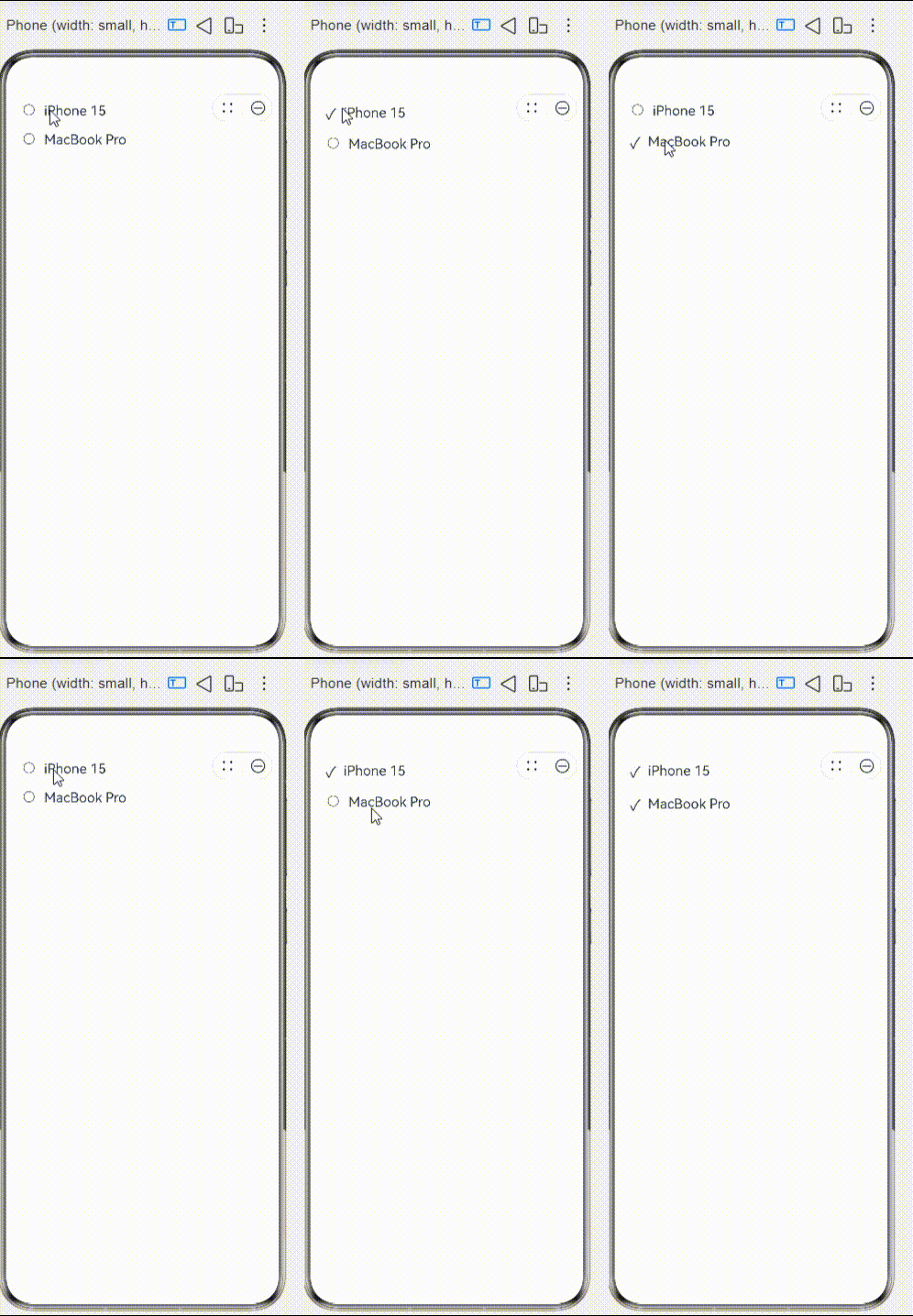
对嵌套对象的属性直接赋值无法被框架观察到,因此不会触发UI刷新。
@State装饰器不能监测到对象内部成员的变化,使用@Observed装饰器和@ObjectLink装饰器,修改如下:
//增加装饰器
[@Observed](/user/Observed)
class Product {
  id: string
  name: string
  isSelected: boolean
  constructor(id: string, name: string, isSelected: boolean) {
    this.id = id
    this.name = name
    this.isSelected = isSelected
  }
}

@Entry
@Component
struct ProductListPage {
  [@State](/user/State) productList: Product[] = [
    new Product('1', 'iPhone 15', false),
    new Product('2', 'MacBook Pro', false)
  ]

  build() {
    Column({ space: 15 }) {
      ForEach(this.productList, (item: Product,index:number) => {
       //调用自定义组件
        MyProduct({product:item})
      }, (item: Product) => item.id)

    }
    .padding(20)
  }
}

//自定义组件
@Component
struct MyProduct {
//使用[@ObjectLink](/user/ObjectLink)装饰器
  [@ObjectLink](/user/ObjectLink) product:Product

  build() {
    Row({ space: 10 }) {
      Text(this.product.isSelected ? '✓' : '○').fontSize(20)
      Text(this.product.name).fontSize(18)
    }
    .width('100%')
    .onClick(() => {
      this.product.isSelected = !this.product.isSelected
      console.log('MyTag 选中状态:', this.product.isSelected)
    })
  }
}

在HarmonyOS Next中,列表状态未更新通常与ArkUI框架的响应式UI管理机制有关。核心原因是数据变更后未触发UI重新渲染。主要检查点:
- 状态变量是否使用
@State、@Link或@Observed等装饰器正确声明。 - 数据更新是否在组件内同步执行,异步操作需确保在
async函数中正确修改状态。 - 列表组件(如
List)的builder函数是否依赖了响应式状态。
若状态装饰器使用不当或数据更新未在UI线程,会导致渲染不同步。

