




HarmonyOS鸿蒙Next中地图开发要如何把标记的坐标显示个人头像
HarmonyOS鸿蒙Next中地图开发要如何把标记的坐标显示个人头像 目前将图像转换base64不显示 转换为PixelMap也不显示,头像的网络URL也不显示
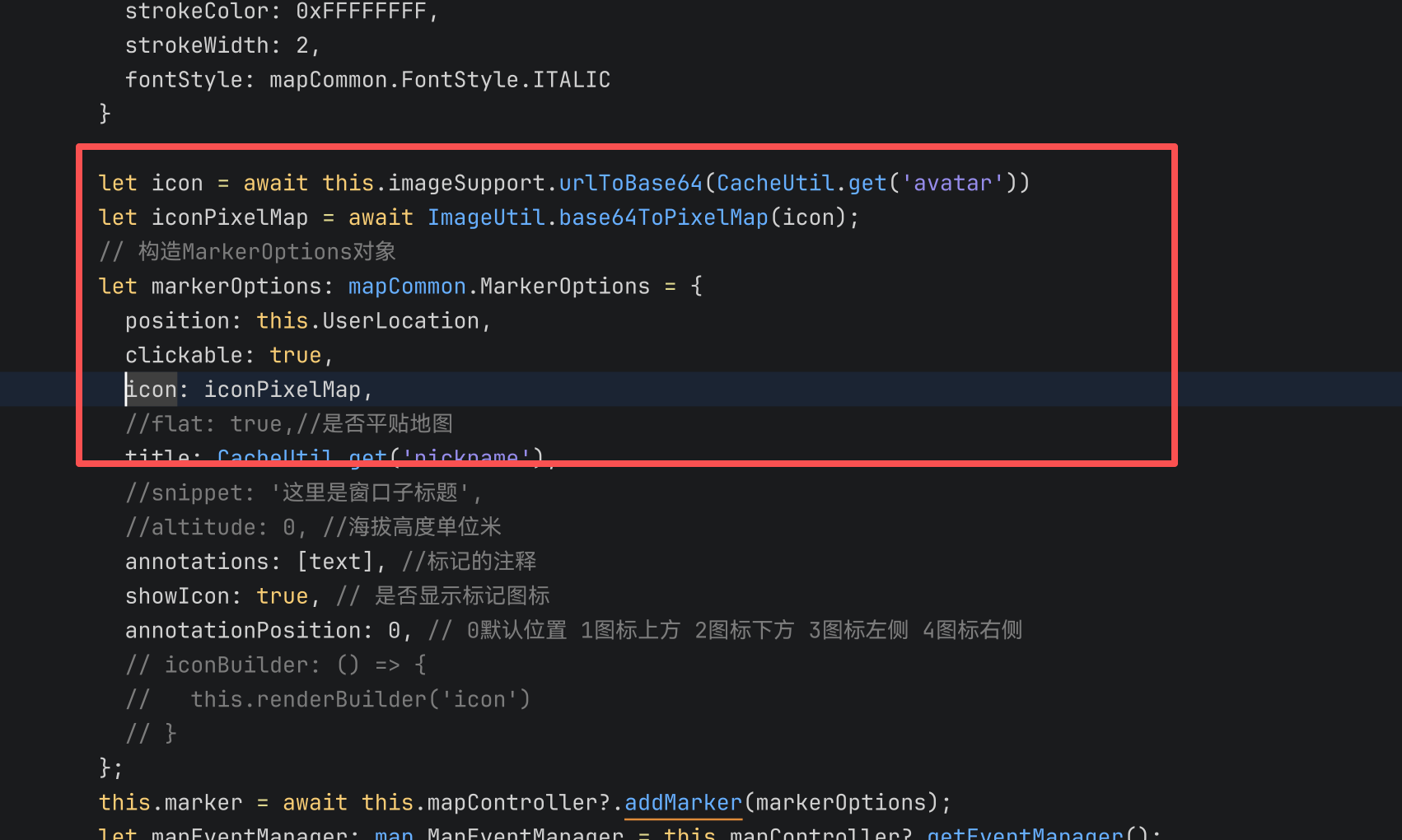
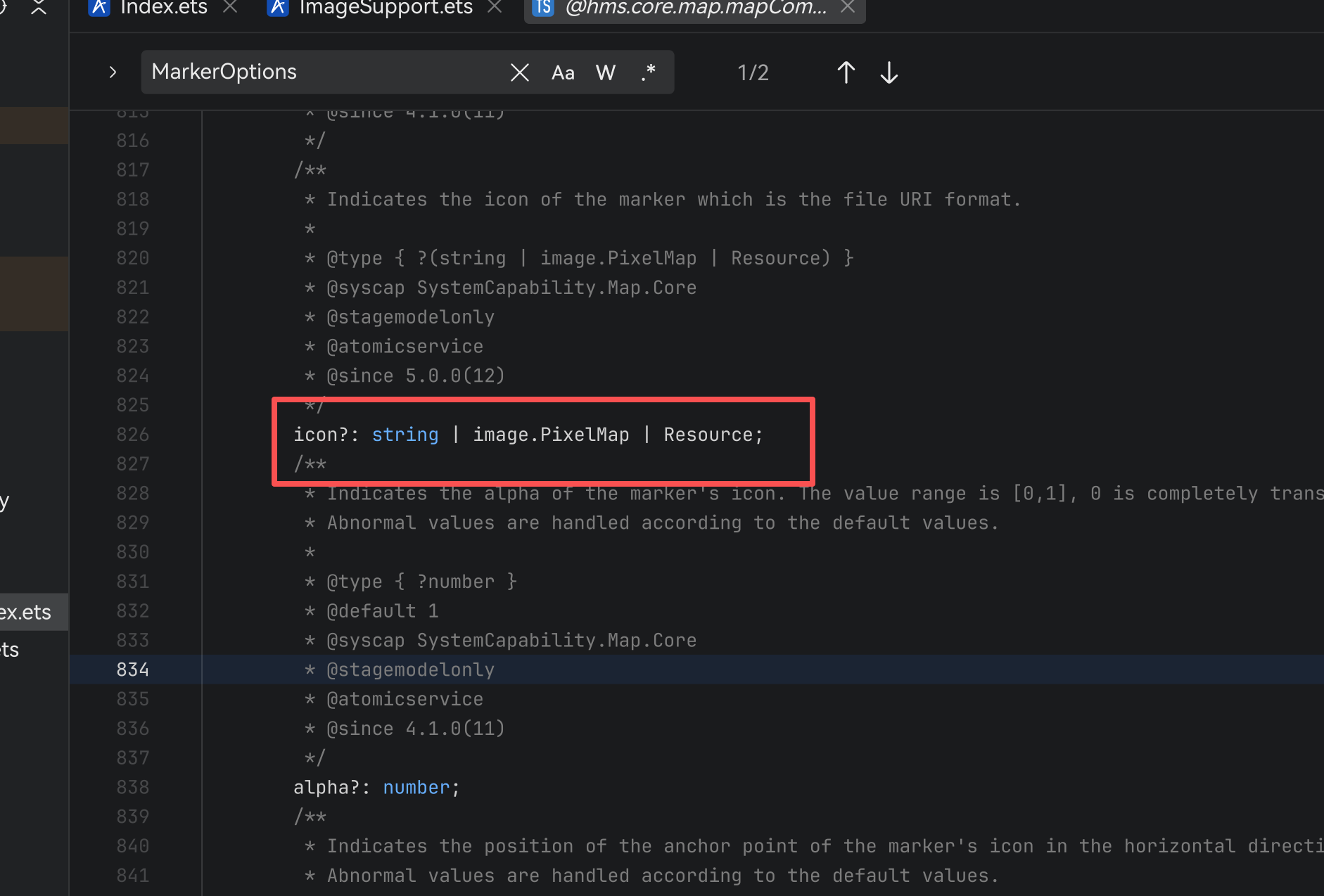
更多关于HarmonyOS鸿蒙Next中地图开发要如何把标记的坐标显示个人头像的实战教程也可以访问 https://www.itying.com/category-93-b0.html

地图 Marker 不显示自定义头像,通常是 PixelMap 格式 / 尺寸、异步时机、权限 问题。
正确实现代码
// 1. 网络头像先下载再转 PixelMap
async loadAvatar(url: string): Promise<PixelMap | null> {
  try {
    // 下载网络图片到本地缓存
    let res = await http.createHttp().request(url, {
      method: http.RequestMethod.GET,
      responseType: http.ResponseType.ARRAY_BUFFER
    });
    if (res.responseCode !== 200) return null;

    // 从 ArrayBuffer 创建 PixelMap
    let imageSource = image.createImageSource(res.result as ArrayBuffer);
    let pixelMap = await imageSource.createPixelMap({
      desiredSize: { width: 64, height: 64 } // 固定尺寸,避免过大不显示
    });
    return pixelMap;
  } catch (e) {
    console.error('头像加载失败', e);
    return null;
  }
}

// 2. 异步加载完成后再 addMarker
async addUserMarker() {
  let avatarPixelMap = await this.loadAvatar('你的头像URL');
  if (!avatarPixelMap) return;

  let markerOptions: mapCommon.MarkerOptions = {
    position: this.UserLocation,
    icon: avatarPixelMap, // 直接使用生成的 PixelMap
    clickable: true,
    flat: true // 建议开启,适配地图渲染
  };

  this.marker = await this.mapController?.addMarker(markerOptions);
}
关键排查点
- 权限:确认申请了
ohos.permission.INTERNET,网络图片才能下载。 - 尺寸限制:地图 Marker 图标通常限制在 128×128 以内,过大不显示。
- 时机问题:
addMarker必须在地图初始化完成、且PixelMap生成后调用,不能提前。
官方文档
更多关于HarmonyOS鸿蒙Next中地图开发要如何把标记的坐标显示个人头像的实战系列教程也可以访问 https://www.itying.com/category-93-b0.html

尊敬的开发者,您好,
方式一:替换Marker标记为本地图片。
配置mapCommon.MarkerOptions中icon参数为本地图片,图片文件存放在resources/rawfile,icon参数传入rawfile文件夹下的相对路径。
// 替换icon为图片类型
let markerOptions1: mapCommon.MarkerOptions = {
  position: {
    latitude: 31.984410259206815,
    longitude: 118.76625379397866
  },
  rotation: 0,
  visible: true,
  zIndex: 0,
  alpha: 1,
  anchorU: 0.5,
  anchorV: 1,
  clickable: true,
  draggable: true,
  flat: false,
  // 图标存放在resources/rawfile,icon参数传入rawfile文件夹下的相对路径
  icon: 'test.png'
};
try {
  this.marker1 = await this.mapController.addMarker(markerOptions1);
  console.info(`Add Markers success, ${this.marker1}`);
} catch (e) {
  console.error(`Failed to create the marker, code is:${e.code}, message is ${e.message}`);
}
方式二:替换Marker标记为网络图片。
a. 通过request访问网络图片。 b. 通过image.createImageSource将获取的网络图片buffer创建图片源实例。 c. 通过createPixelMap将图片转换为PixelMap格式图片。 d. 配置mapCommon.MarkerOptions中icon参数为转换后的PixelMap图片。
// 替换Marker为网络图片样式
try {
  this.imageMap = await this.getPicture();
} catch (e) {
  console.error(`Failed to getPicture, code is:${e.code}, message is ${e.message}`);
}

let markerOptions4: mapCommon.MarkerOptions = {
  position: {
    latitude: 31.994410259206815,
    longitude: 118.76625379397866
  },
  rotation: 0,
  visible: true,
  zIndex: 0,
  alpha: 1,
  anchorU: 0.5,
  anchorV: 1,
  clickable: true,
  draggable: true,
  flat: false,
  icon: this.imageMap
};
try {
  this.marker4 = await this.mapController.addMarker(markerOptions4);
  console.info(`Add Markers success, ${this.marker4}`);
} catch (e) {
  console.error(`Failed to create the marker, code is:${e.code}, message is ${e.message}`);
}
完整示例代码可以参考:如何自定义Marker样式-行业常见问题-公交地铁类行业实践 - 华为HarmonyOS开发者
如果还是不能解决您的问题,麻烦您提供如下信息吧:
- 复现代码(如最小复现demo):您可以把能复现问题的最小项目,打包为.zip上传一下;
- 版本信息(如:开发工具、手机系统版本信息);


在HarmonyOS Next中,使用地图的Marker组件,通过设置自定义图标实现。首先将个人头像图片转为PixelMap,然后创建MapMarker对象,调用setPosition(Coordinate)设置坐标,再调用setIcon(PixelMap)设置头像图标。注意图片尺寸适配。

在HarmonyOS Next 地图开发中,将坐标点标记显示为个人头像,需使用 Marker 的 icon 属性设置 image.PixelMap。头像无论来自网络 URL 或 Base64 字符串,最终均需转换为有效的 PixelMap。实际不显示通常是 PixelMap 解码失败或未正确应用到 Marker 对象。
正确示例(使用网络图片异步加载):
import { image } from '@kit.ImageKit';
import { mapCommon, map } from '@kit.MapKit';
import { http } from '@kit.NetworkKit';

// 下载图片并转换为 PixelMap
async function getPixelMapFromUrl(url: string): Promise<image.PixelMap> {
  const httpResponse = await http.createHttp().request(url);
  const arrayBuffer = httpResponse.result as ArrayBuffer;
  const imageSource = image.createImageSource(arrayBuffer);
  const decodeOpts: image.DecodingOptions = { desiredSize: { width: 64, height: 64 }, desiredPixelFormat: image.PixelMapFormat.RGBA_8888 };
  return await imageSource.createPixelMap(decodeOpts);
}

// 添加 Marker
async function addHeadMarker(lat: number, lng: number, avatarUrl: string, mapController: map.MapController) {
  try {
    const pixelMap = await getPixelMapFromUrl(avatarUrl);
    const marker = new mapCommon.Marker({
      position: { lat, lng },
      icon: pixelMap,
      anchorX: 0.5,  // 图标锚点居中
      anchorY: 0.5
    });
    mapController.addMarker(marker);
  } catch (e) {
    console.error('头像加载失败', e);
  }
}
若使用 Base64,先去掉前缀 data:image/png;base64,,再用 util.Base64Helper 解码为 ArrayBuffer,然后同上述方法创建 PixelMap。关键点:PixelMap 格式用 RGBA_8888,宽高控制在合理尺寸(如 64px),避免过大内存问题;确保请求网络权限已声明;锚点设置不当可能导致图标偏移不可见。按此流程即可实现坐标点显示个人头像。
