




HarmonyOS鸿蒙Next中账号信息应该怎么预设,放置在什么地方,如何完成验证跳转?
HarmonyOS鸿蒙Next中账号信息应该怎么预设,放置在什么地方,如何完成验证跳转?
账号信息应该怎么预设,放置在什么地方,如何完成验证跳转?
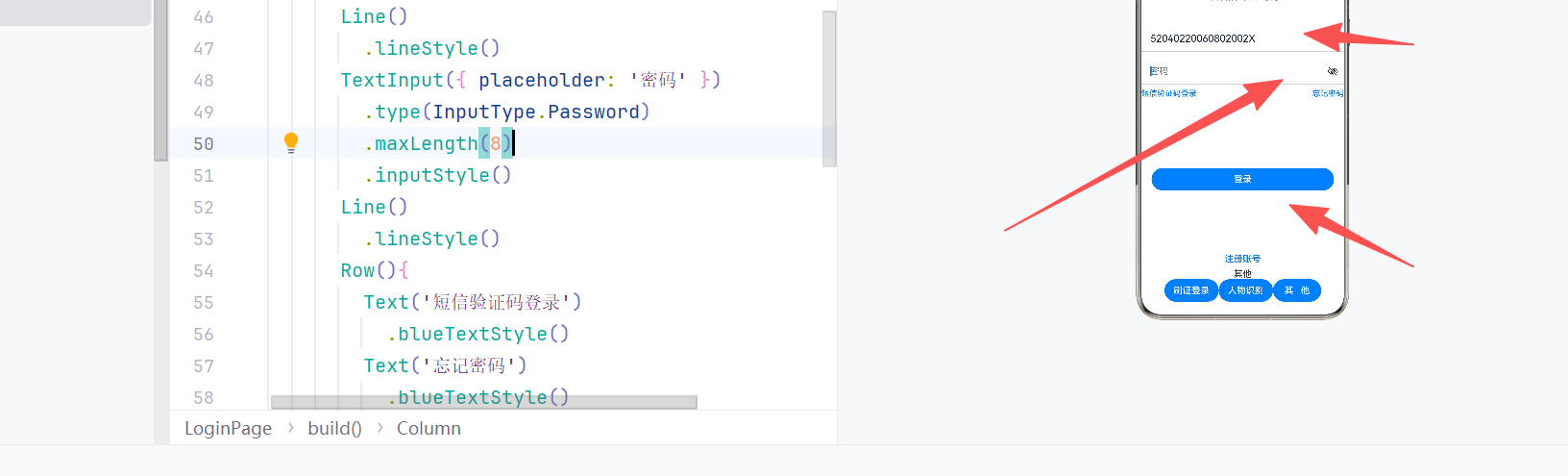
更多关于HarmonyOS鸿蒙Next中账号信息应该怎么预设,放置在什么地方,如何完成验证跳转?的实战教程也可以访问 https://www.itying.com/category-93-b0.html
4 回复

什么意思
更多关于HarmonyOS鸿蒙Next中账号信息应该怎么预设,放置在什么地方,如何完成验证跳转?的实战系列教程也可以访问 https://www.itying.com/category-93-b0.html


在HarmonyOS Next中,账号信息预设可通过配置文件(如resource/base/element/string.json)存放初始账号数据。实际验证使用Account Kit:调用AccountManager的authenticate()触发授权页,跳转由系统处理,无需手动实现。

在 HarmonyOS NEXT 中,账号信息通常指登录凭证(如 token),推荐使用 首选项(Preferences) 进行持久化存储,它适合存放轻量、加密的键值对,且文件保存在应用沙箱内,安全隔离。
1. 预设与放置
- 登录成功后,将加密后的 token 写入 Preferences,例如:
import preferences from '@ohos.data.preferences';
const prefs = await preferences.getPreferences(context, 'account_info');
await prefs.put('token', encryptedToken);
await prefs.flush();
- 放置路径:系统自动管理于应用私有目录,无需手动指定具体位置。
2. 验证与跳转
在 EntryAbility 的 onWindowStageCreate 中读取 token 并验证有效性:
import router from '@ohos.router';

onWindowStageCreate(windowStage) {
  let context = this.context;
  preferences.getPreferences(context, 'account_info').then(prefs => {
    prefs.get('token', '').then(token => {
      if (token && isValid(token)) { // 自定义验证
        router.replaceUrl({ url: 'pages/MainPage' });
      } else {
        router.replaceUrl({ url: 'pages/LoginPage' });
      }
    });
  });
}
isValid 可向服务端校验或本地判断过期。根据结果使用 router.replaceUrl 跳转至主页或登录页,避免用户返回启动页。
