



HarmonyOS 鸿蒙Next中AR Engine目前无法控制渲染内容的位置和方向问题
HarmonyOS 鸿蒙Next中AR Engine目前无法控制渲染内容的位置和方向问题 【问题描述】:关于通过AR在镜头内指定位置渲染自定义内容,目前无法控制渲染内容的位置和方向
【问题现象】:我的场景是在镜头内的指定位置渲染一个卡片,并且可以控制卡片在镜头内的位置和方向。
或者是否可以根据场景提供个Demo示例代码
【版本信息】:6.1.0 API23
【复现代码】:NA
【尝试解决方案】:NA

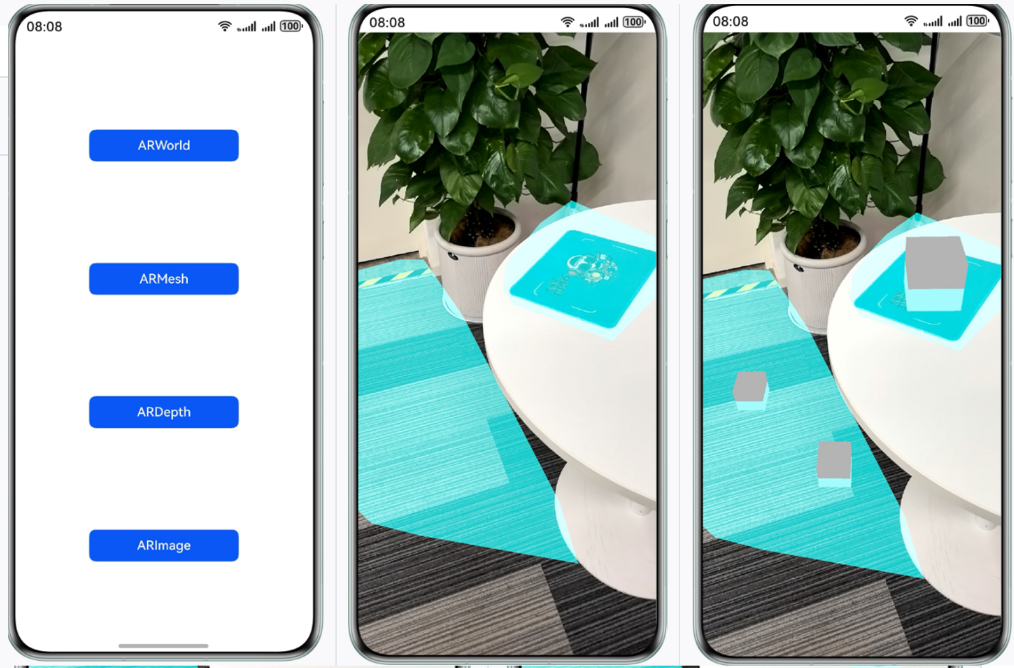
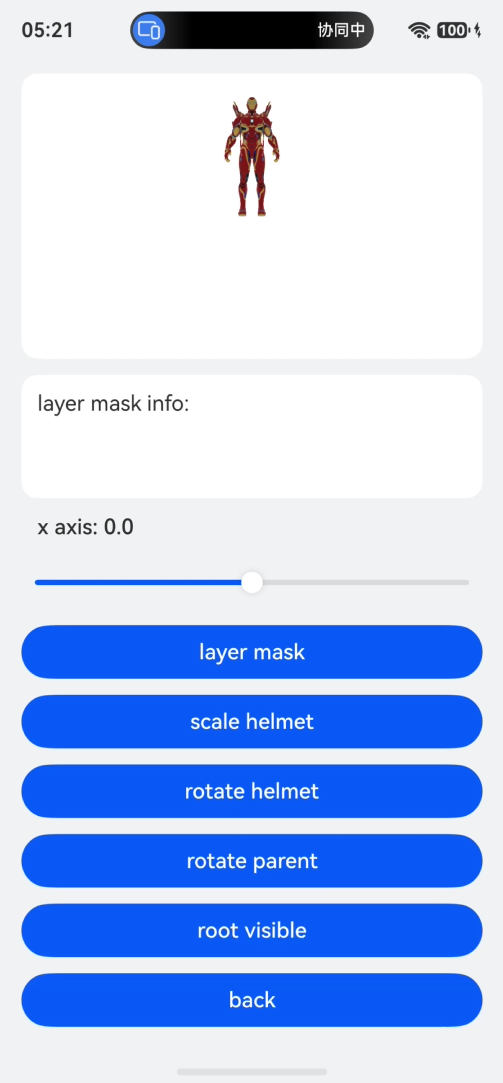
尊敬的开发者,您好,实现扫描周围环境,可将模型绘制在屏幕上,通过滑动滑块的方式,可以调整模型的X、Z轴坐标,及旋转模型。
可以参考实现步骤和方案:基于AR引擎实现空间感知能力(ArkTS)-HarmonyOS 5及以上-Codelabs-华为开发者联盟
更多关于HarmonyOS 鸿蒙Next中AR Engine目前无法控制渲染内容的位置和方向问题的实战系列教程也可以访问 https://www.itying.com/category-93-b0.html

你这是要在AR World里放卡片呗。AREngine+ArkGraphics 3D。
AREngine 通过相机识别后,给你个虚拟世界,你用ArkGraphics 3D在这个世界里绘制渲染东西,绘制的时候是可以控制位置和方向的。参考《3D场景搭建和管理》。
鸿蒙有Demo的。ArkTS的《AREngine Sample arkts》;C/C++的《AREngine Sample cpp》。
补充一下,这类问题不建议先归因到“底层内存技术变化”。AR 里位置和方向是否可控,核心还是看你把卡片放在了哪个坐标系里。
可以按两条路线拆:
-
固定在屏幕上的卡片:这是 2D HUD,直接用 ArkUI 叠在 ARView 上层,例如 Stack/RelativeContainer 控制 left/top/alignRules。它跟真实世界没有空间绑定,优点是稳定、简单。
-
固定在真实空间里的卡片:这是 AR World 坐标,需要通过 ARFrame 获取 camera,通过 hitTest/平面识别得到 ARHitResult,再用 hitPose 或 createAnchor() 得到世界位姿。后续把 3D Node 挂到 anchor 或按 anchor.getPose().getMatrix()/translation 更新 Node 的 position、rotation、scale。方向不要用屏幕坐标硬算,建议用相机 pose、anchor pose、四元数/矩阵做转换。
调试时先把问题缩小:先跑官方 AR 物体摆放示例,确认 onFrameUpdate 能拿到 frame、camera.state 是 TRACKING、hitTest 有结果、anchor pose 稳定;再接自己的卡片渲染。这样能区分是“AR 会话/设备能力/平面检测”问题,还是“3D 节点变换/渲染层”问题。

这里先区分两类需求:
如果卡片只是固定在屏幕上的某个 UI 位置,比如始终显示在画面左上角或中心偏下,本质是 2D HUD,可以直接把 ArkUI 组件覆盖在 ARView 上层,用 Stack/RelativeContainer 做布局,不需要把它放进 AR 世界坐标。
如果卡片要固定在真实空间里的某个位置,并随相机移动保持空间关系,就要走 AR 世界坐标:在 onFrameUpdate 中获取 ARFrame,再通过 frame.getCamera().getPose() 获取设备位姿;基于平面识别、hitTest 或业务计算得到目标世界坐标后,创建/更新 anchor 或 3D Node,并设置 node 的 position/rotation/scale。
方向控制通常不要直接用屏幕坐标硬算,而是用相机 pose、anchor pose 或四元数/矩阵做转换。最小可行路径是先跑官方 AR Engine ArkTS 示例,确认 ARViewContext、ARViewCallback.onFrameUpdate、ARCamera.getPose() 能稳定拿到位姿,再把卡片做成一个 3D 平面或贴图节点挂到目标位置。

哈哈,我也正好在做AR应用,一起来研究一下,官方demo有:https://gitcode.com/HarmonyOS_Samples/Graphics3D
/*
 * Copyright (c) 2024 Huawei Device Co., Ltd.
 * Licensed under the Apache License, Version 2.0 (the "License");
 * you may not use this file except in compliance with the License.
 * You may obtain a copy of the License at
 *
 * http://www.apache.org/licenses/LICENSE-2.0
 *
 * Unless required by applicable law or agreed to in writing, software
 * distributed under the License is distributed on an "AS IS" BASIS,
 * WITHOUT WARRANTIES OR CONDITIONS OF ANY KIND, either express or implied.
 * See the License for the specific language governing permissions and
 * limitations under the License.
 */

import { Color, Vec4 } from '@kit.ArkGraphics3D';
import { AnimatorOptions } from '@kit.ArkUI';

export class Constants {
  /**
   * Full percent.
   */
  static readonly FULL_PERCENT: string = '100%';

  /**
   * Ninety percent.
   */
  static readonly NINETY_PERCENT: string = '90%';

  /**
   * Thirty percent.
   */
  static readonly THIRTY_PERCENT: string = '30%';

  /**
   * Twenty five percent.
   */
  static readonly TWENTY_FIVE_PERCENT: string = '25%'

  /**
   * Twenty percent.
   */
  static readonly TWENTY_PERCENT: string = '20%';

  /**
   * Percent 13.
   */
  static readonly THIRTEEN_PERCENT: string = '13%';

  /**
   * List space.
   */
  static readonly LIST_SPACE: number = 12;

  /**
   * Iron man node path.
   */
  static readonly IRON_NODE_PATH: string = 'rootNode_/Sketchfab_Scene/Sketchfab_model';

  /**
   * Helmet path.
   */
  static readonly IRON_PATH: string = 'Sketchfab_model';

  /**
   * Helmet parent path.
   */
  static readonly IRON_PARENT_PATH: string = 'Sketchfab_Scene/Sketchfab_model';

  /**
   * Helmet node path.
   */
  static readonly HELMET_NODE_PATH: string = 'rootNode_/Scene/node_damagedHelmet_-6514';

  /**
   * Helmet path.
   */
  static readonly HELMET_PATH: string = 'node_damagedHelmet_-6514';

  /**
   * Helmet parent path.
   */
  static readonly HELMET_PARENT_PATH: string = 'Scene/node_damagedHelmet_-6514';

  /**
   * Scene node path.
   */
  static readonly SCENE_NODE_PATH: string = 'rootNode_/Scene';

  /**
   * Cube path.
   */
  static readonly CUBE_PATH: string = 'rootNode_/Unnamed Node 1/Cube';

  /**
   * Camera position z index.
   */
  static readonly CAMERA_POSITION_Z_INDEX: number = 2;

  /**
   * Font weight 500.
   */
  static readonly FONT_WEIGHT_FIVE_HUNDRED: number = 500;

  /**
   * Clear color.
   */
  static readonly CLEAR_COLOR: Color = {
    r: 0,
    g: 0,
    b: 0,
    a: 0.0
  };

  /**
   * Clear color blue.
   */
  static readonly CLEAR_COLOR_BLUE: Color = {
    r: 0,
    g: 0,
    b: 1,
    a: 1
  };

  /**
   * Clear color red.
   */
  static readonly CLEAR_COLOR_RED: Color = {
    r: 1,
    g: 0,
    b: 0,
    a: 1
  };

  /**
   * XAxis value.
   */
  static readonly XAXIS_VALUE: number = 10;

  /**
   * XAxis step.
   */
  static readonly XAXIS_STEP: number = 0.1;

  /**
   * PI RADIAN.
   */
  static readonly PI_RADIAN: number = 180;

  /**
   * Degree 45.
   */
  static readonly DEGREE_FORTY_FIVE: number = 45;

  /**
   * Degree 60.
   */
  static readonly DEGREE_SIXTY: number = 60;

  /**
   * Degree 90.
   */
  static readonly DEGREE_NINETY: number = 90;

  /**
   * Colors
   */
  static readonly COLORS: Color[] = [
    {
      r: 0.8,
      g: 0.1,
      b: 0.2,
      a: 1.0
    },
    {
      r: 0.1,
      g: 0.8,
      b: 0.2,
      a: 1.0
    },
    {
      r: 0.2,
      g: 0.1,
      b: 0.8,
      a: 1.0
    }
  ];

  /**
   * Intensities.
   */
  static readonly INTENSITIES: number[] = [100.0, 500.0, 1000.0, 1500.0, 2000.0];

  /**
   * Half hundred.
   */
  static readonly HALF_HUNDRED: number = 50.0;

  /**
   * Animation option.
   */
  static readonly ANIMATION_OPTION: AnimatorOptions = {
    duration: 2000,
    easing: 'ease',
    delay: 0,
    fill: 'none',
    direction: 'normal',
    iterations: -1,
    begin: 100,
    end: 200
  };

  /**
   * String no.
   */
  static readonly STRING_NO: string = 'no';

  /**
   * String start.
   */
  static readonly STRING_START: string = 'start';

  /**
   * String finish.
   */
  static readonly STRING_FINISH: string = 'finish';

  /**
   * Environment factor.
   */
  static readonly  ENVIRONMENT_FACTOR: Vec4[] = [
    {
      x: 1,
      y: 1,
      z: 1,
      w: 1
    },
    {
      x: 40,
      y: 1,
      z: 1,
      w: 1
    },
    {
      x: 1,
      y: 40,
      z: 1,
      w: 1
    },
    {
      x: 1,
      y: 1,
      z: 40,
      w: 1
    },
  ];

  /**
   * Background color.
   */
  static readonly BACKGROUND_COLOR: string = '#F1F3F5'
}

您好,可以参考以下API文档,目前没有找到案例:
AR Engine(AR引擎服务)
https://developer.huawei.com/consumer/cn/doc/harmonyos-references/ar-engine-api

鸿蒙Next的AR Engine中,虚拟渲染内容的位姿控制依赖于 ARAnchor 与设备跟踪的坐标系。若无法调整位置和方向,可能是未正确将虚拟对象锚定到 ARAnchor,或使用了已废弃的接口(如旧版 setRotation)。当前版本要求通过 Matrix4x4 变换矩阵在每一帧更新渲染对象的模型矩阵。请检查是否从 ARFrame 获取了准确的相机姿态并正确应用。

在HarmonyOS Next AR Engine中,自定义渲染内容的位置和方向可通过ARAnchor的位姿来控制。你需要:
- 创建或获取一个
ARAnchor(例如通过点击平面生成),它带有世界坐标系下的位姿。 - 将渲染节点添加为
ARAnchor的子节点,并设置节点的worldPosition、worldRotation调整其在锚点空间内的偏移。 - 确保AR会话模式为
ARWorldTracking,并且ARSession已正确配置后方可生效。
关键点:渲染内容本身作为子节点时,默认会继承锚点位姿。可以通过修改Node的worldPosition/worldRotation微调相对于锚点的偏移和朝向;若需要固定朝向(如一直面向相机),可监听每帧更新并实时设置lookAt目标。不要直接修改锚点的pose,它是只读的。
示例代码片段:
// 假设已获取到一个ARAnchor实例 anchor
const cardNode = new Node();
cardNode.worldPosition = new Vector3(0, 0.05, 0); // 相对锚点上方5cm
cardNode.worldRotation = new Quaternion(); // 设置想要的旋转
anchor.addChild(cardNode);
如果仍无法控制,请确认锚点是否已正确添加到ARPlane或世界场景中,且worldTracking模式已启用。
