




HarmonyOS鸿蒙NEXT中编辑器页面键盘弹起布局问题求助
HarmonyOS鸿蒙NEXT中编辑器页面键盘弹起布局问题求助 【已解决】
感谢各位大佬的建议,问题已解决。最终方案总结如下,供后续遇到同类问题的开发者参考:
核心思路
放弃在 EditorView 里手动计算键盘高度、手动 translate 或 position 的 hack 做法,改为让系统接管窗口压缩,页面内部用标准弹性布局自适应。
具体改动
1. EntryAbility.ets —— 关掉全屏,交给系统处理键盘避让
// 不要 setWindowLayoutFullScreen(true)
mainWindow.setWindowSystemBarEnable(['status', 'navigation']);

// 全局设置为 RESIZE(窗口压缩模式)
let uiContext = mainWindow.getUIContext();
uiContext.setKeyboardAvoidMode(KeyboardAvoidMode.RESIZE);
之前失败的原因就是开了全屏 + RESIZE,导致所有页面的顶部内容被挤进状态栏。关掉全屏后,系统会自动预留安全区域,RESIZE 只会压缩应用可用区域,不会顶飞顶部菜单。
2. EditorView.ets —— 回归标准 Column 弹性布局
Stack() {
  Column() {
    // 顶部菜单栏:固定高度
    Row() { ... }
    .height(52)
    .backgroundColor(...)

    // 正文编辑区:占据剩余全部空间
    Stack() {
      RichEditor(this.options)
        .width('100%')
        .height('100%')
        ...
    }
    .width('100%')
    .layoutWeight(1)   // 关键:让编辑器自动填充顶部和底部之间的剩余空间

    // 底部标点栏:固定高度
    Column() {
      Row() { ... }    // 标点工具栏
      Text(...)        // 字数统计
    }
    .height(72)
    .backgroundColor('#eef5ff')
  }
  .width('100%')
  .height('100%')
}
3. 编辑器组件从 TextArea 升级为 RichEditor
TextArea在 ArkTS 严格模式下对首行缩进、光标控制、异步渲染的支持较弱,容易出现光标乱跳、底部空白、换行异常等问题。- 改用
RichEditor后,通过aboutToIMEInput拦截换行符并自动插入\u3000\u3000(两个全角空格),实现了真正的首行缩进;同时利用onSelectionChange+getEditorText()做内容同步,光标和换行都稳定了
================================================================
一、项目环境
• 平台:HarmonyOS NEXT(纯血鸿蒙) • 开发语言:ArkTS(严格模式 Strict Mode) • API版本:API 12 • IDE:DevEco Studio • 测试设备:nova 14 Ultra (MRT-AL10 6.1.0.117) • 应用名称:码字(面向写手/作者的码字软件) • 涉及文件: – entry/src/main/ets/views/EditorView.ets(编辑器页面) – entry/src/main/ets/entryability/EntryAbility.ets(入口Ability)
二、问题现象
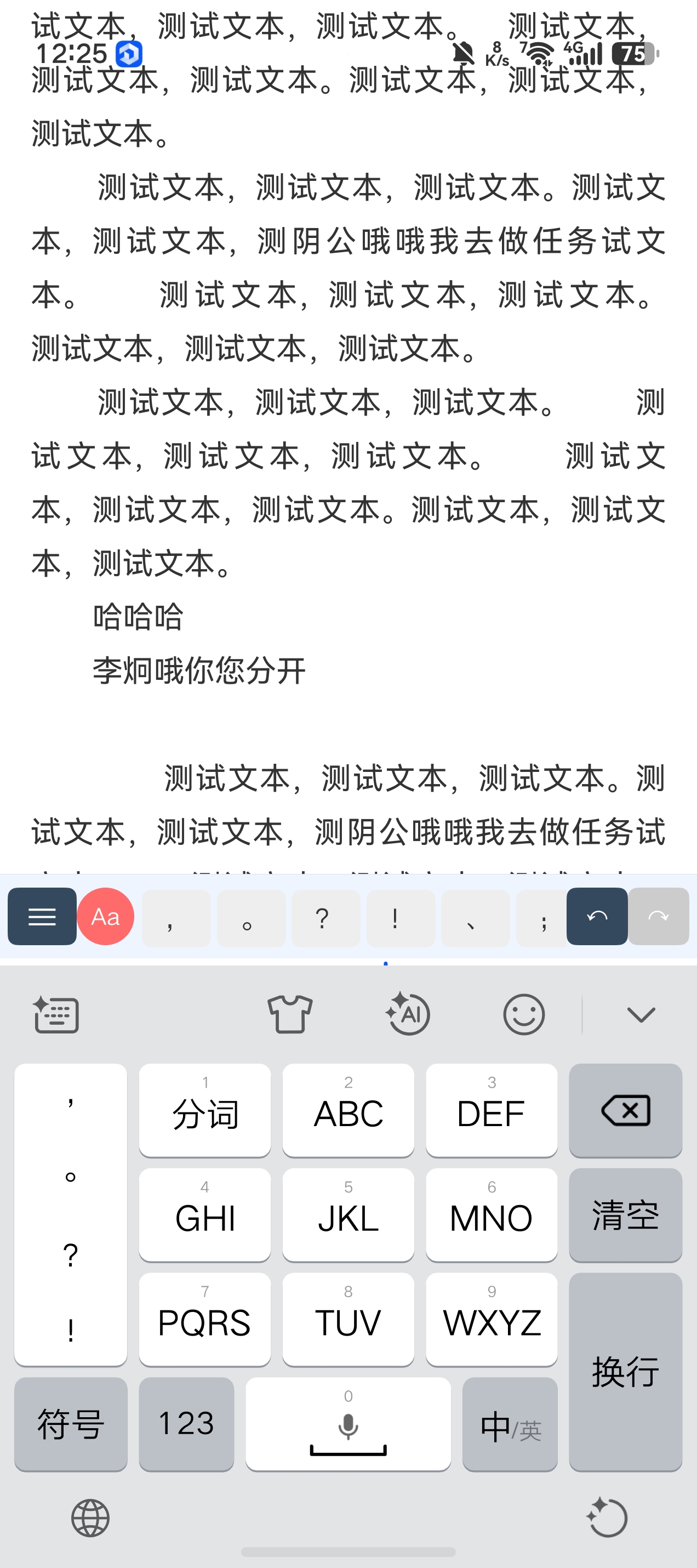
在编辑器页面(EditorView)中,当软键盘弹起时,出现以下三个核心问题:
问题1:顶部菜单栏被顶飞 • 顶部菜单栏(显示书名、章节名、返回/工具按钮)在键盘弹起时被系统整体上推,顶到手机状态栏区域,与状态栏内容重叠。 • 期望:顶部菜单栏始终固定在状态栏下方,键盘弹起时绝对不动。
问题2:底部标点栏未跟随键盘上浮 • 底部工具栏(标点符号快捷输入栏)在键盘弹起后,被键盘盖住或留在屏幕底部,没有贴在输入法上方。 • 期望:底部工具栏始终贴在输入法(软键盘)的正上方,随键盘高度变化而移动。
问题3:点击TextArea底部出现大片空白 • 当正文内容较多,点击TextArea靠下位置或光标位于底部时,正文和底部工具栏之间出现大块空白区域。 • 期望:点击底部时正文自然滚动,不出现多余空白。
三、已尝试但失败的方案
方案A:setWindowSoftInputMode(ADJUST_RESIZE) • 做法:在 EntryAbility.onWindowStageCreate 中调用安卓风格的窗口软键盘模式设置。 • 结果:API 在当前 SDK(API 12)中不存在,编译直接报错。 • 状态:已删除。
方案B:TextArea.padding({bottom: 16 + keyboardHeight}) • 做法:监听键盘高度,动态增加 TextArea 的底部 padding。 • 结果:与系统上推叠加,产生双重空白,TextArea 内部出现大面积无文字区域。 • 状态:已回退为固定 padding(16)。
方案C:底部工具栏 .translate({y: -keyboardHeight}) • 做法:用 translate 将底部工具栏向上平移键盘高度。 • 结果: – 导致正文文字和工具栏文字重叠显示; – 正文区域和工具栏区域上下都出现重复文字; – 顶部菜单栏依然被系统顶到状态栏里。 • 状态:已移除。
方案D:autoIndentNewParagraphs() 差分检测自动缩进 • 做法:每次输入遍历全文,检测换行符并自动插入 \u3000\u3000(两个全角空格)。 • 结果:光标乱跳,删除时缩进字符挡路,体验极差。 • 状态:已删除,改为码字时用 textIndent 视觉缩进,导出/复制时再用真实空格。
方案E:Stack + position + translate 三层独立定位 • 做法: – 根节点改为 Stack,顶部菜单 position({top:0}) + translate({y:keyboardHeight}); – 正文区域 position({top:52}) + 动态高度 + translate({y:keyboardHeight}); – 底部工具栏 position({bottom:0}) 不 translate,让其随 Stack 底边自然落在键盘上方。 • 结果: – 顶部菜单确实固定了; – 但底部工具栏没有随键盘上浮,而是固定在屏幕底部不动; – 点击TextArea底部时,系统仍然触发 Pan 上推,顶部菜单虽然被 translate 拽回来了,但正文区域和底部工具栏的衔接出现断层。 • 状态:当前代码仍保留此结构,但问题未解决。
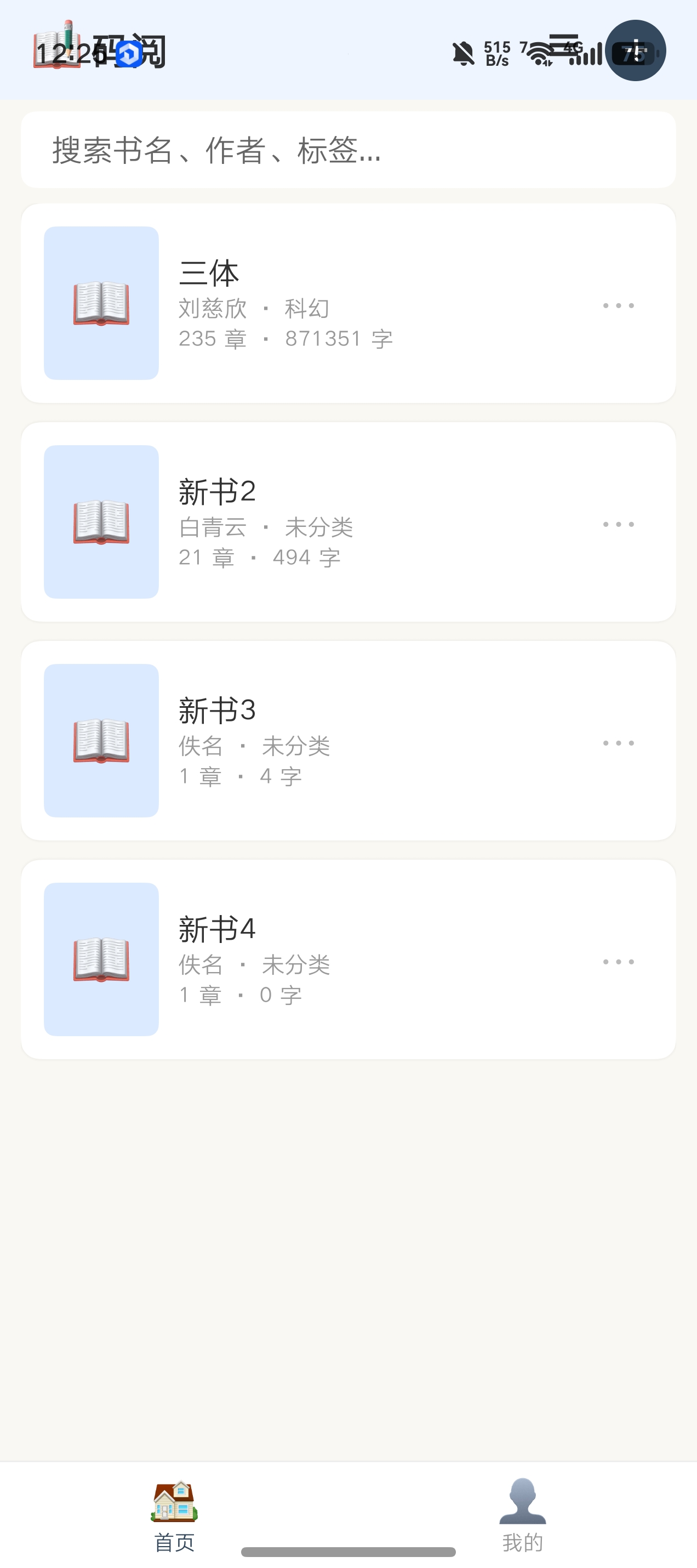
方案F:KeyboardAvoidMode.RESIZE + Column + layoutWeight(1) • 做法: – EntryAbility 中设置 setKeyboardAvoidMode(KeyboardAvoidMode.RESIZE); – EditorView 恢复标准 Column 布局:顶部固定高度 + 正文 layoutWeight(1) + 底部固定高度。 • 结果: – 由于 EntryAbility 同时设置了 setWindowLayoutFullScreen(true),窗口占满全屏(包括状态栏区域); – RESIZE 模式下键盘弹起压缩窗口高度时,所有页面(首页、个人中心、编辑器)的顶部内容都被挤进了状态栏,与状态栏重叠; – 编辑器内底部工具栏确实跟着窗口压缩上移了,但其他页面全部错乱。 • 状态:已回退,移除 KeyboardAvoidMode.RESIZE 和全屏设置。
四、当前代码(问题复现版本)
4.1 EntryAbility.ets(当前版本)
import { AbilityConstant, UIAbility, Want } from '@kit.AbilityKit';
import { window } from '@kit.ArkUI';
import { hilog } from '@kit.PerformanceAnalysisKit';

const TAG: string = 'EntryAbility';

export default class EntryAbility extends UIAbility {
  onCreate(want: Want, launchParam: AbilityConstant.LaunchParam): void {
    hilog.info(0x0000, TAG, '%{public}s', 'Ability onCreate');
  }

  onDestroy(): void {
    hilog.info(0x0000, TAG, '%{public}s', 'Ability onDestroy');
  }

  onWindowStageCreate(windowStage: window.WindowStage): void {
    hilog.info(0x0000, TAG, '%{public}s', 'Ability onWindowStageCreate');
    windowStage.getMainWindowSync().setWindowLayoutFullScreen(true);
    windowStage.getMainWindowSync().setWindowSystemBarEnable(['status', 'navigation']);
    windowStage.loadContent('pages/Index', (err, data) => {
      if (err.code) {
        hilog.error(0x0000, TAG, 'Failed to load the content. Cause: %{public}s', JSON.stringify(err) ?? '');
        return;
      }
      hilog.info(0x0000, TAG, 'Succeeded in loading the content. Data: %{public}s', JSON.stringify(data) ?? '');
    });
  }

  onWindowStageDestroy(): void {
    hilog.info(0x0000, TAG, '%{public}s', 'Ability onWindowStageDestroy');
  }

  onForeground(): void {
    hilog.info(0x0000, TAG, '%{public}s', 'Ability onForeground');
  }

  onBackground(): void {
    hilog.info(0x0000, TAG, '%{public}s', 'Ability onBackground');
  }
}
4.2 EditorView.ets 关键状态与 aboutToAppear
// 导入
import { Book, Chapter, Volume, FormatConfig, UserPoints, CategoryItem, WeaponSuffixMap, HistoryVersion, safeFileName, generateId, formatDateTime } from '../models/AppTypes';
import { AppCore } from '../services/AppCore';
import { pasteboard } from '@kit.BasicServicesKit';
import { fileIo as fs } from '@kit.CoreFileKit';
import { common } from '@kit.AbilityKit';
import { window } from '@kit.ArkUI'; // 为获取窗口高度而引入

// 关键状态变量
@Component
export struct EditorView {
  [@StorageLink](/user/StorageLink)('books') books: Book[] = [];
  [@StorageLink](/user/StorageLink)('currentBookIndex') currentBookIndex: number = 0;
  [@StorageLink](/user/StorageLink)('currentVolumeIndex') currentVolumeIndex: number = 0;
  [@StorageLink](/user/StorageLink)('currentChapterIndex') currentChapterIndex: number = 0;
  [@StorageLink](/user/StorageLink)('currentBookName') currentBookName: string = "";
  [@StorageLink](/user/StorageLink)('currentChapterTitle') currentChapterTitle: string = "";
  [@StorageLink](/user/StorageLink)('currentContent') currentContent: string = "";
  [@StorageLink](/user/StorageLink)('currentWordCount') currentWordCount: number = 0;
  [@StorageLink](/user/StorageLink)('totalWordCount') totalWordCount: number = 0;
  [@StorageLink](/user/StorageLink)('formatConfig') formatConfig: FormatConfig = {
    fontSize: 16, lineHeight: 28, firstIndent: true, paragraphSpacing: 8,
    textAlign: 'left', fontColor: '#333333', pageBackground: '#ffffff',
    fontFamily: 'HarmonyOS Sans SC', letterSpacing: 0
  };
  [@StorageLink](/user/StorageLink)('accentColor') accentColor: string = "#3A86FF";
  [@StorageLink](/user/StorageLink)('keyboardHeight') keyboardHeight: number = 0; // 键盘高度(px),通过 AppStorage 全局监听
  [@StorageLink](/user/StorageLink)('page') page: number = 0;

  @State windowHeight: number = 720; // 窗口高度(vp),aboutToAppear 中获取

  // ... 其他状态省略

  aboutToAppear() {
    this.editorPrevContent = this.currentContent;
    this.syncTitleFromStorage();
    // 同步导入状态
    let books = AppStorage.get('books') as Book[];
    let idx = AppStorage.get('currentBookIndex') as number;
    if (books && idx >= 0 && idx < books.length) {
      this.isImportedBook = books[idx].isImported === true;
    }
    // 获取窗口高度,用于键盘弹起时计算正文区域高度
    window.getLastWindow(getContext(this)).then((win) => {
      let rect = win.getWindowProperties().windowRect;
      this.windowHeight = px2vp(rect.height);
    }).catch(() => {
      this.windowHeight = 720;
    });
  }
}
4.3 EditorView.ets 当前 build() 方法(问题复现版本)
build() {
  Stack({ alignContent: Alignment.TopStart }) {
    // ---------- 顶部菜单栏 ----------
    Row() {
      Row({ space: 8 }) {
        Stack({ alignContent: Alignment.Center }) {
          Circle().width(32).height(32).fill("#fff")
          Text("←").fontSize(18).fontColor("#333")
        }
        .onClick(() => AppCore.backToShelf())

        Stack({ alignContent: Alignment.Center }) {
          Circle().width(32).height(32).fill("#f0f0f0")
          Text("⊞").fontSize(18).fontColor("#333")
        }
        .onClick(() => { this.showEditorToolsPanel = true; })
      }

      Column({ space: 2 }) {
        Text(this.currentBookName)
          .fontSize(14)
          .fontWeight(FontWeight.Bold)
          .maxLines(1)
          .textOverflow({ overflow: TextOverflow.Ellipsis })
          .fontColor(this.formatConfig.fontColor)
        Text(`第${this.currentVolumeIndex + 1}卷·第${this.currentChapterIndex + 1}章`)
          .fontSize(12)
          .fontColor("#666")
          .maxLines(1)
      }
      .layoutWeight(1)
      .alignItems(HorizontalAlign.Center)

      Row({ space: 8 }) {
        if (!this.isImportedBook) {
          Stack({ alignContent: Alignment.Center }) {
            Circle().width(32).height(32).fill(this.accentColor)
            Text("+").fontSize(18).fontColor("#fff").fontWeight(FontWeight.Bold)
          }
          .onClick(() => {
            AppCore.addChapter();
            this.syncTitleFromStorage();
          })
        }

        Stack({ alignContent: Alignment.Center }) {
          Circle().width(32).height(32).fill("#f0f0f0")
          Text("⏱").fontSize(16)
        }
        .onClick(() => { this.showMoreMenu = true; })
      }
    }
    .width('100%')
    .height(52)
    .padding({ left: 12, right: 12 })
    .backgroundColor(this.formatConfig.pageBackground)
    .border({ width: { bottom: 0.5 }, color: 'rgba(0,0,0,0.06)' })
    .alignItems(VerticalAlign.Center)
    .position({ x: 0, y: 0 })
    .translate({ y: px2vp(this.keyboardHeight) }) // 抵消系统 Pan
    .zIndex(100)

    // ---------- 正文编辑区 ----------
    Stack({ alignContent: Alignment.TopStart }) {
      TextArea({ text: this.currentContent, placeholder: "开始写作..." })
        .width('100%')
        .height('100%')
        .padding(16)
        .backgroundColor(this.formatConfig.pageBackground)
        .fontSize(this.formatConfig.fontSize)
        .fontColor(this.formatConfig.fontColor)
        .fontFamily(this.formatConfig.fontFamily)
        .lineHeight(this.formatConfig.lineHeight)
        .letterSpacing(this.formatConfig.letterSpacing)
        .textAlign(AppCore.getTextAlign(this.formatConfig.textAlign))
        .textIndent(this.formatConfig.firstIndent ? this.formatConfig.fontSize * 2 : 0)
        .onChange((value: string) => { /* ... */ })

      if (this.showPreview) {
        Column() {
          this.PreviewContent()
        }
        .width('100%')
        .height('100%')
        .backgroundColor(this.formatConfig.pageBackground)
      }

      if (this.showSavedTip) {
        Text('已自动保存')
          .fontSize(12)
          .fontColor('#2ECC71')
          .opacity(this.savedTipOpacity)
          .position({ x: '50%', y: 12 })
          .translate({ x: '-50%', y: 0 })
      }
    }
    .width('100%')
    .position({ x: 0, y: 52 })
    .height(this.windowHeight > 0 ? this.windowHeight - px2vp(this.keyboardHeight) - 96 : 400)
    .translate({ y: px2vp(this.keyboardHeight) }) // 抵消系统 Pan
    .backgroundColor(this.formatConfig.pageBackground)

    // ---------- 底部工具栏 ----------
    Column({ space: 0 }) {
      Row({ space: 0 }) {
        Text("≡")
          .width(36).height(30)
          .backgroundColor(this.accentColor)
          .fontColor("#fff")
          .textAlign(TextAlign.Center)
          .borderRadius(5)
          .fontSize(18)
          .onClick(() => { this.autoFormatContent(); })

        Stack({ alignContent: Alignment.Center }) {
          Circle().width(30).height(30).fill("#FF6B6B")
          Text("Aa").fontSize(12).fontColor("#fff").textAlign(TextAlign.Center).width(30).height(30)
        }
        .onClick(() => { this.showFormatPanel = true; })

        Scroll() {
          Row({ space: 3 }) {
            ForEach([",", "。", "?", "!", "、", ";", ":", "\"", "\"", "(", ")", "《", "》", "—", "…", "换行"], (s: string) => {
              Text(s)
                .width(36).height(30)
                .backgroundColor("#eee")
                .textAlign(TextAlign.Center)
                .borderRadius(5)
                .fontSize(14)
                .fontColor(this.formatConfig.fontColor)
                .onClick(() => { /* 插入标点 */ })
            })
          }
          .padding(4)
        }
        .width('100%').height(40)
        .scrollable(ScrollDirection.Horizontal)
        .layoutWeight(1)

        Text("↶")
          .width(32).height(30)
          .backgroundColor(this.undoStack.length > 0 ? this.accentColor : "#ccc")
          .fontColor("#fff")
          .textAlign(TextAlign.Center)
          .borderRadius(5)
          .fontSize(14)
          .onClick(() => { this.undoAction(); })

        Text("↷")
          .width(32).height(30)
          .backgroundColor(this.redoStack.length > 0 ? this.accentColor : "#ccc")
          .fontColor("#fff")
          .textAlign(TextAlign.Center)
          .borderRadius(5)
          .fontSize(14)
          .onClick(() => { this.redoAction(); })
      }
      .width('100%')
      .padding({ left: 4, right: 4, top: 4, bottom: 4 })

      Text("当前:" + this.currentWordCount + " 字 | 全书:" + this.totalWordCount + " 字")
        .fontSize(12)
        .fontColor('#999')
        .padding(4)
    }
    .width('100%')
    .height(44)
    .backgroundColor('#eef5ff')
    .border({ width: { top: 0.5 }, color: 'rgba(0,0,0,0.08)' })
    .position({ x: 0, y: this.windowHeight > 0 ? this.windowHeight - px2vp(this.keyboardHeight) - 44 : 600 })
    .zIndex(100)

    // ---------- 弹窗层(省略) ----------
    // ... 各种 if (this.showXXX) { this.XXXBuilder() }
  }
  .width('100%')
  .height('100%')
  .backgroundColor('#ffffff')
}
五、已知约束
- ArkTS 严格模式:Builder 内部不能写 let 变量和逻辑代码,必须提取到组件方法中。
- SDK 限制:WindowSoftInputMode / setWindowSoftInputMode 在当前 API 12 不可用。
- 键盘高度监听:通过 window.on(‘keyboardHeightChange’) 监听,已保存在 AppStorage 中,EditorView 通过 @StorageLink(‘keyboardHeight’) 读取。
- 全屏模式:EntryAbility 当前设置了 setWindowLayoutFullScreen(true),用于沉浸式状态栏。移除后会导致状态栏颜色/样式问题,但可接受调整。
- 首行缩进分层:码字时用 TextArea.textIndent()(视觉缩进);一键排版/复制/导出时调用 autoFormatContent() 插入真实 \u3000\u3000。此部分已正常工作,无需修改。
六、求助目标
请提供一套在 HarmonyOS NEXT API 12 ArkTS 严格模式 下,能同时满足以下三个条件的布局方案:
- 顶部菜单栏固定:键盘弹起时,顶部菜单栏(书名、章节名、按钮行)绝对不能被顶出屏幕,始终固定在状态栏下方。
- 底部标点栏跟随键盘:键盘弹起多高,底部工具栏就上移多少,始终贴在输入法上方。
- 点击底部无空白:点击 TextArea 底部区域或光标位于底部时,不能出现大片空白,正文要自然滚动,光标始终可见。
接受范围: - 可以修改 EntryAbility.ets 的窗口设置(如移除全屏、调整键盘避让模式等); - 可以修改 EditorView.ets 的根布局结构(如改用 Stack、Column、Row 等任意组合); - 可以引入新的系统 API 或监听(只要 API 12 可用); - 不接受:需要大量计算/遍历文本内容的 hack 方案(如方案D),或导致其他页面(首页、个人中心)布局错乱的方案(如方案F)。
更多关于HarmonyOS鸿蒙NEXT中编辑器页面键盘弹起布局问题求助的实战教程也可以访问 https://www.itying.com/category-93-b0.html

你的问题可能是:
setWindowLayoutFullScreen(true) 和键盘避让机制冲突了。
你现在是在“全屏沉浸 + 手动 translate 抵消系统 Pan”,这会导致:
- 顶栏被系统整体上推
- 你再 translate 拉回来
- TextArea 内部又自己做了一次光标避让
- 底栏 position 还是基于旧窗口高度
最终就出现“顶栏乱飞、底栏不跟、底部空白”。
API12 下别再走手动对冲(translate 抵消 Pan)了,直接用系统 RESIZE。
推荐方案(稳定)
1、EntryAbility 去掉全屏
删掉:
setWindowLayoutFullScreen(true)
保留:
setWindowSystemBarEnable(['status', 'navigation'])
setKeyboardAvoidMode(window.KeyboardAvoidMode.RESIZE)
2、EditorView 改回标准三段 Column
不要 Stack + position + translate。
直接:
Column() {
  TopBar()          // 固定 52
  EditorArea()      // layoutWeight(1)
  BottomToolbar()   // 固定 44
}
.height('100%')
.width('100%')
.safeAreaPadding({
  top: SafeAreaType.SYSTEM
})
3、TextArea 只吃剩余空间
TextArea()
  .layoutWeight(1)
  .width('100%')
不要再写:
- 动态
.height(...) .translate(...)- 根据 keyboardHeight 算高度
- paddingBottom 补偿
让 RESIZE 自动压缩。
为什么这套能同时解决 3 个问题?
顶部固定
Column + safeAreaPadding,键盘压缩的是中间编辑区,不会顶状态栏。
底栏跟键盘
RESIZE 后整个窗口高度缩短,底栏天然贴在键盘上方。
点击底部无空白
TextArea 跟着窗口真实缩放,不会和你手动计算高度叠加。
一句话:
删掉 setWindowLayoutFullScreen(true),别自己算 keyboardHeight 做 translate,改成 KeyboardAvoidMode.RESIZE + Column + layoutWeight(1),这是 HarmonyOS NEXT 编辑器最稳的官方思路。
更多关于HarmonyOS鸿蒙NEXT中编辑器页面键盘弹起布局问题求助的实战系列教程也可以访问 https://www.itying.com/category-93-b0.html


需要提供完整的工程帮你调试一下。
用系统原生的键盘避让机制来替代你之前“监听高度 -> 手动平移”的Hack思路。其核心策略如下:
- 页面压缩,而非平移:将键盘避让模式从默认的
OFFSET(整体上抬)改为RESIZE(压缩窗口高度)。当键盘弹起时,系统会从底部“剪掉”键盘区域,剩余部分作为新的应用窗口。 - 采用
Column+ 百分比/layoutWeight自适应布局:在新的压缩窗口内,利用Column容器和layoutWeight属性,让顶部和底部固定高度的区域保持不变,而中间的TextArea区域自动伸缩填充剩余空间。 - 移除所有手动布局计算:删除所有基于
px2vp(this.keyboardHeight)的translate、height和position计算,将布局控制权完全交还给ArkUI框架。


在HarmonyOS NEXT的ArkUI中,键盘弹起布局可通过expandSafeArea属性或组件的keyboardAvoid模式控制。在页面根容器(如Column)上设置expandSafeArea([SafeAreaType.KEYBOARD]),或为输入框添加keyboardAvoid: 'resize',可实现布局自适应键盘高度。

