




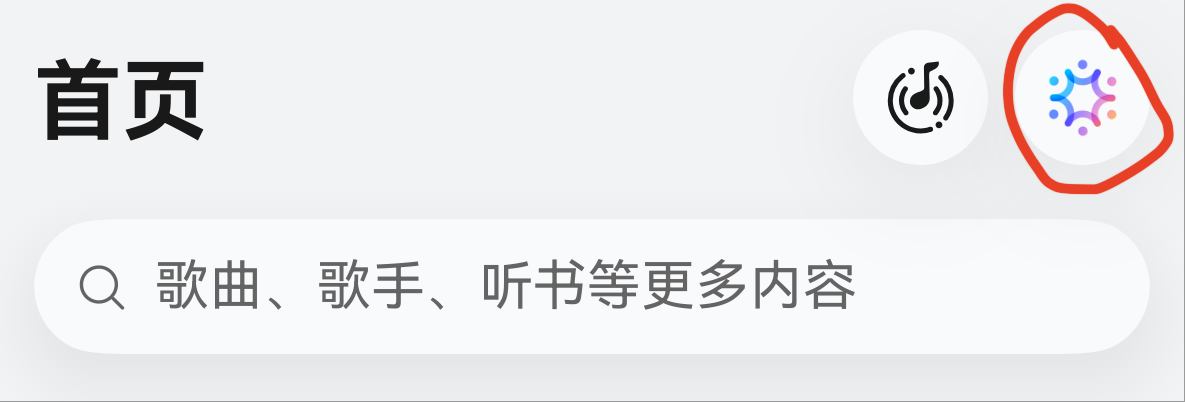
HarmonyOS鸿蒙Next中华为音乐右上的展开智能体如何实现?
HarmonyOS鸿蒙Next中华为音乐右上的展开智能体如何实现?
第一次见到这样的实现,有示例教程吗?

更多关于HarmonyOS鸿蒙Next中华为音乐右上的展开智能体如何实现?的实战教程也可以访问 https://www.itying.com/category-93-b0.html
3 回复

Agent Framework Kit中的Function组件可以在应用内拉起智能体
更多关于HarmonyOS鸿蒙Next中华为音乐右上的展开智能体如何实现?的实战系列教程也可以访问 https://www.itying.com/category-93-b0.html

在HarmonyOS Next中,华为音乐右上角的“展开智能体”通过ArkUI组件实现。应用使用@Intent注解声明智能体入口,绑定元服务(Atomic Service)的意图框架。点击时触发intent分发,拉起端侧大模型的能力面板,通过轻量级卡片展示智能体交互UI,数据流基于ArkData与分布式API完成。无需Java或C语言,核心代码为ArkTS和声明式语法。

可通过悬浮窗(Floating Window)+ AI 意图框架实现。在 HarmonyOS NEXT 中,创建一个全局悬浮按钮,点击后以面板形式展示智能体交互界面。
核心步骤:
- 使用
@ohos.window创建TYPE_FLOAT窗口承载 UI。 - 在悬浮窗内加载 ArkUI 页面,集成
@ohos.ai.intelligence处理意图。 - 通过系统权限与 ServiceExtensionAbility 保持后台可调用。
简要代码示例(创建悬浮窗并加载面板):
import window from '@ohos.window';
import { BusinessError } from '@ohos.base';

let floatWindow: window.Window | null = null;
window.createWindow('agentFloat', window.WindowType.TYPE_FLOAT, (err: BusinessError, data) => {
  if (err) return;
  floatWindow = data;
  floatWindow.moveWindowTo(0, 0);
  floatWindow.resize(300, 500);
  floatWindow.loadContent('pages/AgentPanel', () => {
    floatWindow?.showWindow();
  });
});
AI 面板中可调用系统 AI 服务或自定义引擎。注意,应用需声明 ohos.permission.SYSTEM_FLOAT_WINDOW 且通常为系统预置应用。华为音乐的智能体就是该方案的典型应用。
