




HarmonyOS鸿蒙Next中如何将开发的app作为分享打开方式
HarmonyOS鸿蒙Next中如何将开发的app作为分享打开方式 最近开发了一个app,为了方便使用,想将开发的app接入到分享方式中,但读到文档时,发现是不是只支持企业app。
developer.huawei.com/consumer/cn/doc/harmonyos-guides/share-sec-panel

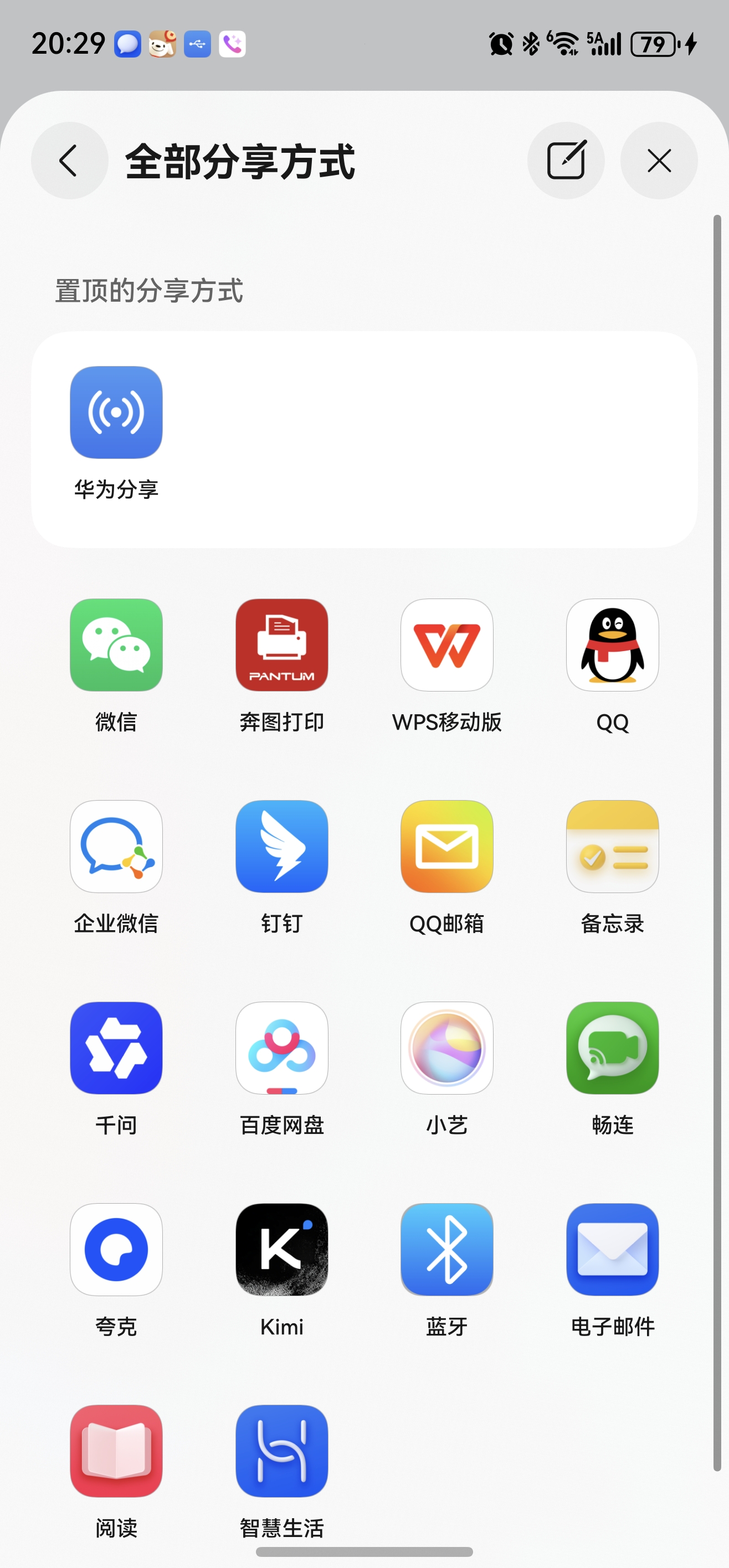
更多关于HarmonyOS鸿蒙Next中如何将开发的app作为分享打开方式的实战教程也可以访问 https://www.itying.com/category-93-b0.html
9 回复

import { SHARE_RECEIVE_UTIL } from '../utils/ShareReceiveUtil';
import { common, Want } from '@kit.AbilityKit';
import { window } from '@kit.ArkUI';
import { windowUtils } from '../utils/windowUtils';

const TAG: string = 'ImageReceiverPage';

@Entry
@ComponentV2
struct ImageReceivePage {
  @Local videoUris: string[] = [];
  @Local imageUris: string[] = [];
  @Local isLoading: boolean = true;
  @Local errorMsg: string = '';
  @Local wantJson: string = '';
  @Local flag: boolean = false;
  private context: common.UIAbilityContext = this.getUIContext().getHostContext() as common.UIAbilityContext;
  private storageProcess = this.getUIContext().getSharedLocalStorage();

  aboutToAppear() {
    console.warn(TAG, ' 组件即将出现(aboutToAppear)');
    this.storageProcess = this.getUIContext().getSharedLocalStorage();
  }

  aboutToDisappear() {
    console.warn(TAG, ' 组件即将销毁(aboutToDisappear)');
    SHARE_RECEIVE_UTIL.resetReceiveStatus();
    this.storageProcess?.delete('Want');
  }

  onPageHide() {
    console.warn(TAG, ' 页面已隐藏(onPageHide)');
    windowUtils.setWindowPrivacyModeInPage(this.context, false);
  }

  async onPageShow() {
    console.info(TAG, ' 页面显示(onPageShow)- 开始处理分享数据');
    windowUtils.setWindowPrivacyModeInPage(this.context, true);
    let windowStage = AppStorage.get('windowStage') as window.WindowStage;
    windowStage.on('windowStageEvent', (data) => {
      if (data === window.WindowStageEventType.PAUSED) {
        this.flag = true;
      } else {
        this.flag = false;
      }
    });
    this.resetPageState();
    try {
      let want = this.storageProcess?.get('Want') as Want;
      if (!want) {
        this.errorMsg = '未检测到分享数据(Want为空)';
        console.warn(TAG, ' 未获取到Want对象');
        this.isLoading = false;
        return;
      }
      this.wantJson = JSON.stringify(want, null, 2);
      console.warn(TAG, ` 开始解析分享数据,Want: ${JSON.stringify(want)}`);
      await SHARE_RECEIVE_UTIL.getSharedData(want)
      this.storageProcess?.delete('Want');
      if (SHARE_RECEIVE_UTIL.checkReceiveStatus()) {
        this.imageUris = SHARE_RECEIVE_UTIL.getImageUris();
        this.videoUris = SHARE_RECEIVE_UTIL.getVideoUris();
        const stats = SHARE_RECEIVE_UTIL.getStatistics();
        console.warn(TAG,
          `解析成功 - 图片:${stats.imageCount}张, 视频:${stats.videoCount}个, 总计:${stats.total}个文件`);

        console.warn(TAG, `成功获取图片URI列表: ${JSON.stringify(this.imageUris)}`);
        console.warn(TAG, `成功获取视频URI列表: ${JSON.stringify(this.videoUris)}`);

        if (this.imageUris.length === 0 && this.videoUris.length === 0) {
          this.errorMsg = '解析到分享数据,但未获取到有效文件(格式不支持)';
        }
      } else {
        this.errorMsg = '未获取到支持的图片或视频(格式不支持或无有效URI)';
        console.warn(TAG, ' 未检测到有效图片或视频');
      }
    } catch (err) {
      this.errorMsg = `处理失败:${err.message}`;
    } finally {
      this.isLoading = false;
      SHARE_RECEIVE_UTIL.resetReceiveStatus();
    }
  }

  @Builder
  VideoItem(uri: string, index: number) {
    Column() {
      Row() {
        Text(`视频 ${index + 1}`)
          .fontSize(14)
          .fontWeight(FontWeight.Bold)
          .fontColor(' 333333')
        Blank()
        Text(this.getFileName(uri))
          .fontSize(12)
          .fontColor('#999999')
          .maxLines(1)
          .textOverflow({ overflow: TextOverflow.Ellipsis })
      }
      .width('90%')
      .margin({ top: 10, bottom: 5 });

      Video({
        src: uri,
        controller: new VideoController()
      })
        .width('90%')
        .height(200)
        .objectFit(ImageFit.Contain)
        .borderRadius(12)
        .backgroundColor('#000000')
        .controls(true)
        .autoPlay(false)
        .margin({ bottom: 5 })
        .onError((error) => {
          console.error(TAG, ` 视频加载失败,URI: ${uri},错误: ${JSON.stringify(error)}`);
        })
        .onStart(() => {
          console.info(TAG, ` 视频开始播放: ${uri}`);
        });
      Text(uri)
        .fontSize(10)
        .maxLines(2)
        .fontColor('#CCCCCC')
        .textOverflow({ overflow: TextOverflow.Ellipsis })
        .width('90%')
        .padding({ bottom: 15 });
    }
    .width('100%')
    .alignItems(HorizontalAlign.Center);
  }

  @Builder
  ImageItem(uri: string, index: number) {
    Column() {
      Row() {
        Text(`图片 ${index + 1}`)
          .fontSize(14)
          .fontWeight(FontWeight.Bold)
          .fontColor(' 333333')
        Blank()
        Text(this.getFileName(uri))
          .fontSize(12)
          .fontColor('#999999')
          .maxLines(1)
          .textOverflow({ overflow: TextOverflow.Ellipsis })
      }
      .width('90%')
      .margin({ top: 10, bottom: 5 });

      Image(uri)
        .width('90%')
        .height(200)
        .objectFit(ImageFit.Contain)
        .borderRadius(12)
        .backgroundColor('#F5F5F5')
        .margin({ bottom: 5 })
        .onError((error) => {
          console.error(TAG, ` 图片加载失败,URI: ${uri},错误: ${JSON.stringify(error)}`);
          this.errorMsg = `图片 ${index + 1} 加载失败`;
        })
        .onClick(() => {
          console.info(TAG, ` 点击图片: ${uri}`);
        });
      Text(uri)
        .fontSize(10)
        .fontColor('#CCCCCC')
        .maxLines(2)
        .textOverflow({ overflow: TextOverflow.Ellipsis })
        .width('90%')
        .padding({ bottom: 15 });
    }
    .width('100%')
    .alignItems(HorizontalAlign.Center);
  }

  build() {
    Column() {
      Row() {
        Text('接收的图片和视频')
          .fontSize(18)
          .fontWeight(FontWeight.Bold)
          .fontColor('#333333')
      }
      .alignItems(VerticalAlign.Top)
      .justifyContent(FlexAlign.Center)
      .width('100%')
      .height(100)
      .backgroundColor('#F8F8F8')
      .borderRadius({ bottomLeft: 16, bottomRight: 16 })
      .expandSafeArea([SafeAreaType.SYSTEM], [SafeAreaEdge.TOP,])

      Scroll() {
        Column() {
          if ((this.imageUris.length > 0 || this.videoUris.length > 0) && !this.isLoading) {
            Row() {
              Text('提示:若文件无法显示,请检查应用是否有"读取图片和视频"权限')
                .fontSize(12)
                .fontColor('#FF9900')
                .layoutWeight(1)
            }
            .width('90%')
            .padding(12)
            .backgroundColor(' FFF8E6')
            .borderRadius(8)
            .margin({ top: 15, bottom: 10 });
          }

          if (this.isLoading) {
            Column() {
              LoadingProgress()
                .color('#007DFF')
                .width(48)
                .height(48)
              Text('正在处理分享文件...')
                .fontSize(14)
                .fontColor('#666666')
                .margin({ top: 16 });
            }
            .width('100%')
            .margin({ top: 100 })
            .justifyContent(FlexAlign.Center);
          }

          if (this.wantJson && !this.isLoading) {
            Column() {
              Text('调试信息(Want对象)')
                .fontSize(14)
                .fontWeight(FontWeight.Bold)
                .fontColor('#666666')
                .margin({ top: 15, bottom: 8 })
                .alignSelf(ItemAlign.Start)
                .padding({ left: '5%' });
              Scroll() {
                Text(this.wantJson)
                  .fontSize(11)
                  .fontColor('#999999')
                  .fontFamily('monospace')
                  .padding(12)
                  .backgroundColor('#F9F9F9')
                  .borderRadius(8)
                  .width('90%');
              }
              .height(200)
              .width('100%')
              .scrollable(ScrollDirection.Vertical)
              .scrollBar(BarState.Auto)
              .margin({ bottom: 15 });
            }
            .justifyContent(FlexAlign.Start)
            .width('100%');
          }
          if (this.errorMsg && !this.isLoading) {
            Row() {
              Image($r('sys.media.ohos_ic_public_fail'))
                .width(20)
                .height(20)
                .margin({ right: 8 })
                .fillColor('#FF4D4F')
              Text(this.errorMsg)
                .fontSize(14)
                .fontColor('#FF4D4F')
                .layoutWeight(1)
            }
            .width('90%')
            .padding(16)
            .backgroundColor('#FFF1F0')
            .borderRadius(8)
            .margin({ top: 15 });
          }
          if (this.imageUris.length > 0 && !this.isLoading) {
            Row() {
              Text(`共收到 ${this.imageUris.length} 张图片`)
                .fontSize(16)
                .fontWeight(FontWeight.Bold)
                .fontColor('#333333')
            }
            .width('90%')
            .margin({ top: 20, bottom: 10 })
            .justifyContent(FlexAlign.Start);

            ForEach(this.imageUris, (uri: string, index: number) => {
              this.ImageItem(uri, index);
            }, (uri: string) => uri);
          }

          if (this.videoUris.length > 0 && !this.isLoading) {
            Row() {
              Text(`共收到 ${this.videoUris.length} 个视频`)
                .fontSize(16)
                .fontWeight(FontWeight.Bold)
                .fontColor('#333333')
            }
            .width('90%')
            .margin({ top: 20, bottom: 10 })
            .justifyContent(FlexAlign.Start);

            ForEach(this.videoUris, (uri: string, index: number) => {
              this.VideoItem(uri, index);
            }, (uri: string) => uri);
          }
        }
        .width('100%');
      }
      .width('100%')
      .layoutWeight(1)
      .scrollBar(BarState.Auto)
      .edgeEffect(EdgeEffect.Spring);
    }
    .width('100%')
    .height('100%')
    .backgroundColor('#FFFFFF')
    .foregroundBlurStyle(
      this.flag ? BlurStyle.Thin : BlurStyle.NONE,
      {
        colorMode: ThemeColorMode.SYSTEM,
        adaptiveColor: AdaptiveColor.DEFAULT,
      }
    );
  }

  private getFileName(uri: string): string {
    const uriWithoutParams = uri.split('?')[0];
    return uriWithoutParams.split('/').pop() || '未知文件';
  }

  private resetPageState() {
    this.imageUris = [];
    this.videoUris = [];
    this.isLoading = true;
    this.errorMsg = '';
    this.wantJson = '';
  }
}
//-------------------------------------------------------------------------------
import Want from '@ohos.app.ability.Want';
import { systemShare } from '@kit.ShareKit';

const TAG: string = 'ImageReceiverPage';

const SUPPORT_IMAGE_FORMATS = [
  'png', 'jpg', 'jpeg', 'bmp', 'svg', 'webp', 'gif',
  'heif', 'heic', 'ico', 'tiff', 'tif', 'raw', 'dng'
];
const SUPPORT_VIDEO_FORMATS = [
  'mp4', 'mov', 'avi', 'mkv', 'flv', 'wmv', 'webm',
  'm4v', '3gp', 'mpeg', 'mpg', 'ts', 'vob', 'rm', 'rmvb'
];

interface ShareMediaStats {
  imageCount: number;
  videoCount: number;
  total: number;
}

class ShareReceiveUtil {
  uiContext: UIContext | undefined = AppStorage.get('currentUIContext');
  private hasShareReceive: boolean = false;
  private imageUris: string[] = [];
  private videoUris: string[] = [];

  constructor() {
    console.warn(TAG, ' 工具类实例化');
  }

  checkReceiveStatus(): boolean {
    return this.hasShareReceive;
  }

  resetReceiveStatus() {
    console.warn(TAG, ' 重置接收状态');
    this.hasShareReceive = false;
    this.imageUris = [];
    this.videoUris = [];
  }

  async getSharedData(want: Want): Promise<void> {
    try {
      console.warn(TAG, '开始解析分享数据');
      let shareData = await systemShare.getSharedData(want)
      let records = shareData.getRecords()
      console.warn(TAG, `共收到 ${records.length} 条分享记录`);

      if (records.length > 0) {
        records.forEach((record: systemShare.SharedRecord, index: number) => {
          console.warn(TAG, `解析第 ${index + 1} 条记录`);
          this.parseRecord(record);
        });
        this.hasShareReceive = this.imageUris.length > 0 || this.videoUris.length > 0;
        console.warn(TAG, `解析完成 - 图片:${this.imageUris.length}张, 视频:${this.videoUris.length}个`);
      } else {
        console.warn(TAG, '未收到任何分享记录');
        this.hasShareReceive = false
      }
    } catch (error) {
      this.hasShareReceive = false;
      console.error(TAG, `获取共享数据失败. Code: ${error.code}, message: ${error.message}`);
      console.error(TAG, `详细错误: ${JSON.stringify(error)}`);
    }
  }

  getImageUris(): string[] {
    return [...this.imageUris];
  }

  getVideoUris(): string[] {
    return [...this.videoUris];
  }

  getAllUris(): string[] {
    return [...this.imageUris, ...this.videoUris];
  }

  getStatistics(): ShareMediaStats {
    return {
      imageCount: this.imageUris.length,
      videoCount: this.videoUris.length,
      total: this.imageUris.length + this.videoUris.length
    };
  }

  private parseRecord(record: systemShare.SharedRecord) {
    if (!record.uri) {
      console.warn(TAG, ' 记录的URI为空,跳过');
      this.uiContext?.getPromptAction().showToast({ message: '文件URI不存在' });
      return;
    }
    console.warn(TAG, `解析URI: ${record.uri}`);
    const uriWithoutParams = record.uri.split('?')[0];
    const ext = uriWithoutParams.split('.').pop()?.toLowerCase() || '';
    console.warn(TAG, `提取的扩展名: ${ext}`);

    if (SUPPORT_IMAGE_FORMATS.includes(ext)) {
      this.imageUris.push(record.uri);
      console.warn(TAG, ` 识别为图片 (${ext}),已添加到图片列表`);
      return;
    }

    if (SUPPORT_VIDEO_FORMATS.includes(ext)) {
      this.videoUris.push(record.uri);
      console.warn(TAG, `识别为视频 (${ext}),已添加到视频列表`);
      return;
    }

    this.uiContext?.getPromptAction().showToast({ message: `不支持的文件格式:${ext}` });
  }
}

export const SHARE_RECEIVE_UTIL = new ShareReceiveUtil();
//-----------------------------------------------------------
// windowUtils.ets
import window from '@ohos.window';
import common from '@ohos.app.ability.common';

export class windowUtils {
  static setWindowPrivacyModeInPage(context: common.UIAbilityContext, isFlag: boolean) {
    window.getLastWindow(context).then((lastWindow) => {
      lastWindow.setWindowPrivacyMode(isFlag);
    })
  }
}
//------------------------------------------------------
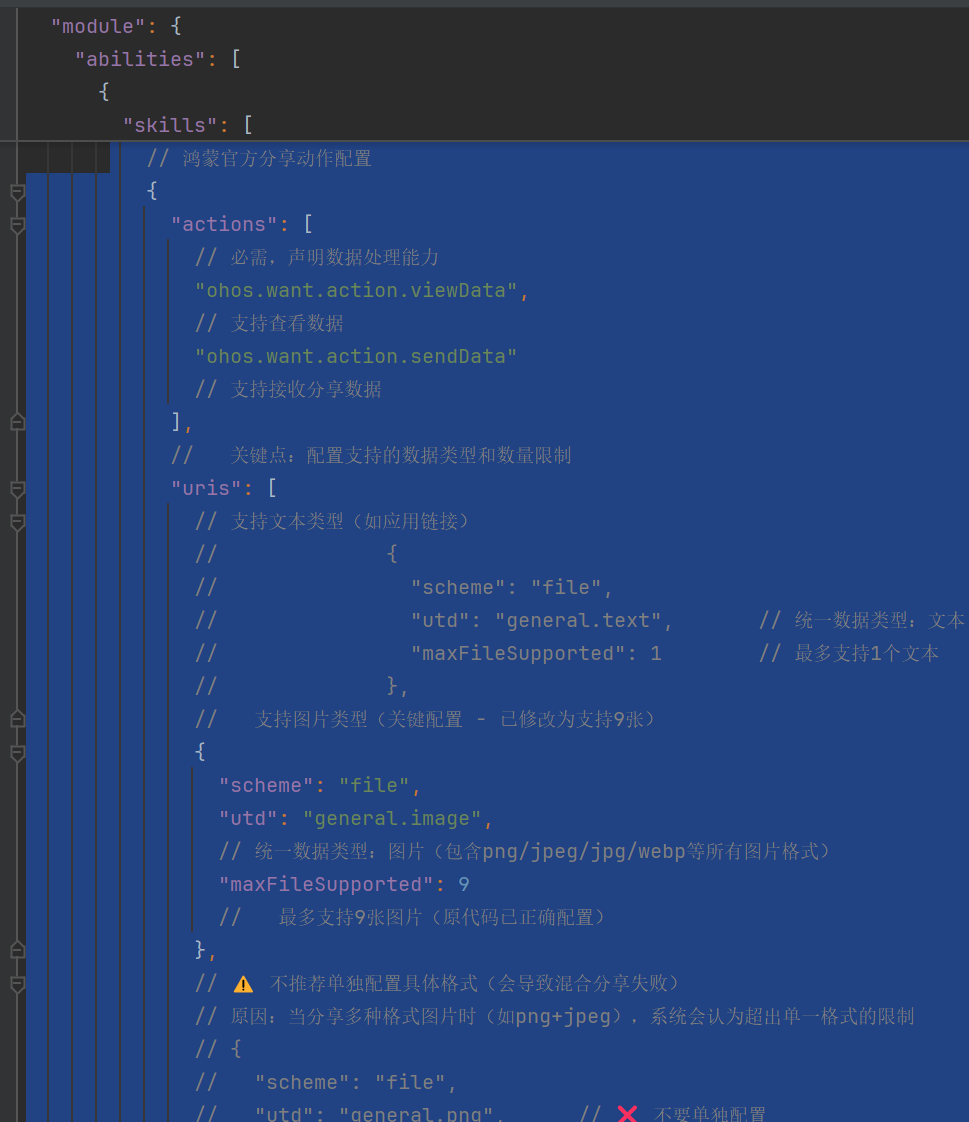
module.json5
   {
      "actions": [
        "ohos.want.action.viewData",
        "ohos.want.action.sendData"
      ],
      "uris": [
        {
          "scheme": "file",
          "utd": "general.image",
          "maxFileSupported": 9
        },
        {
          "scheme": "file",
          "utd": "general.video",
          "maxFileSupported": 9
        },
        {
          "scheme": "file",
          "utd": "com.adobe.pdf",
          "maxFileSupported": 9
        },
        {
          "scheme": "file",
          "utd": "general.object",
          "maxFileSupported": 9
        }
      ]
   }
更多关于HarmonyOS鸿蒙Next中如何将开发的app作为分享打开方式的实战系列教程也可以访问 https://www.itying.com/category-93-b0.html


在鸿蒙Next中,将应用注册为分享目标需配置 module.json5 的 abilities 节点:
- 添加
skills,设置actions为"ohos.want.action.sendData" - 通过
uris指定支持的MIME类型(如"text/plain") - 在对应UIAbility中重写
onNewWant(want)方法获取分享数据,通过want.parameters解析内容。
无需修改配置文件外其他代码。
HarmonyOS Next 当前系统的“分享打开方式”(即在其他应用点击分享后出现在分享面板中)尚未对所有开发者开放。该能力(对应 Share Panel 的接收方注册)仅面向通过官方合作的企业应用,普通个人或企业开发者暂时无法将自己的 App 注册为系统级分享目标。
开发者目前可以使用 Share Kit 主动发起分享,但要让自己的 App 作为接收方出现在“分享方式”列表,需要系统级优先注册,个人开发阶段无法实现。
若只是需要从其他 App 接收特定类型数据,可通过注册 skills 的 uri 跳转能力实现应用间传递,但这并非“出现在系统分享面板”的体验。
