




HarmonyOS鸿蒙Next中组件导航样式优化增加沉浸光感
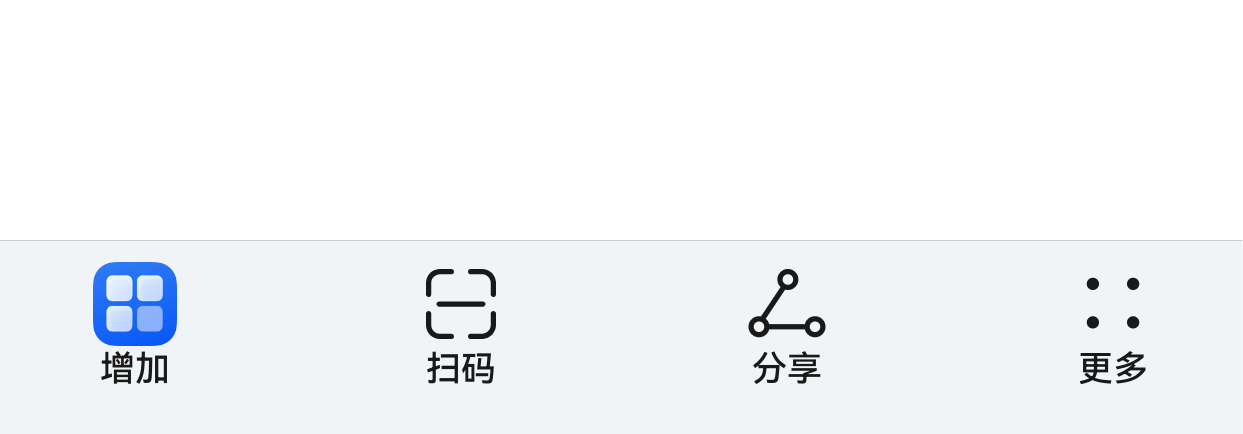
HarmonyOS鸿蒙Next中组件导航样式优化增加沉浸光感 组件导航的底部工具栏如何变成悬浮态,并且有沉浸光感(半透明毛玻璃)效果?
更多关于HarmonyOS鸿蒙Next中组件导航样式优化增加沉浸光感的实战教程也可以访问 https://www.itying.com/category-93-b0.html

尊敬的开发者,您好!
关于沉浸光感效果您可参考:沉浸光感-UI Design Kit(UI设计套件)。
更多关于HarmonyOS鸿蒙Next中组件导航样式优化增加沉浸光感的实战系列教程也可以访问 https://www.itying.com/category-93-b0.html


可以做,但要分成两件事:
结论
1)毛玻璃 / 半透明
ArkUI 本身支持,直接用这些能力:
backgroundBlurStylebackdropBlur- 半透明
backgroundColor
华为官方就写了,组件模糊可以通过 backdropBlur、blur、backgroundBlurStyle、foregroundBlurStyle 来做。华为开发者
2)底部工具栏变“悬浮态”
如果你说的是那种脱离底边、四周留白、圆角卡片式悬浮底栏,一般不是把系统默认底部栏“一键改悬浮”,而是自己在 Stack 里叠一个自定义底栏更稳。
官方 Navigation 的 toolbarConfiguration 支持工具栏背景色和背景模糊样式,但“悬浮卡片态”本质上还是靠你自己的布局实现。华为开发者
最常用做法
方案 A:你自己做一个悬浮底栏
核心就是:
- 外层
Stack - 内容区铺满
- 底部放一个自定义
Row - 加:
margin({ left, right, bottom })borderRadius- 半透明背景
backgroundBlurStyle(...)或backdropBlur(...)- 阴影
- 主内容区底部留出空间,避免被遮住
示例:
@Entry
@Component
struct FloatingTabPage {
  build() {
    Stack({ alignContent: Alignment.Bottom }) {
      // 主内容
      Column() {
        // 你的页面内容
      }
      .width('100%')
      .height('100%')
      .padding({ bottom: 100 }) // 给悬浮底栏留空间

      // 悬浮底栏
      Row({ space: 24 }) {
        Text('首页')
        Text('行程')
        Text('我的')
      }
      .height(56)
      .width('88%')
      .justifyContent(FlexAlign.SpaceAround)
      .backgroundColor('#CCFFFFFF') // 半透明
      .backgroundBlurStyle(BlurStyle.COMPONENT_ULTRA_THICK) // 毛玻璃
      // 或者 .backdropBlur(20)
      .borderRadius(28)
      .shadow({
        radius: 20,
        color: '#33000000',
        offsetX: 0,
        offsetY: 8
      })
      .margin({ bottom: 20 })
    }
    .width('100%')
    .height('100%')
  }
}
如果你用的是 Navigation 自带底部工具栏
可以先把工具栏背景做成半透明 + 模糊:
Navigation() {
  // content
}
.toolbarConfiguration([
  { value: '首页' },
  { value: '行程' },
  { value: '我的' }
])
// 官方支持工具栏背景色、背景模糊样式
这一套更适合“系统风底栏 + 玻璃感”,
但如果你要的是 iOS 那种悬浮胶囊底栏,还是建议上面的 Stack + 自定义底栏。Navigation 官方文档明确提到工具栏支持背景颜色和背景模糊样式。华为开发者
沉浸式时还要注意
如果页面做了沉浸式,全屏后底部可能会和系统导航区域重叠。
官方建议配合:
setWindowLayoutFullScreen()getWindowAvoidArea()- 必要时监听避让区变化
来处理底部安全区。华为开发者
官方链接
https://developer.huawei.com/consumer/cn/doc/harmonyos-faqs/faqs-arkui-128
https://developer.huawei.com/consumer/cn/doc/harmonyos-references/ts-basic-components-navigation
https://developer.huawei.com/consumer/cn/doc/harmonyos-guides/ui-design-navigation-dynamic-blur
https://developer.huawei.com/consumer/cn/doc/harmonyos-guides/arkts-develop-apply-immersive-effects
https://developer.huawei.com/consumer/cn/doc/harmonyos-references/arkts-apis-window-window


在HarmonyOS Next中,可通过ArkUI的Navigation组件设置customStyle或直接修改Stack容器背景,利用.blur实现毛玻璃,.linearGradient添加光晕渐变,配合.shadow增强层次感,同时调整背景透明度与动态模糊半径以模拟沉浸光感。

可以通过 Stack 布局配合 backgroundBlurStyle 和半透明背景,将底部工具栏悬浮于内容之上,实现沉浸光感毛玻璃效果。核心思路:
- 将整个页面包裹在
Stack中,内容作为底层,底部工具栏作为上层; - 工具栏使用
position或Stack的alignContent定位在底部(悬浮态); - 为工具栏添加
backgroundBlurStyle模糊背景,并叠加半透明backgroundColor呈现光感。
示例代码(ArkUI):
@Entry
@Component
struct ImmersiveToolbarPage {
  build() {
    Stack({ alignContent: Alignment.Bottom }) {
      // 页面主体内容
      Scroll() {
        Column() {
          // 您的列表或内容...
        }
      }
      .width('100%')
      .height('100%')

      // 悬浮的底部工具栏
      Row() {
        Button('首页')
          .layoutWeight(1)
        Button('发现')
          .layoutWeight(1)
        Button('我的')
          .layoutWeight(1)
      }
      .height(56)
      .width('100%')
      .padding({ left: 16, right: 16 })
      .justifyContent(FlexAlign.SpaceAround)
      // 关键样式:毛玻璃 + 光感
      .backgroundColor('#AAFFFFFF')        // 半透明白色光感
      .backgroundBlurStyle(BlurStyle.Thin) // 背景模糊(毛玻璃)
      .borderRadius({ topLeft: 16, topRight: 16 }) // 可选圆角
      .margin({ bottom: 24 }) // 与屏幕底部留出呼吸空间,更显悬浮
    }
    .width('100%')
    .height('100%')
  }
}
说明:
Stack的alignContent: Alignment.Bottom将工具栏固定在底部,又因工具栏自身margin会脱离边缘,视觉上形成悬浮卡片。backgroundBlurStyle(BlurStyle.Thin)实现毛玻璃模糊,该属性在 API 12+ 可用,无额外性能开销。.backgroundColor('#AAFFFFFF')叠加半透明白色,进一步提升“光感”,可根据设计调整颜色与透明度。- 若需要更强的光晕,可改用
backgroundBlurStyle(BlurStyle.REGULAR)同时减小透明度数值。
