




有没有人碰到过HarmonyOS鸿蒙Next中scroll嵌套list 父组件传递scroll控制器给子组件的list,然后滚动到最顶部没有反应?
有没有人碰到过HarmonyOS鸿蒙Next中scroll嵌套list 父组件传递scroll控制器给子组件的list,然后滚动到最顶部没有反应? 有人知道在解决不。。。大佬们救命了

嵌套滚动
嵌套滚动是指多个滚动容器相互嵌套,并能协同工作的滚动机制。例如:在移动端应用中,一个页面整体可以垂直滚动,而其中某个子组件(如Tab内容、评论区、图片列表)也只支持独立滚动。根据滚动对象的不同,嵌套滚动主要分为Scroll组件嵌套List组件、Web组件嵌套List组件、List组件嵌套List组件等。
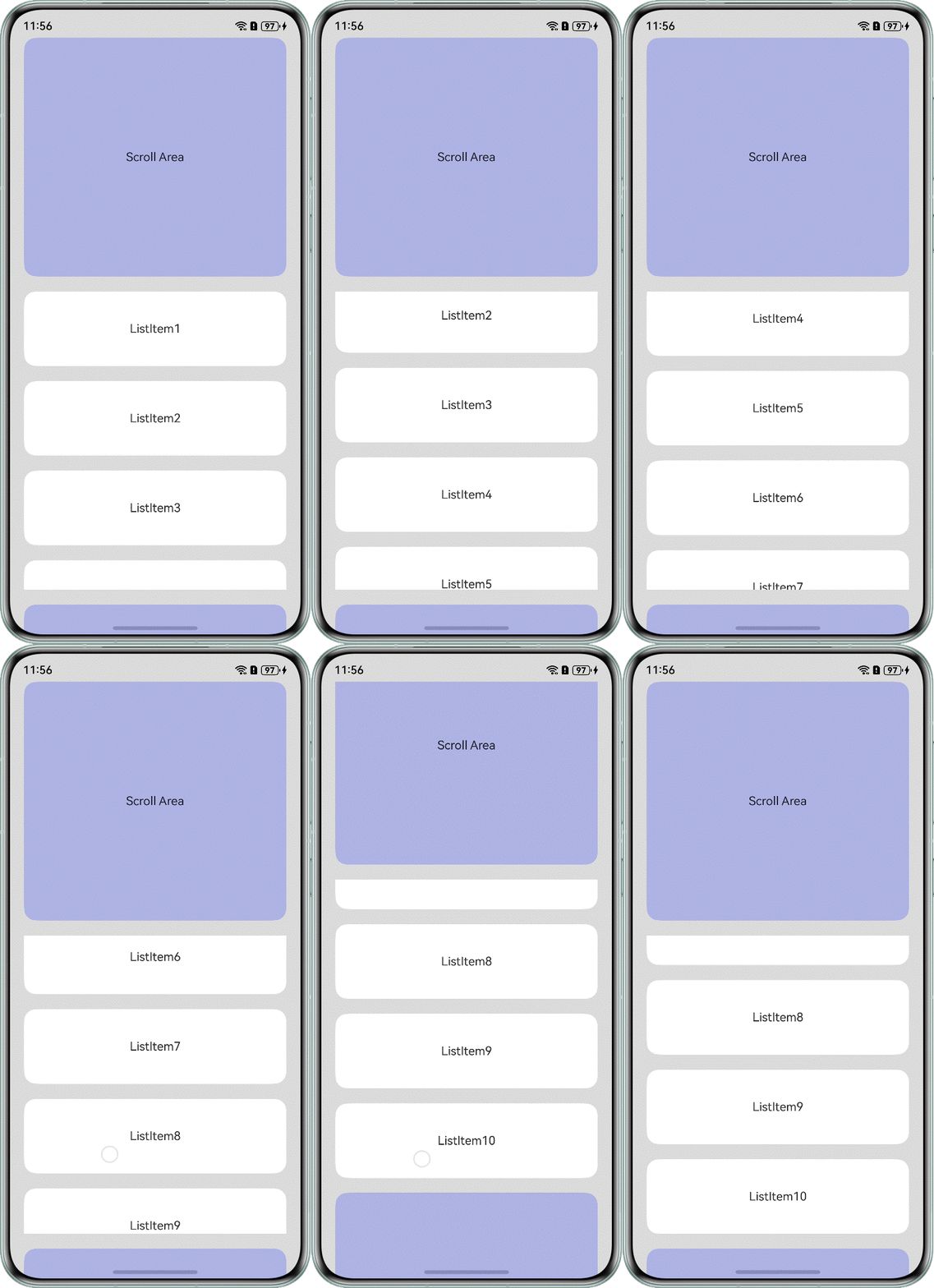
上代码:
const bgColors: ResourceColor[] = [Color.Blue, Color.Gray];
const rowHeight = 60;
export class BaseDataSource<T> implements IDataSource {
  private readonly listeners: DataChangeListener[] = [];
  protected dataset: T[];
  constructor(dataset?: T[]) {
    this.dataset = dataset ?? [];
  }
  public resetDataset(dataset: T[]) {
    this.dataset = dataset;
    this.notifyDataReload();
  }
  public updateDataAt(index: number, data: T) {
    if (index >= 0 && index < this.dataset.length) {
      this.dataset[index] = data;
      this.notifyDataChange(index);
    } else {
      console.error(`Index ${index} out of bounds`);
    }
  }
  public getDataset() {
    return this.dataset;
  }
  public totalCount(): number {
    return this.dataset.length;
  }
  public getData(index: number): T {
    return this.dataset[index];
  }
  /**
   * Notify LazyForEach component to reload all child components
   */
  notifyDataReload(): void {
    this.listeners.forEach(listener => {
      listener.onDataReloaded();
    })
  }
  /**
   * Notify LazyForEach component to add a sub component at the index corresponding to the index
   * @param index
   */
  notifyDataAdd(index: number): void {
    this.listeners.forEach(listener => {
      listener.onDataAdd(index);
    })
  }
  /**
   * Notify LazyForEach component that there is a change in data at the index corresponding to the index, and that the sub component needs to be rebuilt
   * @param index
   */
  notifyDataChange(index: number): void {
    this.listeners.forEach(listener => {
      listener.onDataChange(index);
    })
  }
  /**
   * Notify LazyForEach component to remove the sub component at the index corresponding to the index
   * @param index
   */
  notifyDataDelete(index: number): void {
    this.listeners.forEach(listener => {
      listener.onDataDelete(index);
    })
  }
  /**
   * Notify LazyForEach component to swap the subcomponents at the from index and to index
   * @param from
   * @param to
   */
  notifyDataMove(from: number, to: number): void {
    this.listeners.forEach(listener => {
      listener.onDataMove(from, to);
    })
  }
  //----------------------------------------------------------------------------------------------------
  // This method is called on the framework side to add listener listening to the LazyForEach component at its data source
  registerDataChangeListener(listener: DataChangeListener): void {
    if (this.listeners.indexOf(listener) < 0) {
      this.listeners.push(listener);
    }
  }
  // This method is called on the framework side to remove listener listening for the corresponding LazyForEach component at the data source
  unregisterDataChangeListener(listener: DataChangeListener): void {
    const pos = this.listeners.indexOf(listener);
    if (pos >= 0) {
      this.listeners.splice(pos, 1);
    }
  }
}
class NestedListItemDataSource extends BaseDataSource<string> {
  private dataArray: string[] = [];
  public totalCount(): number {
    return this.dataArray.length;
  }
  public getData(index: number): string {
    return this.dataArray[index];
  }
  public addData(index: number, data: string): void {
    this.dataArray.splice(index, 0, data);
    this.notifyDataAdd(index);
  }
  public pushData(data: string): void {
    this.dataArray.push(data);
    this.notifyDataAdd(this.dataArray.length - 1);
  }
}
/*
 * Header component for nested list items
 * @param title - Display text for header
 */
@Component
struct header {
  title: string = '';
  build() {
    Column() {
      Text(this.title)
        .width('100%')
        .height(40)
        .fontSize(14)
        .backgroundColor(Color.Yellow)
        .fontColor(Color.Blue)
        .textAlign(TextAlign.Center)
    }
  }
}
@Component
struct ItemComponent {
  title: string = '';
  @Prop datas: string[];
  generateDataSource() {
    let datasource: NestedListItemDataSource = new NestedListItemDataSource();
    for (let index = 0; index < this.datas.length; index++) {
      const element = this.datas[index];
      datasource.pushData(element);
    }
    return datasource;
  }
  build() {
    Column() {
      header({ title: this.title })
      List() {
        LazyForEach(this.generateDataSource(), (data: string, index) => {
          ListItem() {
            Text(data)
              .width('100%')
              .fontSize(14)
              .backgroundColor(Color.White)
              .fontColor(bgColors[index % bgColors.length])
              .textAlign(TextAlign.Center)
          }
          .height(rowHeight)
        }, (data: string, index) => {
          console.info(`------- ${data + ' - ' + index.toString()}`);
          return data + ' - ' + index.toString();
        })
      }
      .layoutWeight(1)
      .scrollBar(BarState.Off)
      .cachedCount(10)
      .friction(1.25)
      .edgeEffect(EdgeEffect.None)
    }
  }
}
function generateData(pre: string, count: number) {
  let datas: string[] = [];
  for (let index = 0; index < count; index++) {
    const element = pre + '-' + index.toString();
    datas.push(element);
  }
  return datas;
}
@Entry
@Component
struct Index {
  private scroll: Scroller = new Scroller();
  @Builder
  private mainListView() {
    List({ scroller: this.scroll }) {
      ListItem() {
        ItemComponent({ title: 'A', datas: generateData('A', 200) })
      }
      ListItem() {
        ItemComponent({ title: 'B', datas: generateData('B', 20) })
      }
    }
    .divider({ strokeWidth: 10, color: Color.Gray })
    .height("100%")
    .width("100%")
    .scrollBar(BarState.Off)
    .edgeEffect(EdgeEffect.None)
  }
  build() {
    Column() {
      this.mainListView()
    }.width('100%')
    .height('100%')
    .backgroundColor(Color.White)
  }
}
更多关于有没有人碰到过HarmonyOS鸿蒙Next中scroll嵌套list 父组件传递scroll控制器给子组件的list,然后滚动到最顶部没有反应?的实战系列教程也可以访问 https://www.itying.com/category-93-b0.html

你这个主要原因其实是 根本原因:父子滚动组件同时消费滑动手势,导致 List 拿不到事件, 其实不建议你这样的写法, 更推荐的是 用 Column + List 替代 Scroll + List, 下面给你俩例子你参考 , 如帮助给个采纳谢谢
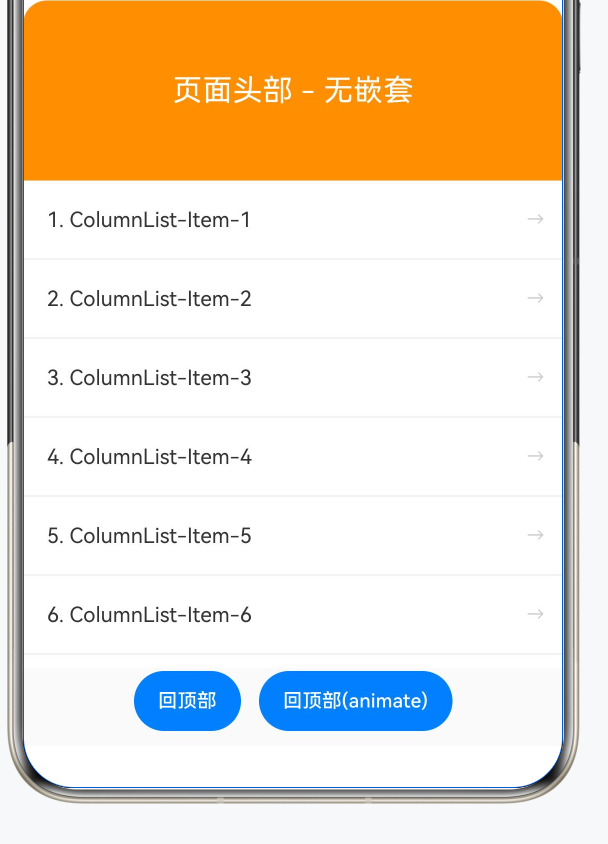
方案一: 避免嵌套:用 Column + List 替代 Scroll + List
//  回到顶部 UI
private parentScroller: Scroller = new Scroller();
private listScroller: Scroller = new Scroller();

@State mode: number = 1;
@State log: string = '';

private listCurrentOffset: number = 0;


 // 底部按钮
     Row({ space: 12 }) {
       Button('回顶部')
         .fontSize(13)
         .onClick(() => {
           this.listScroller.scrollToIndex(0, true);
           this.log = this.formatLog('调用 scrollToIndex(0)');
         })
       Button('回顶部(animate)')
         .fontSize(13)
         .onClick(() => {
           this.listScroller.scrollToIndex(0, true, ScrollAlign.START);
           this.log = this.formatLog('调用 scrollToIndex(0, animate)');
         })
     }
     .width('100%')
     .height(52)
     .justifyContent(FlexAlign.Center)
     .padding({ bottom: 8 })
     .backgroundColor('#FAFAFA')


@Builder
 buildColumnListDemo() {
   Column() {
     Text('页面头部 - 无嵌套')
       .width('100%')
       .height(120)
       .fontSize(20)
       .fontColor(Color.White)
       .textAlign(TextAlign.Center)
       .backgroundColor('#FF9500')
       .borderRadius(this.buildRadius(16, 16, 0, 0))

     List({ scroller: this.listScroller }) {
       ForEach(this.generateData('ColumnList'), (item: string, index: number) => {
         ListItem() {
           this.itemBuilder(item, index)
         }
       }, (item: string, index: number): string => index.toString())

       ListItem() {
         Text('页面底部')
           .width('100%')
           .height(80)
           .fontSize(16)
           .fontColor('#666')
           .textAlign(TextAlign.Center)
           .backgroundColor('#F0F0F0')
       }
     }
     .layoutWeight(1)
     .width('100%')
     .divider({ strokeWidth: 0.5, color: '#E0E0E0' } as DividerStyle)
   }
   .width('100%')
   .height('100%')
 }

 // ============ 公共构建器 ============
 @Builder
 itemBuilder(item: string, index: number) {
   Row() {
     Text(`${index + 1}. ${item}`)
       .fontSize(14)
       .fontColor('#333')
       .padding({ left: 16 })
     Blank()
     Text('→')
       .fontSize(12)
       .fontColor('#CCC')
       .padding({ right: 12 })
   }
   .width('100%')
   .height(52)
   .backgroundColor(Color.White)
   .onClick(() => {
     this.log = this.formatLog(`点击: ${index + 1}. ${item}`);
   })
 }

 // ============ 工具方法 ============

 /**  borderRadius 对象 */
 private buildRadius(tl: number, tr: number, bl: number, br: number): BorderRadiuses {
   const r: BorderRadiuses = {
     topLeft: tl,
     topRight: tr,
     bottomLeft: bl,
     bottomRight: br
   };
   return r;
 }

 /**  nestedScroll 配置 */
 private buildNestedScrollOptions(): NestedScrollOptions {
   const opts: NestedScrollOptions = {
     scrollForward: NestedScrollMode.SELF_FIRST,
     scrollBackward: NestedScrollMode.SELF_FIRST
   };
   return opts;
 }
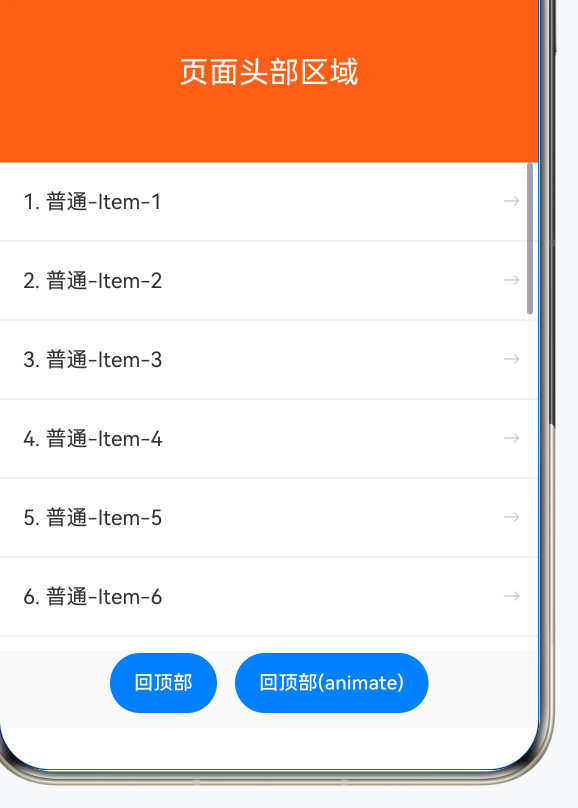
方案二: 嵌套:
@Builder
 buildProblemDemo() {
   Scroll(this.parentScroller) {
     Column() {
       Text('页面头部区域')
         .width('100%')
         .height(120)
         .fontSize(20)
         .fontColor(Color.White)
         .textAlign(TextAlign.Center)
         .backgroundColor('#FF6B35')
         .borderRadius(this.buildRadius(16, 16, 0, 0))

       List({ scroller: this.listScroller }) {
         ForEach(this.generateData('普通'), (item: string, index: number) => {
           ListItem() {
             this.itemBuilder(item, index)
           }
         }, (item: string, index: number): string => index.toString())
       }
       .width('100%')
       .height(400)
       .divider({ strokeWidth: 0.5, color: '#E0E0E0' } as DividerStyle)

       Text('页面底部区域')
         .width('100%')
         .height(80)
         .fontSize(16)
         .fontColor('#666')
         .textAlign(TextAlign.Center)
         .backgroundColor('#F0F0F0')
     }
   }
   .width('100%')
   .height('100%')
   .scrollBar(BarState.Off)
 }

Scroll 嵌套 List 时,“滚到最顶部没有反应”通常不是 controller 传递本身的问题,而是父子滚动容器的手势/边界消费关系没配置清楚。子 List 到顶后,手势是否继续交给父 Scroll,要看 nestedScroll、滚动方向和两个容器的可滚动区域。
建议排查:1. 子 List 和父 Scroll 不要都抢同一段高度,给 List 一个明确高度;2. 根据场景配置 nestedScroll,让子容器到边界后把滚动交给父容器;3. 如果只是要让父组件控制子 List 回顶,优先直接调用子 ListScroller 的 scrollToIndex/scrollTo,而不是让父 ScrollController 间接控制;4. 检查是否有 Refresh、Swiper、Tabs 等外层手势组件继续拦截;5. 简化成父 Scroll + 一个固定高度 List 的最小例子,先确认边界传递,再放回业务页面。


有问题的时候可以查询一下FQA是否有:https://developer.huawei.com/consumer/cn/doc/harmonyos-faqs/faqs-arkui-295


在HarmonyOS Next中,Scroll嵌套List时,父组件传递的控制器若无法响应顶部滚动,常见原因是事件冲突。需确认父Scroll的nestedScrollEnabled属性已设置为true,并确保子List的edgeEffect不拦截事件。同时,调用scrollTo时检查isSmooth参数及目标偏移量是否合法。

在 HarmonyOS Next 中,Scroll 的 Scroller 无法直接控制嵌套的 List 组件,因为 List 拥有独立的滚动体系。如果父组件传递给子组件的是 Scroll 的 Scroller,调用 scrollTo 等方法时 List 自然不会响应。
解决方法:在子组件内部创建 List 专用的 Scroller,并通过 listScroller 属性绑定到 List。父组件若需要触发滚动到顶部,应调用此 List Scroller 的 scrollToIndex(0) 或 scrollEdge(Edge.Top)。
// 子组件接收 ListScroller
@Component
struct ChildComp {
  scroller: Scroller = new Scroller()
  build() {
    List({ scroller: this.scroller }) { ... }
  }
  scrollToTop() {
    this.scroller.scrollToIndex(0)
  }
}
父组件通过引用子组件调用其方法即可。
