




HarmonyOS鸿蒙Next中事件透传设置了hitTestBehavior(HitTestMode.Transparent)单指滑动不了双指就可以滑动
HarmonyOS鸿蒙Next中事件透传设置了hitTestBehavior(HitTestMode.Transparent)单指滑动不了双指就可以滑动 上层元素设置了hitTestBehavior(HitTestMode.Transparent) 双指滑动下层地图就可以跟着滑动 单指就滑动不了
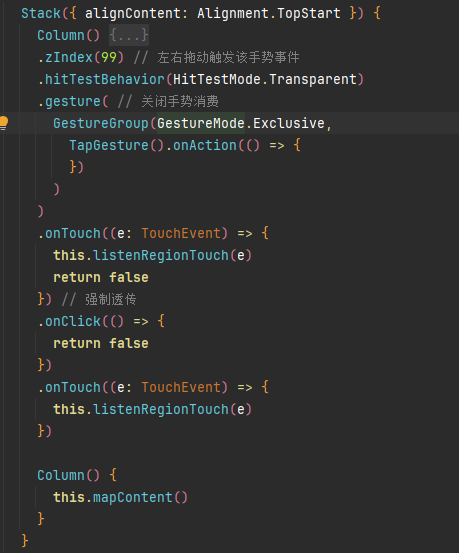
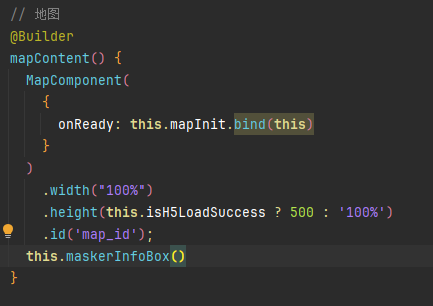
更多关于HarmonyOS鸿蒙Next中事件透传设置了hitTestBehavior(HitTestMode.Transparent)单指滑动不了双指就可以滑动的实战教程也可以访问 https://www.itying.com/category-93-b0.html

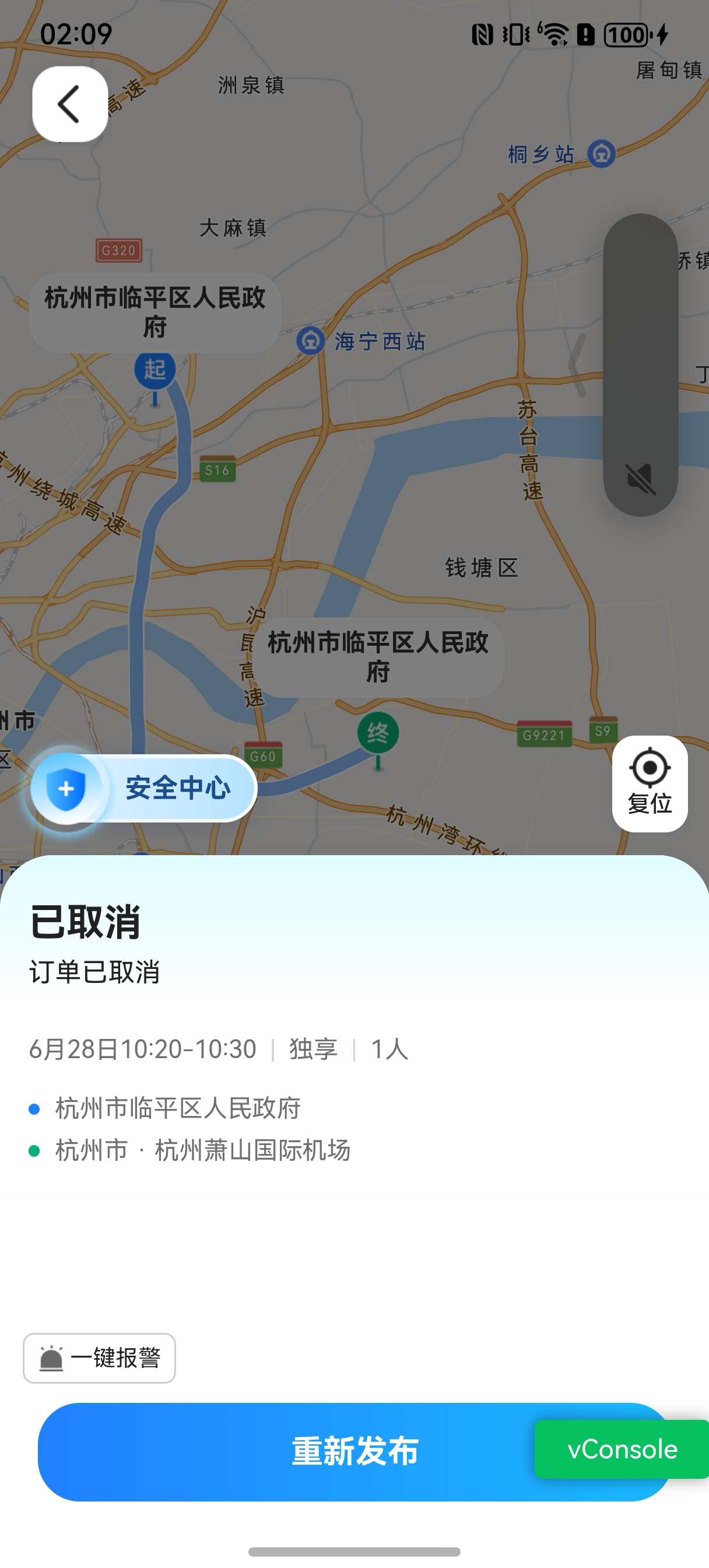
就是像这样 地图是原生的 内容是H5的 事件透传被web阻止掉了 但是双指地图就可以移动 单指就会被阻断
更多关于HarmonyOS鸿蒙Next中事件透传设置了hitTestBehavior(HitTestMode.Transparent)单指滑动不了双指就可以滑动的实战系列教程也可以访问 https://www.itying.com/category-93-b0.html

我试了一下 我可以,没懂你的意思
build() {
  Stack() {
    MapComponent({ mapOptions: this.mapOptions, mapCallback: this.callback })
      .width('100%')
      .height('100%')
    Column() {
      Button('openMapHomePage').onClick(async (event: ClickEvent) => {
        // polyline初始化参数
        let polylineOption: mapCommon.MapPolylineOptions = {
          points: [
            { longitude: 118.78, latitude: 31.975 },
            { longitude: 128.78, latitude: 31.982 },
            { longitude: 108.79, latitude: 45.985 }
          ],
          clickable: true,
          startCap: mapCommon.CapStyle.BUTT,
          endCap: mapCommon.CapStyle.BUTT,
          geodesic: false,
          jointType: mapCommon.JointType.BEVEL,
          visible: true,
          width: 10,
          zIndex: 10,
          gradient: false
        }
        // 创建polyline
        this.mapPolyline = await this.mapController?.addPolyline(polylineOption);
        this.mapPolyline?.setClickable(true)
        let params: navi.DrivingRouteParams = {
          // 起点的经纬度
          origins: [{
            "latitude": 31.975,
            "longitude": 118.78
          }],
          // 终点的经纬度
          destination: {
            "latitude": 31.982,
            "longitude": 118.78
          },
          language: "zh_CN"
        };
        const result = await navi.getDrivingRoutes(params);
        console.info("Succeeded in getting driving routes.");
      })
    }
  }
  .width('100%')
  .height('100%')
  .alignContent(Alignment.Bottom)
  .hitTestBehavior(HitTestMode.Transparent)
  .gesture(
    GestureGroup(GestureMode.Exclusive,
      TapGesture.onAction((event) => {

      })
    )
  )
  .onTouch((event) => {
    return false
  })
  .onClick((event) => {
    return false
  })
  .onTouch((event) => {

  })
}
问题出在 hitTestBehavior(Transparent) 使组件自身不拦截事件,但单指滑动事件可能未被下层组件正确消费(例如下层仅支持多点触控手势)。双指滑动触发了多点手势,故生效。检查下层组件是否未实现单指拖拽手势处理。

单指滑动无效但双指可滑动,通常是因为触摸事件在序列中被上层父容器(如 Scroll、List、Swipe)消费了。HitTestMode.Transparent 只让当前组件透传,但若其父容器参与触摸测试,仍会拦截后续的 move 事件,导致地图只收到 down 而丢失后续滑动事件。双指操作时,系统识别为多指手势(如缩放),走不同的事件通道,所以地图仍能响应。
解决方案:需要将整个事件路径上可能拦截滑动的组件都设为透传。
// 上层遮挡层
Column()
  .hitTestBehavior(HitTestMode.Transparent)
  // 如果其父容器也有滚动属性,需同样设置 .hitTestBehavior(HitTestMode.Transparent)
  .width('100%')
  .height('100%')
若仍不生效,检查该遮挡层是否绑定了 panGesture 等手势,移除或配置 parallelGesture 让地图也能响应。确保地图组件获得完整的触摸序列即可。
