




HarmonyOS鸿蒙Next中相机预览流保存本地图片多分身问题
HarmonyOS鸿蒙Next中相机预览流保存本地图片多分身问题
一、问题描述
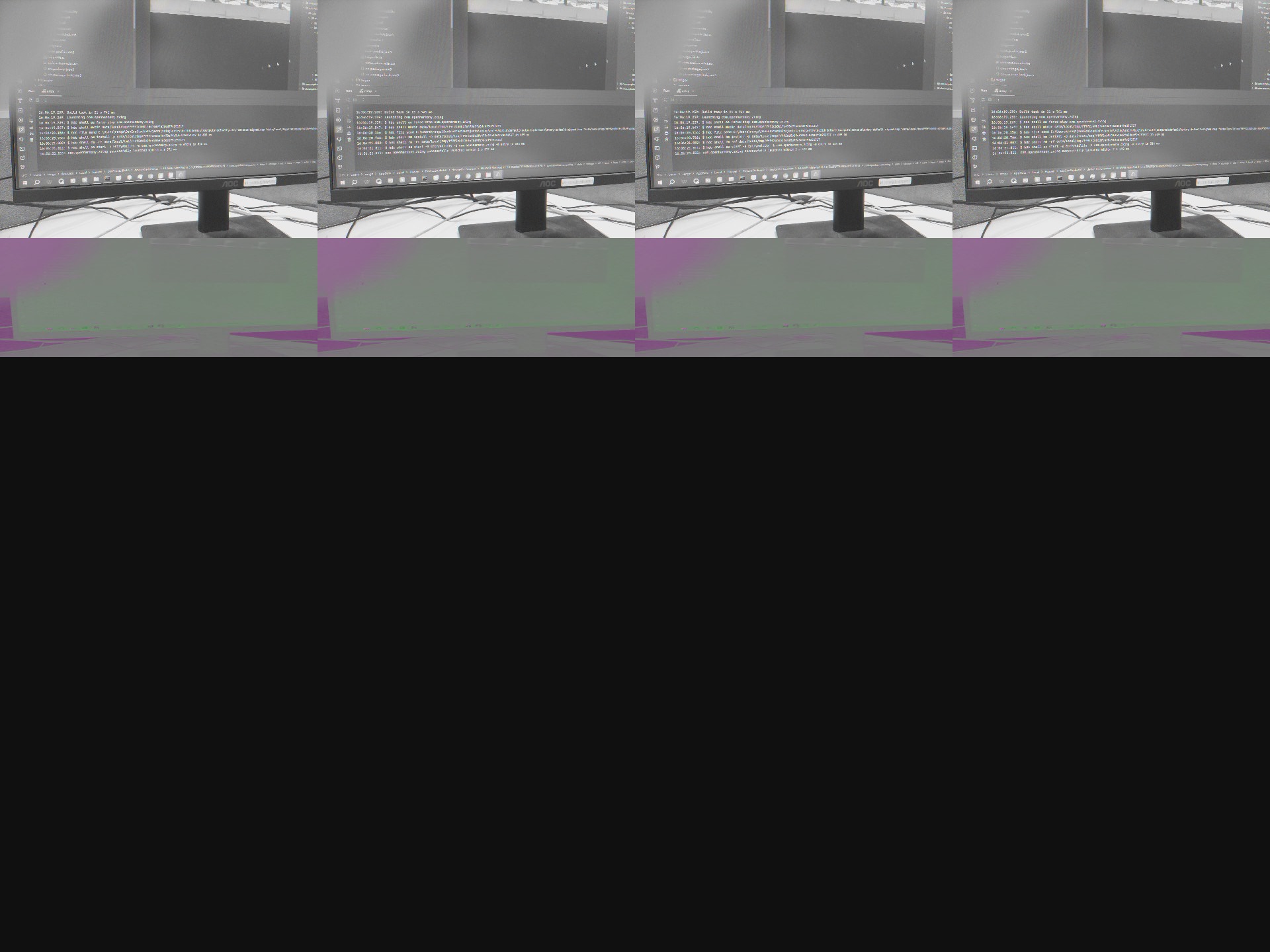
使用相机双路预览开发时,对第二路预览流,也就是receiver接受的那路流进行接受本地编码保存为图片时,出现了保存图片多分身的问题,如下:
二、核心代码
核心代码如下:
// 扫码解析
async initPreviewFrame() {
    let mReceiver = image.createImageReceiver(
      (this.previewProfile as camera.Profile).size.width,
      (this.previewProfile as camera.Profile).size.height,
      image.ImageFormat.JPEG,
      8
    );
    let mSurfaceId = await mReceiver.getReceivingSurfaceId();
    this.cameraOutput = (this.cameraManager as camera.CameraManager).createPreviewOutput(this.previewProfile as camera.Profile, mSurfaceId);
    (this.captureSession as camera.CaptureSession).addOutput(this.cameraOutput as camera.CameraOutput);
    // 相机扫描
    this.isRun = true
    mReceiver.on('imageArrival', async () => {
      let imageData = await mReceiver.readNextImage();
      let imageComponent = await imageData.getComponent(4);
      let imageBuffer = imageComponent.byteBuffer;
      this.cameraLifecycleProxy.onCaptureSuccess(this.curMode, imageBuffer);
      // todo hj decode
      if (this.isRun) {
        console.info("format:",imageData.format.toString())
        await this.saveImage(imageData,imageComponent)
        this.isRun = false
        let result = await this.decode(imageData, imageComponent)
        let decodeResult: string = ""
        if (result != undefined) {
          decodeResult = result as string
          MyStorage.instance().qrCodeParseResult = decodeResult
        }
      }
      await imageData.release();
    })
  }

  private async saveImage(imageData: image.Image, component: image.Component) {

    let file: fs.File | undefined = undefined;
    let pixelMap: image.PixelMap | undefined = undefined;

    try {
      const width = imageData.size.width;
      const height = imageData.size.height;

      console.info("image size",width+":"+height)

      // 使用精准到纳秒的标识符,或加一个随机数防止文件名重复
      let context = getContext(this) as common.UIAbilityContext;
      let timestamp = Date.now() + "_" + Math.floor(Math.random() * 1000);
      let path = context.filesDir + `/shot_${timestamp}.jpg`;

      // 创建 PixelMap
      let opts: image.InitializationOptions = {
        editable: true,
        pixelFormat: image.PixelMapFormat.NV21,
        size: { height: height, width: width }
      };
      pixelMap = await image.createPixelMap(component.byteBuffer, opts);

      // 打包图片
      const imagePackerApi = image.createImagePacker();
      let packOptions: image.PackingOption = { format: 'image/jpeg', quality: 90 };
      let arrayBuffer = await imagePackerApi.packing(pixelMap, packOptions);

      // 安全写入:使用同步或带 Try-Catch 的异步
      file = fs.openSync(path, fs.OpenMode.READ_WRITE | fs.OpenMode.CREATE);
      await fs.write(file.fd, arrayBuffer); // 建议使用 await fs.write 异步写入

      console.info("camera", `成功保存独立文件: ${path}`);

    } catch (err) {
      console.error("camera", "保存图片失败: " + JSON.stringify(err));
    } finally {
      // 释放资源
      if (file) {
        fs.closeSync(file.fd);
      }
      if (pixelMap) {
        await pixelMap.release();
      }
    }
  }
更多关于HarmonyOS鸿蒙Next中相机预览流保存本地图片多分身问题的实战教程也可以访问 https://www.itying.com/category-93-b0.html

好吧,忘记处理这个了,已解决
更多关于HarmonyOS鸿蒙Next中相机预览流保存本地图片多分身问题的实战系列教程也可以访问 https://www.itying.com/category-93-b0.html

HarmonyOS Next 中相机预览流保存本地图片出现“分身”(多张重复图片)通常是因为预览帧回调被多次触发,或未正确管理 ImageReceiver 的 buffer 释放。常见原因:imageReceiver.on 监听未及时移除、多次调用 readNextImage 或 saveImage、或同时使用多个接收实例。确认回调中仅执行一次保存操作,并在保存后释放 buffer,可避免重复生成。

问题出在两个地方:
-
PixelMap 创建参数错误
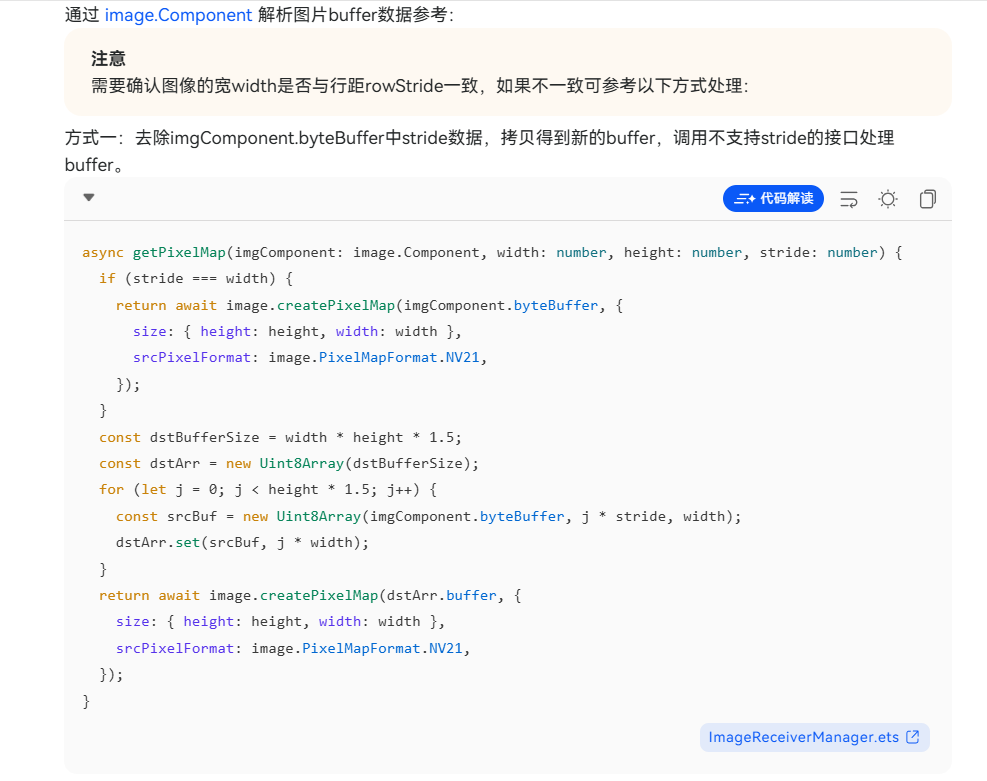
你通过image.createPixelMap(component.byteBuffer, opts)将 JPEG 码流按 NV21 格式解码,会导致图像数据解析错乱,出现“分裂/多分身”现象。ImageReceiver已配置为ImageFormat.JPEG,component.byteBuffer就是完整的 JPEG 字节流,无需再次解码和重新打包。 -
并发保存控制不力
isRun标记在await this.saveImage(...)之后才置false,而imageArrival回调可能并发触发。第一个回调进入saveImage未结束时,第二个回调可能仍读到isRun == true,导致保存多份。
修复方案(直接保存 JPEG 流,无需重编码)
修改 saveImage,直接写入 component.byteBuffer:
private async saveImage(imageData: image.Image, component: image.Component) {
  let file: fs.File | undefined = undefined;
  try {
    let context = getContext(this) as common.UIAbilityContext;
    let timestamp = Date.now() + "_" + Math.floor(Math.random() * 1000);
    let path = context.filesDir + `/shot_${timestamp}.jpg`;

    // 直接写入 JPEG 字节流
    file = fs.openSync(path, fs.OpenMode.READ_WRITE | fs.OpenMode.CREATE);
    await fs.write(file.fd, component.byteBuffer);
    console.info("camera", `成功保存: ${path}`);
  } catch (err) {
    console.error("camera", "保存失败: " + JSON.stringify(err));
  } finally {
    if (file) {
      fs.closeSync(file.fd);
    }
  }
}
如需增强并发控制,建议在回调最前面加锁,例如使用一个 Promise 锁或直接使用原子标记(如 this.isSaving)并在操作前后置位,避免重复执行。
