




HarmonyOS鸿蒙Next中Android10使用设备管理器禁用相机报错:...… is not a device owner or profile owner, so may not use policy: disable-camera
HarmonyOS鸿蒙Next中Android10使用设备管理器禁用相机报错:…… is not a device owner or profile owner, so may not use policy: disable-camera
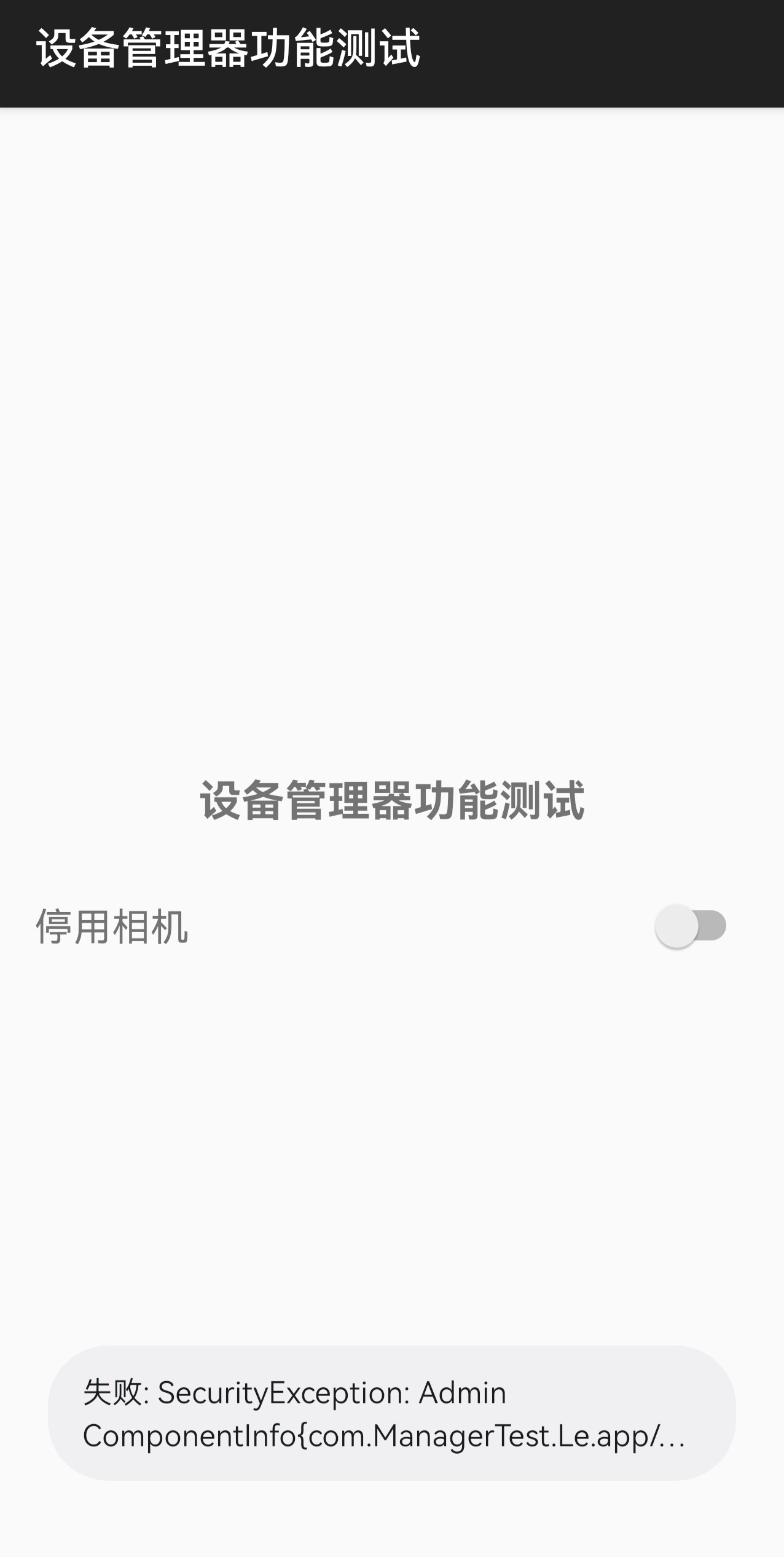
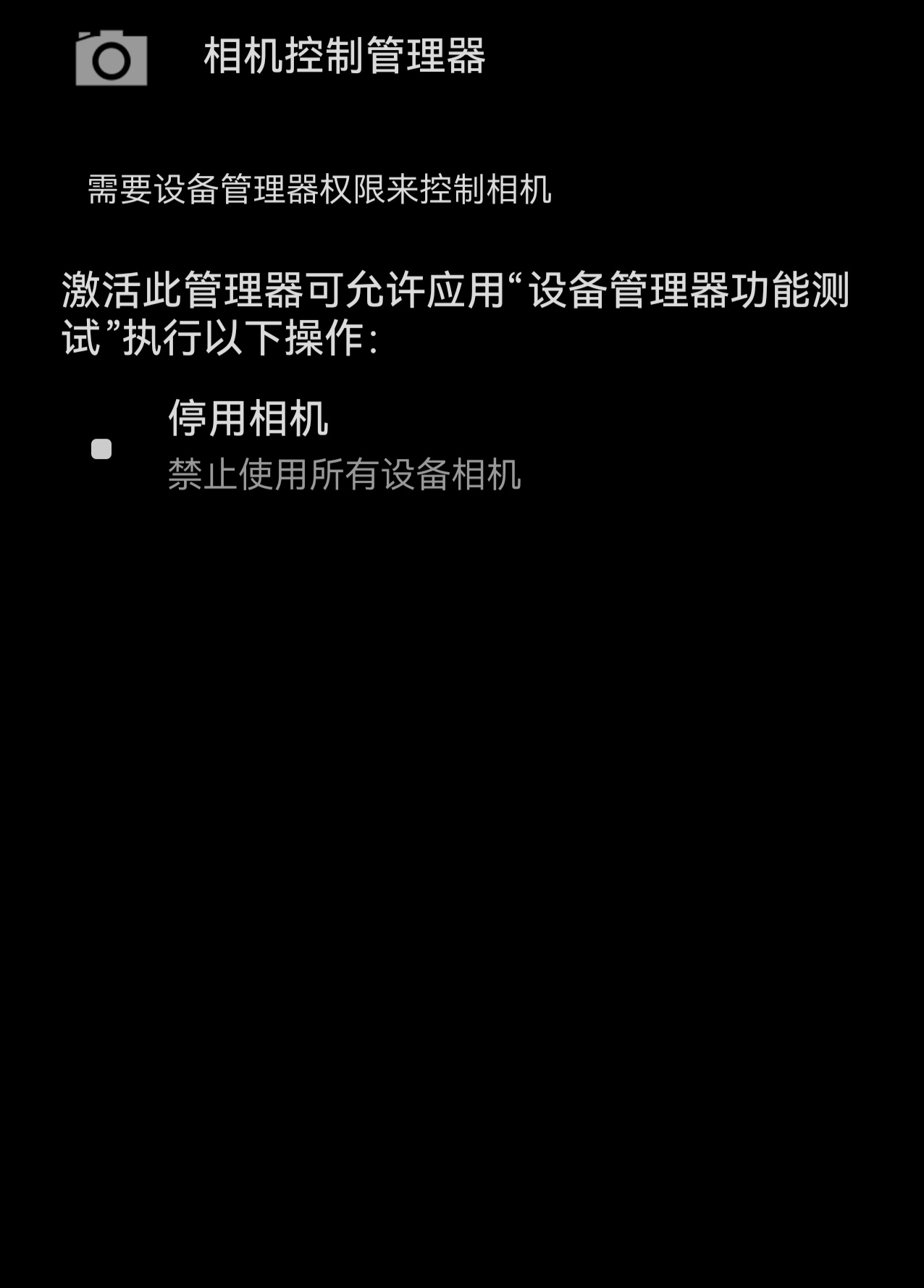
我安卓应用测试用的设备是华为 P30,系统鸿蒙 4.0(底层 Android 10),应用包名 com.ManagerTest.Le.app。问题现象:应用已经成功激活了传统设备管理器,但调用 setCameraDisabled 就直接报错,没法用。报错信息是:失败:SecurityException: Admin componentInfo{com.ManagerTest.Le.app/ com.ManagerTest.Le.app.MyDeviceAdm inReceiver} is not a device owner or profile owner, so may not use policy:
disable-camera
已经尝试过的方案:把 targetSdkVersion 降到 28、反复取消并重新激活设备管理器权限、重启手机、退出华为账号,这些全都试了,还是不行。
我的目的是希望在 Android 10 及以上版本中通过应用开关禁用所有设备相机,有没有哪位大佬指点一下?谢谢🙏🙏🙏
更多关于HarmonyOS鸿蒙Next中Android10使用设备管理器禁用相机报错:...… is not a device owner or profile owner, so may not use policy: disable-camera的实战教程也可以访问 https://www.itying.com/category-93-b0.html

你好,目前Android 10 Device Admin不支持相机管理的功能,
-
禁用相机、禁用 USB、禁止安装静默、安装应用白名单等属于Device Owner
-
建议可以尝试通过ADB激活
adb shell dpm set-device-owner \
com.ManagerTest.Le.app/.MyDeviceAdminReceiver
更多关于HarmonyOS鸿蒙Next中Android10使用设备管理器禁用相机报错:...… is not a device owner or profile owner, so may not use policy: disable-camera的实战系列教程也可以访问 https://www.itying.com/category-93-b0.html


在 Android 10+ 设备上禁用相机,使用传统的设备管理器 (Device Admin) 确实会失效。核心原因是从 Android 10 起,Google 收紧了安全策略,禁用相机这类高敏感操作,必须由权限更高的设备所有者 (Device Owner) 或配置文件所有者 (Profile Owner) 来执行。


这是 Android 10(含 HarmonyOS 4.0 Android 底座)之后的系统限制,不是你代码问题。
你现在虽然“激活了设备管理器(Device Admin)”,但:
setCameraDisabled()这个能力- 从 Android 10 开始
- 只能给:
- Device Owner(设备所有者)
- 或 Profile Owner(工作配置文件所有者)
普通激活的 DeviceAdmin 已经不能用了。
所以系统直接报:
is not a device owner or profile owner
意思就是:
“你的 App 虽然是设备管理器,但不是设备所有者,没有资格禁用相机。”
你现在的情况本质上是:
| 能力 | 普通 DeviceAdmin | Device Owner |
|---|---|---|
| 锁屏 | 支持 | 支持 |
| 清除密码 | 支持 | 支持 |
| 禁用相机 | ❌ Android10+ 不支持 | ✅ 支持 |
| 禁用应用 | ❌ | ✅ |
| 企业管控 | ❌ | ✅ |
为什么 Android 10 后不让用了?
Google 从 Android 10 开始:
- 弱化 DeviceAdmin
- 强推 Android Enterprise
- 很多系统级策略只能企业设备管理(MDM)才能做
所以:
devicePolicyManager.setCameraDisabled(...)
已经变成:
仅 DeviceOwner 可调用
你的解决方案
目前只有 3 条路:
方案1(推荐):把 App 设置成 Device Owner
这是唯一真正正确方案。
通过 adb 激活:
adb shell dpm set-device-owner \
com.ManagerTest.Le.app/.MyDeviceAdminReceiver
成功后:
setCameraDisabled()
就能用了。
注意
这个命令有严格要求:
设备必须:
- 恢复出厂
- 首次激活
- 不能登录账号
- 不能已有其他 Device Owner
否则会失败。
华为/HarmonyOS 4 也一样
虽然界面是 HarmonyOS:
- 但底层还是 Android 10
- 仍然遵循 Android Enterprise 策略
所以限制完全一致。
方案2:企业MDM方案(商业正式方案)
如果你做的是:
- 企业设备管理
- 教育平板
- 专用终端
- 行业设备
那应该走:
- 华为企业管理方案
- MDM
- Device Owner
这是官方标准路线。
方案3:Root(不推荐)
Root 后:
- 可以直接修改系统服务
- 可以 Hook Camera Service
但:
- 商业不可用
- 鸿蒙设备基本难 Root
- 上架不了
不建议。
你之前尝试为什么没用?
这些都不会解决:
- targetSdkVersion 降级
- 重新激活 DeviceAdmin
- 重启
- 退出华为账号
因为:
问题不是权限没开。
而是:
你不是 Device Owner。
如何验证自己是不是 Device Owner
执行:
adb shell dpm list owners
如果看到:
Device Owner:
com.ManagerTest.Le.app
才算成功。
额外补充(重点)
很多人误以为:
“设备管理器激活成功 = 拥有系统管理能力”
实际上 Android 10 后:
DeviceAdmin 只剩:
- 锁屏
- 密码策略
- 擦除数据
这种基础能力。
而:
- 禁用相机
- 禁用 USB
- 禁止安装
- 静默安装
- 应用白名单
这些已经全部归:
Device Owner / 企业管理
了。
结论
你当前的问题不是 HarmonyOS Bug,也不是代码问题,而是 Android10+ 的系统策略限制。
要实现:
应用开关控制系统相机
必须:
让 App 成为 Device Owner
普通 DeviceAdmin 已经不够了。

报错原因:disable-camera 策略需要设备所有者(Device Owner)或配置文件所有者(Profile Owner)权限。在 HarmonyOS Next 中,普通设备管理器应用无法调用该策略。需通过企业级 MDM 方案或设备所有者激活方式授予权限,且 HarmonyOS 可能对相机管理有额外系统限制。
传统设备管理器权限在 Android 10+ 不再支持 setCameraDisabled,必须将应用设为 设备所有者 或 配置文件所有者 才能使用该策略。只需通过 adb 将你的应用设为设备所有者:
adb shell dpm set-device-owner com.ManagerTest.Le.app/.MyDeviceAdminReceiver
注意:执行前手机必须移除所有账户(包括 Google 账号等),否则会失败;必要时需先恢复出厂设置。设置成功后,setCameraDisabled(true) 即可正常禁用系统相机。若设备不允许重置,可改用配置文件所有者方案(managed profile),但相机禁用范围仅限工作资料。
