




HarmonyOS鸿蒙Next中同样是的音频播放,在手表上播放异常,语速特别快。
HarmonyOS鸿蒙Next中同样是的音频播放,在手表上播放异常,语速特别快。 【问题描述】: 音频播放,在手机上有问题。0,1,2 播放速率 没有变化
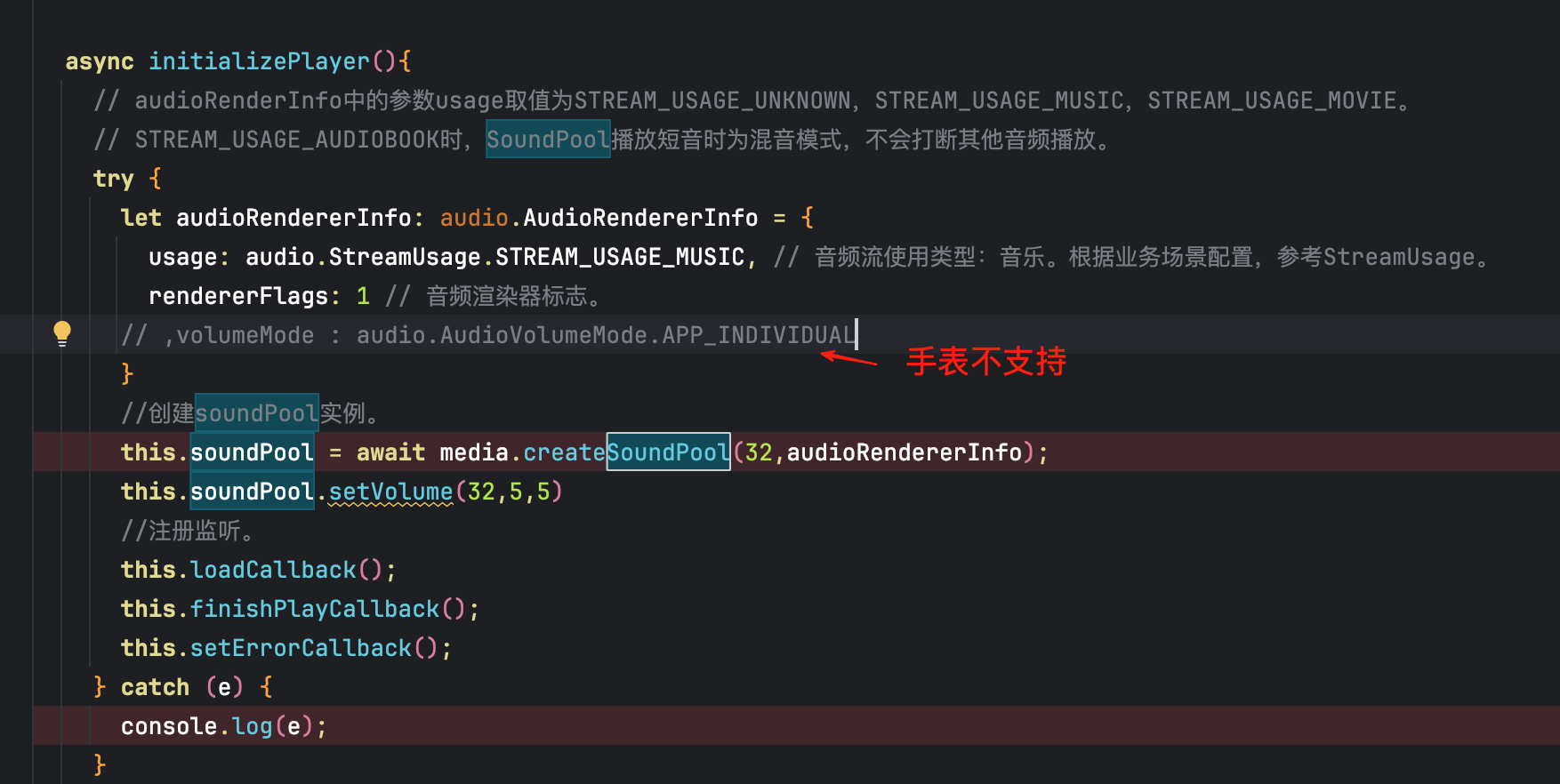
let playParameters: media.PlayParameters = {
      loop: 0,
      rate: 2,
      leftVolume: 0.5,
      rightVolume: 0.5,
      priority: 1000, // 最低优先级。
    };
这里的rate 在手机端 没有效果。倍数一样的?
【问题现象】:无
【版本信息】:DevEco Studio 5.1.1 Release; API 用的18
更多关于HarmonyOS鸿蒙Next中同样是的音频播放,在手表上播放异常,语速特别快。的实战教程也可以访问 https://www.itying.com/category-93-b0.html

开发者您好,通过如下代码并未复现您的问题,示例代码如下:
import { media } from '@kit.MediaKit';
import { audio } from '@kit.AudioKit';
import { BusinessError } from '@kit.BasicServicesKit';


@Entry
@Component
struct Index {
  @State message: string = 'Hello World';
  private soundPool: media.SoundPool | undefined = undefined;
  private soundId: number = 0;
  private streamId: number = 0;

  async aboutToAppear(): Promise<void> {
    this.create();
  }

  async aboutToDisappear() {
    this.release();
  }

  build() {
    RelativeContainer() {
      Row() {
        Button($r('app.string.app_name'))
          .width(100)
          .height(100)
          .onClick(() => {
            this.PlaySoundPool()
          })
          .id('playSoundPoolButton')
          .type(ButtonType.Circle)
      }.alignRules({
        center: { anchor: '__container__', align: VerticalAlign.Center },
        middle: { anchor: '__container__', align: HorizontalAlign.Center }
      })
    }
    .height('100%')
    .width('100%')
  }

  async create() {
    try {
      // audioRenderInfo中的参数usage取值为STREAM_USAGE_UNKNOWN,STREAM_USAGE_MUSIC,STREAM_USAGE_MOVIE。
      // STREAM_USAGE_AUDIOBOOK时,SoundPool播放短音时为混音模式,不会打断其他音频播放。
      let audioRendererInfo: audio.AudioRendererInfo = {
        usage: audio.StreamUsage.STREAM_USAGE_MUSIC, // 音频流使用类型:音乐。根据业务场景配置,参考StreamUsage。
        rendererFlags: 1 // 音频渲染器标志。
      }
      //创建soundPool实例。
      this.soundPool = await media.createSoundPool(14,audioRendererInfo);
      //注册监听。
      this.loadCallback();
      this.finishPlayCallback();
      this.setErrorCallback();

      // 加载音频资源。
      let context = this.getUIContext().getHostContext();;
      // let fileDescriptor = await context!.resourceManager.getRawFd('test.ogg');
      let fileDescriptor = await context!.resourceManager.getRawFd('1.mp3');
      this.soundId = await this.soundPool!.load(fileDescriptor.fd, fileDescriptor.offset, fileDescriptor.length);
      console.info(`load soundPool soundId: ${this.soundId}`)
    } catch (e) {
      console.error('createSoundPool error: ' + e);
    }
  }

  async loadCallback() {
    // 加载完成回调。
    this.soundPool!.on('loadComplete', (soundId_: number) => {
      this.soundId = soundId_;
      console.info('loadComplete soundId: ' + soundId_);
    })
  }

  //设置播放完成监听。
  async finishPlayCallback() {
    this.soundPool!.on('playFinished', () => {
      console.info('receive play finished message');
      // 可进行下次播放。
    })
  }
  //设置错误类型监听。
  async setErrorCallback() {
    this.soundPool!.on('error', (error: BusinessError) => {
      console.error('error happened,message is :' + error.code);
      console.error('error happened,message is :' + error.message);
    })
  }

  async PlaySoundPool() {
    let playParameters: media.PlayParameters = {
      loop: 1, // 循环1次,即播放2次。
      rate: 2, // 0.5倍速。
      leftVolume: 0.5, // 取值范围0.0-1.0。
      rightVolume: 0.5, // 取值范围0.0-1.0。
      priority: 0, // 最低优先级。
    };
    // 开始播放,这边play也可带播放播放的参数PlayParameters,请在音频资源加载完毕,即收到loadComplete回调之后再执行play操作。
    this.soundPool!.play(this.soundId, playParameters, (error, streamID: number) => {
      if (error) {
        console.error(`play sound Error: errCode is ${error.code}, errMessage is ${error.message}`)
      } else {
        this.streamId = streamID;
        console.info('play success soundid:' + this.streamId);
      }
    });
    // 设置循环播放次数。
    await this.soundPool!.setLoop(this.streamId, 2); // 播放3次。
    // 设置对应流的优先级。
    await this.soundPool!.setPriority(this.streamId, 1);
    // 设置音量。
    await this.soundPool!.setVolume(this.streamId, 0.5, 0.5);
  }

  async release() {
    // 终止指定流的播放。
    await this.soundPool!.stop(this.streamId);
    // 卸载音频资源。
    await this.soundPool!.unload(this.soundId);
    //关闭监听。
    this.setOffCallback();
    // 释放SoundPool。
    await this.soundPool!.release();
  }


  async setOffCallback() {
    this.soundPool!.off('loadComplete');
    this.soundPool!.off('playFinished');
    this.soundPool!.off('error');
  }
}
如果还是不能解决您的问题,麻烦您这边提供下能复现问题的完整demo吧。
更多关于HarmonyOS鸿蒙Next中同样是的音频播放,在手表上播放异常,语速特别快。的实战系列教程也可以访问 https://www.itying.com/category-93-b0.html

在HarmonyOS鸿蒙Next中,手表音频播放语速异常快,通常与音频采样率、声道配置或系统时钟同步问题有关。请检查音频文件的编码参数是否与手表硬件支持的格式匹配,并确认播放器设置是否正确。

根据您提供的代码片段和描述,这是一个在HarmonyOS Next中,音频播放速率(rate)属性在手机端设置无效,而在手表端播放异常(语速过快)的问题。
问题分析:
-
手机端
rate设置无效:您代码中PlayParameters的rate属性设置为2,期望以2倍速播放。但在手机端未生效。这通常与音频格式和底层播放引擎的支持情况直接相关。- 关键点:
media.Player的变速播放功能并非支持所有音频格式。常见的MP3、AAC等格式的变速支持依赖于系统底层编解码器的能力。如果当前音频格式或编码参数不被变速功能支持,rate参数会被忽略,回落到正常速度播放。 - 建议排查:请确认您播放的音频文件的具体格式和编码。可以尝试更换一个已知支持变速的音频文件(例如系统提供的样例音频)进行测试。
- 关键点:
-
手表端语速过快:这与手机端问题可能同源,但表现相反。一种可能是:
- 手表设备对某些音频格式的变速处理逻辑存在差异,导致
rate参数虽然生效,但产生了非预期的倍速效果(例如,实际速率远高于设置值)。 - 也可能是手表硬件或系统音频处理管道与手机不同,对相同音频流的解码和渲染时序处理异常,造成了“语速特别快”的感知。
- 手表设备对某些音频格式的变速处理逻辑存在差异,导致
排查与解决步骤:
- 确认音频格式:这是首要步骤。检查您使用的音频文件格式(如采样率、比特率、编码格式)。优先使用HarmonyOS音频开发指南中推荐的格式进行测试。
- 查阅API支持说明:在HarmonyOS官方文档中,仔细查阅
media.Player及PlayParameters中关于rate属性的详细说明,确认其对音频格式、取值范围、设备支持的描述。 - 简化测试:
- 创建一个最小化测试工程,仅包含音频播放和速率设置功能。
- 分别使用手机和手表模拟器/真机运行。
- 尝试不同的
rate值(如0.5、1.0、1.5、2.0),观察现象。 - 更换2-3种不同格式的音频文件(如.wav, .mp3 with CBR, .aac)进行对比测试。
- 检查日志:在DevEco Studio中运行应用,并过滤查看
Player相关的日志输出,可能会包含关于速率设置是否生效、格式不支持等警告或错误信息。
总结: 当前现象的核心怀疑点是音频格式与变速播放功能的兼容性问题。请首先聚焦于音频文件本身,并通过标准格式的音频文件进行对比测试,以定位问题是出在特定文件、特定格式还是特定设备上。
