




HarmonyOS鸿蒙Next中animation属性动画显示效果错乱
HarmonyOS鸿蒙Next中animation属性动画显示效果错乱 对一个圆形的Column,通过点击启动animation动画,将圆形Column变小,同时背景颜色从绿色变换为蓝色,
启动后显示没有达到预期效果,再次点击几下显示错乱。如下:
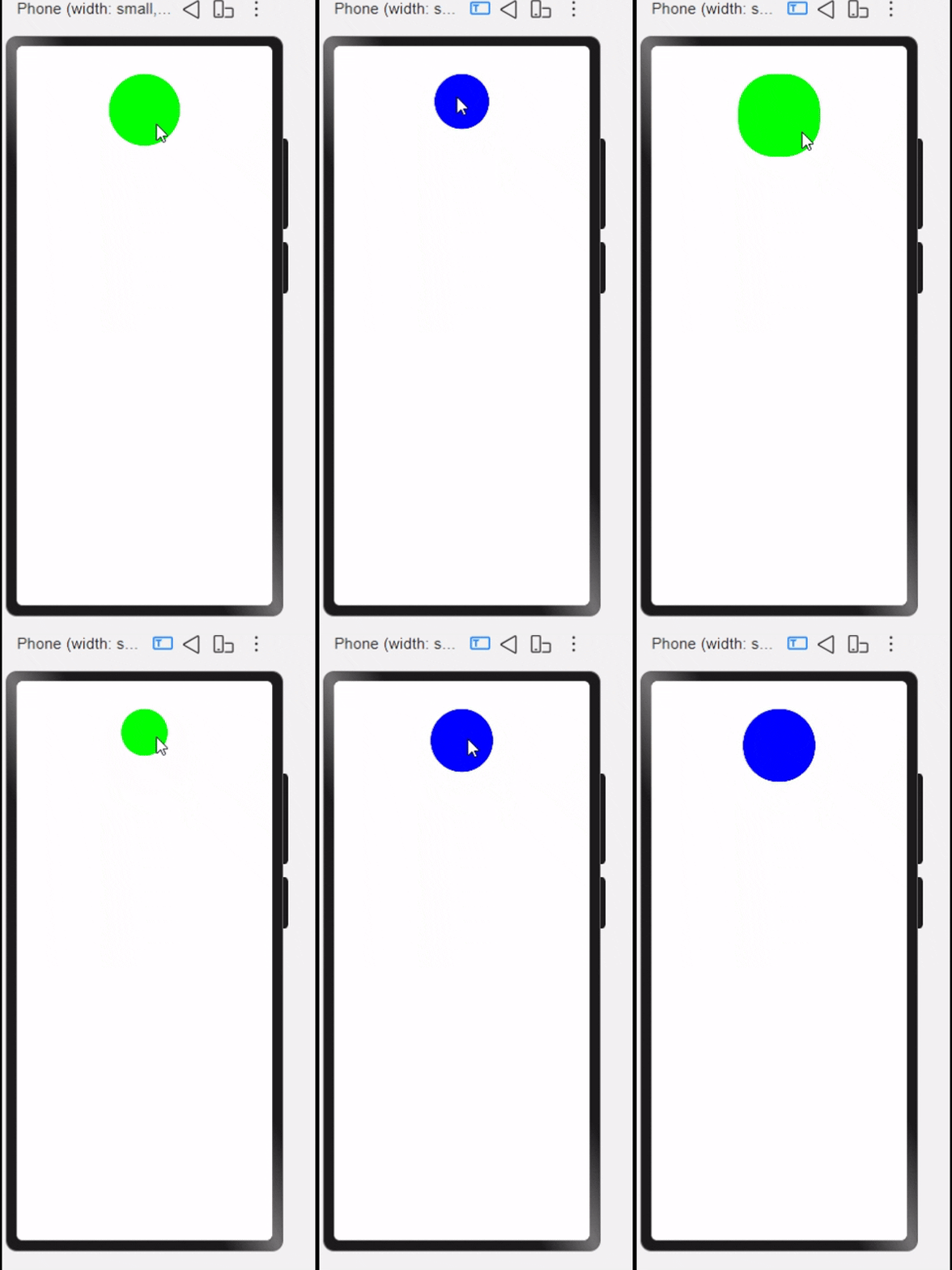
源码如下:
@Entry
@Component
struct AnimationPage {
  @State myWidth:number=100
  @State myHeight:number=100
  @State flag:boolean=true
  @State myColor:string='#00ff00'

  build() {
    Column() {
      Column(){
        //Text("Animation动画演示")
      }
      .width(this.myWidth)
      .height(this.myHeight)
      .alignItems(HorizontalAlign.Center)
      .justifyContent(FlexAlign.Center)
      .border({radius:50})
      .animation({
        duration:1000,
        curve:Curve.Linear,
        iterations:-1,
        delay:0,
        playMode:PlayMode.Normal
      })
      .backgroundColor(this.myColor)
      .onClick(()=>{
        if (this.flag){
          this.myWidth=50
          this.myHeight=50
          this.myColor='#0000ff'
        }else{
          this.myWidth=100
          this.myHeight=100
          this.myColor='#00ff00'
        }
        this.flag=!this.flag
      })
    }
    .height('100%')
    .width('100%')
  }
}
开发环境:DevEco Studio 6.0.0 Release
构建版本:6.0.0.858, built on September 24, 2025
Windows 11.0
更多关于HarmonyOS鸿蒙Next中animation属性动画显示效果错乱的实战教程也可以访问 https://www.itying.com/category-93-b0.html

这个是因为动画还没执行结束,通过点击的形式又新增一个动画,如此反复,导致在最新动画开始执行的时候没有对前一次动画的销毁,以此造成错乱;
可以通过添加节流的形式防止重复点击:动画还没结束的时候触发新一次的动画效果;
以下是关键代码实现:
private isAnimateEnd = true; //动画是否执行结束

//...
Column(){

}
.onClick(()=>{
  if(this.isAnimateEnd){
    //动画执行结束时才开始执行新一轮的动画
     if (this.flag){
        this.myWidth=50
        this.myHeight=50
        this.myColor='#0000ff'
     }else{
        this.myWidth=100
        this.myHeight=100
        this.myColor='#00ff00'
     }
     this.flag=!this.flag
     this.isAnimateEnd = false
  }
})
.animation({
  duration:1000,
  curve:Curve.Linear,
  iterations:-1,
  delay:0,
  playMode:PlayMode.Normal,
  onFinish:()=>{
     this.isAnimateEnd = true
  }
})
更多关于HarmonyOS鸿蒙Next中animation属性动画显示效果错乱的实战系列教程也可以访问 https://www.itying.com/category-93-b0.html

代码中设置 iterations: -1(无限循环播放)会持续触发动画,与点击事件中的状态变更产生叠加效应,导致动画状态无法正确重置。
移除 iterations: -1 避免无限循环
@Entry
@Component
struct AnimationPage {
  @State myWidth: number = 100
  @State myHeight: number = 100
  @State flag: boolean = true
  @State myColor: string = '#00ff00'

  build() {
    Column() {
      Column() {
        // 内容区域
      }
      .width(this.myWidth)
      .height(this.myHeight)
      .backgroundColor(this.myColor)
      .animation({
        duration: 1000,
        curve: Curve.EaseOut,
        playMode: PlayMode.Normal,
        onFinish: () => {
          // 可选:动画完成回调
        }
      })
      .border({ radius: 50 })
      .onClick(() => {
        if (this.flag) {
          this.myWidth = 50
          this.myHeight = 50
          this.myColor = '#0000ff' // 颜色变化需配合animateTo
        } else {
          this.myWidth = 100
          this.myHeight = 100
          this.myColor = '#00ff00'
        }
        this.flag = !this.flag
      })
    }
    .width('100%')
    .height('100%')
  }
}

小伙伴你好改造后是否满足期望:
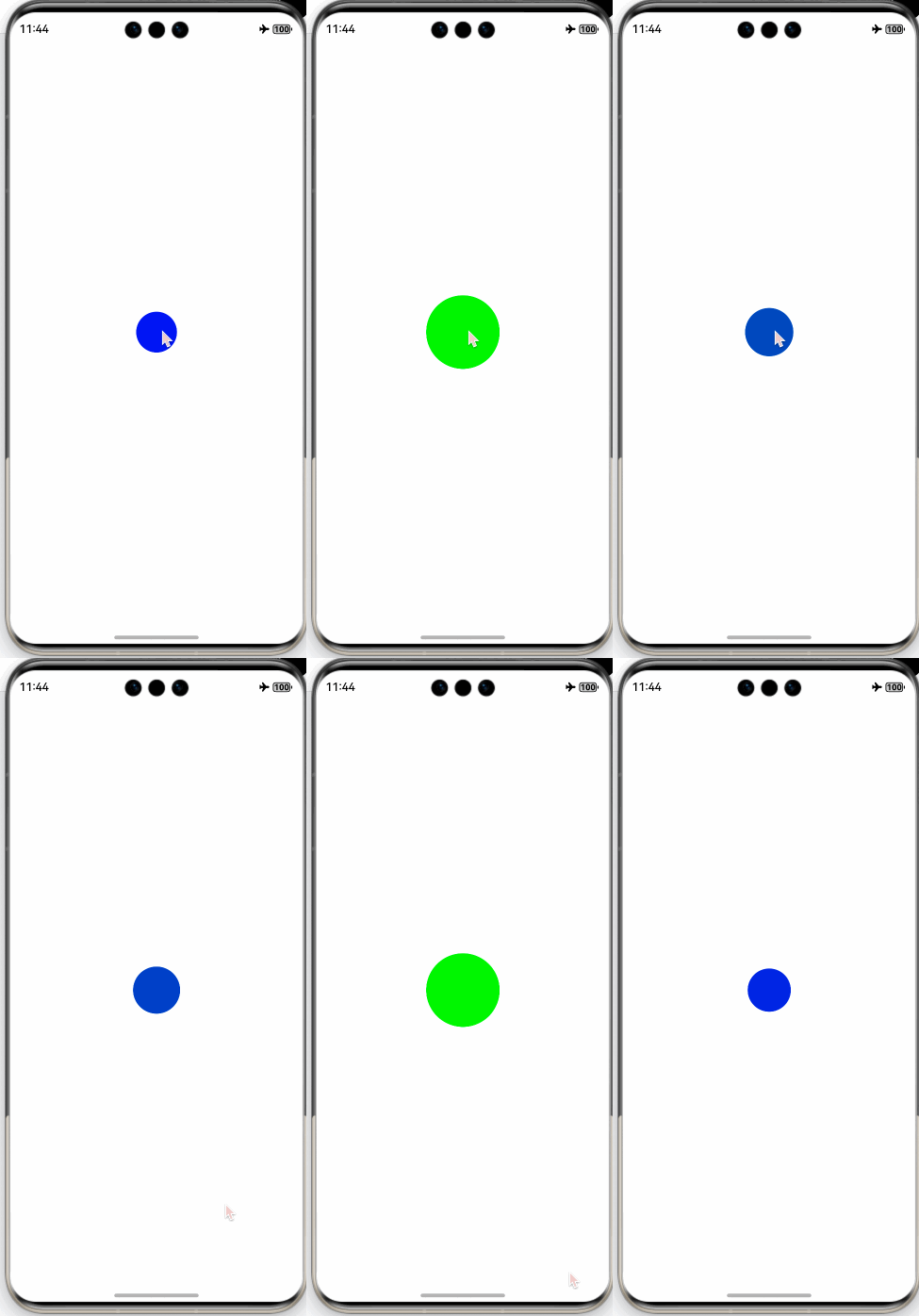
@Component
export struct AnimationPage {
  @State myWidth: number = 100
  @State myColor: string = '#00ff00'

  build() {
    Column() {
      Column()
        .width(this.myWidth)
        .aspectRatio(1)
        .borderRadius('50%')
        .backgroundColor(this.myColor)
        .animation({
          curve: Curve.Linear,
          duration: 500,
          iterations: -1,
          playMode: PlayMode.Alternate // 动画在奇数次(1、3、5...)正向播放,在偶数次(2、4、6...)反向播放。
        })
        .onClick(() => {
          this.myWidth = 50
          this.myColor = '#0000ff'
        })
    }
    .height('100%')
    .width('100%')
    .justifyContent(FlexAlign.Center)
  }
}


鸿蒙Next中animation属性动画显示错乱通常由以下原因导致:
- 动画参数配置冲突,如duration与delay设置不当
- 组件状态变更未同步更新动画属性
- 多个动画同时作用于同一元素引发渲染异常
- 系统资源调度影响动画帧率稳定性
可检查动画配置是否符合鸿蒙动画规范,确认动画生命周期与组件状态绑定关系,避免并发动画冲突。
问题出在animation修饰符的放置位置和参数设置上。
在你的代码中,.animation() 修饰符直接应用在了Column组件上,并且设置了 iterations: -1(无限循环)。这会导致动画持续运行,与你的点击切换逻辑冲突。
核心问题分析:
- animation修饰符位置不当:
.animation()应该只修饰那些需要动画过渡的属性(如.width()、.height()、.backgroundColor()),而不是直接修饰整个组件。当它修饰整个组件时,会尝试为所有可动画属性(包括可能隐含的)创建动画,容易造成干扰。 - iterations: -1 导致动画无限循环:这个设置使得动画一旦开始就永不停止,后续的状态变化会与这个永不停止的动画叠加,导致视觉错乱。
修改建议:
将 animation 参数从 iterations: -1 改为 iterations: 1(或直接移除,因为默认就是1),并将其拆开,分别应用到需要动画的属性上。更清晰和推荐的做法是使用 显式动画 或 属性动画。
修改后的代码示例:
@Entry
@Component
struct AnimationPage {
  @State myWidth: number = 100
  @State myHeight: number = 100
  @State flag: boolean = true
  @State myColor: string = '#00ff00'

  build() {
    Column() {
      Column() {
        // 内容可以留空或添加
      }
      .width(this.myWidth)
      .height(this.myHeight)
      .alignItems(HorizontalAlign.Center)
      .justifyContent(FlexAlign.Center)
      .border({ radius: 50 })
      // 为宽度、高度、背景色分别应用动画,并移除 iterations 或设为 1
      .animation({
        duration: 1000,
        curve: Curve.Linear,
        // iterations: 1, // 可以明确设置,或省略(默认即为1)
        delay: 0,
        playMode: PlayMode.Normal
      })
      .backgroundColor(this.myColor)
      .onClick(() => {
        if (this.flag) {
          this.myWidth = 50
          this.myHeight = 50
          this.myColor = '#0000ff'
        } else {
          this.myWidth = 100
          this.myHeight = 100
          this.myColor = '#00ff00'
        }
        this.flag = !this.flag
      })
    }
    .height('100%')
    .width('100%')
  }
}
关键修改点:
- 移除
iterations: -1:确保动画只执行一次(从当前状态过渡到目标状态),完成后停止。这样每次点击触发状态变化时,都会启动一次新的、干净的过渡动画。 - 保持
animation修饰符位置:在这个简单场景下,将其保留在.backgroundColor()之前,可以同时作用于.width()、.height()和.backgroundColor()的属性变化。这是隐式动画的用法。对于更复杂的动画控制,建议学习使用animateTo显式动画。
这样修改后,点击交互应该能正确触发圆形大小和颜色的平滑过渡,且不会出现显示错乱。
