




HarmonyOS鸿蒙Next中Cannot assign the ComponentV1 value to the ComponentV2 for the property 'buttons'
HarmonyOS鸿蒙Next中Cannot assign the ComponentV1 value to the ComponentV2 for the property ‘buttons’ 在同时使用ComponentV1和ComponentV2进行开发时,在真机上会遇到crash,报错信息为:Cannot assign the ComponentV1 value to the ComponentV2 for the property ‘buttons’。想请问一下这种情况有什么推荐的官方解决方案么?

当前报错为V1的值赋给V2出现报错,可能是兼容性的问题
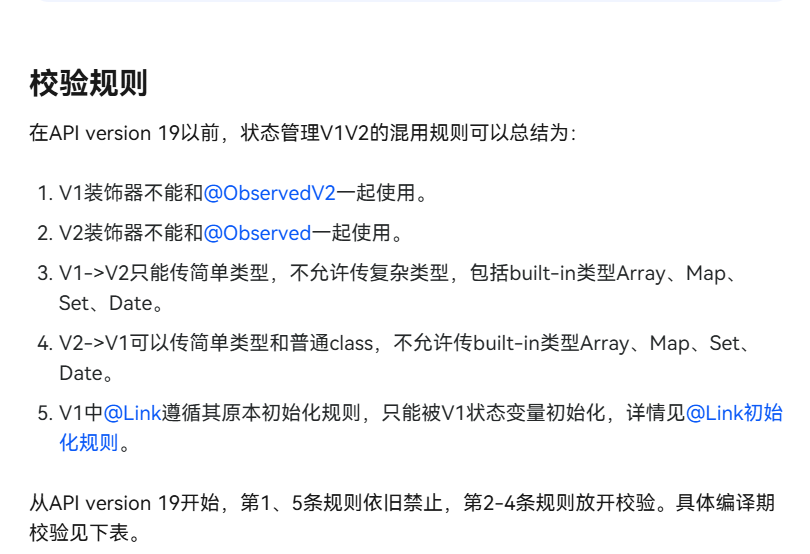
这边提供了V1和V2装饰器混用的指导: https://developer.huawei.com/consumer/cn/doc/harmonyos-guides/arkts-v1-v2-mixusage#enablev2compatibility
https://developer.huawei.com/consumer/cn/forum/topic/0202194107217977562?fid=0109140870620153026
更多关于HarmonyOS鸿蒙Next中Cannot assign the ComponentV1 value to the ComponentV2 for the property 'buttons'的实战系列教程也可以访问 https://www.itying.com/category-93-b0.html

在HarmonyOS Next中,Cannot assign the ComponentV1 value to the ComponentV2 for the property 'buttons' 错误表明你正在尝试将旧的API组件(ComponentV1)赋值给一个已升级为新API(ComponentV2)的属性。鸿蒙Next的API进行了重构,buttons等属性可能已使用新的ArkUI声明式组件。请检查并更新你的代码,确保为buttons属性提供的是新的、兼容的组件类型。

