




HarmonyOS鸿蒙Next中自动签名报错,The signature does not take effect or has expired.It may be the current system....
HarmonyOS鸿蒙Next中自动签名报错,The signature does not take effect or has expired.It may be the current system…
自动签名报错,The signature does not take effect or has expired.It may be the current system…
4 回复

报错信息
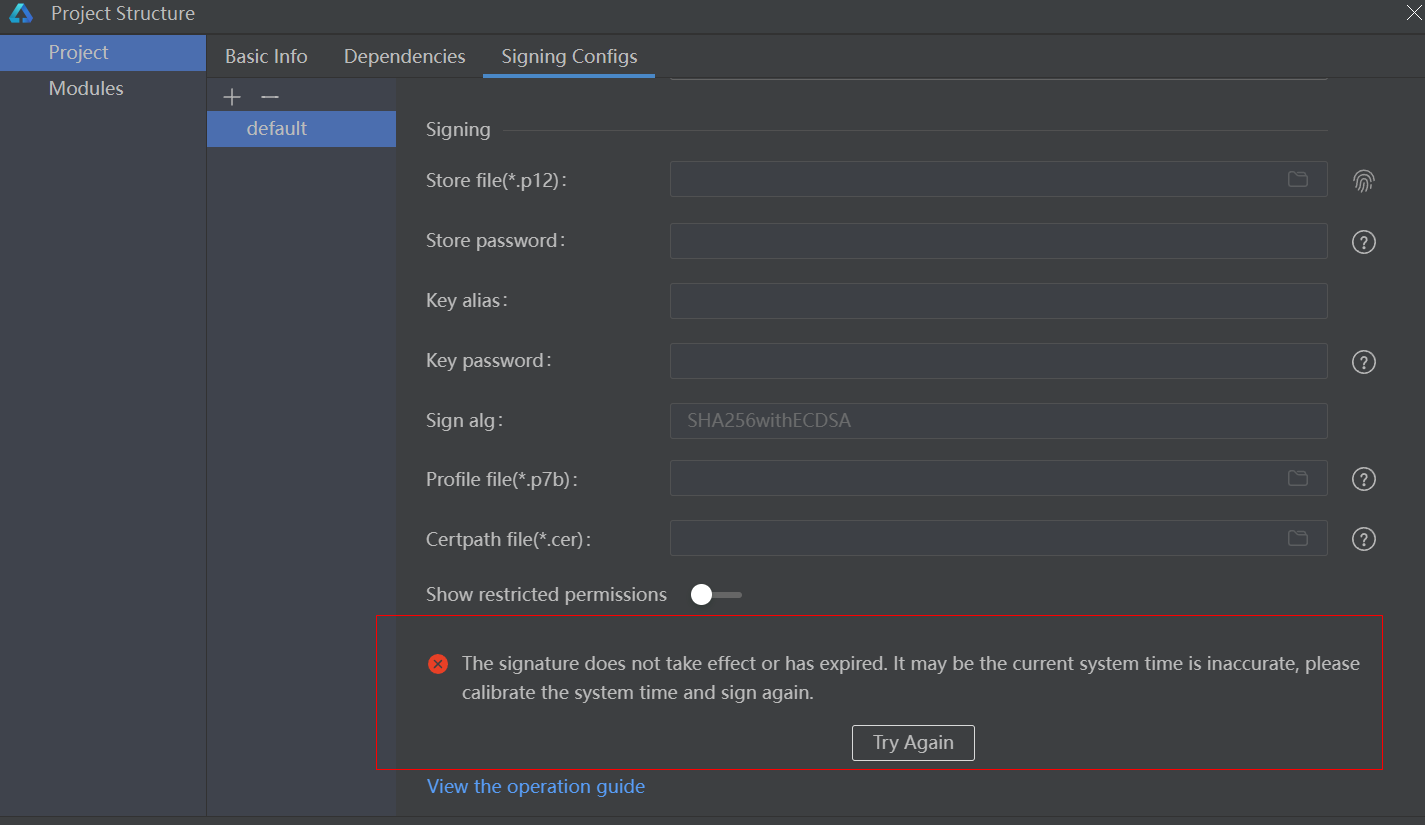
The signature does not take effect or has expired. It may be the current system time is inaccurate, please calibrate the system time and sign again.
签名无效或已过期。 可能是当前系统时间不准确,请校准系统时间并重新签名。
报错处理
1.关闭自动签名弹窗 2.右键点击电脑右下角时间,选择(调整日期、时间)
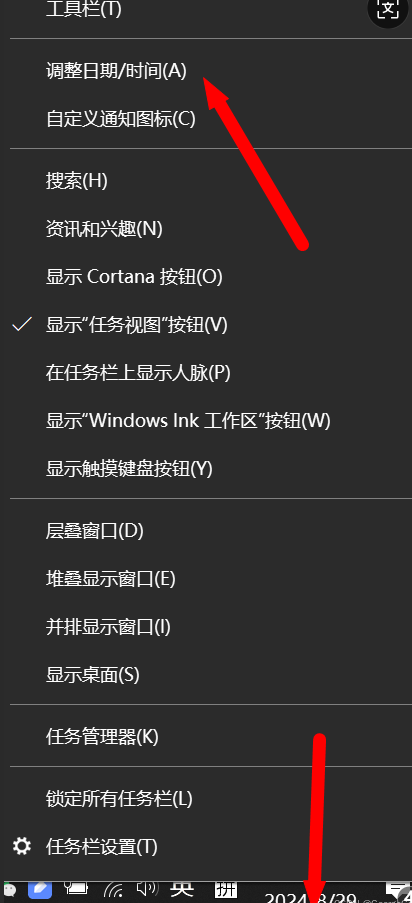
3.点击立即同步
4.同步完成后会有√。 此操作需要电脑联网!
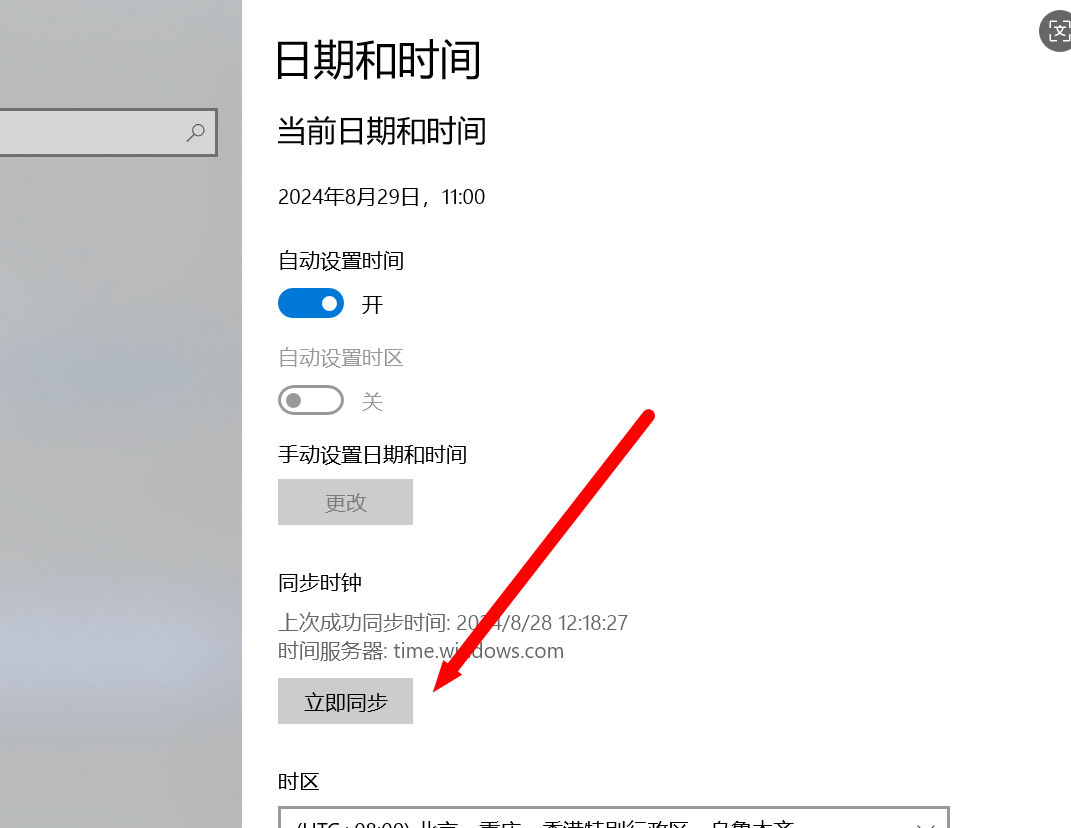
5.重新自动签名即可
更多关于HarmonyOS鸿蒙Next中自动签名报错,The signature does not take effect or has expired.It may be the current system....的实战系列教程也可以访问 https://www.itying.com/category-93-b0.html


自动签名报错提示签名未生效或已过期,通常由以下原因导致:
- 签名文件问题:签名文件(.p7b)已损坏、被修改或确实已过期。
- 系统时间异常:设备系统时间与真实时间不同步,导致签名时间验证失败。
- 证书链不完整:签名所需的CA证书未正确安装或信任。
- 应用配置问题:应用的Bundle Name或包名与签名信息不匹配。
请直接检查签名文件的有效期、系统时间设置及应用的签名配置。

这个报错通常是由于签名证书未生效或已过期导致的。在HarmonyOS Next开发中,自动签名依赖于有效的调试证书。
主要解决步骤:
-
检查证书状态
- 打开DevEco Studio,进入File > Project Structure > Project > Signing Configs
- 确认调试证书(debug certificate)的有效期是否过期
-
更新调试证书
- 删除当前调试证书:File > Settings > Build, Execution, Deployment > HarmonyOS SDK > HarmonyOS Legacy SDK
- 重新生成证书:Tools > Device Manager > 选择设备 > 点击"Wipe Data"后重新运行
-
清理缓存
- 执行Build > Clean Project
- 删除项目根目录下的
.deveco、build文件夹 - 重启DevEco Studio
-
检查系统时间
- 确认开发机系统时间准确,时区设置正确
- 时间偏差可能导致证书验证失败
-
重新配置签名
- 在模块级build-profile.json5中检查signingConfig配置
- 确保storePassword和keyPassword正确
如果问题持续,建议检查HarmonyOS SDK是否为最新版本,并确认项目配置符合当前版本的签名要求。
