




HarmonyOS鸿蒙Next中子组件如何设置,才可以使其高度和父组件高度保持一致?
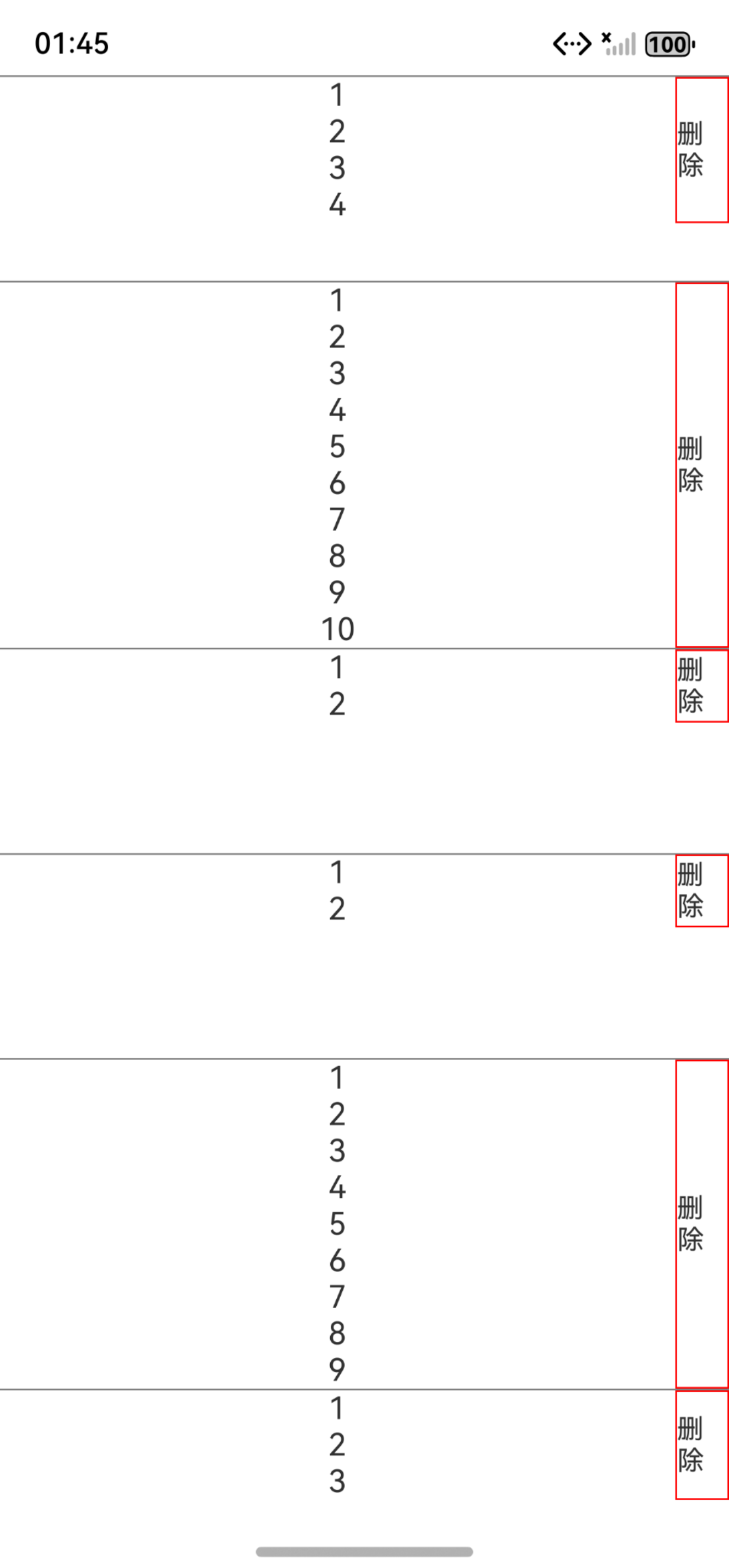
HarmonyOS鸿蒙Next中子组件如何设置,才可以使其高度和父组件高度保持一致? 如下demo中,删除按钮如何设置,才可以使其高度和父组件高度保持一致? 因为父组件高度不是固定的,而是由另一个子组件撑开的。
interface ListItemProps {
  id: number;
  value: number;
}

@Component
struct ListView {
  @State text: string = '';
  @State list: ListItemProps[] = [];

  aboutToAppear(): void {
    // 此处为随机数生成的子组件内容
    this.list = Array.from({ length: 10 }, (_: ESObject, index: number) => ({
      value: Math.floor(Math.random() * 10) + 1, id: (index + 1)
    } as ListItemProps));
  }

  build() {
    Column() {
      List() {
        ForEach(this.list, (item: ListItemProps, index: number) => {
          ListItem() {
            Stack({ alignContent: Alignment.End }) {
              // 随机的子组件内容撑开父组件
              Row({ space: 6 }) {
                Column() {
                  ForEach(Array.from({ length: item.value }), (_: number, index: number) => {
                    Text(`${index + 1}`)
                  }, (item2: number, index: number) => `${item2}_${index}`)
                }
                .width('100%')
              }
              .width('100%')
              .padding({ right: 10, left: 10 })

              // 删除按钮如何设置,才可以使其高度和被其他子组件撑开的父组件高度保持一致?
              Text("删除").fontSize(14).borderWidth(1).borderColor(Color.Red)
            }
            .width('100%')
            .constraintSize({ minHeight: 105 })
          }
          .width('100%')
          .border({ width: { top: index === 0 ? 1 : 0, bottom: 1 }, color: Color.Gray })
        }, (item: ListItemProps, index: number) => `${item.id}_${index}`)
      }
      .width('100%')
      .height('100%')
      .backgroundColor(Color.White)
    }
    .width('100%')
    .height('100%')
  }
}
更多关于HarmonyOS鸿蒙Next中子组件如何设置,才可以使其高度和父组件高度保持一致?的实战教程也可以访问 https://www.itying.com/category-93-b0.html
8 回复

把Stack({ alignContent: Alignment.End }) 改成Flex({alignItems: ItemAlign.Stretch}) 就可以和父组件高度一样了
更多关于HarmonyOS鸿蒙Next中子组件如何设置,才可以使其高度和父组件高度保持一致?的实战系列教程也可以访问 https://www.itying.com/category-93-b0.html


在HarmonyOS鸿蒙Next中,要使子组件高度与父组件一致,可使用百分比或flex布局。
- 百分比设置:在子组件的
height属性中设置为100%。 - Flex布局:父组件设置
display: flex,子组件设置flex: 1。 - 绝对定位:子组件使用绝对定位,设置
top: 0和bottom: 0。
示例代码:
/* 百分比 */
子组件 {
  height: 100%;
}

/* Flex布局 */
父组件 {
  display: flex;
}
子组件 {
  flex: 1;
}

要让删除按钮的高度与父组件(ListItem)保持一致,核心是使用Stack布局的alignItems属性配合子组件的height('100%')设置。
在你的代码中,父组件是ListItem,其高度由内部的Row组件(包含随机数量的Text)撑开。删除按钮需要匹配这个动态高度。
修改Stack部分的代码:
Stack({ alignContent: Alignment.End }) {
  // 原有的Row内容保持不变
  Row({ space: 6 }) {
    Column() {
      ForEach(Array.from({ length: item.value }), (_: number, index: number) => {
        Text(`${index + 1}`)
      }, (item2: number, index: number) => `${item2}_${index}`)
    }
    .width('100%')
  }
  .width('100%')
  .padding({ right: 10, left: 10 })

  // 删除按钮设置
  Text("删除")
    .fontSize(14)
    .borderWidth(1)
    .borderColor(Color.Red)
    .height('100%')  // 关键设置:高度100%继承父容器
    .textAlign(TextAlign.Center)  // 垂直居中
    .padding(10)  // 添加内边距确保文字显示
}
.width('100%')
.alignItems(VerticalAlign.Center)  // 关键设置:垂直方向居中拉伸
.constraintSize({ minHeight: 105 })
关键点:
Stack.alignItems(VerticalAlign.Center):让Stack的子组件在垂直方向上可以拉伸Text.height('100%'):删除按钮设置为100%高度,继承Stack的高度- Stack的高度由Row内容撑开,Text按钮通过
height('100%')自动匹配这个高度
这样删除按钮就会自动适应父容器的高度,无论Row中的Text数量多少导致的高度变化。
