




HarmonyOS鸿蒙Next中OpenHarmony-SIG/fluttertpc_record集成问题
HarmonyOS鸿蒙Next中OpenHarmony-SIG/fluttertpc_record集成问题 工具:DevEco Studio 6.0.0 Android Studio 鸿蒙sdk:3.22.1-ohos-1.0.7
HarmonyOS toolchain - develop for HarmonyOS devices
• OpenHarmony Sdk at D:\deveco\DevEco Studio\sdk, available api versions has [20:default] • Ohpm version 5.3.2 • Node version v24.0.0 • Hvigorw binary at D:\deveco\DevEco Studio\tools\hvigor\bin\hvigorw
问题:集成fluttertpc_record运行到模拟器(mate70)失败,之前发过一次,太久了且库太多,不好评判,新建demo,只集成fluttertpc_record库后,运行到模拟器失败
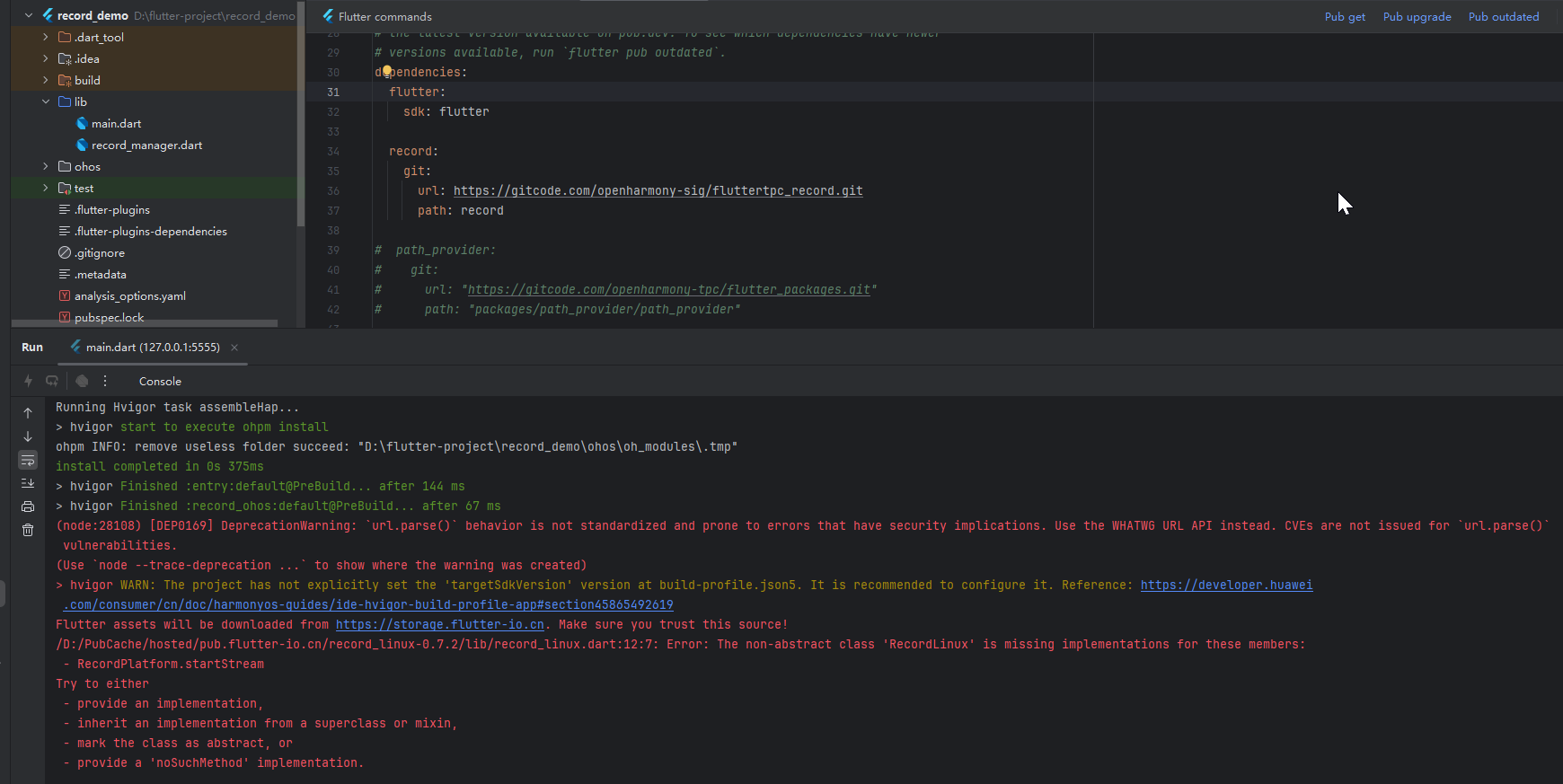
然后注释这个fluttertpc_record库后,运行可以,不知道是不是因为运行到模拟器的原因,与真机有点区别导致运行失败,目前还没有真机来测试,看一下大家的反馈。
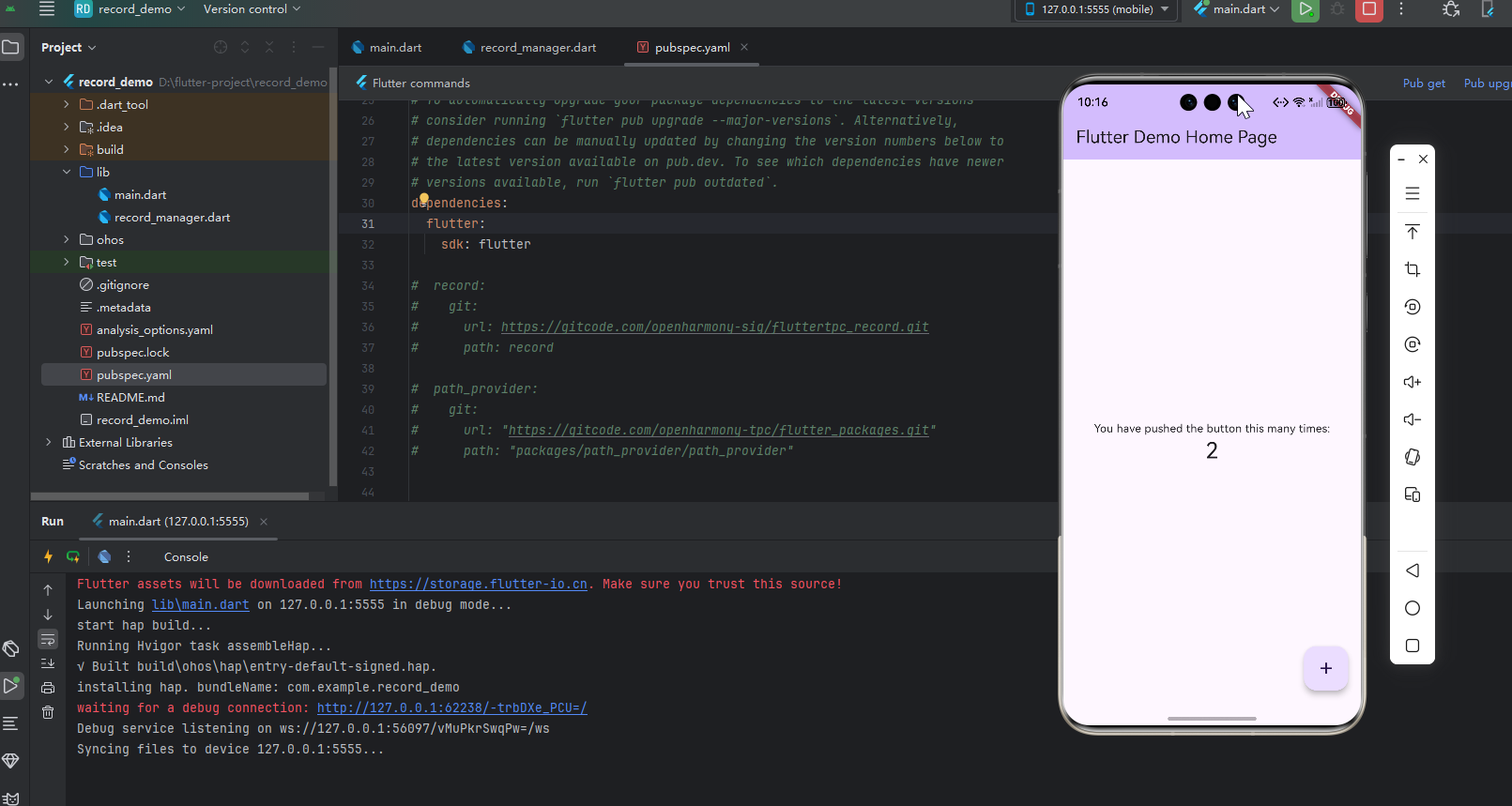
运行模拟器报错如下:
Flutter assets will be downloaded from https://storage.flutter-io.cn. Make sure you trust this source!
Launching lib\main.dart on 127.0.0.1:5555 in debug mode…
start hap build…
Running Hvigor task assembleHap…
hvigor start to execute ohpm install
ohpm INFO: remove useless folder succeed: “D:\flutter-project\record_demo\ohos\oh_modules.tmp”
install completed in 0s 375ms
hvigor Finished :entry:default@PreBuild… after 144 ms
hvigor Finished :record_ohos:default@PreBuild… after 67 ms
(node:28108) [DEP0169] DeprecationWarning: url.parse() behavior is not standardized and prone to errors that have security implications. Use the WHATWG URL API instead. CVEs are not issued for url.parse() vulnerabilities.
(Use node --trace-deprecation ... to show where the warning was created)
hvigor WARN: The project has not explicitly set the ‘targetSdkVersion’ version at build-profile.json5. It is recommended to configure it. Reference: https://developer.huawei.com/consumer/cn/doc/harmonyos-guides/ide-hvigor-build-profile-app#section45865492619
Flutter assets will be downloaded from https://storage.flutter-io.cn. Make sure you trust this source!
/D:/PubCache/hosted/pub.flutter-io.cn/record_linux-0.7.2/lib/record_linux.dart:12:7: Error: The non-abstract class ‘RecordLinux’ is missing implementations for these members: - RecordPlatform.startStream Try to either - provide an implementation, - inherit an implementation from a superclass or mixin, - mark the class as abstract, or - provide a ‘noSuchMethod’ implementation. class RecordLinux extends RecordPlatform { ^^^^^^^^^^^ /D:/PubCache/hosted/pub.flutter-io.cn/record_platform_interface-1.3.0/lib/src/record_platform_interface.dart:55:29: Context: ‘RecordPlatform.startStream’ is defined here. Future<Stream<Uint8List>> startStream( ^^^^^^^^^^^ Target kernel_snapshot failed: Exception
hvigor ERROR: Failed :entry:default@FlutterTask…
hvigor ERROR: Command failed: D:\flutter-homeng\flutter_flutter\bin\flutter.bat --quiet assemble --no-version-check --depfile build/ohos/intermediates/flutter/defaultDebug/flutter_build.d --output build/ohos/intermediates/flutter/defaultDebug -dTargetFile=D:\flutter-project\record_demo\lib\main.dart -dTargetPlatform=ohos -dBuildMode=debug -dTrackWidgetCreation=true --DartDefines=Zmx1dHRlci5pbnNwZWN0b3Iuc3RydWN0dXJlZEVycm9ycz10cnVl,RkxVVFRFUl9XRUJfQ0FOVkFTS0lUX1VSTD1odHRwczovL3d3dy5nc3RhdGljLmNvbS9mbHV0dGVyLWNhbnZhc2tpdC9mNjM0NGI3NWRjZjg2MWQ4YmYxZjEzMjI3ODBiODgxMWY5ODJlMzFhLw== -dOhosArchs=ohos-x64 debug_ohos_application
Flutter assets will be downloaded from https://storage.flutter-io.cn. Make sure you trust this source!
/D:/PubCache/hosted/pub.flutter-io.cn/record_linux-0.7.2/lib/record_linux.dart:12:7: Error: The non-abstract class ‘RecordLinux’ is missing implementations for these members: - RecordPlatform.startStream Try to either - provide an implementation, - inherit an implementation from a superclass or mixin, - mark the class as abstract, or - provide a ‘noSuchMethod’ implementation. class RecordLinux extends RecordPlatform { ^^^^^^^^^^^ /D:/PubCache/hosted/pub.flutter-io.cn/record_platform_interface-1.3.0/lib/src/record_platform_interface.dart:55:29: Context: ‘RecordPlatform.startStream’ is defined here. Future<Stream<Uint8List>> startStream( ^^^^^^^^^^^ Target kernel_snapshot failed: Exception
- Try:
Run with --stacktrace option to get the stack trace. Run with --debug option to get more log output.
hvigor ERROR: BUILD FAILED in 9 s 307 ms
ProcessException: The command failed with exit code 1 Command: hvigorw assembleHap -p product=default -p buildMode=debug --no-daemon -p FLUTTER_TARGET=D:\flutter-project\record_demo\lib\main.dart -p TARGET_PLATFORM=ohos-x64 -p DART_DEFINES=Zmx1dHRlci5pbnNwZWN0b3Iuc3RydWN0dXJlZEVycm9ycz10cnVl,RkxVVFRFUl9XRUJfQ0FOVkFTS0lUX1VSTD1odHRwczovL3d3dy5nc3RhdGljLmNvbS9mbHV0dGVyLWNhbnZhc2tpdC9mNjM0NGI3NWRjZjg2MWQ4YmYxZjEzMjI3ODBiODgxMWY5ODJlMzFhLw== -p DART_OBFUSCATION=false -p TRACK_WIDGET_CREATION=true -p TREE_SHAKE_ICONS=false -p PACKAGE_CONFIG=D:\flutter-project\record_demo.dart_tool\package_config.json
更多关于HarmonyOS鸿蒙Next中OpenHarmony-SIG/fluttertpc_record集成问题的实战教程也可以访问 https://www.itying.com/category-92-b0.html


根据错误信息,问题核心在于 fluttertpc_record 库或其依赖的 record_linux 包与 HarmonyOS Next (OpenHarmony) 的编译环境不兼容。
具体分析如下:
-
错误根源:编译失败的直接原因是
record_linux包(版本 0.7.2)中的RecordLinux类未实现其父类RecordPlatform要求的startStream方法。这是一个 Dart 编译时错误。 -
平台推断机制:Flutter 在编译时会根据目标平台(
-dTargetPlatform=ohos)自动选择和链接相应的平台实现包。在 OpenHarmony 环境下,工具链可能错误地尝试链接了为 Linux 平台设计的record_linux包,而不是为 OpenHarmony 设计的实现(如果存在的话)。 -
库兼容性:
fluttertpc_record是 OpenHarmony SIG 维护的库,理论上应对 OpenHarmony 有原生支持。但此错误表明,在您当前的 Flutter 工具链和 SDK 配置下,依赖解析路径可能发生了偏差,导致引入了不适用于当前构建目标的平台包。
解决步骤建议:
-
检查
fluttertpc_record版本与文档:确认您使用的fluttertpc_record版本是否明确支持您所使用的 HarmonyOS SDK (3.22.1-ohos-1.0.7) 及 API 版本 (20)。查阅该库在 Gitee SIG 仓库中的 README 或更新说明,确认其兼容性。 -
清理并重新获取依赖:
- 在项目根目录执行
flutter clean。 - 删除
ohos/oh_modules目录和pubspec.lock文件。 - 重新运行
flutter pub get或ohpm install(根据您的项目混合开发模式)。
- 在项目根目录执行
-
检查 Flutter 环境:确保您的 Flutter 渠道和版本与开发 HarmonyOS 应用的要求匹配。有时 Flutter 主渠道的更新可能会暂时影响对特定平台插件的解析。
-
尝试真机调试:虽然错误看似与模拟器无关(是编译阶段错误),但使用真机进行测试可以完全排除模拟器特定环境的影响,并验证库的运行时兼容性。
当前问题更可能源于 Flutter 插件在 OpenHarmony 平台下的依赖解析或编译适配问题,而非模拟器与真机的区别。建议优先从依赖管理和版本兼容性角度进行排查。
