




HarmonyOS鸿蒙Next中TextArea获取到焦点时,软键盘未能将输入框顶起来
HarmonyOS鸿蒙Next中TextArea获取到焦点时,软键盘未能将输入框顶起来
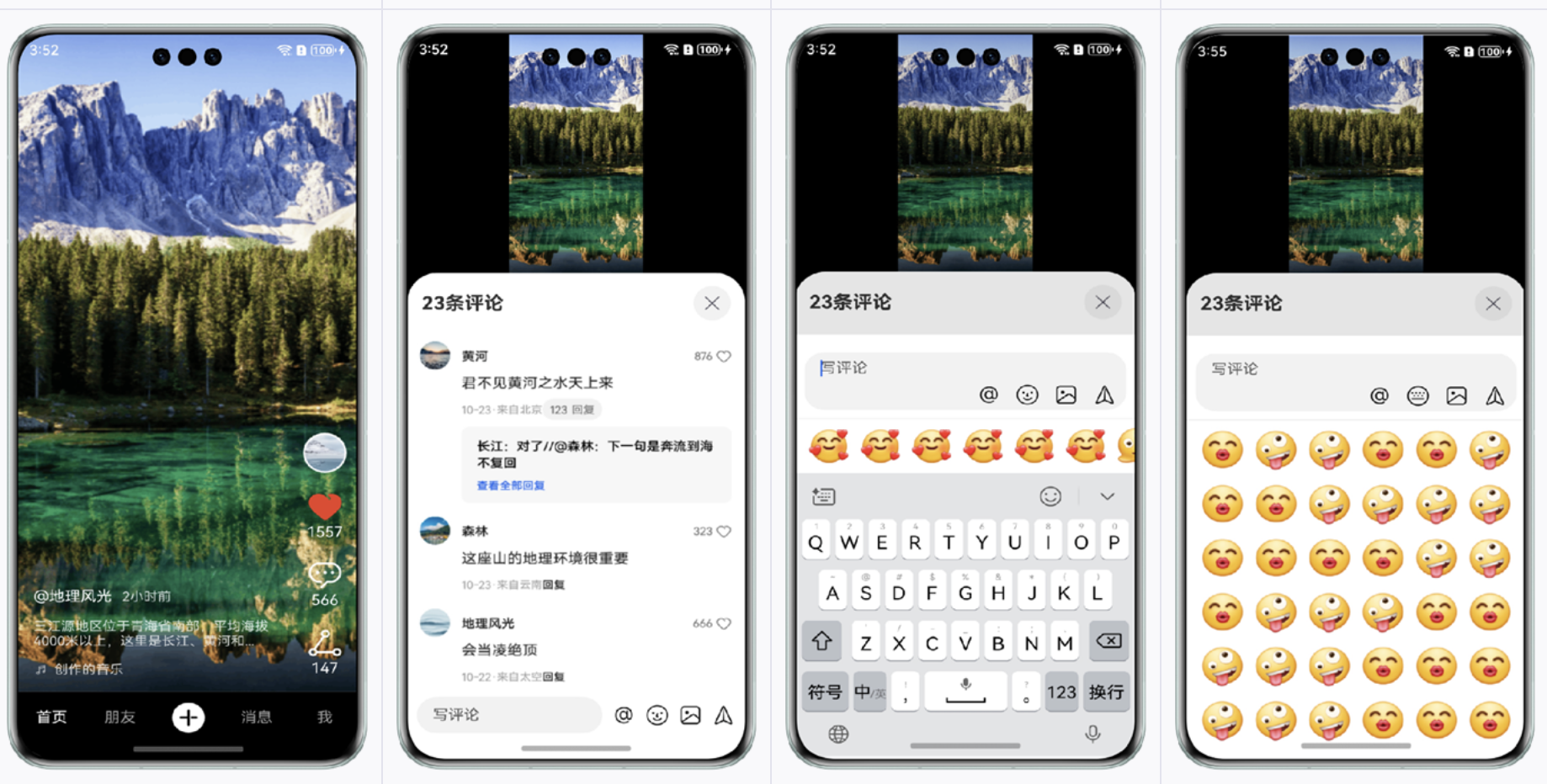
聊天页面中有个emoji表情面板,当表情面板显示的时候点击输入框,通过对监听 .onBlur和 .onEditChange方法,发现TextArea已经获取到了焦点,但是软键盘未能将输入框顶起来,代码如下:
TextArea({ controller: this.controller, text: this.content })
  .borderRadius(6)
  .layoutWeight(1)
  .backgroundColor('#F7F7F7')
  .onBlur(()=>{
    LogUtil.info('---onBlur---')
  })
  .onEditChange((isEdit: boolean) => {
    if(isEdit){
      this.showAddPanel = false
      this.showEmoji = false
      this.showRecordVoice = false
    }
  })
  .maxLines(0)
  .onChange((value) => {
    this.content = value
    this.showSendBtn = value.trim().length > 0
  })
更多关于HarmonyOS鸿蒙Next中TextArea获取到焦点时,软键盘未能将输入框顶起来的实战教程也可以访问 https://www.itying.com/category-93-b0.html

自行处理键盘避让问题,将页面设置为不避让键盘,然后监听键盘高度,给输入框部分增加padding/margin为键盘高度。
/**
 * @fileName : EmotionView.ets
 * @author : @cxy
 * @date : 2025/12/19
 * @description : 表情面板示例
 */
import { EmotionComponent } from "./EmotionComponent"
import { Emotion } from "./EmotionImage"
import { window } from "@kit.ArkUI"
import { KeyboardAvoidMode } from '@kit.ArkUI';

enum ShowType {
  None = 0,
  Text = 1,
  Emotion = 2
}

@Component
export struct EmotionView {
  @State enableSend: boolean = false
  @State showType: ShowType = ShowType.None
  @State keybordHeight: number = 314
  @State bottomSafeHeight: number = 34 //TODO:监听avoidAreaChange获取
  private controller: RichEditorController = new RichEditorController()

  aboutToAppear(): void {
    const context = this.getUIContext().getHostContext()
    if (context) {
      this.getUIContext().setKeyboardAvoidMode(KeyboardAvoidMode.NONE)

      window.getLastWindow(context).then((win) => {
        win.setWindowLayoutFullScreen(true)
        win.on('keyboardHeightChange', this.keyboardHeightChange)
      })
    }
  }

  aboutToDisappear(): void {
    const context = this.getUIContext().getHostContext()
    if (context) {
      window.getLastWindow(context).then((win) => {
        win.off('keyboardHeightChange', this.keyboardHeightChange)
      })
    }
  }

  build() {
    Column() {
      Row({ space: 10 }) {
        RichEditor({
          controller: this.controller
        })
          .id('richEditorId')
          .backgroundColor('#f0f0f0')
          .borderRadius(6)
          .onEditingChange((isEditing) => {
            if (isEditing) {
              this.showType = ShowType.Text
            } else {
              if (this.showType === ShowType.Text) {
                this.showType = ShowType.None
              }
            }
          })
          .onDidChange((rangeBefore: TextRange, rangeAfter: TextRange) => {
            this.enableSend = this.controller.getSpans().length > 0
          })
          .layoutWeight(1)

        Text(this.showType === ShowType.Emotion ? '文本' : '表情')
          .fontSize(20)
          .onClick(() => {
            if (this.showType === ShowType.Emotion) {
              this.showType = ShowType.Text
              focusControl.requestFocus('richEditorId');
            } else {
              this.controller.stopEditing()
              this.showType = ShowType.Emotion
            }
          })
      }
      .alignItems(VerticalAlign.Center)
      .padding(10)

      EmotionComponent({
        emotionHeight: this.keybordHeight,
        enableSend: this.enableSend,
        onSelectEmoji: (e: string) => {
          this.controller.addTextSpan(e)
        },
        onDeleteEmoji: () => {
          // TODO: 删除
          // this.controller.deleteSpans()
        },
        onSendEmotion: (e?: Emotion) => {
          console.dir(e)
        }
      })
        .visibility(this.showType === ShowType.Emotion ? Visibility.Visible : Visibility.None)
    }
    .width('100%')
    .height('100%')
    .alignItems(HorizontalAlign.Center)
    .justifyContent(FlexAlign.End)
    .padding({
      bottom: this.getBottomHeight()
    })

  }

  getBottomHeight(): number {
    if (this.showType === ShowType.Text) {
      return this.keybordHeight
    }
    if (this.showType === ShowType.Emotion) {
      return 0
    }
    return this.bottomSafeHeight //底部安全区域高度,
  }

  private keyboardHeightChange = (data: number) => {
    if (data > 0) {
      this.keybordHeight = this.getUIContext().px2vp(data)
    }
  }
}
可以参考这篇自定义表情包键盘
更多关于HarmonyOS鸿蒙Next中TextArea获取到焦点时,软键盘未能将输入框顶起来的实战系列教程也可以访问 https://www.itying.com/category-93-b0.html


在HarmonyOS Next中,TextArea获取焦点时软键盘未顶起输入框,通常涉及UI布局适配问题。需检查当前页面的窗口模式设置,确认是否启用了避免键盘遮挡的布局调整属性。可查看窗口的avoidKeyboardMode配置,确保其设置为AVOID_KEYBOARD_MODE_ADJUST_PAN或类似模式。同时,检查TextArea是否在可滚动容器内,并验证布局的响应式设计是否适配键盘弹出事件。
这是一个在聊天类界面中常见的问题。核心原因是当软键盘弹出时,系统需要计算并调整窗口布局,而您页面中可能存在的固定定位(或绝对定位)的表情面板等元素干扰了系统的自动调整流程。
在HarmonyOS Next中,TextArea获取焦点后软键盘未能顶起输入框,通常与窗口的avoidance属性设置或布局约束有关。根据您的代码场景,建议从以下方向排查:
-
检查窗口的
avoidance类型:确保承载页面的窗口配置了正确的键盘避让模式。在EntryAbility的onWindowStageCreate中,设置:windowStage.getMainWindow().then((window) => { window.setWindowAvoidAreaType(AvoidAreaType.TYPE_KEYBOARD); // 关键设置 });这通知系统此窗口需要为软键盘调整布局。
-
审查页面整体布局结构:问题描述中提到“当表情面板显示的时候”会出现此问题。请检查您的表情面板(及可能的其他附加面板,如
showAddPanel,showRecordVoice)是否使用了position: fixed、绝对定位或设置了固定的height/bottom值,这些可能会在布局上“阻挡”或限制TextArea的父容器随键盘上推。尝试将动态显示的面板放入一个统一的、可伸缩的容器内,使用Column或Flex布局配合layoutWeight来分配空间。 -
确认
TextArea的父容器布局:确保TextArea所在的直接父容器(例如Column或Flex)没有设置固定的高度,或者其高度约束是灵活的。系统调整窗口布局时,需要能够将变化传递到TextArea所在的布局节点。 -
使用
focusControl请求焦点:作为一种主动触发方式,可以在适当的时机(例如点击输入框或关闭表情面板时)调用TextArea控制器的focusControl方法来请求焦点,这有时能更可靠地触发系统的键盘响应布局调整。this.controller.focusControl(); -
监听键盘高度变化进行手动调整(备选方案):如果上述方法仍不理想,可以考虑监听键盘高度变化,然后手动调整
TextArea容器的位置或边距。可以通过window.getAvoidArea获取键盘避让区域信息,但这属于更定制化的方案,应优先尝试调整布局。
您遇到的情况,高度怀疑是表情面板的显示状态影响了布局容器的计算。建议首先确保窗口已设置TYPE_KEYBOARD避让类型,并重点检查当showEmoji等为true时,整体页面布局是否仍保持弹性。
