




HarmonyOS 鸿蒙Next中Trace装饰对象数组没有生效?
HarmonyOS 鸿蒙Next中Trace装饰对象数组没有生效? 默认加载string[]和对象数组, 然后修改0号位的值, string[]是生效的, 对象数组就不生效了,先看下效果图
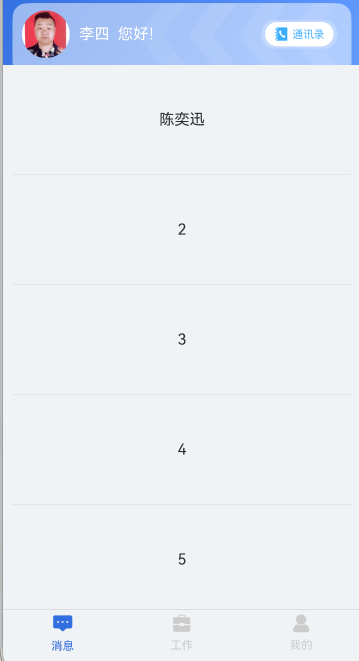
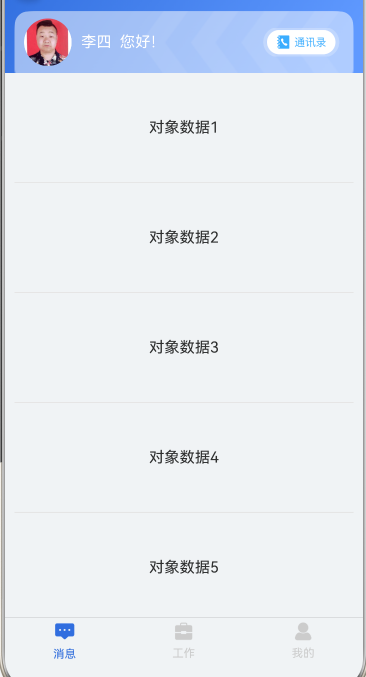
然后附上对象数组的操作代码 , 逻辑是下拉刷新后修改数据
@Builder
middleView2() {
  Refresh({ refreshing: $$this.isRefreshing }) {
    List({ scroller: this.scroller }) {
      Repeat<TestDto>(this.msgViewModel.testStr)
        .each((reItem) => {
          ListItem() {
            Text(reItem.item.title)
              .width('100%')
              .height('20%')
              .align(Alignment.Center)
              .textAlign(TextAlign.Center)
          }
          .width('100%')
        })
    }
    .width('100%')
    .listDirection(Axis.Vertical)
    .alignListItem(ListItemAlign.Center)
    .scrollBar(BarState.Off)
    .divider({
      strokeWidth: 1,
      color: $r('app.color.sys_gray_color'),
      startMargin: 10,
      endMargin: 10
    })

  }
  .layoutWeight(1)
  .onRefreshing(() => {
    setTimeout(() => {
      this.isRefreshing = false;
    }, 2000)
    this.msgViewModel.getConversationList2();
  })

}
装饰器相关代码
@ObservedV2
export class MsgViewModel extends BaseVM<BaseState> {

  @Trace testStr: TestDto[] = []
  @Trace testStr2: string[] = []

  public constructor() {
    super(new BaseState());
    this.testStr = [
      { title: "对象数据1" },
      { title: "对象数据2" },
      { title: "对象数据3" },
      { title: "对象数据4" },
      { title: "对象数据5" },
    ]
    this.testStr2 = [
      "1",
      "2",
      "3",
      "4",
      "5",
    ]
  }
  getConversationList2() {
    this.testStr[0].title = "陈奕迅"
    this.testStr2[0] = "陈奕迅"

  }}
@ObservedV2
export class TestDto {
  @Trace title ?:string;

}
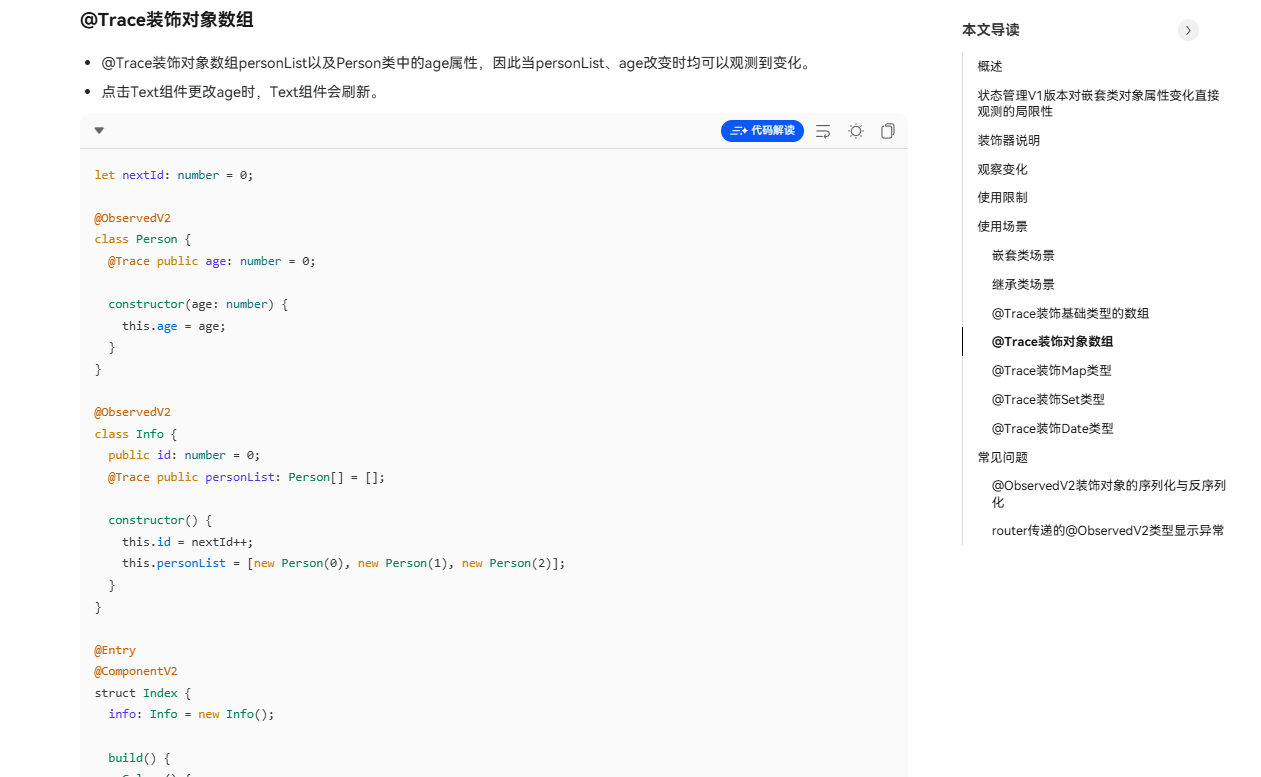
查了下官网文档也是支持 , 装饰对象数组的
更多关于HarmonyOS 鸿蒙Next中Trace装饰对象数组没有生效?的实战教程也可以访问 https://www.itying.com/category-93-b0.html

this.testStr = UIUtils.makeObserved([
  { title: "对象数据1" },
  { title: "对象数据2" },
  { title: "对象数据3" },
  { title: "对象数据4" },
  { title: "对象数据5" },
])
更多关于HarmonyOS 鸿蒙Next中Trace装饰对象数组没有生效?的实战系列教程也可以访问 https://www.itying.com/category-93-b0.html


懂了, 我的写法是普通对象数组,ts推断出的TestDto不具有ob, 所以除了testStr3都监测到了

const str111 = new TestDto()
str111.title = "对象数据1"

const str222 = new TestDto()
str222.title = "对象数据2"

this.testStr1 = [str111, str222]

this.testStr2 = UIUtils.makeObserved([{ title: "对象数据1" }, { title: "对象数据2" }])

this.testStr3 = [{ title: "对象数据1" }, { title: "对象数据2" }]


初始化方式不对吗还是赋值的时候得new的, 如果是赋值new的话,那确实能改变,因为引用地址变了嘛,查了豆包和华为自带的ai都说trace不支持对象数组对象, 给出的解决方法也都是new一个替换原来的对象, 这和官网上的说法就矛盾了,


在HarmonyOS Next中,Trace装饰器用于性能跟踪。若装饰对象数组未生效,可能原因包括:Trace仅支持装饰类方法或函数,无法直接作用于数组;数组可能未在异步任务或UI更新中被正确追踪;需确保在DevEco Studio中启用性能分析器并正确配置跟踪点。检查代码中Trace的使用位置是否符合规范。
在HarmonyOS Next中,@Trace装饰器用于跟踪对象属性变化,但你的代码中存在一个关键问题:直接修改数组元素对象的属性不会触发UI更新。
问题分析:
- 字符串数组生效原因:
this.testStr2[0] = "陈奕迅"是直接修改数组元素的值(重新赋值),@Trace能够检测到这个变化。 - 对象数组不生效原因:
this.testStr[0].title = "陈奕迅"只是修改了数组中某个对象的属性值,但数组引用本身没有变化。@Trace装饰的testStr数组只跟踪数组级别的变化(如push、pop、splice等),不深度跟踪数组内每个对象的属性变化。
解决方案:
需要让数组感知到变化,有以下两种方式:
方案一:创建新数组(推荐)
getConversationList2() {
  // 创建新数组替换原数组
  this.testStr = [
    { title: "陈奕迅" },
    ...this.testStr.slice(1)
  ];
  this.testStr2[0] = "陈奕迅";
}
方案二:修改数组引用
getConversationList2() {
  // 修改对象属性
  this.testStr[0].title = "陈奕迅";
  // 通过解构创建新数组引用
  this.testStr = [...this.testStr];
  this.testStr2[0] = "陈奕迅";
}
补充说明:
即使TestDto类使用了@ObservedV2和@Trace,当对象作为数组元素时,也需要通过修改数组引用来触发UI更新。这是ArkTS响应式系统的设计机制,确保性能优化。
