




HarmonyOS鸿蒙Next中navigation共享元素动画怎么实现类似android共享元素动画效果呢
HarmonyOS鸿蒙Next中navigation共享元素动画怎么实现类似android共享元素动画效果呢 目前Harmony有两个页面:Index 、Second, 通过Navigation导航从Index页面跳转到Second页面,其中共享元素是个Image组件,有设置了共享元素动画,但是共享元素的效果远远不如android的共享元素动画效果,android的共享元素效果很丝滑,Harmony的共享元素效果是明显有个先翻页后显示共享元素的过程, 返回上一页也是很坚硬,远远不如android的共享元素效果,要想实现像下面录屏展示的android那个共享元素效果需要怎么做呢?
Index页面代码:
@Entry
@ComponentV2
struct Index {
  @Provider('sswlPathStack') pathStack: NavPathStack = new NavPathStack()
  build() {
    Navigation(this.pathStack){
      Column() {
        //头像
        Image($r('app.media.a256'))
          .width(60)
          .height(60)
          .geometryTransition('avatar', { follow: true })
          // transition保证组件离场不被立即析构,可设置其他转场效果
          .transition(TransitionEffect.OPACITY)
          .onClick(() => {
            //共享元素动画
            this.getUIContext()?.animateTo({ duration: 500, curve: Curve.Sharp}, () => {
              this.pathStack.pushDestination({name:'second'}, false)
            })
          })
      }
      .justifyContent(FlexAlign.Start)
      .alignItems(HorizontalAlign.Start)
      .height('100%')
      .width('100%')
    }
    .backgroundColor(Color.Pink)

  }
}
Second页面代码:
@ComponentV2
struct Second {
  @Consumer('sswlPathStack') pathStack: NavPathStack = new NavPathStack()

  build() {
    NavDestination(){
      Column() {
        //头像
        Image($r('app.media.a256'))
          .width(150)
          .height(150)
          .geometryTransition('avatar', { follow: true })
          // transition保证组件离场不被立即析构,可设置其他转场效果
          .transition(TransitionEffect.OPACITY)
          .onClick(() => {
            this.getUIContext()?.animateTo({ duration: 800, curve: Curve.Friction}, () => {
              this.pathStack.pop()
            })
          })

        Text('点击头像')
          .fontSize(20)
      }
      .justifyContent(FlexAlign.Center)
      .height('100%')
      .width('100%')
    }
    .hideTitleBar(true)
    .hideToolBar(true)
    .backgroundColor(Color.Grey)
    .transition(TransitionEffect.OPACITY)
  }
}

@Builder
function SecondBuilder(){
  Second()
}
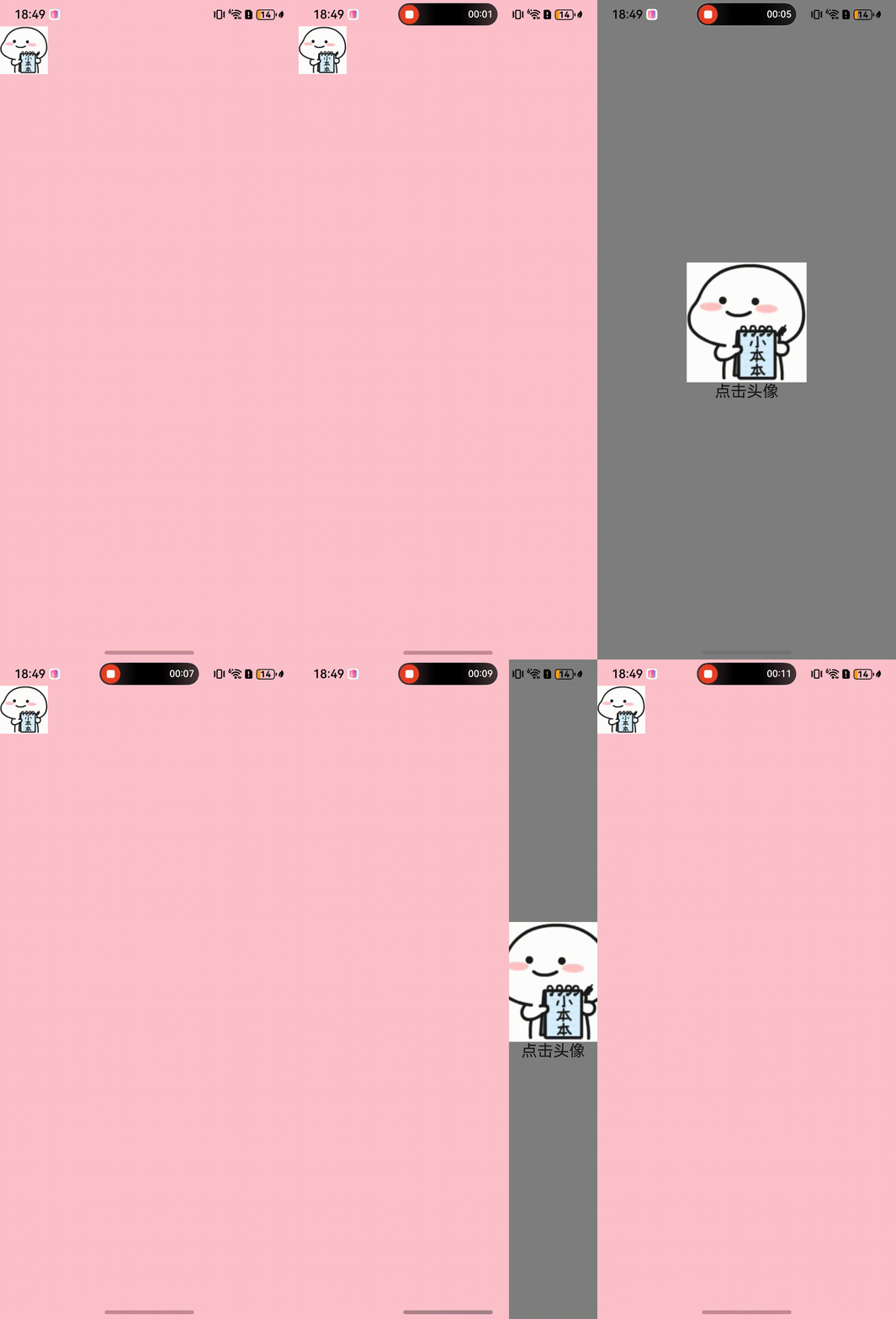
android的共享动画效果录屏:

Harmony共享元素动画效果:
更多关于HarmonyOS鸿蒙Next中navigation共享元素动画怎么实现类似android共享元素动画效果呢的实战教程也可以访问 https://www.itying.com/category-93-b0.html

这个是因为共享元素只支持在NavDestination之间使用,你出现这个情况是因为一个使用了Navigation,一个是NavDestination,解决方法是,页面一进入就直接进入一个NavDestination
aboutToAppear(): void {
this.pageInfos.pushPath({ name: RouterUrlConstants.HOME })
}
更多关于HarmonyOS鸿蒙Next中navigation共享元素动画怎么实现类似android共享元素动画效果呢的实战系列教程也可以访问 https://www.itying.com/category-93-b0.html

@Entry
@Component
struct Index {
  private uiContext = this.getUIContext() as UIContext;

  build() {
    Column() {
      Image($r('app.media.bg_fish'))
        .width(60)
        .height(60)
        .sharedTransition('imageTransition', { duration: 400, curve: Curve.EaseOut })
        .onClick(() => {
          this.uiContext.getRouter().pushUrl({
            url: 'pages/SecondPage'
          })
        })

    }
    .justifyContent(FlexAlign.Start)
    .alignItems(HorizontalAlign.Start)
    .height('100%')
    .width('100%')
    .backgroundColor(Color.Pink)
  }
}
@Entry
@Component
struct Detail {
  private uiContext = this.getUIContext() as UIContext;

  build() {
    Column() {

      Image($r('app.media.bg_fish'))
        .width(150)
        .height(150)
        .sharedTransition('imageTransition', { duration: 400, curve: Curve.EaseOut })

        .onClick(() => {
          this.uiContext.getRouter().back();
        })
    }
    .justifyContent(FlexAlign.Center)
    .height('100%')
    .width('100%')
    .backgroundColor(Color.Grey)

  }
}


Navigation组件内写入的Image不属于路由栈内元素,需确保Image是导航栈内的一部分,以便正确应用转场动画。 代码方案如下:
navigation根页面:
@Entry
@Component
struct Index {
  @Provide('navPS') navPathStack: NavPathStack = new NavPathStack();

  aboutToAppear(): void {
    this.navPathStack.replacePath({ name: 'nextB' }, false)
  }

  @Builder
  navPathMapBuilder(name: string) {
    if (name === 'nextB') {
      NextB()
    } else if (name === 'nextC') {
      NextC()
    }
  }

  build() {
    Navigation(this.navPathStack)
      .navDestination(this.navPathMapBuilder)
      .hideNavBar(true)
  }
}
页面B:
@Component
struct NextB {
  @Consume('navPS') navPathStack: NavPathStack

  build() {
    NavDestination() {
      Column() {
        Image($r('app.media.app_icon'))
          .width(80)
          .height(80)
          .geometryTransition('sharedId')
          .onClick(() => {
            animateTo({ duration: 1000 }, () => {
              this.navPathStack.pushPath({ name: 'nextC' }, false)
            })
          })
      }
      .width('100%')
      .height('100%')
    }
    .title('设置')
  }
}
页面C:
@Component
struct NextC {
  @Consume('navPS') navPathStack: NavPathStack

  build() {
    NavDestination() {
      Column() {
        Image($r('app.media.app_icon'))
          .width(160)
          .height(160)
          .geometryTransition('sharedId')
          .onClick(() => {
            animateTo({ duration: 1000 }, () => {
              this.navPathStack.pop(false)
            })
          })
      }
      .width('100%')
      .height('100%')
    }
    .title('Page C')
    .onBackPressed(() => {
      animateTo({ duration: 1000 }, () => {
        this.navPathStack.pop(false)
      })
      return true
    })
  }
}

请问你写的 this.navPathStack.pushPath({ name: 'nextC' }, false) 和 this.navPathStack.pop(false) 后面的 false 是干啥的?


在HarmonyOS Next中,可通过SharedTransition组件实现共享元素动画。在源页面和目标页面中,为需要共享的组件分别设置相同的sharedTransitionName。系统将自动识别并执行平滑的过渡动画。

